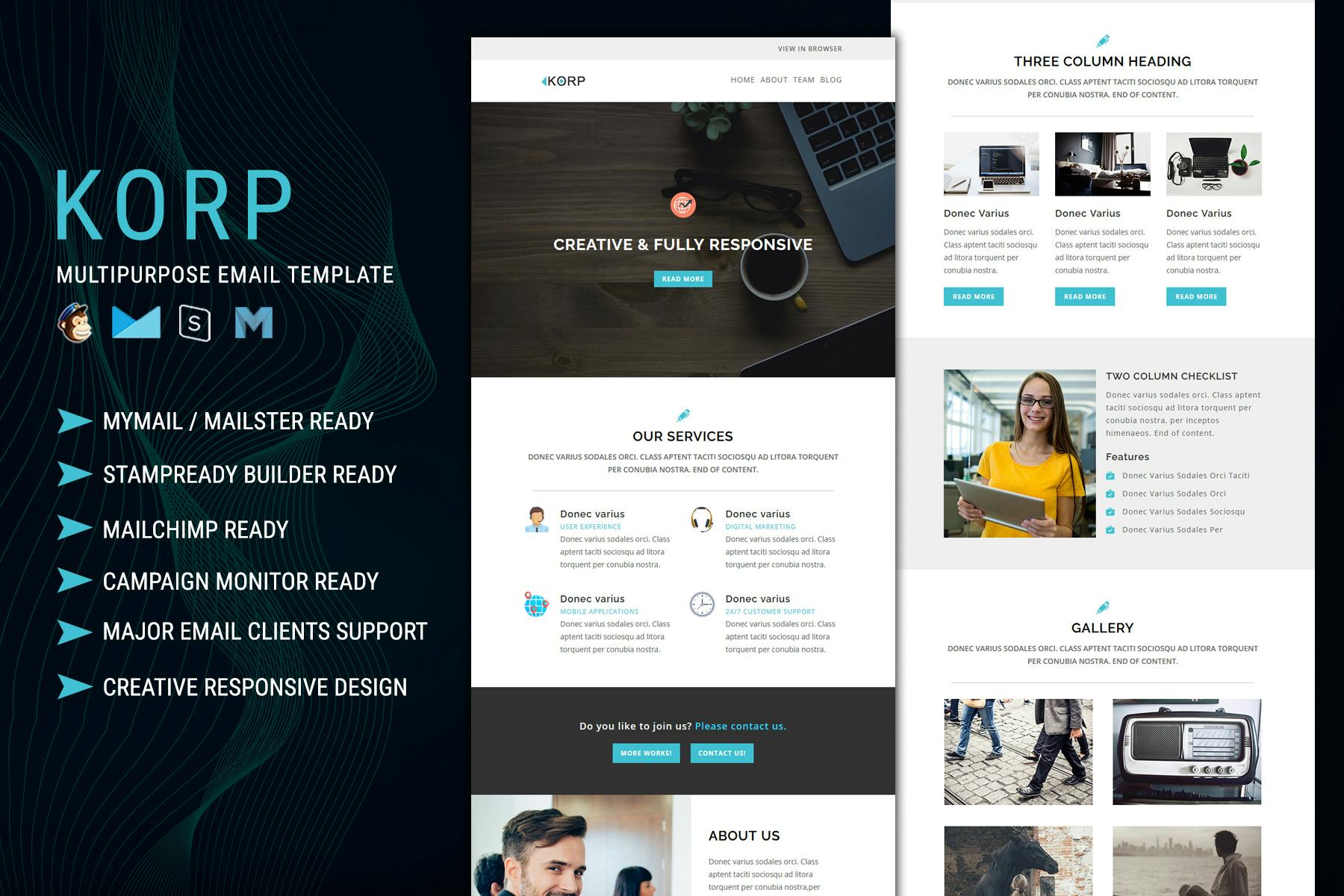
Mastering email marketing requires balancing personalization, compliance, and structural consistency across different stages of the customer lifecycle. By utilizing five versatile, field-tested email templates for welcome sequences, promotional blasts, cart abandonment reminders, re-engagement drives, and post-purchase follow-ups, brands can systematically nurture leads, drive conversions, and reduce churn without starting from a blank page for every deployment.
Understanding the Role of Templates in Modern Email Marketing
Email marketing remains one of the highest-converting channels for businesses across virtually every industry, yet execution often bogs down marketing teams in repetitive layout tasks. Developing a standardized system of layouts allows organizations to scale their communication efforts while maintaining a consistent brand voice. However, relying blindly on rigid frameworks can lead to stagnant engagement metrics and trigger spam filters if technical structures are compromised. The objective of using structured layouts is not to eliminate personalization, but rather to establish a reliable foundation that ensures optimal readability, mobile responsiveness, and alignment with modern accessibility guidelines.
When designing or selecting frameworks for your campaigns, structural integrity is just as important as persuasive copywriting. Modern email clients render code in unpredictable ways, making modular frameworks essential. A well-constructed template separates content blocks—such as headers, hero images, primary call-to-action (CTA) buttons, and footers—allowing marketers to swap elements rapidly without breaking the underlying HTML structure. Furthermore, adherence to regulations like the CAN-SPAM Act, the General Data Protection Regulation (GDPR), and the California Consumer Privacy Act (CCPA) dictates that every template must incorporate explicit permission reminders, physical mailing addresses, and easily accessible unsubscribe mechanisms.
1. The Welcome Email Template: Setting the Tone
The welcome email represents the highest-engagement touchpoint in a subscriber's lifecycle, often boasting open rates significantly higher than standard broadcast messages. This initial communication must instantly validate the subscriber's decision to opt in, deliver any promised lead magnets or incentives immediately, and set clear expectations regarding future email frequency and content value.
Structure and Key Elements
- Subject Line Hook: Clear, appreciative, and direct (e.g., "Welcome to [Brand]! Here is your 10% discount").
- Immediate Gratification: Prominently display the promised asset, discount code, or onboarding link above the fold.
- Brand Introduction: A concise, human-centric paragraph explaining what makes your organization unique and how it helps solve the subscriber's pain points.
- Preference Center Prompt: Encourage subscribers to customize their preferences to ensure they receive only relevant content.
- Primary Call-to-Action: A single, high-contrast button directing the user to their first action, such as exploring a curated collection or scheduling a consultation.
Failing to deliver immediate value in a welcome message frequently results in immediate unsubscriptions or flags for spam. To prevent this, ensure your sending domain is properly authenticated using Sender Policy Framework (SPF), DomainKeys Identified Mail (DKIM), and Domain-based Message Authentication, Reporting, and Conformance (DMARC) protocols. These technical steps ensure your welcome message lands safely in the primary inbox rather than the promotions or spam tab.
2. The Promotional Campaign Template: Driving Conversions
Promotional emails are designed to generate immediate revenue during sales, product launches, or limited-time offers. Unlike relationship-building emails, promotional layouts must be visually striking, heavily focused on urgency, and direct the reader's eye seamlessly toward a transactional goal.
Structure and Key Elements
- Urgency-Driven Subject Line: Highlight scarcity or a strict deadline (e.g., "Ends tonight: Save 30% on our bestselling collection").
- Hero Banner: A high-impact graphic or bold typography highlighting the core offer, placed directly below the header.
- Value Proposition Bullet Points: Three concise reasons why the recipient should take advantage of the offer right now.
- Scarcity Indicator: A countdown timer or text reminder emphasizing limited inventory or expiring windows.
- Prominent CTA: A bold, unmissable button styled with contrasting brand colors to maximize click-through rates.
When structuring promotional campaigns, balance visual elements with plain-text readability. Many email clients block images by default; therefore, relying entirely on image-heavy layouts can render your message completely unreadable. Ensure that critical information—such as the discount code and the expiration date—is embedded as live HTML text rather than baked directly into graphic assets. Additionally, always include clear terms and conditions in the footer to prevent customer service friction regarding exclusions or eligible product categories.
3. The Cart Abandonment Template: Recovering Lost Revenue
Cart abandonment is an inevitable friction point in e-commerce and digital service sales, with industry averages frequently hovering around seventy percent. A strategic cart abandonment sequence recovers a significant percentage of these near-miss conversions by addressing hesitation, offering reassurance, and gently nudging the user back to complete their transaction.
Structure and Key Elements
- Personalized Reminder: Address the customer by name and display the exact items they left behind, complete with thumbnail images and pricing.
- Social Proof or Reassurance: Brief customer testimonials, trust badges, or mentions of a generous return policy to mitigate purchase anxiety.
- Friction Reducer: Answer common pre-purchase questions or offer live-chat support links directly within the email body.
- Incentive (Optional): A limited-time free shipping offer or small discount code reserved for the second or third email in an automated recovery sequence.
- Direct Checkout Link: A prominent button that takes the user directly back to their pre-populated shopping cart, bypassing the need to log in again.
Timing is critical for cart abandonment sequences. The first email should typically deploy within one to two hours of abandonment while the product remains top-of-mind. A secondary follow-up can be sent twenty-four hours later, followed by a final urgency-driven reminder at the forty-eight-hour mark. Over-mailing past this window risks annoying the consumer and damaging brand sentiment.
4. The Re-Engagement Template: Reviving Dormant Subscribers
Over time, email lists naturally degrade as subscribers change addresses, lose interest, or stop interacting with incoming messages. Inactive subscribers negatively impact your sender reputation, which in turn hurts deliverability for your active audience. A re-engagement template helps clean your list organically by giving dormant contacts a clear choice to stay or leave.
Structure and Key Elements
- Scroll-Stopping Subject Line: Direct and curiosity-inducing (e.g., "We miss you, [Name]—do you still want to hear from us?").
- Empathy and Value Reminder: Briefly remind the subscriber what they have missed and highlight any major product updates or resource additions.
- Exclusive Re-Engagement Offer: A special incentive designed exclusively for returning subscribers.
- Dual Action Buttons: Two distinct paths—one to reaffirm their subscription and stay on the list, and another to unsubscribe immediately.
- Sunset Notice: A polite heads-up that unengaged profiles will be automatically removed from the database after a specific date.
Executing a re-engagement campaign requires careful segmentation. Never blast your entire database with a re-engagement message; instead, isolate subscribers who have opened or clicked zero emails over a defined timeframe, such as ninety to one hundred and eighty days. If recipients do not interact with your re-engagement sequence, segment them out of future sends to protect your inbox placement metrics.
5. The Post-Purchase Follow-Up Template: Building Long-Term Loyalty
The customer journey does not end at the checkout page; in many ways, it only truly begins there. Post-purchase follow-up emails reassure buyers, provide vital tracking or onboarding details, minimize buyer remorse, and lay the groundwork for repeat purchases and organic word-of-mouth referrals.
Structure and Key Elements
- Reassurance Subject Line: Clear and functional (e.g., "Your order is confirmed! Here is what happens next").
- Transactional Details: Order summary, shipping address confirmation, tracking information, and customer support contact details.
- Educational Content: Helpful guides, tutorials, or care instructions explaining how to get the absolute most out of the purchased item.
- Feedback Request: An invitation to review the product or participate in a brief satisfaction survey, often incentivized with a future loyalty discount.
- Referral Prompt: Encourage satisfied customers to share their experience with friends in exchange for mutual rewards.
A thoughtful post-purchase experience transforms one-time buyers into loyal brand advocates. By spacing out your follow-up sequence—sending shipping details immediately, educational tips upon delivery, and a review request a week later—you maintain steady, helpful communication without overwhelming the recipient's inbox.
| Campaign Type | Primary Goal | Optimal Timing | Key Conversion Metric |
|---|---|---|---|
| Welcome Email | Validate opt-in and deliver initial value | Immediate (Triggered) | Open Rate & Click-Through Rate |
| Promotional Blast | Drive immediate sales and revenue | Scheduled (Campaign-dependent) | Conversion Rate & Revenue Per Email |
| Cart Abandonment | Recover lost transactions | 1 to 2 hours post-abandonment | Recovery Rate |
| Re-Engagement | Clean list and revive dormant users | 90–180 days of inactivity | Re-opt-in Rate / Unsubscribe Rate |
| Post-Purchase | Nurture loyalty and request reviews | Post-delivery window | Review Submission & Repeat Purchase Rate |
Frequently Asked Questions
How often should I test my email templates?
You should review and test your email templates at least once per quarter, or whenever major updates occur in email client rendering standards. Regularly check mobile responsiveness, dark mode compatibility, and broken links across multiple devices before deploying live campaigns.
Are plain-text emails better than heavily designed HTML templates?
Neither format is universally superior; their effectiveness depends entirely on your campaign goals. Designed HTML templates work best for promotional blasts and e-commerce showcases where visual branding is essential. Plain-text or minimal hybrid templates often perform better for welcome sequences, personal outreach, and B2B communications where a conversational tone builds stronger trust.
What is the best way to handle email accessibility?
Email accessibility ensures that individuals using screen readers or assistive technologies can comprehend your message. Always include descriptive alt text for every image, maintain a high contrast ratio between text and background colors, use clean semantic HTML heading tags, and avoid embedding crucial text inside image files.
How do I prevent my marketing emails from going to the spam folder?
To protect your sender reputation and avoid spam filters, authenticate your sending domain using SPF, DKIM, and DMARC. Always maintain clean mailing lists by removing hard bounces and unengaged subscribers, avoid spam-trigger words in your subject lines, and ensure every email includes a clear, working unsubscribe link.
Can I use the same template across different email marketing platforms?
Most modern email service providers (ESPs) allow you to import custom HTML templates or use built-in drag-and-drop builders. However, code rendering varies significantly between platforms like Mailchimp, Klaviyo, ActiveCampaign, and enterprise tools. Always test your exported layouts thoroughly across multiple email clients before sending live traffic.
Conclusion and Next Actions
Implementing a structured set of email templates streamlines your marketing operations, protects your brand consistency, and ensures that every customer touchpoint serves a clear strategic purpose. Begin by auditing your current email communications against the five core campaign types outlined above. Identify which lifecycle stage currently lacks a reliable framework, and build out a modular, mobile-responsive template designed to meet those specific subscriber needs. By continuously testing your layouts, refining your copywriting, and maintaining rigorous list hygiene, you will maximize your return on investment and build lasting relationships with your audience.