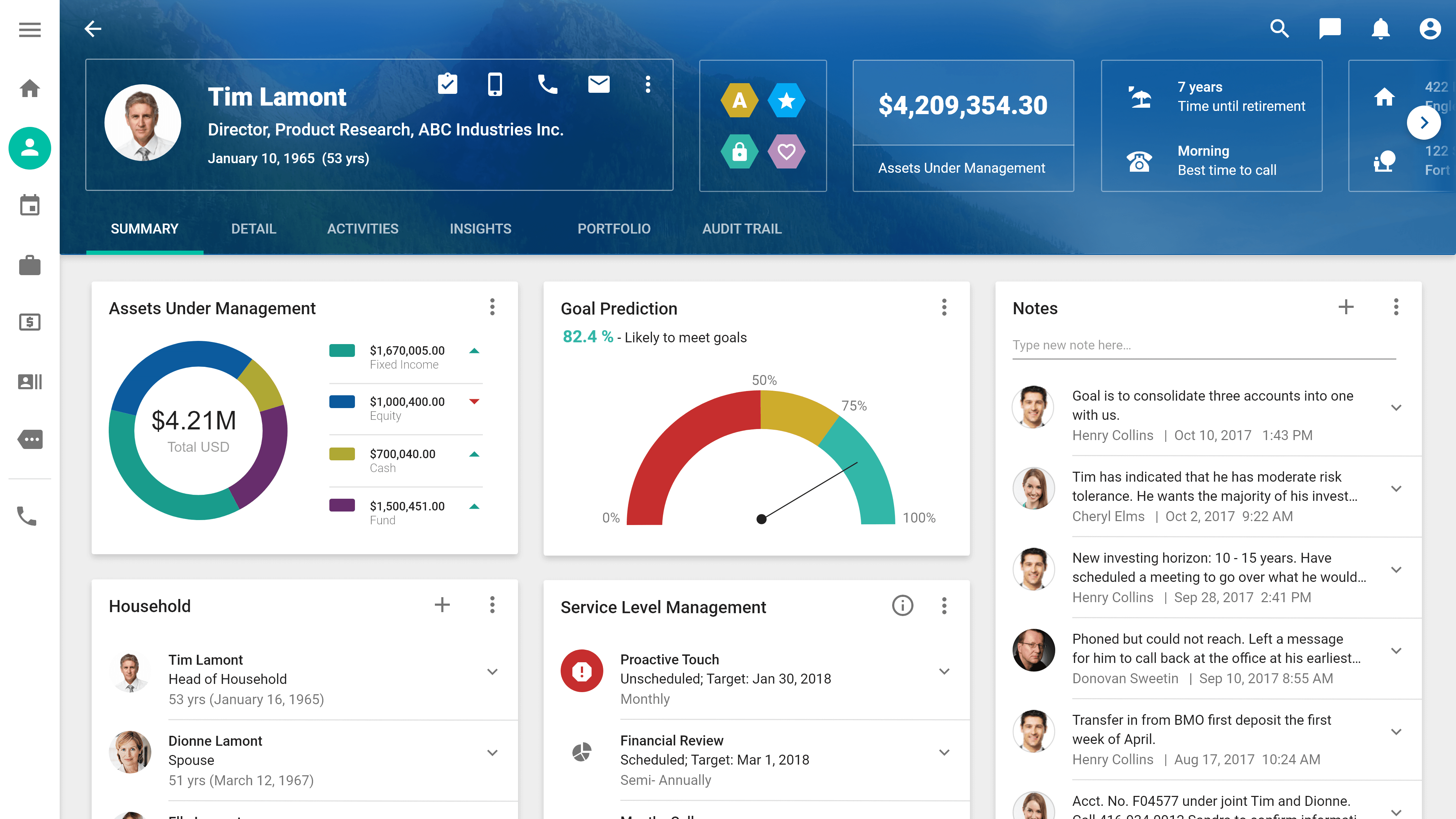
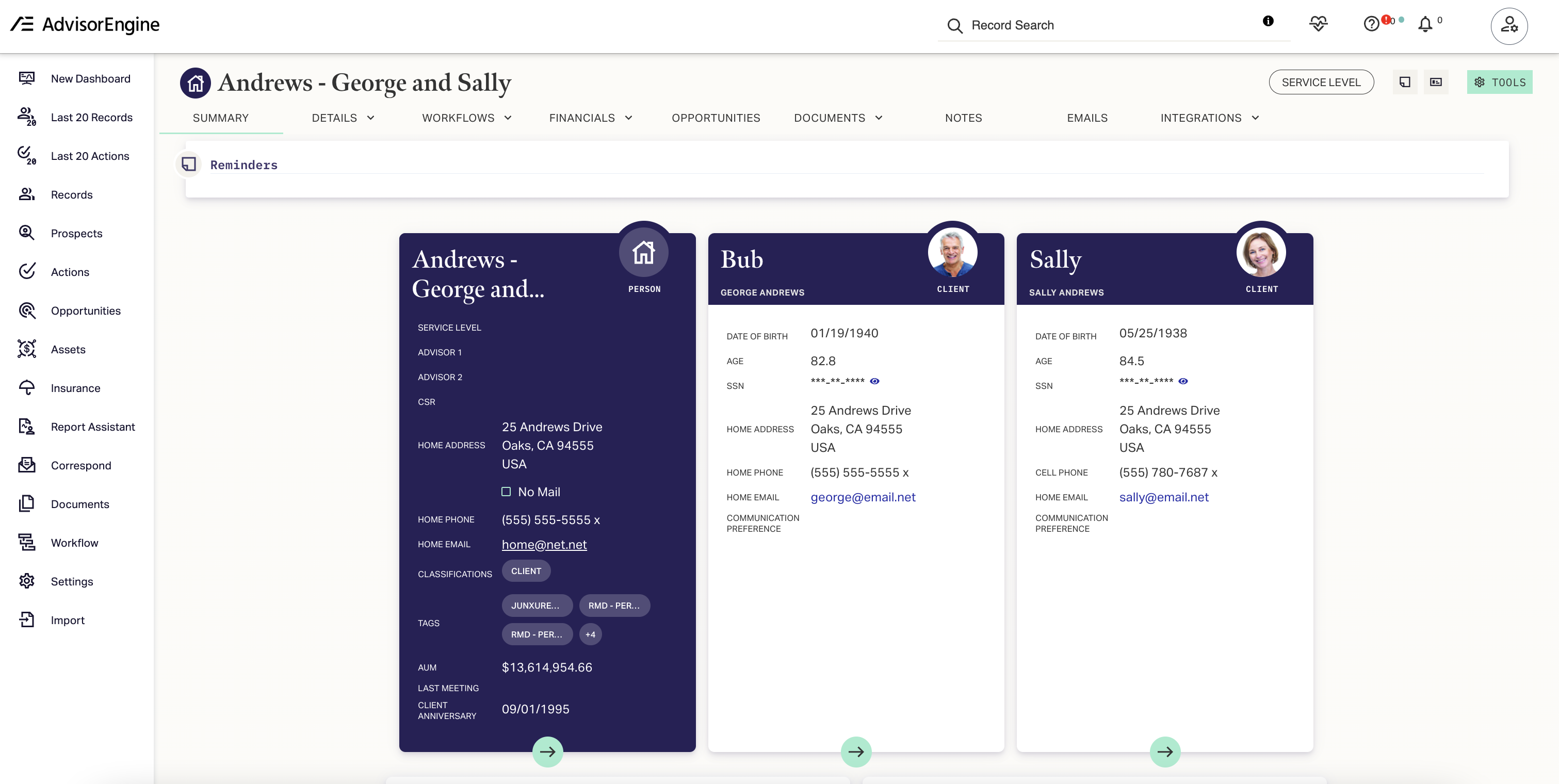
Advisory CRM (Customer Relationship Management) software serves as the central operational hub for financial advisors, wealth managers, and boutique investment firms. These specialized platforms consolidate client demographic data, investment portfolios, communication logs, and compliance documentation into a single, unified interface to streamline practice management, ensure regulatory adherence, and scale personalized client engagement.
The Foundational Role of Advisory CRM in Wealth Management
In the modern financial landscape, an advisor’s primary asset is the strength and depth of their client relationships. Unlike generic business CRMs, which are often designed for mass-market sales pipelines, advisory CRM software is engineered to address the specific complexities of long-term financial planning.
At its core, this software functions as an information aggregator. It ingests data from custodial feeds, financial planning software, and account aggregation services to provide a 360-degree view of a client’s fiscal life. By centralizing this information, advisors move away from fragmented workflows—where essential data is siloed in spreadsheets, email folders, and physical cabinets—toward a streamlined, digital-first practice model.
Key Functional Requirements for Advisory Firms
When selecting or evaluating advisory CRM software, professionals must prioritize specific technical features that support the unique requirements of the fiduciary and advisory relationship.
1. Data Aggregation and Portfolio Integration
An effective advisory CRM must possess robust integration capabilities. It should natively sync with major custodial platforms (such as Schwab, Fidelity, or Pershing) and leading financial planning tools like eMoney or MoneyGuidePro. This integration ensures that when a client’s portfolio value changes or a financial plan is updated, the CRM reflects these changes in real time, allowing the advisor to provide proactive, data-backed guidance rather than reactive service.
2. Compliance and Audit Trails
Financial advisory is a highly regulated sector governed by bodies such as the SEC and FINRA. A specialized CRM provides automated audit trails that log every interaction, document shared, and advice provided. This is critical for meeting record-keeping requirements during regulatory examinations. The system should offer immutable logging, meaning historical notes cannot be altered without a clear timestamp and identification of the changes made.
3. Workflow Automation and Practice Management
Managing the lifecycle of a high-net-worth client involves complex, repeatable tasks—such as onboarding new accounts, preparing for annual reviews, or executing rebalancing trades. Advisory CRMs leverage workflow engines to automate these processes. By triggering follow-up tasks, email notifications, and document requests automatically, the software reduces administrative overhead and ensures that no client requirement falls through the cracks.
Comparative Analysis of Leading CRM Solutions
Choosing the right software depends heavily on the size of the firm and the complexity of the client base. Below is a comparative overview of how different categories of CRM software serve advisory practices.
| Feature Category | Specialized Advisory CRM (e.g., Wealthbox, Redtail) | Enterprise-Grade CRM (e.g., Salesforce Financial Services Cloud) | General-Purpose CRM (e.g., HubSpot, Zoho) |
|---|---|---|---|
| Industry Focus | High (Built for Wealth Management) | Very High (Customized for Finance) | Low (Broad-market utility) |
| Ease of Setup | Fast/Intuitive | Slow/Consultant-Led | Moderate |
| Compliance Tools | Built-in/Turnkey | Configurable/Robust | Requires Add-ons |
| Integration Depth | Deep (Native API focus) | Maximum (Extensive ecosystem) | Shallow (Limited to APIs) |
| Cost Structure | Per-user subscription | Per-user + Implementation fees | Tiered/Feature-gated |
Navigating Technical Implementation and Data Migration
Transitioning to a new CRM is often the most significant operational hurdle an advisory firm faces. The "garbage in, garbage out" principle applies heavily here; migrating poorly structured data from legacy systems or Excel files into a sophisticated CRM will negate the benefits of the new platform.
Before beginning an implementation, firms should perform a rigorous data audit. This involves cleaning duplicate contact entries, standardizing address formats, and ensuring that custom fields—such as "Risk Tolerance Score" or "Beneficiary Status"—map correctly to the new system.
It is recommended to adopt a phased implementation approach. Start by migrating core contact and household data, followed by active document repositories. Only after the team has achieved proficiency with basic record-keeping should they begin layering in advanced automation and third-party integrations.
Security and Data Privacy Considerations
Given the sensitivity of the data handled—including social security numbers, tax filings, and account balances—advisory CRM software must adhere to stringent cybersecurity standards.
- Multi-Factor Authentication (MFA): Mandatory for all staff access.
- Role-Based Access Control (RBAC): Ensures junior staff or support personnel only access the specific client data required for their job functions.
- Encryption at Rest and in Transit: All client data must be protected by industry-standard encryption protocols (AES-256 or higher).
- Geographic Redundancy: Reliable platforms maintain servers in multiple, geographically dispersed locations to ensure business continuity in the event of a regional outage.
Common Pitfalls and Troubleshooting
Advisors frequently encounter challenges when the CRM does not align with the firm's actual workflow. A common mistake is "over-customization," where a firm adds so many proprietary fields and complex workflows that the system becomes burdensome for the average staff member to use.
- User Adoption Issues: If the staff finds the CRM cumbersome, they will resort to "shadow IT"—using personal spreadsheets to manage tasks, which creates security risks and data silos. To prevent this, prioritize a UI (User Interface) that minimizes the number of clicks required for routine tasks.
- Integration Breakage: Third-party APIs can occasionally disconnect due to security updates at the custodian or provider level. Firms should establish a monthly "tech stack health check" to verify that custodial feeds are active and that data is syncing without error.
- Compliance Gaps: Relying on the CRM for compliance is not a substitute for a Chief Compliance Officer. Regularly review that your CRM configuration still reflects current regulatory mandates as they evolve through 2026.
Frequently Asked Questions
1. Is it necessary for a solo advisor to invest in a specialized advisory CRM? Yes. While a solo advisor might start with spreadsheets, a specialized CRM is essential for scaling. It provides the automation needed to handle administrative tasks, freeing up the advisor to focus on high-value client consultations rather than data entry.
2. How do I ensure my CRM migration is compliant with data privacy laws? During migration, ensure your vendor provides a Business Associate Agreement (BAA) or equivalent data processing addendum. Confirm that your firm’s migration process utilizes encrypted channels and that all historical data is handled in accordance with the firm’s written information security program (WISP).
3. What is the difference between an advisory CRM and a financial planning tool? The CRM is the operational "book of record" for client relationships, interactions, and tasks. A financial planning tool is a calculation engine used for projections, retirement modeling, and estate planning. They should integrate to ensure the CRM remains the central source of truth for the client's current status.
4. How often should we update our CRM workflows? Workflows should be audited at least annually or whenever there is a material change in firm policy, service offerings, or regulatory requirements. A stagnant workflow often indicates a process that is no longer serving the firm’s efficiency goals.
5. Are cloud-based CRMs safe for financial advisory firms? Cloud-based systems are the industry standard for 2026. When properly configured with MFA, encryption, and strict access controls, they are often more secure than on-premises solutions because cloud providers invest significantly more in specialized cybersecurity infrastructure than a typical small-to-mid-sized advisory firm could manage internally.
Next Steps for Implementation
To advance your practice's technological infrastructure, begin by conducting a gap analysis of your current manual processes. Identify the top three areas where administrative time is spent—such as meeting preparation, client onboarding, or task follow-ups—and prioritize a CRM solution that offers robust, proven automation for these specific pain points. Consult with your firm’s compliance officer to ensure the chosen platform supports the necessary logging requirements for your jurisdiction before finalizing a subscription agreement.