Implementing Active Directory in the cloud involves migrating or extending your on-premises identity management infrastructure to cloud-native or hybrid services. By transitioning from traditional, server-dependent Active Directory Domain Services (AD DS) to modern identity providers like Microsoft Entra ID or managed domain services, organizations can unify access control, improve security postures, and reduce the operational overhead associated with managing physical domain controllers.
The Evolution of Identity Management
For decades, Active Directory Domain Services (AD DS) served as the cornerstone of enterprise IT. Operating on Windows Server, AD DS relies on Kerberos, LDAP, and NTLM protocols to authenticate and authorize users across local area networks. However, as the workplace decentralized and infrastructure migrated to cloud platforms, the rigidity of traditional AD DS became a bottleneck.
"Active Directory in the cloud" is a term that often conflates two distinct architectures. The first is Microsoft Entra ID (formerly Azure Active Directory), which is a modern, cloud-native Identity-as-a-Service (IDaaS) platform built on RESTful APIs and modern authentication protocols like OAuth 2.0 and OpenID Connect. The second is Microsoft Entra Domain Services (formerly Azure AD Domain Services), which provides managed, domain-joined capabilities for legacy applications that still require LDAP or Kerberos in the cloud. Distinguishing between these two is critical for any migration strategy.
Analyzing the Two Primary Cloud Identity Paths
Understanding the architectural differences between Entra ID and Entra Domain Services is the first step in successful implementation.
Microsoft Entra ID (The Cloud-Native Approach)
Entra ID is not simply "Active Directory in the cloud" in the sense of a domain controller in a virtual machine. It is a completely different platform designed for modern SaaS applications, web services, and mobile device management. It does not support Group Policy Objects (GPO) or legacy Windows authentication natively. It is the preferred path for organizations looking to move away from legacy infrastructure entirely.
Microsoft Entra Domain Services (The Legacy Support Path)
If your organization relies on legacy applications that mandate features like GPO, LDAP, or NTLM, Entra Domain Services acts as a managed bridge. It provides a domain-joined environment in the cloud that is compatible with traditional AD DS. Crucially, this is a managed service; Microsoft handles the patching and domain controller maintenance, though the customer manages the domain objects.
Core Migration and Implementation Prerequisites
Before moving identity infrastructure to the cloud, rigorous planning is required to avoid service disruptions.
- Identity Assessment: Catalog all applications. Determine which support modern authentication (Entra ID) and which require legacy protocols (Domain Services).
- Network Topology: Ensure that your virtual networks (VNets) are configured to support the required domain traffic if using Domain Services, including open ports for LDAP and Kerberos.
- Governance Policy: Define your User Principal Name (UPN) strategy. Often, organizations transition from local "on-prem.local" domain suffixes to public-facing UPNs that match their email domains.
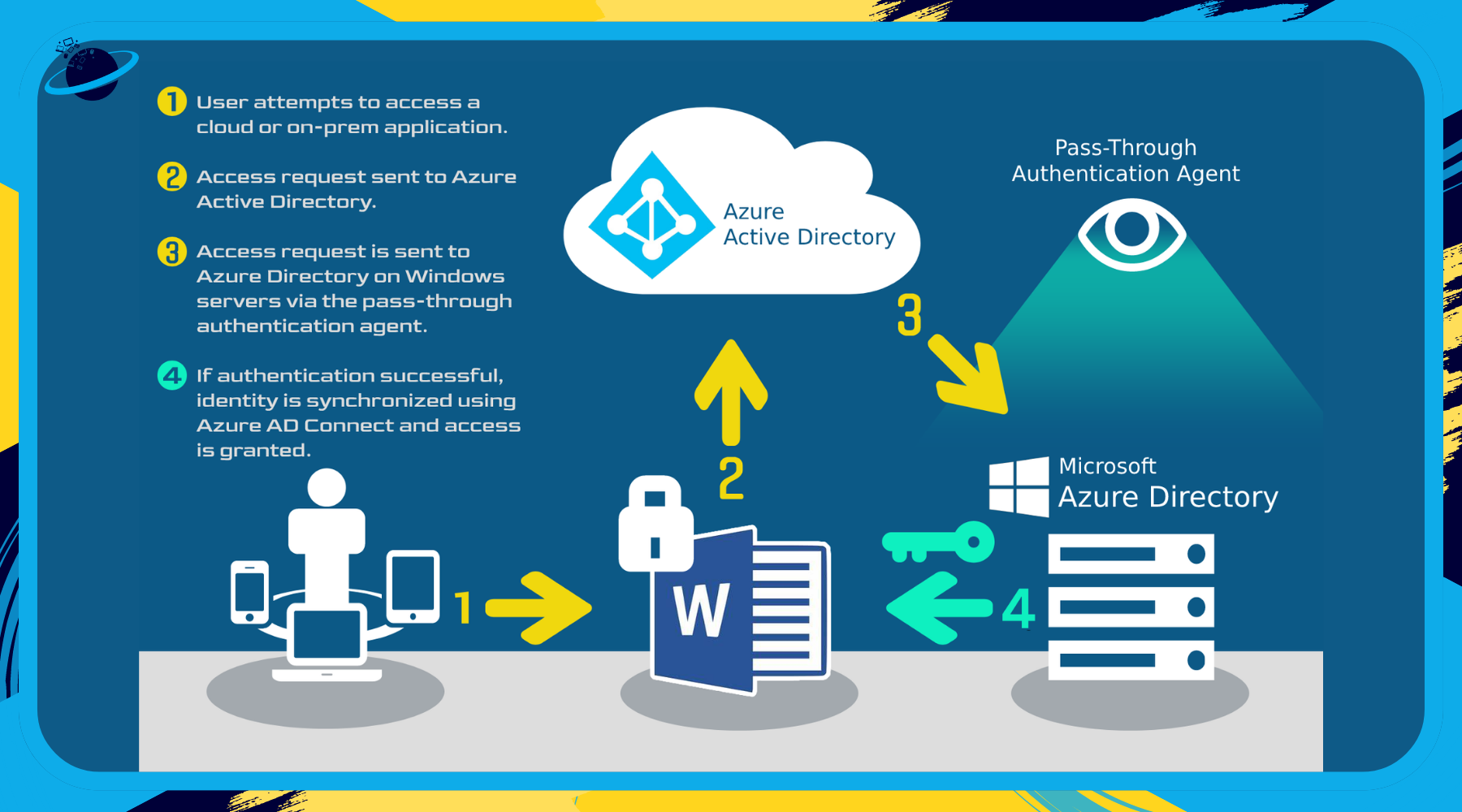
- Directory Syncing: For hybrid environments, Microsoft Entra Connect (or the newer Microsoft Entra Connect Sync) must be configured to synchronize identity objects between your on-premises forest and the cloud.
Strategic Comparison of Deployment Models
| Feature | Microsoft Entra ID | Entra Domain Services |
|---|---|---|
| Protocol Support | OAuth, OIDC, SAML | Kerberos, LDAP, NTLM |
| Management | SaaS (Identity Platform) | Managed AD Domain |
| GPO Support | No (uses Intune/MDM) | Yes (standard GPOs) |
| Primary Use | Cloud Apps & SaaS | Lift-and-shift Legacy Apps |
| Domain Join | Entra Join / Hybrid Join | Traditional Domain Join |
Addressing Security and Operational Requirements
Moving Active Directory to the cloud significantly shifts the security paradigm from perimeter-based defense to identity-based zero trust.
Implementing Conditional Access
One of the most significant advantages of cloud-based identity is the ability to implement Conditional Access policies. Unlike on-premises AD, where once a user is authenticated they generally have broad access, cloud identities allow you to evaluate signals—such as the user's location, device health, and sign-in risk—before granting access to resources.
Managing Hybrid Connectivity
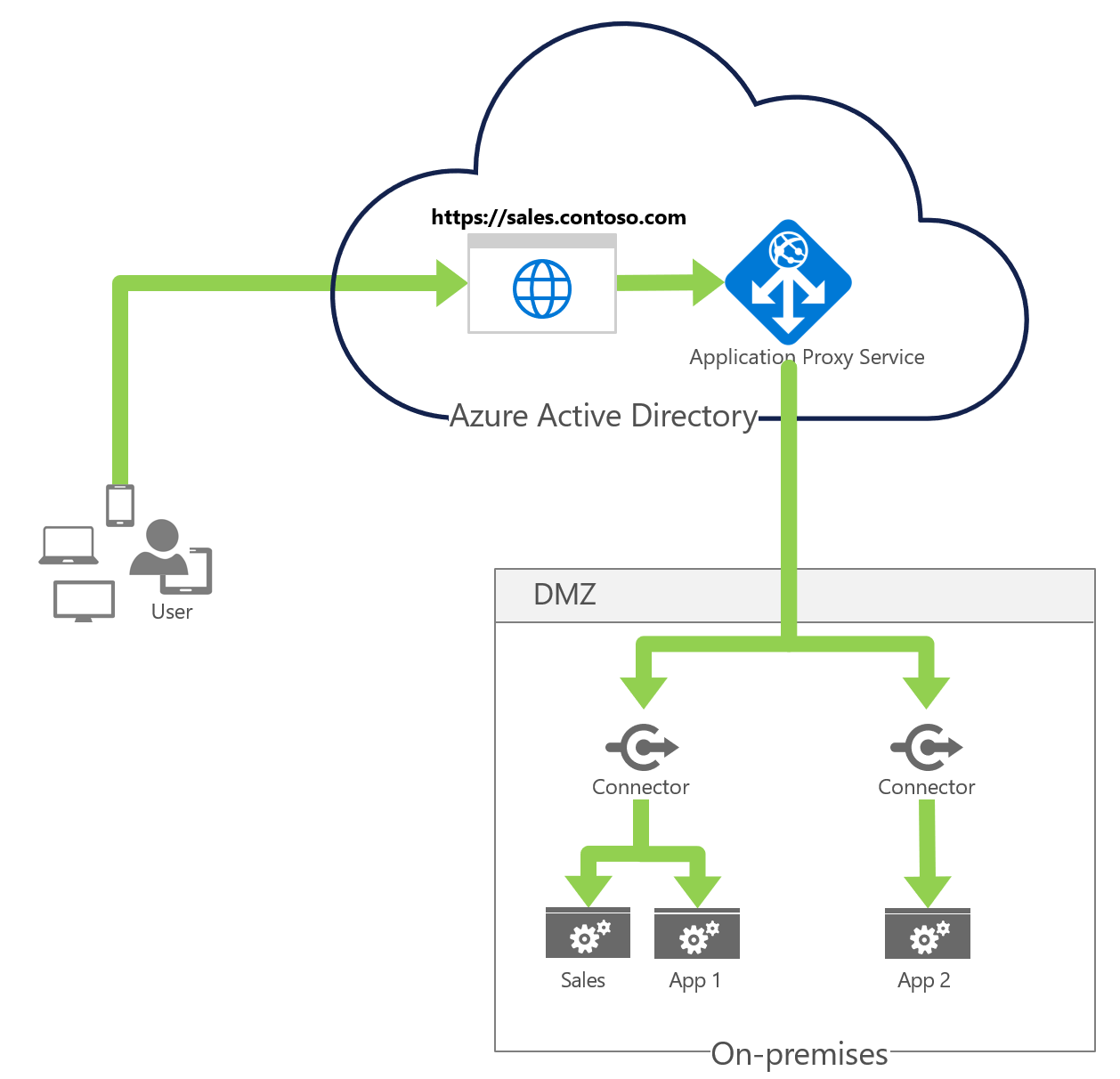
For organizations maintaining a footprint in both locations, the "Hybrid Identity" model is standard. This involves keeping a local AD DS instance for specific legacy requirements while syncing objects to Entra ID. The operational challenge here is managing the "Source of Authority." If you change a password in the cloud, does it write back to the local domain controller? Configuring Password Writeback is essential for a seamless user experience in hybrid environments.
Common Challenges and Troubleshooting
Transitioning identity to the cloud is rarely frictionless. Common pitfalls include:
- Synchronization Latency: In hybrid setups, changes made on-premises may take minutes to reflect in the cloud. This can lead to support tickets regarding "missing" permissions or locked accounts.
- Legacy Application Incompatibility: Some legacy applications have hard-coded dependencies on specific local domain controllers. These applications may fail to authenticate if they cannot reach a DC over a stable, low-latency connection.
- Over-Privileging: A common mistake is assigning the Global Administrator role to too many users in the cloud. Adopting the principle of "Least Privilege" is crucial; use Privileged Identity Management (PIM) to provide just-in-time elevation for administrative tasks.
Frequently Asked Questions
1. Is Microsoft Entra ID just a domain controller in the cloud?
No. Entra ID is a cloud-based identity and access management service that uses modern REST APIs. It does not use domain controllers, supports different authentication protocols than traditional AD, and is built for cloud-native scalability rather than legacy local network connectivity.
2. Can I use Group Policy Objects with Microsoft Entra ID?
Not directly. Entra ID manages device settings and policies via Microsoft Intune (Mobile Device Management). If you require GPO support, you must use Entra Domain Services, which provides a managed environment that supports the specific protocols required to apply Group Policies.
3. What is the difference between Entra ID and Entra Connect?
Entra ID is the cloud identity service itself. Entra Connect is the synchronization tool installed on-premises that reads your local Active Directory and pushes those objects (users, groups, computers) into the Entra ID cloud tenant so that your users can have a single set of credentials.
4. Does moving AD to the cloud improve security?
Yes, it can. Cloud identity services provide built-in protection against common attacks like password spraying and credential stuffing. By leveraging automated threat intelligence, conditional access policies, and multi-factor authentication, the cloud model is inherently more resilient than traditional on-premises AD installations.
5. What is the main cost consideration for cloud identity?
The primary costs are licensing (Microsoft 365 or Entra ID P1/P2 licenses) and the operational costs of the underlying virtual infrastructure if using Entra Domain Services. Unlike on-premises, where you pay for servers and electricity, cloud costs are consumption-based and shift toward a subscription-per-user model.
Recommended Next Steps
To begin your transition, start by performing an Identity Inventory. Categorize every application in your environment by the authentication protocol it requires. If the majority of your apps are SaaS-based, prioritize the move to Entra ID using native authentication methods. If you find significant dependencies on legacy protocols, provision a pilot instance of Entra Domain Services to test application compatibility in a sandbox environment before planning a full migration of your domain workloads.