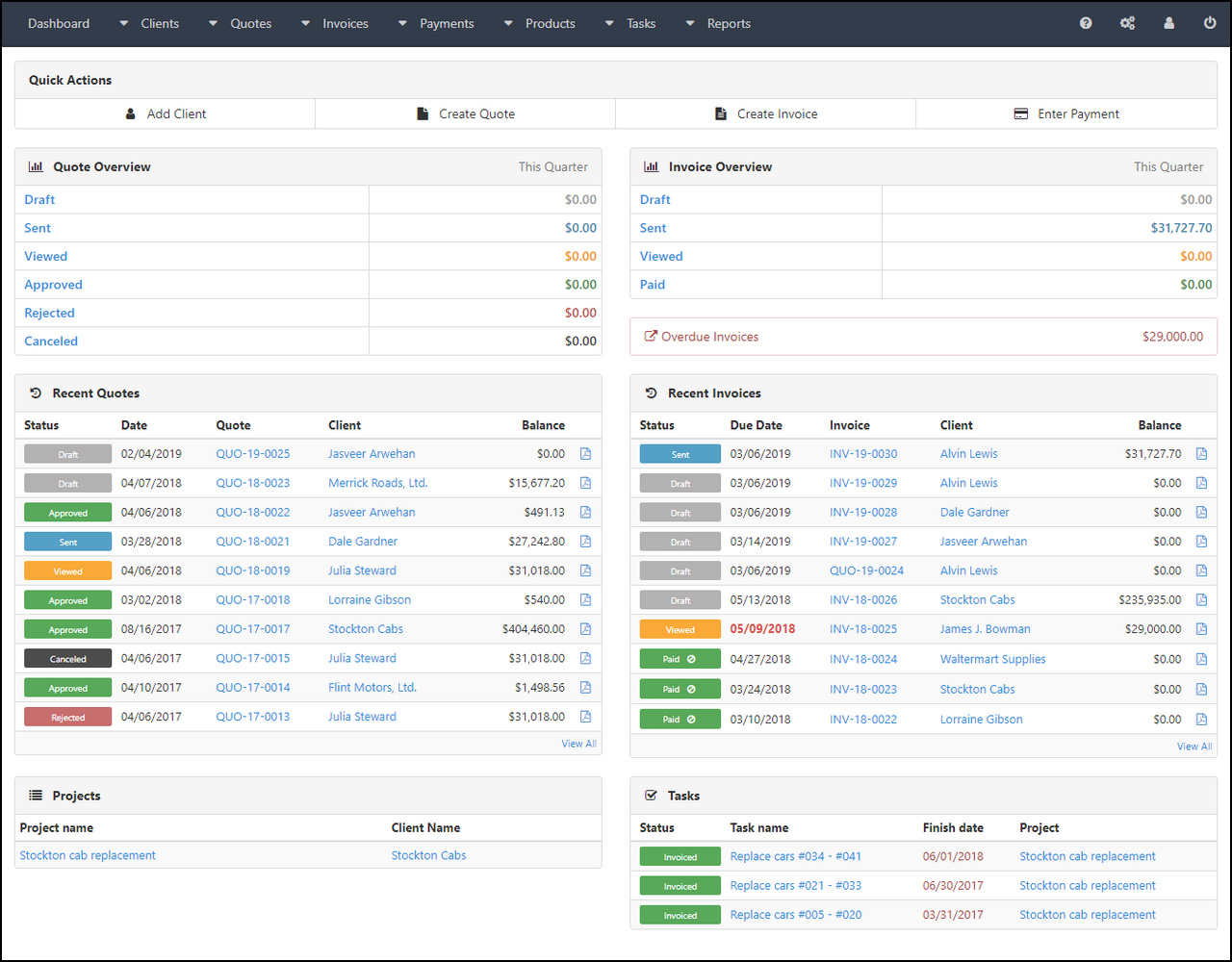
Selecting the right integrated accounting, invoicing, and CRM (Customer Relationship Management) software streamlines the bridge between front-office sales activities and back-office financial reporting. By centralizing client contact history, lead tracking, and automated billing, businesses reduce manual data entry, minimize reconciliation errors, and accelerate cash flow through timely, automated invoice generation linked directly to customer engagement data.
The Operational Logic of Integration
At its core, a business system that combines accounting and CRM functions acts as a single source of truth for the customer lifecycle. In a disconnected environment, a sales representative might close a deal in a CRM platform, but the accounting department remains unaware until an invoice is manually prepared in a separate ledger. This gap often leads to delayed payments and disjointed communication.
Integrated software eliminates this latency. When a deal reaches a "Closed-Won" stage in the CRM, the system can automatically trigger an invoice draft or a recurring billing schedule. The accounting module then tracks this invoice against the original quote or contract stored within the CRM, providing a seamless audit trail. This integration ensures that the financial data remains accurate, reflective of current client relationships, and compliant with modern accounting standards.
Core Capabilities to Evaluate
When assessing potential platforms for your organization in 2026, it is essential to distinguish between "all-in-one" suites and integrated best-of-breed ecosystems. An all-in-one platform offers a unified interface, while an ecosystem approach uses APIs to sync data between a specialized CRM (like Salesforce or HubSpot) and an accounting engine (like Xero or QuickBooks).
CRM Features
- Lead and Opportunity Tracking: Managing potential clients through defined sales pipelines.
- Contact Management: Maintaining communication logs, meeting notes, and interaction history.
- Quote Generation: Creating professional estimates that can be converted directly into invoices once accepted.
Accounting and Invoicing Features
- Accounts Receivable Automation: Scheduling recurring invoices and setting up automated payment reminders for overdue balances.
- Expense Management: Tracking operational costs and linking them to specific client projects or departments.
- Tax Compliance and Reporting: Generating profit and loss statements, balance sheets, and real-time VAT or sales tax calculations based on regional requirements.
Comparative Overview of Integration Approaches
Businesses must weigh the trade-offs between unified software suites and modular, integrated systems based on their specific growth stage and technical complexity.
| Feature Type | All-in-One Suites | Best-of-Breed Ecosystems |
|---|---|---|
| Complexity | Low; single interface. | High; requires configuration. |
| Customization | Standardized; limited flexibility. | Extensive; allows specialized tools. |
| Data Flow | Native; zero sync latency. | Via API; potential sync delays. |
| Cost Structure | Usually a single subscription fee. | Multiple subscriptions, often higher. |
| Implementation | Rapid deployment. | Phased, complex rollout. |
Prerequisites for Implementation
Transitioning to an integrated software stack requires more than just purchasing a license. Before implementation, organizations must audit their existing data hygiene and internal workflows to avoid "garbage in, garbage out" scenarios.
- Data Cleansing: Remove duplicate entries, standardize contact formats, and reconcile outstanding invoices before importing data into the new system.
- Workflow Mapping: Document the current journey of a sale from lead status to final payment receipt. Identify which specific actions should trigger automated events in the accounting module.
- Permissions and Roles: Determine which employees require access to sensitive financial data versus those who only need CRM visibility. Implementing the principle of least privilege ensures data security and limits accidental modifications to financial records.
- Integration Testing: Before a full-scale transition, conduct a pilot test using a subset of your client base. Verify that invoices generated in the CRM are correctly reflected in the accounting ledger without manual intervention.
Avoiding Common Implementation Mistakes
The most frequent failure point in adopting accounting and CRM software is failing to define the synchronization rules between the two modules. For example, if a CRM user changes a client's billing address, that change must propagate to the accounting module instantly. If the integration only triggers on "new invoice" events, the accounting records will eventually fall out of sync with the CRM's current data.
Another common oversight is the reliance on manual reconciliation despite having automated features. When automation rules are poorly defined, users often revert to manual spreadsheets to "double-check" the software. This negates the efficiency gains of the integrated platform and increases the risk of human error in financial reporting.
Managing Financial and Legal Compliance
Using integrated software does not exempt a business from its legal obligations regarding tax filing and financial reporting. While these platforms often provide tools for tax calculation and reporting, the final responsibility for accuracy remains with the business owner.
Ensure that your selected platform is compatible with the reporting standards of your jurisdiction. For instance, if you operate in multiple regions, the software must be capable of handling varying tax rates and currencies while maintaining a multi-currency ledger. In 2026, as tax authorities globally move toward mandatory digital filing (such as Making Tax Digital in the UK or similar initiatives in other jurisdictions), ensure your software provider supports automated submission features to regulatory portals.
Note: This information is for educational purposes and does not constitute financial, legal, or tax advice. Consult with a qualified accountant or legal professional to ensure your software configuration meets the specific regulatory requirements of your region and business structure.
Frequently Asked Questions
Does an integrated system automatically handle my tax filings? Most systems provide the data required for filings and may offer direct API connections to tax authorities. However, the system calculates and organizes the data; you or your accountant must perform the final review and submission to ensure legal compliance.
Is it safer to use a single platform or separate integrated tools? Security depends on the provider's adherence to standards like SOC 2 or GDPR, rather than the "all-in-one" nature of the tool. A single platform reduces the number of "moving parts" and potential API security vulnerabilities, while a specialized best-of-breed setup may offer more robust security features within each specific category.
How often should I audit the synchronization between my CRM and accounting software? Even with seamless integration, perform a monthly reconciliation audit. Compare account balances in your bank feed against the receivables in your CRM to identify any sync failures or data discrepancies that could impact your end-of-month reporting.
Can these systems scale as my business grows? Yes, but look for tiered subscription models. Avoid platforms that force you into a premium, expensive tier prematurely. Ensure that the platform allows you to add seats or features as your headcount and transaction volume increase.
What is the role of APIs in this software environment? APIs (Application Programming Interfaces) act as the translator between your CRM and accounting software. They allow disparate systems to communicate, ensuring that a change in one system triggers an action in the other, which is critical for maintaining real-time data integrity.
Next Actions for Selection
Begin by defining your primary business goal for the next 12 months. If your priority is scaling sales, focus on a CRM-centric suite with robust accounting integrations. If your priority is financial accuracy and cash flow management, focus on an accounting-first platform with strong CRM capabilities.
Create a list of your "must-have" features—such as multi-currency support, specific payment gateway compatibility, or custom reporting—and solicit demos from at least three providers that support these requirements. During the demo, specifically ask for a walkthrough of the "Closed-Won to Paid Invoice" cycle to verify that the integration performs exactly as your workflow dictates before committing to a license.