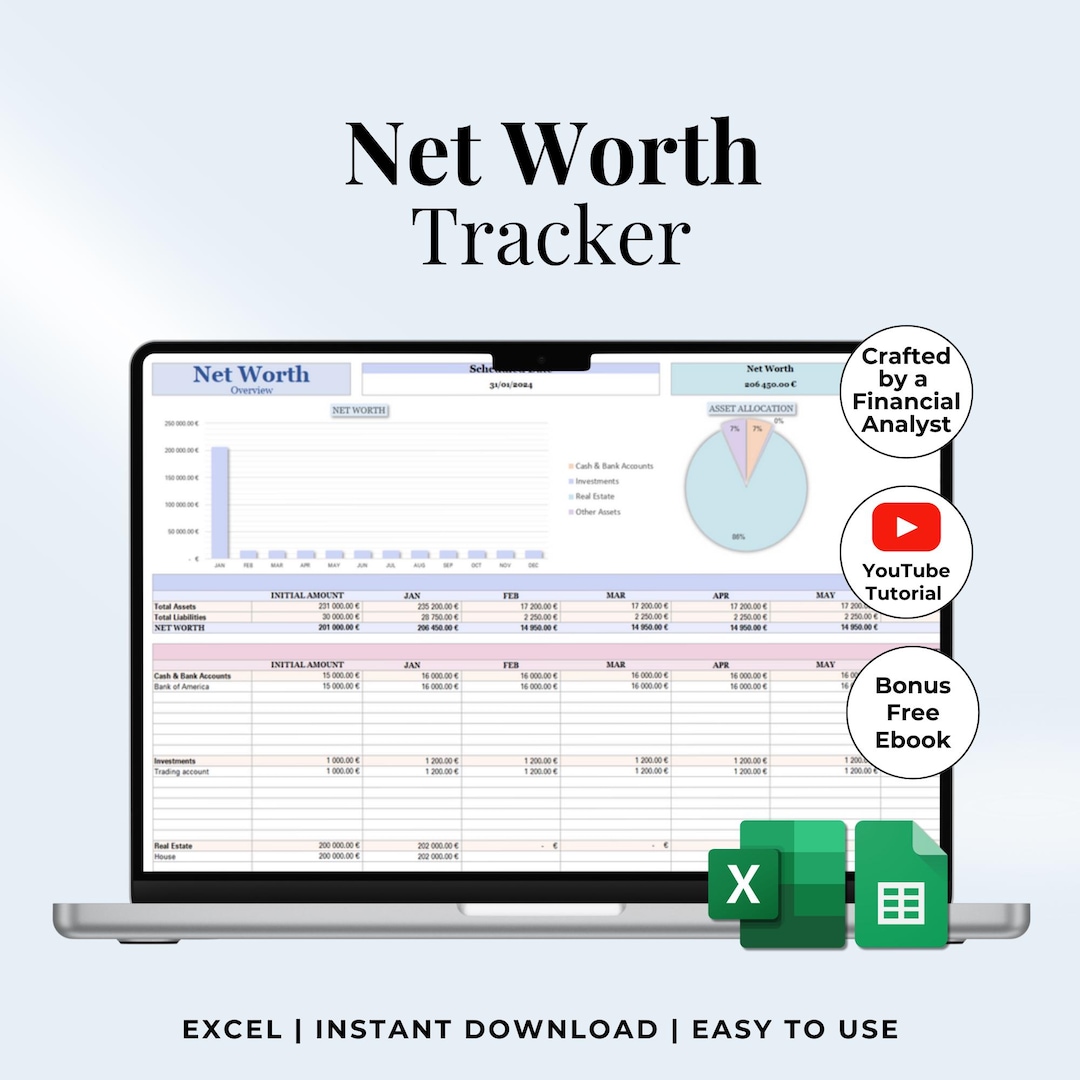
Tracking your personal net worth in Excel provides a foundational snapshot of your financial health by systematically weighing everything you own against everything you owe. Whether you are reviewing past financial data or structuring a long-term historical ledger, organizing your assets and liabilities into a clean spreadsheet allows you to monitor growth, optimize debt management, and establish clear targets for the future.
Building a dependable personal finance tracking system requires more than simply plugging numbers into a grid. It demands a structured methodology to categorize accounts, record balances accurately, and maintain consistency over time. By breaking the process down into five clear steps—defining the scope, cataloging assets, listing liabilities, calculating the final balance, and establishing a regular update routine—you can build a robust, customized financial dashboard.
Step 1: Define Your Financial Scope and Spreadsheet Architecture
Before entering a single number into a spreadsheet, you must establish the structural parameters of your net worth ledger. Net worth is calculated with a straightforward formula: Total Assets minus Total Liabilities equals Net Worth. However, the way you categorize and organize these items determines how useful your workbook will be over time.
Begin by opening a blank Microsoft Excel workbook and designing a layout that separates your financial life into logical sections. A common approach is to dedicate the top half of the sheet to assets and the bottom half to liabilities, creating a summary block at the top or bottom for the final net worth calculation.
To maintain clarity, establish clear column headers:
- Account Name / Description: The specific financial institution or item (e.g., Chase Checking, Primary Residence).
- Category: The broader classification (e.g., Liquid Assets, Investments, Long-Term Debt).
- Current Value: The monetary balance as of your target statement date.
- Notes: Any relevant details, such as maturity dates, interest rates, or account numbers.
Setting up dedicated tabs or structured tables prevents clutter. If you want to track historical performance, structure your spreadsheet with columns for different months or years so you can monitor your financial trajectory at a glance.
Step 2: Catalog and Value All Liquid and Illiquid Assets
The second step requires an exhaustive inventory of everything you own that holds economic value. Assets are generally divided into liquid assets (cash and items easily converted to cash) and illiquid assets (real estate, vehicles, and physical property that require time to sell).
Start with your liquid accounts, gathering current statements for checking accounts, savings accounts, money market funds, and physical cash equivalents. Enter these exact balances into your Excel sheet. Next, move on to investment portfolios, including retirement accounts like 401(k)s, IRAs, brokerage accounts, and mutual funds. Log the closing balances for each investment vehicle.
Illiquid assets require a bit more estimation. For real estate, use conservative market estimates based on recent neighborhood sales or professional appraisals rather than optimistic wishful thinking. For vehicles, consult valuation guides like Kelley Blue Book or Edmunds to determine fair market value. List physical valuables, such as jewelry or electronics, only if you intend to liquidate them or if they hold significant insured value.
| Asset Category | Example Accounts | Valuation Basis |
|---|---|---|
| Liquid Assets | Checking, Savings | Bank Statement |
| Investment Assets | 401(k), IRA, Brokerage | Closing Balance |
| Real Estate | Primary Residence | Market Estimate |
| Personal Property | Vehicles, Valuables | Resale Value |
Step 3: Compile and Quantify All Liabilities and Debts
A comprehensive net worth calculation must account for every financial obligation. Liabilities represent what you owe to external creditors, and overlooking even a single debt can distort your true financial standing.
Create a dedicated liabilities section in your Excel sheet and group your debts by type, typically separating short-term consumer debt from long-term capital debt.
- Short-Term Liabilities: Credit card balances, personal loans, medical bills, and short-term lines of credit. Always record the full statement balance, even if you pay your balance in full each month, to ensure point-in-time accuracy.
- Long-Term Liabilities: Mortgages, student loans, auto loans, and business loans. For these accounts, check your most recent loan amortization statements to record the exact remaining principal balance rather than the total remaining payments.
Include the interest rate for each liability in an adjacent column. While interest rates do not directly alter the net worth math, tracking them inside Excel allows you to see which debts drain your capital the fastest, helping you prioritize future paydown strategies.
Step 4: Program Excel Formulas to Calculate Net Worth Automatically
With your assets and liabilities cataloged, you can leverage Excel's calculation power to compute your net worth dynamically. Manual addition invites human error; automated formulas ensure that whenever you update an account balance, your final net worth updates instantly.
Use the SUM function to calculate your total assets and total liabilities in separate cells. For example, if your asset balances occupy cells C5 through C12, enter:
=SUM(C5:C12)
Similarly, if your liability balances occupy cells C16 through C20, calculate your total liabilities with:
=SUM(C16:C20)
To calculate your final net worth, subtract the total liabilities cell from the total assets cell. If your total asset sum is in cell C13 and your total liability sum is in C21, your net worth formula will look like this:
=C13-C21
You can format this summary cell to display currency cleanly and conditionally format it with font colors (such as green for positive net worth and red for negative net worth) to make your financial standing immediately obvious upon opening the file.
Step 5: Establish a Consistent Update Routine and Historical Tracking
Tracking personal finance in Excel is not a one-time event; it is an ongoing practice. To gain meaningful insights from your data, you must establish a disciplined schedule for updating your spreadsheet.
Most individuals choose a monthly or quarterly update cadence. Pick a specific day—such as the last day of the month or the first weekend of the new month—to log into your financial accounts, gather closing statements, and update the values in your spreadsheet. Consistency is vital because irregular updates skew trend lines and obscure the impact of your financial habits.
To maintain historical records without overwriting past data, consider adding columns for each reporting period. Instead of replacing January's numbers with February's, add a new column for February. This transforms your simple static balance sheet into a dynamic multi-period financial history, allowing you to build charts in Excel that visualize your wealth accumulation over time.
Common Pitfalls to Avoid When Tracking Net Worth
Even with a well-structured spreadsheet, several common traps can undermine the accuracy of your financial tracking:
- Overvaluing Illiquid Assets: Assigning emotional or inflated values to real estate, cars, or collectibles creates a false sense of financial security. Always rely on conservative, verifiable market data.
- Omitting Small Debts: Forgetting store credit cards, peer-to-peer loans, or small personal balances introduces friction into your calculations. Account for every financial obligation.
- Mixing Currencies Without Conversion: If you hold international assets or foreign currency accounts, ensure you convert all values into your primary reporting currency using the exchange rate active on your statement date.
- Inconsistent Timing: Updating your checking account on the 1st of the month but your investment accounts on the 15th creates temporal discrepancies, especially during periods of market volatility.
Frequently Asked Questions
How often should I update my Excel net worth tracker?
Most financial planners recommend updating your net worth spreadsheet on a monthly basis. Monthly updates capture cash flow shifts, debt paydowns, and investment fluctuations without requiring an overwhelming time commitment. If monthly tracking feels burdensome, a quarterly schedule is an acceptable alternative for long-term monitoring.
Should I include my primary residence in my net worth calculation?
Yes, your primary home is generally considered an asset, but it should be recorded at its realistic market value rather than its purchase price. To maintain a conservative calculation, many individuals subtract estimated selling costs (such as realtor commissions and closing fees) from the estimated market value before entering it into Excel.
What is the difference between liquid net worth and total net worth?
Total net worth includes all assets—both liquid cash and illiquid property like real estate and vehicles. Liquid net worth strips away all illiquid items, counting only cash, savings, and investments that can be converted into cash within a few business days. Tracking liquid net worth provides a clearer picture of your immediate financial emergency readiness.
How do I handle joint accounts and shared debts in a personal spreadsheet?
For joint checking accounts, shared mortgages, or co-signed loans, you have two primary options. You can record 100% of the asset and liability if you manage household finances jointly, or you can record only your fractional share (such as 50% for a married couple) if you maintain separate ledgers. Consistency is the most important factor in whichever method you choose.
Can I automate my Excel net worth sheet with live bank feeds?
Microsoft Excel offers built-in data types and connection features (such as data links powered by partner services like Plaid in modern Microsoft 365 environments) that pull live stock prices and bank account balances. However, for historical archives or older file formats, manual data entry remains a reliable method that encourages active engagement with your personal finances.