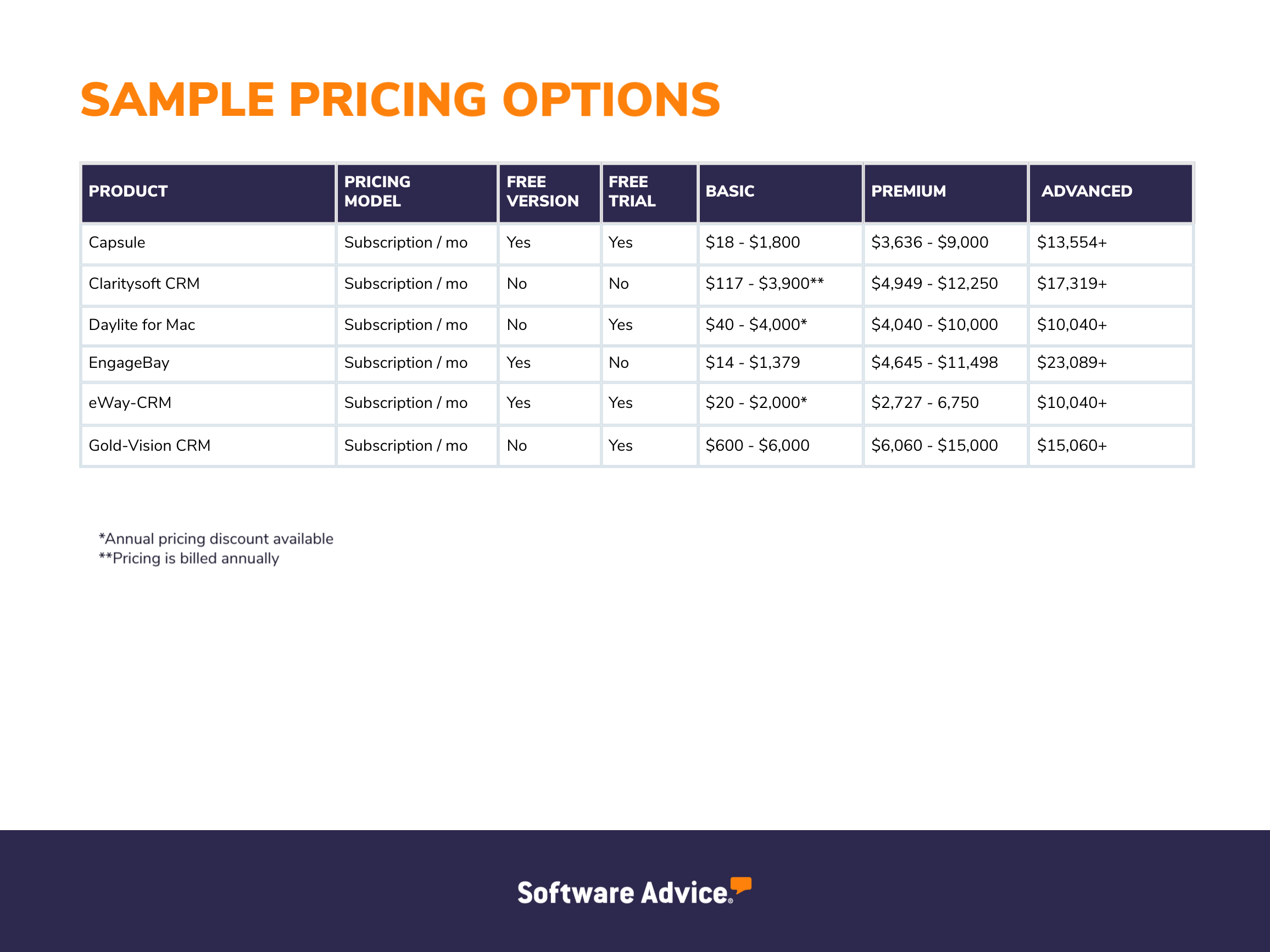
Navigating financial advisor CRM software pricing requires looking beyond base monthly subscription fees to understand setup costs, user licensing tiers, data migration charges, and hidden add-ons that impact long-term practice profitability.
Selecting a client relationship management (CRM) platform is one of the most consequential operational decisions for independent financial advisors and registered investment advisor (RIA) firms. While enterprise-grade solutions promise limitless customization, their complex pricing structures often strain smaller practices. Analyzing an affordable financial advisor CRM software pricing breakdown requires looking beyond base monthly subscription fees to understand setup costs, user licensing tiers, data migration charges, and hidden add-ons that impact long-term practice profitability. Independent advisors and boutique wealth management firms must balance advanced features like automated workflow triggers, compliance archiving, and financial planning integrations against predictable monthly overhead.
Understanding the Financial Advisor CRM Landscape in 2026
The market for financial advisor technology has evolved significantly, shifting from rigid, on-premises databases to flexible, cloud-native Software-as-a-Service (SaaS) ecosystems. Modern CRMs built specifically for wealth management—such as Wealthbox, Redtail, and AdvisorEngine—compete directly with generic powerhouses like Salesforce Financial Services Cloud and HubSpot.
For cost-conscious practices, understanding this landscape begins with recognizing the fundamental difference between generic and vertical-specific tools. Generic platforms often require expensive custom configurations to handle householding, beneficiary tracking, and integration with portfolio management systems (PMS) like Orion, Black Diamond, or Envestnet Tamarac. Vertical-specific CRMs come pre-configured for wealth management workflows, drastically reducing implementation time and consulting fees.
Furthermore, the pricing models across these platforms typically fall into three distinct categories: per-user-per-month (the most common SaaS model), tiered flat-rate pricing based on feature sets, and enterprise pricing custom-tailored to firm assets under management (AUM) or total staff size. Evaluating these models requires a clear-eyed assessment of your firm's current operational maturity and projected growth trajectory over the next three to five years.
Core Components of CRM Pricing Models
When reviewing pricing schedules, advisors frequently encounter a dizzying array of fee structures. To accurately forecast expenses, you must dissect the anatomy of a software vendor's bill.
Per-User vs. Flat-Rate Tiers
Per-user pricing charges a fixed monthly or annual fee for every individual staff member who accesses the system. This model scales predictably for solo practitioners or small partnerships. However, as administrative staff, paraplanners, and compliance officers are added, costs compound rapidly. Conversely, flat-rate tiered pricing charges a single monthly fee for a designated tier of service, allowing a fixed number of users (or even unlimited users in select plans) to access the system while gating advanced features behind higher tiers.
Setup, Onboarding, and Implementation Fees
Many vendors advertise low monthly rates while burying mandatory onboarding fees in the fine print. These professional services fees cover database configuration, user permission setups, and staff training. While some cloud platforms offer intuitive self-service onboarding for free, others mandate professional implementation packages that can run anywhere from a few hundred to several thousand dollars upfront.
Data Migration and Historical Import Costs
Moving existing client records, notes, and historical meeting logs from a legacy database, spreadsheet, or competing CRM is rarely frictionless. Vendors often charge migration fees based on the volume of records, the complexity of custom fields, or the source platform. Failing to account for data migration expenses can lead to unexpected budget overruns during deployment.
Pricing Comparison of Popular Financial Advisor CRM Solutions
To provide a practical baseline for budgeting, the table below outlines the general market positioning, pricing structures, and key characteristics of prominent CRMs utilized by financial advisors.
| CRM Platform | Primary Market Focus | Typical Pricing Structure | Entry-Level Cost Estimate | Key Cost Considerations |
|---|---|---|---|---|
| Wealthbox | Solo advisors to enterprise RIAs | Per user, tiered by feature set | Moderate ($45–$80+ per user/month) | Add-on fees for advanced marketing automation and native integrations. |
| Redtail CRM | Independent wealth management | Per user/database tier | Low-to-Moderate ($65–$75+ per user/month) | Flat database pricing available for smaller teams sharing a single login pool. |
| AdvisorEngine | Growth-oriented RIAs | Per user, bundled with platform tools | Moderate-to-High | Pricing often scales alongside comprehensive wealth platform adoption. |
| HubSpot (Financial Use) | Marketing-heavy practices | Tiered flat-rate + user seats | Low base, high scaling costs | Advanced automation and custom objects require high-tier Professional or Enterprise licenses. |
| Salesforce FSC | Enterprise wealth management | Per user, annual commitment | High ($150–$300+ per user/month) | Significant implementation, customization, and ongoing developer maintenance costs. |
Hidden Costs to Watch Out For
An affordable sticker price can quickly inflate once operational dependencies are factored into your technology budget. Savvy advisory firms audit their software bills for several recurring hidden expenses.
Integration and API Fees
A financial advisor CRM does not operate in a vacuum. It must sync seamlessly with financial planning software (e.g., eMoney, RightCapital), portfolio accounting tools, and custodian portals (e.g., Charles Schwab, Fidelity). While many modern CRMs offer native, zero-cost integrations, some platforms charge premium tier rates to unlock advanced API access, or rely on third-party middleware connectors (like Zapier) that incur separate monthly subscription fees.
Email Archiving and Compliance Storage
Registered investment advisors are subject to strict regulatory recordkeeping requirements, such as SEC Rule 204-2, which mandates the archiving of all electronic communications, including client emails sent through or logged in the CRM. While some platforms include basic activity logging, robust email integration, deep compliance tracking, and tamper-proof audit trails often require higher-tier subscriptions or specialized third-party compliance archiving add-ons.
Premium Support and Custom Training
Basic customer support via email or web chat is typically included in standard subscription fees. However, if your firm requires dedicated account management, priority phone support, or custom staff training sessions for new hires, vendors frequently upsell these services as part of premium support packages.
How to Choose the Right CRM Without Overpaying
Optimizing your technology spend requires aligning software capabilities with your firm's actual daily operational needs rather than buying features you will never use.
Audit Current Workflow Bottlenecks
Before evaluating pricing tiers, document your team's daily friction points. Are you spending excessive time manually transferring data between your financial planning software and your database? Do you need advanced email marketing automation, or do you simply require a reliable repository for client contact information, household relationships, and meeting notes? Buying an enterprise platform with advanced business intelligence tools for a two-person advisory practice wastes capital.
Leverage Annual Billing Discounts
Most SaaS CRM vendors offer significant discounts—typically ranging from 10% to 20%—if you commit to an annual billing cycle rather than paying month-to-month. If you have verified the platform's suitability through a trial period or live demonstration, opting for annual payment terms represents an immediate cost-reduction strategy.
Negotiate Implementation Waivers
Software sales representatives often possess discretionary authority to discount onboarding fees, waive data migration charges, or extend promotional pricing, particularly at the end of fiscal quarters. Always request a comprehensive quote detailing all one-time fees and ask for implementation waivers before signing a contract.
Frequently Asked Questions
What is the average monthly cost of a financial advisor CRM?
Most dedicated financial advisor CRMs range between $45 and $95 per user per month for standard professional tiers. Enterprise solutions like Salesforce Financial Services Cloud or deeply customized HubSpot instances can cost significantly more, often exceeding $150 to $300 per user monthly once configuration and integration layers are factored in.
Are there completely free CRMs suitable for financial advisors?
While general-purpose CRMs offer free tiers, they rarely meet the specific regulatory, data-structuring, and integration requirements of financial advisors. Using a free tool often requires expensive workarounds or manual data entry, which ultimately costs more in lost advisor time.
How do data migration fees work when switching CRMs?
Data migration costs depend on the volume of records and the formatting of your legacy database. Some vendors include basic migration assistance for free or a nominal fee, while complex migrations involving custom fields, document repositories, and multi-source consolidation may incur professional services fees ranging from several hundred to thousands of dollars.
Is cloud-based CRM software secure for sensitive client financial data?
Yes. Reputable financial advisor CRMs utilize enterprise-grade encryption (both in transit and at rest), multi-factor authentication (MFA), role-based access controls, and regular third-party security audits to comply with industry standards and data privacy regulations.
Can I upgrade my CRM pricing tier as my practice grows?
Most SaaS providers allow firms to upgrade their subscription tiers instantly to access new features. However, contracts often lock you into a specific user count or billing term, so reviewing downgrade and cancellation policies prior to signing is essential.
Strategic Implementation and Next Actions
To successfully implement an affordable financial advisor CRM without budget overruns, start by establishing a hard technology budget based on your firm's current revenue and headcount. Request live, customized demonstrations from at least two vertical-specific vendors to test core workflows like householding, calendar syncing, and financial planning tool integrations. Insist on a sandbox testing period or an extended trial to verify that your administrative staff can navigate the interface intuitively before committing to an annual contract. By carefully scrutinizing setup fees, user licensing structures, and integration dependencies, you can secure a robust technological foundation that scales efficiently alongside your practice.