The 3CX Management Console serves as the centralized administrative hub for managing a business phone system, allowing administrators to configure extensions, manage trunk connections, monitor call activity, and control security settings from a single web-based interface.
Introduction to the 3CX Management Console
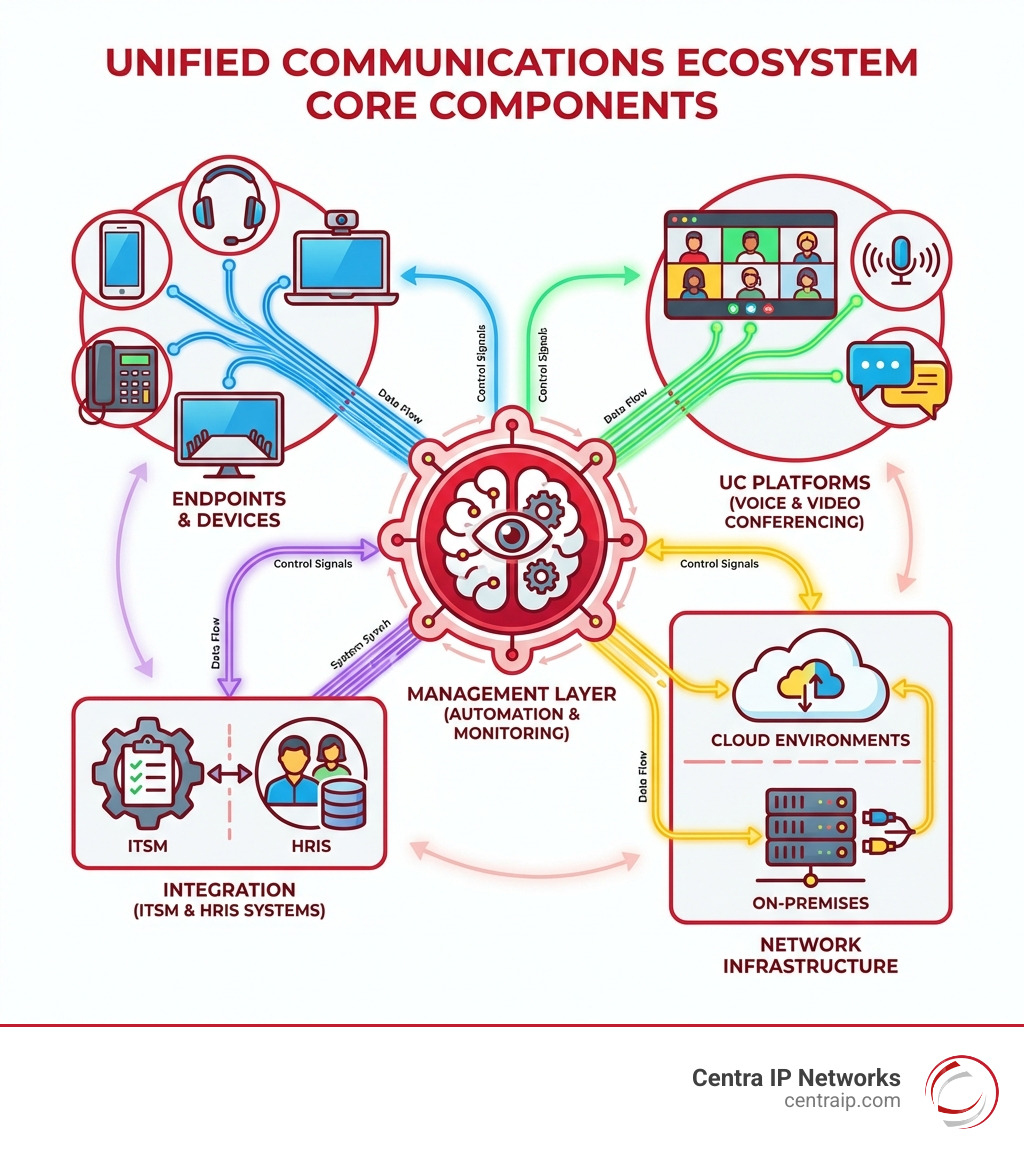
Modern organizations require robust, flexible communication infrastructures that extend far beyond traditional desk phones. Unified communications (UC) systems merge voice, video, instant messaging, and web conferencing into a single, cohesive environment. At the center of this ecosystem lies the management interface. For administrators deploying software-based phone systems, the 3CX Management Console is the core control panel that dictates how users connect, communicate, and collaborate across the enterprise.
Understanding how to navigate, configure, and maintain this console is essential for minimizing downtime, safeguarding sensitive voice data, and optimizing user workflows. Whether managing a small business with ten extensions or a multinational enterprise with thousands of distributed users, administrators rely on the console's architectural structure to maintain continuous oversight. This guide explores the core components, administrative workflows, security protocols, and operational best practices required to master the management interface.
Architectural Overview and Administrative Access
The management console is built upon a secure web architecture that separates administrative controls from everyday user functionality. While end-users interact with the 3CX Web Client or mobile applications for their day-to-day communications, administrators utilize a dedicated port and encrypted protocol to access system-level configurations.
Access Requirements and Security Protocols
Accessing the console requires appropriate administrative credentials and secure network pathways. By default, the interface runs over HTTPS to ensure that login credentials and configuration changes are encrypted in transit.
- URL Structure: Administrators typically access the console via a fully qualified domain name (FQDN) assigned during setup, followed by a designated management port (commonly port 5001).
- Role-Based Access Control: Security best practices dictate that administrative rights should be segmented. The system allows for super-administrators as well as restricted administrative roles, limiting the potential impact of compromised credentials.
- IP Restrictions: To mitigate brute-force attacks, administrators can restrict console access to specific trusted IP addresses or corporate virtual private networks (VPNs).
Dashboard Layout and Real-Time Monitoring
Upon authenticating into the console, administrators are greeted by a comprehensive dashboard designed to provide immediate situational awareness. The dashboard highlights system health metrics, license utilization, trunk status, and active call channels.
Real-time monitoring tools within the dashboard allow IT teams to track system resource consumption, such as CPU and memory usage, alongside active SIP trunk registrations. If a trunk drops offline or system resources spike due to abnormal traffic volumes, visual indicators immediately alert administrators to potential issues, facilitating rapid troubleshooting before user productivity is impacted.
Core Configuration Components
The management console is structured into logical modules that govern different aspects of the communications environment. Properly configuring these components ensures seamless call routing and user provisioning.
Extensions and User Management
Provisioning extensions is one of the most frequent tasks performed within the console. Administrators can create individual extensions or bulk-import users via templates. Each extension profile consolidates multiple settings:
- Authentication Credentials: Generating secure SIP IDs and passwords for hardware desk phones or software clients.
- Digital Receptionist and Queues: Assigning users to specific ring groups, call queues, or paging groups based on their department or role.
- Forwarding Rules: Configuring office hours, out-of-office rules, and conditional forwarding based on user status (Available, Away, Do Not Disturb).
- Email and Mobile Integration: Linking extensions to corporate email addresses for voicemail-to-email notifications and provisioning QR codes for mobile application setup.
SIP Trunks and Gateway Integration
Connecting the IP phone system to the public switched telephone network (PSTN) requires configuring SIP trunks or physical VoIP gateways. The management console includes a curated list of supported provider templates, which simplifies the integration process by pre-populating standard parameters such as registrar servers, port numbers, and supported codecs (such as G.711 or G.722).
Administrators must carefully define inbound and outbound rules to dictate how external calls are routed. Inbound rules determine whether incoming numbers route to a digital receptionist, a specific queue, or an individual extension. Outbound rules establish dialing prefixes, emergency routing, and least-cost routing policies based on the dialed destination.
Security, Maintenance, and Troubleshooting
Maintaining a secure and reliable voice network requires proactive monitoring and adherence to hardening guidelines. The management console houses dedicated tools designed to protect the communications infrastructure from toll fraud, unauthorized access, and service degradation.
Security Hardening and Firewall Management
Voice over IP networks are frequent targets for malicious actors seeking to exploit misconfigured systems for unauthorized calling (toll fraud) or eavesdropping. The console incorporates an integrated firewall checker that tests the underlying network infrastructure to ensure that required ports are open and unnecessary ports are blocked.
- Global IP Blacklist: The system automatically blocks IP addresses that exhibit suspicious behavior, such as repeated failed authentication attempts or rapid SIP scanning.
- Country Restriction Rules: Administrators can restrict outbound or inbound calls to specific international country codes, significantly reducing the financial risk associated with toll fraud.
- SSL/TLS Certificates: The console manages automated certificate generation and renewal (via providers such as Let's Encrypt), ensuring that all signaling and media streams remain encrypted via SRTP and TLS.
System Updates, Backups, and Disaster Recovery
System stability depends on regular maintenance routines managed directly through the interface.
| Maintenance Task | Recommended Frequency | Primary Purpose |
|---|---|---|
| Automated Backups | Daily / Weekly | Securing system configurations, user data, and voicemails for disaster recovery. |
| Firmware Updates | As Released / Tested | Ensuring desk phones and gateways operate with patched vulnerabilities. |
| Software Version Updates | Scheduled Maintenance Windows | Accessing new feature sets, performance improvements, and security patches. |
| Log File Analysis | Weekly or Post-Incident | Diagnosing call quality issues, registration failures, and security events. |
Executing reliable backup routines ensures that if hardware fails or a virtual machine becomes corrupted, the entire phone system—including extensions, historical call logs, and greetings—can be restored to a new environment with minimal disruption.
Administrative Comparison: On-Premises vs. Hosted Management
Organizations must decide whether to host their communication system on-premises or in a cloud environment. While the management console interface remains largely identical regardless of deployment method, the underlying administrative responsibilities shift significantly.
3CX MANAGEMENT CONSOLE ARCHITECTURE
- On-Premises Deployment
- Local Hardware / VM
- Direct Firewall Control
- Manual OS/PBX Updates
- Cloud Hosted Instance
- Cloud Provider (AWS, GCP)
- Managed FQDN & Security
- Automated Infrastructure
When deploying on-premises, administrators retain absolute control over physical hardware, local network switches, and internal firewalls, but assume full responsibility for operating system patches and hardware failures. Conversely, cloud-hosted instances managed through partner hosting or specific cloud providers offload infrastructure maintenance, though administrators must ensure proper cloud security group configurations and stable internet connectivity.
Frequently Asked Questions
How do I reset a forgotten administrator password in the management console?
If access to the web interface is lost, administrators typically must access the underlying host operating system or command-line interface to execute password reset scripts or utilize database management tools associated with the system database.
What are the primary reasons a SIP trunk shows as unregistered in the console?
Unregistered trunks are usually caused by incorrect authentication credentials, network firewall blocks preventing SIP traffic on port 5060/5061, mismatched public IP configurations, or temporary service outages from the telecom carrier.
Can I manage multiple distinct instances from a single management console?
Standard individual consoles manage a single instance. However, enterprise environments can utilize multi-instance management tools or partner-facing portals to oversee multiple separate system deployments from a centralized dashboard.
How does the console handle automated extension provisioning for IP phones?
The console utilizes Session Border Controller (SBC) technology or Plug-and-Play (PnP) configurations. When a compatible IP phone is plugged into the local network, it broadcasts a discovery request that the system detects, allowing administrators to provision the device instantly with a single click.
Conclusion and Next Actions
Mastering the 3CX Management Console is vital for any IT professional tasked with maintaining a resilient, secure enterprise communication platform. By understanding architectural access requirements, maintaining rigorous security hardening protocols, and establishing disciplined backup routines, administrators can ensure high availability and optimal call quality. To proceed, IT teams should audit their current console configurations against vendor security recommendations, verify that automated daily backups are functioning correctly, and ensure that all firmware and software versions are up to date.