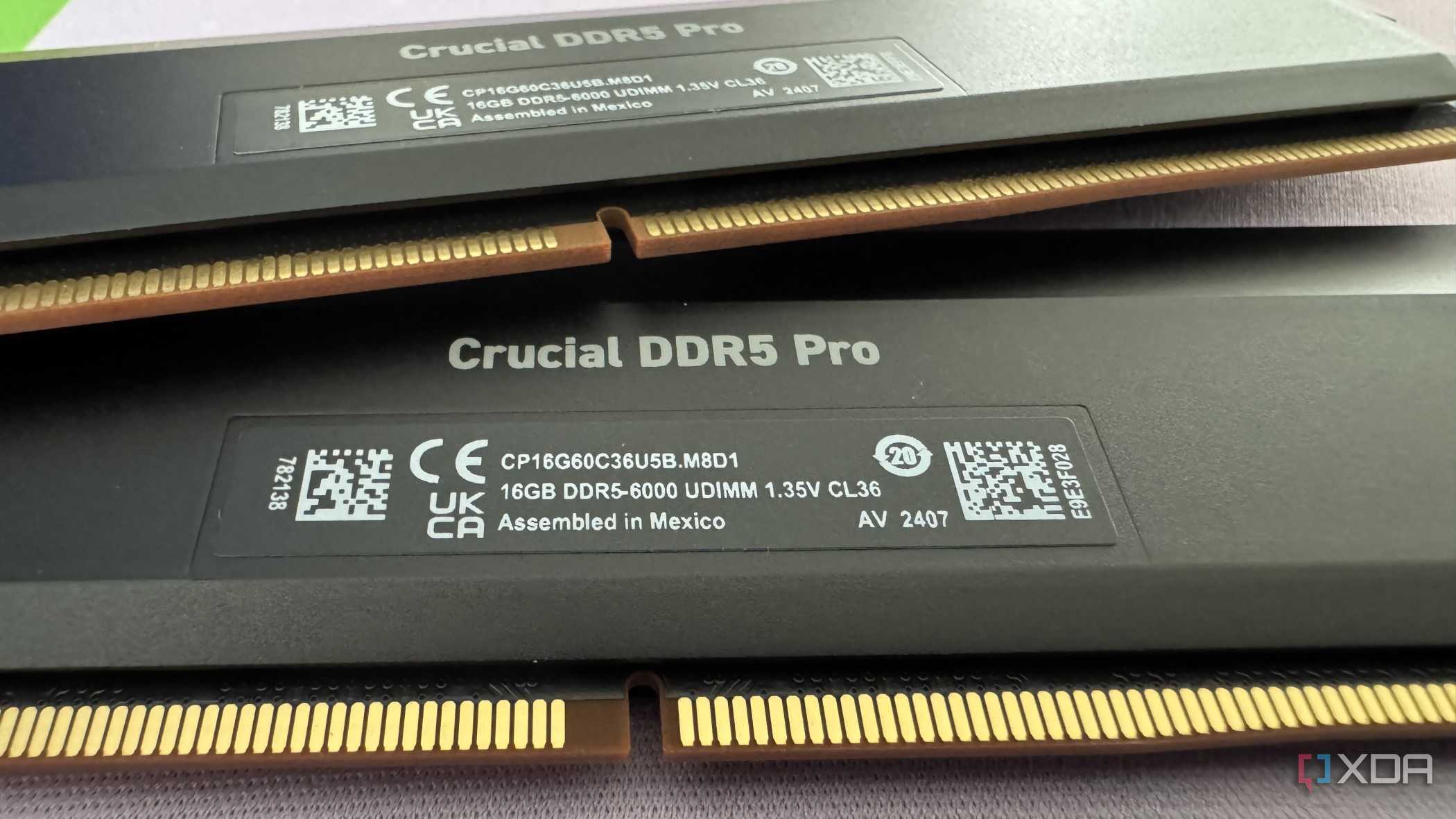
Successfully overclocking DDR5 memory in 2026 requires navigating five specific technical constraints: integrated circuit (IC) quality, motherboard signal integrity, Integrated Memory Controller (IMC) silicon lottery, thermal management of the module-based Power Management Integrated Circuit (PMIC), and the grueling validation process required to prevent silent data corruption. Achieving peak performance involves moving beyond simple XMP or EXPO profiles to manually tune secondary and tertiary timings.
Since its introduction, DDR5 has fundamentally changed the landscape of system memory. Unlike DDR4, where the motherboard handled voltage regulation, DDR5 moved this responsibility onto the module itself. This shift, combined with significantly higher frequencies and the introduction of On-die ECC (Error Correction Code), has made the overclocking process both more rewarding and significantly more complex. As of 2026, with frequencies routinely pushing past 8400 MT/s on enthusiast platforms, the margin for error has narrowed. This guide breaks down the five realities you must master to achieve a stable, high-performance memory overclock.
1. The Silicon Hierarchy: Not All ICs are Created Equal
The first and most immutable reality of DDR5 overclocking is that the brand on the heat spreader matters far less than the silicon manufacturer of the DRAM chips (ICs) underneath. In the DDR5 era, three players dominate the market: SK Hynix, Samsung, and Micron.
SK Hynix: The Enthusiast Standard
As of 2026, SK Hynix A-die and its subsequent refinements remain the gold standard for high-frequency overclocking. These chips demonstrate the highest tolerance for voltage and the greatest ability to scale frequency while maintaining relatively tight timings. Specifically, SK Hynix silicon allows for significantly lower tRFC (Refresh Cycle Time), which is a critical sub-timing for reducing latency in gaming workloads.
If your goal is to exceed 8000 MT/s, an SK Hynix-based kit is almost mandatory. Earlier M-die kits are also highly capable but generally hit a frequency wall sooner than A-die, though they sometimes allow for tighter primary timings at lower speeds.
Samsung and Micron: The Mid-Range Realities
Samsung's DDR5 offerings have historically struggled to match the frequency scaling of SK Hynix. While they are reliable for standard XMP profiles up to 6000–6600 MT/s, they often face a "voltage wall" where increasing VDD/VDDQ no longer yields stability.
Micron, meanwhile, typically focuses on high-volume, JEDEC-spec stability. While Micron's newer nodes in 2026 have closed the gap significantly, they remain the choice for workstations rather than competitive overclocking. Attempting to push a Micron-based kit to SK Hynix speeds is a recipe for immediate instability.
2. Motherboard Topology and Signal Integrity
You cannot achieve an elite DDR5 overclock on a sub-par motherboard, regardless of how good your RAM kit is. The second reality is that the physical layout of the motherboard—its topology—is a hard bottleneck for memory frequency.
2-DIMM vs. 4-DIMM Slots
The most significant factor in signal integrity is the number of memory slots on the board. For extreme overclocking, 2-DIMM motherboards (like the ASUS ROG Maximus Apex or MSI Unify-X series) are vastly superior. These boards use a direct trace path from the CPU to the RAM slots, minimizing signal reflection and interference.
On standard 4-slot motherboards, even if you only use two sticks, the empty slots create "stubs" in the electrical traces. These stubs cause signal echoes that become catastrophic as frequencies rise above 7200 MT/s. In 2026, most 4-slot enthusiast boards can handle 7600 MT/s with a strong IMC, but reaching 8000+ MT/s almost always requires a dedicated 2-slot board.
PCB Layers and Shielding
High-end motherboards utilize 8-layer or 10-layer PCBs. These additional layers allow engineers to sandwich memory traces between ground layers, providing better electromagnetic shielding. When selecting a motherboard for DDR5 overclocking, verify that it uses "Server-Grade" PCB materials, which offer lower dielectric loss and better signal propagation at the high-frequency transitions required by DDR5-8000+.
3. The Power Management IC (PMIC) and Thermal Constraints
With DDR5, voltage regulation moved from the motherboard to the module via the PMIC. This leads to the third reality: your overclock is limited by the heat and power delivery of the RAM module itself, not just the system fans.
PMIC Voltage Limits
Standard PMICs are often "locked" by the manufacturer to 1.435V or 1.5V. To go beyond this for high-frequency overclocks, you need a kit with an "unlocked" PMIC or a motherboard that can bypass these limits (often labeled as "High Voltage Mode" in the BIOS). High-performance tuning frequently requires VDD and VDDQ voltages in the 1.55V to 1.65V range, which is only possible with specialized hardware.
The Heat Threshold
DDR5 is notoriously temperature-sensitive. Unlike DDR4, which could often run reliably at 50°C, DDR5 starts exhibiting instability—often manifesting as transient memory errors—once the chips exceed 45°C to 50°C. High voltage increases the PMIC's heat output, which then soaks into the DRAM chips.
In 2026, active cooling (a dedicated fan blowing directly on the RAM) is considered a requirement for any manual DDR5 overclocking. Without it, you will likely pass a 10-minute stress test but fail a 2-hour gaming session as the modules slowly heat-soak.
4. The Integrated Memory Controller (IMC) Lottery
The fourth reality is that your CPU is just as likely to be the limiting factor as your RAM. The Integrated Memory Controller (IMC) is the part of the CPU silicon that talks to the memory, and its quality varies wildly between individual chips—a phenomenon known as the Silicon Lottery.
Intel vs. AMD Realities
- Intel Platforms: Since the 12th Gen and continuing through the latest 2026 architectures, Intel has generally held the frequency crown. However, even on the latest "Arrow Lake" or subsequent refreshes, a "Golden" IMC might hit 8400 MT/s, while an average IMC might struggle at 7600 MT/s.
- AMD Platforms: AMD's Infinity Fabric architecture historically favored a "sweet spot" frequency. While the latest Zen-based CPUs in 2026 have improved significantly, they often still benefit most from a 1:1 ratio between the memory clock and the controller clock (UCLK). Pushing into the 8000 MT/s range usually requires switching to a 1:2 ratio, which introduces a latency penalty that must be overcome with pure raw frequency.
IMC Voltages
Tuning the IMC requires balancing three specific voltages:
- CPU VDDQ (IVR): Power for the CPU's memory interface.
- CPU VDD2: Often referred to as the IMC voltage.
- System Agent (SA) Voltage: Helps stabilize the communication between the IMC and the rest of the CPU.
Finding the "Goldilocks" zone for these voltages is tedious. Too little voltage causes immediate crashes; too much can actually decrease stability due to electrical noise or heat.
5. Sub-timings and the Validation Grind
The final reality is that XMP/EXPO profiles only tune about 10% of the available memory settings. The real performance gains in DDR5 come from tuning secondary and tertiary timings. However, this process requires an exhaustive validation phase to prevent silent data corruption.
The Power of Sub-timings
Primary timings (tCL, tRCD, tRP, tRAS) are the "headline" numbers, but settings like tREFI (Refresh Interval) and tRFC have a massive impact on actual bandwidth and latency. In 2026, maximizing tREFI is one of the most effective ways to boost DDR5 performance, as it tells the memory to wait longer between refresh cycles, allowing for more time spent transferring data. However, high tREFI is extremely sensitive to heat—if the RAM gets too hot, the data will "leak" before the next refresh, causing a crash.
Stability Testing Comparison
You cannot trust a "quick test." DDR5 overclocking requires a tiered validation approach.
| Tool | Purpose | Duration (Recommended) |
|---|---|---|
| TestMem5 (Extreme/Anta777) | Stressing the IMC and DRAM chips for errors. | 3 to 6 cycles |
| Karhu RAM Test | Detecting rare bit-flips with high coverage. | Until 10,000% coverage |
| OCCT (Memory Test) | Testing the interaction between CPU and RAM. | 1 to 2 hours |
| Y-Cruncher (VT3) | Heavy stress on the IMC and motherboard traces. | 50 iterations |
Failure to validate can lead to Silent Data Corruption. This is where the system doesn't crash, but incorrect data is written to your SSD, potentially corrupting your OS or game files over time.
Advanced Technical Specifications Comparison
To better understand which ICs and configurations to target in 2026, refer to the following comparison of common DDR5 silicon types.
| IC Manufacturer | Common Max Freq (2026) | Typical VDD Tolerance | Best Use Case |
|---|---|---|---|
| SK Hynix A-die | 8000 - 8600+ MT/s | 1.65V+ (with cooling) | Extreme Overclocking/Gaming |
| SK Hynix M-die (New) | 7200 - 7800 MT/s | 1.55V | High-performance Gaming |
| Samsung B-die (DDR5) | 6000 - 6600 MT/s | 1.45V | Mid-range Productivity |
| Micron (Standard) | 5200 - 6000 MT/s | 1.40V | Budget / OEM Systems |
Practical Steps for a Successful Overclock
If you are ready to tackle these five realities, follow this sequence:
- Identify your IC: Use software like CPU-Z or Thaiphoon Burner to confirm you have SK Hynix silicon.
- Establish a Frequency Baseline: Start with your XMP/EXPO profile and increase the frequency multiplier until the system fails to POST. Back off one step.
- Tune Primary Voltages: Set VDD and VDDQ to 1.45V as a safe starting point for Hynix A-die. Set your IMC voltages (VDD2 and SA) to moderate levels based on your CPU architecture (refer to manufacturer-specific community spreadsheets for 2026 standards).
- Tighten Secondaries: Focus on tRFC and tREFI first. These provide the most "bang for your buck."
- Iterative Testing: After every change, run a quick 15-minute TestMem5 run. If it passes, move to the next timing.
- Final Validation: Once all timings are set, perform a 12-hour overnight stress test using a combination of Karhu and Y-Cruncher.
Frequently Asked Questions
Is DDR5 overclocking worth it for gaming?
Yes, particularly for "1% low" frame rates. While average FPS might only see a 5-10% increase, stabilizing the memory subsystem reduces frame time variance, leading to a much smoother experience in CPU-bound games like simulation titles, MMOs, and competitive shooters. High-frequency DDR5 (8000+) significantly reduces the latency overhead introduced by modern multi-chiplet CPU designs.
Can I mix two different 2-stick kits to get 4 sticks of RAM?
This is highly discouraged for DDR5. Even if the kits are the same model, the ICs inside may come from different batches or even different manufacturers. Mixing kits forces the IMC to handle four ranks of memory, which significantly lowers the maximum stable frequency—often down to 5200 or 4800 MT/s. Always buy a single quad-DIMM kit if you need high capacity.
What is the difference between Gear 2 and Gear 4?
This refers to the ratio between the memory clock and the IMC clock. In Gear 2, the IMC runs at half the speed of the RAM. In Gear 4, it runs at one-fourth the speed. Gear 4 allows for extremely high RAM frequencies (exceeding 9000 MT/s) but introduces massive latency penalties. For 99% of users and gamers in 2026, Gear 2 is the preferred setting.
Does high voltage (1.6V+) degrade DDR5 memory?
While DDR5 is more robust than some earlier generations, running 1.6V+ requires excellent cooling. The DRAM chips themselves are usually fine, but the PMIC on the module can degrade if it consistently operates above 80°C. As long as you keep your modules below 50°C during heavy loads, 1.5V-1.6V is generally considered safe for daily use on high-quality enthusiast kits.
Final Recommendations
Overclocking DDR5 in 2026 is a balancing act of physics and silicon quality. If you are a beginner, start by simply enabling XMP 3.0 or AMD EXPO and ensuring your BIOS is updated, as manufacturers frequently release "Agesa" or "Microcode" updates that improve IMC stability.
For the enthusiast, the path to performance lies in the manual control of sub-timings and the management of thermals. Invest in a dedicated RAM cooling bracket and prioritize SK Hynix A-die kits. Remember that a stable 7600 MT/s with tight sub-timings will almost always outperform an unstable or poorly-tuned 8200 MT/s setup in real-world applications.