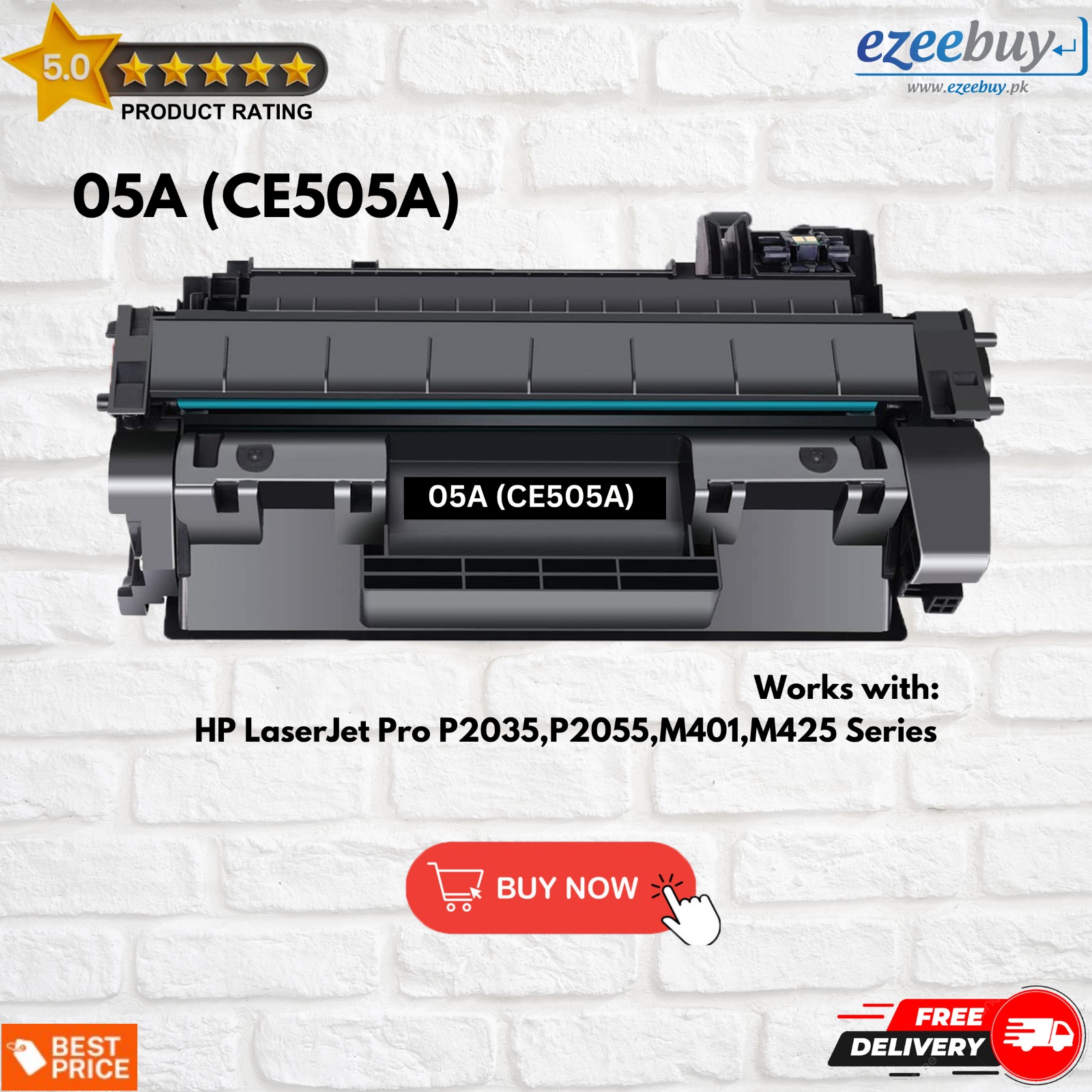
The HP LaserJet 05A (CE505A) is a standard-capacity black toner cartridge designed for mid-range HP monochrome printers. It provides a reliable yield of approximately 2,300 pages, making it a cornerstone for small to medium-sized businesses that prioritize sharp text, consistent grayscale performance, and high-speed document processing in professional environments.
1. Compatibility and Hardware Integration
The most critical detail regarding the HP LaserJet 05A (CE505A) cartridge is its specific hardware compatibility. Unlike some modern "universal" cartridges, the 05A is engineered for a very particular generation of HP LaserJet printers. As of 2026, these machines are considered legacy "workhorses"—famed for their durability and lack of complex digital restrictions compared to newer, subscription-based models.
The HP 05A is primarily designed for use in the following printer series:
- HP LaserJet P2035 Series: Including the base P2035 and the P2035n (network-ready).
- HP LaserJet P2055 Series: Including the P2055d (duplex), P2055dn (duplex and network), and P2055x (high capacity).
It is vital to distinguish between these two series when considering the 05A. While both the P2035 and P2055 series use the 05A cartridge, they differ in their ability to accept the high-yield alternative, the HP 05X (CE505X). The P2035 series is physically limited and can only use the 05A. The P2055 series, however, features a larger internal bay that can accommodate both the standard 05A and the high-yield 05X. Attempting to force an 05X into a P2035 will result in physical damage to the printer’s internal carriage.
The integration technology within the 05A is an "all-in-one" design. This means the toner, the drum, and the developer unit are all housed within a single replaceable plastic shell. When you replace the 05A, you are essentially refreshing the entire imaging system of the printer. This design minimizes maintenance requirements, as users do not need to replace the drum separately—a common requirement in many competing laser printer brands.
2. Page Yield and the ISO/IEC 19752 Standard
When purchasing office supplies in 2026, understanding "page yield" is essential for budgeting and procurement. The HP 05A is rated for approximately 2,300 standard pages. However, this number is not an absolute guarantee but rather a benchmark derived from the ISO/IEC 19752 testing standards for monochromatic toner cartridges.
The ISO/IEC 19752 standard utilizes a specific test page that represents about 5% "ink coverage" on the paper. In a practical office setting, your actual yield will fluctuate based on several variables:
- Content Density: Printing thick bold fonts, complex charts, or grayscale images increases toner consumption significantly compared to standard 12-point text.
- Print Jobs: Frequent small jobs (1–2 pages) consume more toner per page than long, continuous print runs due to the "prep and clean" cycles the printer performs during startup and shutdown.
- Environmental Factors: High humidity can cause toner clumping, while extreme dryness can lead to static issues that affect how the toner adheres to the paper, potentially increasing waste.
In 2026, data-driven office management often involves tracking the "Total Cost of Ownership" (TCO). For the 05A, the TCO remains relatively stable because the cartridge has been on the market for over a decade. While the 2,300-page yield is modest compared to high-capacity industrial units, it strikes a balance for users who do not print thousands of pages weekly but require the printer to be ready at a moment’s notice without the clogging issues associated with inkjet technology.
3. Advanced Toner Chemistry and Print Quality
The "A" in 05A signifies more than just the yield; it represents a specific era of HP’s chemical engineering. The cartridge utilizes HP’s proprietary spherically-shaped monochrome toner. Traditional ground toner consists of jagged, uneven particles that can lead to inconsistent distribution. In contrast, the chemically grown, spherical particles in the 05A roll more easily onto the paper.
This precision in particle shape allows for:
- Sharp Text Edges: Even at small font sizes (4pt or 5pt), the 05A maintains legible borders without "fuzziness."
- Consistent Grayscale Transitions: For business documents that include charts or diagrams, the 05A delivers smooth shading, which is critical for professional presentations.
- Immediate Fusing: The toner is designed to melt at a specific temperature calibrated to the P2035 and P2055 fuser units. This ensures that the ink is bonded to the paper instantly, preventing smudging as the page exits the high-speed output tray.
Furthermore, the 05A cartridge includes an integrated intelligence chip. In 2026, while some third-party manufacturers attempt to bypass these chips, the genuine HP chip provides real-time communication with the printer's firmware. This allows the user to see accurate "Low Toner" alerts and provides a historical log of pages printed. This communication is vital for "Smart" office environments that use automated supply reordering systems.
4. Sustainability and the Circular Economy
Environmental impact is a primary concern for modern enterprises. The HP 05A cartridge is a major participant in the HP Planet Partners program. Because the 05A is a high-volume product, HP has established a robust infrastructure for its recovery and recycling.
Key environmental details include:
- Closed-Loop Recycling: Many components of a returned 05A cartridge are ground down and used to create new HP cartridges. This reduces the need for "virgin" plastics and keeps industrial waste out of landfills.
- Carbon Footprint: Using a genuine 05A ensures that the printer operates within its designed energy specifications. Poorly manufactured clones often require higher fuser temperatures or multiple reprints due to quality failures, which increases the overall energy consumption of the office.
- Zero Landfill Goal: Genuine HP cartridges returned through official channels are never sent to a landfill.
In 2026, many corporate sustainability audits require proof of responsible e-waste management. The 05A makes this easy by including a pre-paid shipping label in many retail boxes or offering bulk pickup options for larger institutions. This lifecycle management is a significant advantage over generic "compatible" cartridges, which often lack a clear recycling pathway and end up in the municipal waste stream.
5. Market Positioning and Procurement in 2026
As of 2026, the HP 05A occupies a unique position in the market. It is no longer the "newest" tech, but it is one of the most widely available and supported cartridges globally. For organizations still running P2035 and P2055 hardware, the procurement strategy usually involves choosing between Genuine OEM (Original Equipment Manufacturer), Remanufactured, or New-Build Compatible cartridges.
| Feature | Genuine HP 05A (OEM) | Remanufactured 05A | High-Yield 05X (CE505X) |
|---|---|---|---|
| Page Yield | ~2,300 Pages | Variable (2,000 - 2,300) | ~6,500 Pages |
| Reliability | 99.9% (Low failure rate) | Moderate (Higher leak risk) | High |
| Print Quality | Professional Grade | Good to Average | Professional Grade |
| Compatibility | P2035 & P2055 Series | P2035 & P2055 Series | P2055 ONLY |
| Cost Per Page | Highest | Lowest | Best Value (for P2055) |
For users with the P2055 printer, the 05X is almost always the better financial choice due to the significantly lower cost-per-page. However, for P2035 users, the 05A is the only official option. In 2026, the market for 05A cartridges remains highly competitive. When procuring these, it is essential to verify the "Security Seal" on the box. Counterfeit cartridges are common for this model; a genuine seal will feature a holographic image that shifts when tilted, confirming that the toner inside is the actual HP chemical formulation and not a generic powder that could damage the printer's fuser.
Storage and Maintenance Best Practices
To maximize the life of an HP 05A cartridge, proper storage is as important as the printing process itself. If your organization stocks cartridges in bulk, follow these guidelines to ensure they perform correctly even months after purchase:
- Horizontal Orientation: Always store the 05A boxes horizontally. Storing them vertically for long periods can cause the toner powder to settle on one side of the hopper, leading to uneven print density or "streaking" when first installed.
- Temperature Control: Keep the cartridges in a climate-controlled environment. Excessive heat can cause the toner particles to partially fuse inside the cartridge, rendering it useless. Ideally, keep them between 60°F and 80°F (15°C - 27°C).
- Light Protection: Do not remove the cartridge from its protective black plastic bag until you are ready to install it. The Imaging Drum (the green or blue cylinder inside) is photosensitive. Exposure to ambient light for more than a few minutes can permanently "burn" the drum, resulting in dark spots or lines on every printed page.
If you notice a decrease in print quality before the "Low Toner" light appears, a common fix for the 05A is to remove the cartridge and gently rock it from side to side. This redistributes the remaining toner across the developer roller, often yielding an additional 50–100 pages of high-quality print.
Troubleshooting Common 05A Issues
Despite its reliability, the 05A can encounter issues, particularly when used in older, high-mileage printers.
- Vertical White Lines: This usually indicates a "toner low" condition or a blockage in the developer's "doctor blade." Rocking the cartridge may solve it temporarily, but replacement is usually necessary.
- Repeated Black Spots: If you see a spot every 2-3 inches down the page, there is a physical defect or piece of debris on the imaging drum. Since the drum is built into the 05A, replacing the cartridge will solve this problem immediately.
- Ghosting: This occurs when a faint image of the previous page appears on the current one. This is often a fuser issue in the printer itself, but it can occasionally be caused by using non-genuine toner that has a different melting point than the official HP specification.
Frequently Asked Questions
Can I use the 05A cartridge in an HP LaserJet Pro M401 or M402? No. While they look similar, the HP 05A is not compatible with the M401 (which uses the 80A/CF280A) or the M402 (which uses the 26A/CF226A). The internal guide rails and the electronic chip interface are different, preventing the cartridge from seating properly.
How long can an HP 05A be stored before it expires? Unlike ink cartridges, toner is a dry powder and does not "dry out." A genuine HP 05A has a shelf life of approximately 24 to 36 months if kept in its original sealed packaging and stored in a cool, dry place. However, the internal lubricants and the rubber wiper blade can eventually degrade over many years.
Why does my printer say "Non-HP Chip Detected" with an 05A? This message occurs when using a third-party or remanufactured cartridge that uses a cloned chip. While the printer will usually allow you to continue printing after clicking "OK," you may lose access to accurate toner level monitoring and some print quality optimization features.
Is there a difference between the CE505A and the CE505AC? The "AC" version is a "Contract" cartridge. It is physically and technically identical to the standard CE505A but is sold through HP’s Managed Print Services (MPS) channels. They are interchangeable in the P2035 and P2055 printers.
What is the best way to dispose of a used 05A cartridge? The best way is to use the HP Planet Partners program. You can drop off the used cartridge at many major office supply retailers (like Staples or Office Depot) or print a free shipping label from the HP website to mail it back to their recycling facility.
Final Recommendations for Office Managers
In 2026, the HP 05A remains a symbol of an era where printers were built for longevity. If you are managing a fleet that includes the P2035 or P2055, the 05A cartridge is your primary tool for maintaining uptime. To ensure the best results, always verify compatibility before ordering—specifically remembering that the P2035 cannot accept the high-yield 05X variant. For the highest print quality and the least amount of mechanical downtime, sticking with genuine HP 05A units is advisable, particularly for client-facing documents where "first impressions" matter. If your budget is tight and you choose remanufactured options, ensure the vendor provides a performance guarantee to protect your hardware from potential leaks.