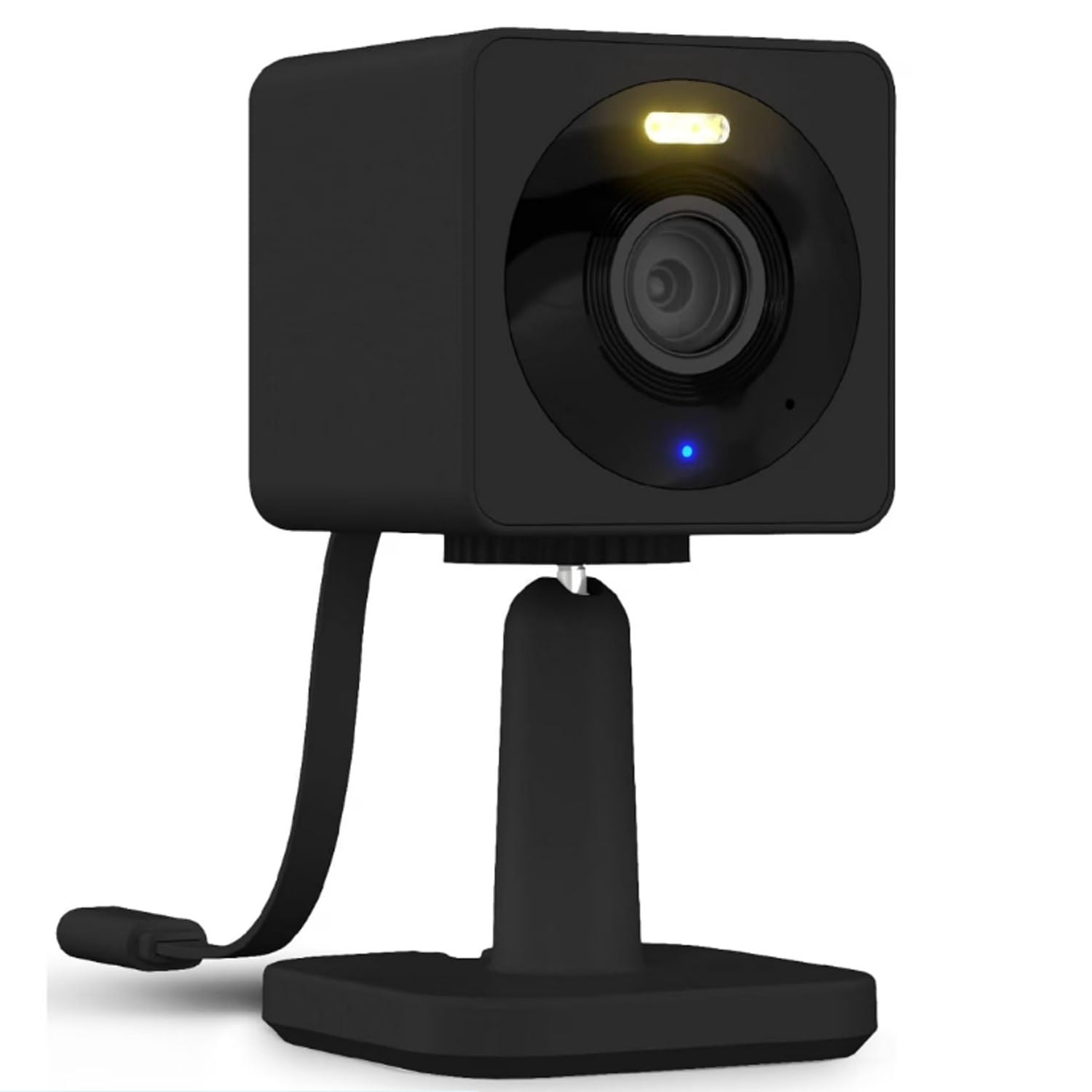
A 1080p HD smart cloud IP security indoor camera is a high-definition connected surveillance device that streams live video over the internet, records footage to remote cloud servers or local storage, and offers intelligent features like motion detection and smartphone alerts for home monitoring.
Introduction to Modern Indoor Security Cameras
The evolution of home surveillance technology has shifted dramatically from analog closed-circuit television (CCTV) systems to intelligent, internet-connected devices. At the forefront of this shift is the 1080p HD smart cloud IP security indoor camera. These devices serve as versatile, cost-effective solutions for monitoring interior spaces, whether the goal is keeping an eye on pets, ensuring the safety of children and elderly family members, or deterring unauthorized entry.
Understanding what makes these cameras tick requires looking beyond marketing buzzwords. A proper evaluation involves analyzing video resolution standards, network protocols, cloud versus local storage models, and the integration of artificial intelligence for smart alerts. By breaking down these components, consumers can select hardware that matches their specific privacy, bandwidth, and security requirements without overpaying for unnecessary features.
Core Technical Specifications Explained
To appreciate the capabilities of a modern indoor security camera, it is essential to examine its baseline technical architecture. The term "1080p HD" refers to a display resolution of 1920 by 1080 pixels, commonly known as Full HD. This resolution provides a balanced mix of visual clarity and data efficiency, ensuring that facial features, text on documents, and room layouts are clearly distinguishable without demanding the excessive storage space and bandwidth required by 4K ultra-high-definition streams.
"IP" stands for Internet Protocol, meaning the camera transmits data digitally over a local network (LAN) and the internet using standard networking packets, typically via Wi-Fi or an Ethernet cable. "Smart" implies onboard or cloud-based processing capabilities that go beyond simple video capture, such as person detection, audio recognition, and integration with smart home ecosystems like Amazon Alexa, Google Home, or Apple HomeKit. Finally, "cloud" denotes the ability to offload recorded video clips to remote server farms maintained by the manufacturer or a third-party service provider, ensuring footage remains accessible even if the physical camera is damaged or stolen.
Lens Quality, Field of View, and Night Vision
The optical assembly of an indoor security camera dictates how much of a room is visible and how sharp the image appears. Most quality 1080p indoor cameras feature a wide-angle lens ranging from 110 to 130 degrees. A wider field of view minimizes blind spots, allowing a single camera to monitor an entire living room or open-plan kitchen.
Low-light performance is another critical specification. Infrared (IR) night vision is standard, utilizing invisible IR LEDs to illuminate a room in total darkness, rendering monochrome video footage. Advanced models feature starlight sensors or color night vision, which use high-sensitivity apertures to capture full-color video in dimly lit environments without triggering harsh infrared illumination.
Storage Architecture: Cloud vs. Local Options
A major consideration when deploying a smart security camera is how and where video data is stored. Manufacturers typically offer two primary paradigms: cloud storage and local storage, each with distinct operational workflows, cost implications, and privacy profiles.
Cloud Storage Mechanics
Cloud storage transmits encrypted video clips over the internet to remote servers whenever a motion or audio event is triggered. This approach offers several operational advantages:
- Remote Redundancy: If an intruder locates and destroys or steals the physical camera, all historical footage captured prior to the event remains safely stored in the cloud.
- Accessibility: Users can review, download, and share footage from anywhere in the world using a mobile application or web browser.
- Continuous Updates: Cloud platforms often enable advanced server-side AI processing, such as facial recognition or package delivery identification, which would overwhelm a small camera's local processor.
However, cloud storage almost universally requires a recurring subscription fee per camera or per household. Furthermore, it relies entirely on a stable, active internet connection and consumes upstream bandwidth from the home network.
Local Storage Alternatives
Local storage relies on physical media housed within the camera itself, most commonly a MicroSD card, or a local Network Video Recorder (NVR) / Base Station connected to the home router.
- Cost Efficiency: Eliminates monthly subscription fees, making the total cost of ownership lower over the lifespan of the device.
- Data Privacy: Footage never leaves the local network unless explicitly shared by the user, reducing exposure to potential cloud server data breaches.
- Offline Functionality: Cameras can continue recording to local media even if the internet connection drops, provided local power is maintained.
The primary disadvantage of local storage is physical vulnerability. If the camera is stolen, vandalized, or suffers a catastrophic internal hardware failure, all stored footage is permanently lost.
Feature Comparison: Cloud vs. Local Storage
| Feature | Cloud Storage Model | Local MicroSD / Base Station Model |
|---|---|---|
| Recurring Cost | Monthly or annual subscription fee | One-time hardware purchase (MicroSD card) |
| Security of Footage | Safe from physical theft of the camera | Vulnerable if camera is stolen or damaged |
| Internet Dependency | Requires continuous internet uplink | Works locally during internet outages |
| Accessibility | Accessible remotely from any location | Remote access often requires complex port forwarding or manufacturer relay |
| Data Privacy | Data stored on third-party remote servers | Data remains entirely within local physical control |
Smart Integration and Artificial Intelligence
Modern indoor cameras have evolved from passive recording devices into active security sentinels, largely due to advancements in edge computing and artificial intelligence. Basic motion detection relies on pixel-change algorithms within the video frame. While functional, this method frequently generates false positives triggered by shifting shadows, indoor pets, fluttering curtains, or changing sunlight.
Advanced 1080p smart cameras utilize AI-driven object detection algorithms capable of distinguishing between:
- Humans: Sending an alert only when a person is detected in a restricted zone.
- Pets: Ignoring family pets to prevent notification fatigue.
- Sound Patterns: Recognizing specific audio cues, such as a smoke detector alarm, glass breaking, or a baby crying, and triggering tailored alerts.
These smart features integrate directly into broader home automation routines. For example, motion detected by the indoor camera upon arriving home can trigger smart lights to turn on and disarm outdoor security perimeters.
Privacy, Security, and Encryption Protocols
Deploying an internet-connected camera inside a private residence introduces valid privacy concerns. Securing a smart IP camera requires evaluating the encryption standards employed by the manufacturer during data transmission and storage.
- Transport Encryption: Video streams and control commands should utilize robust encryption protocols such as Transport Layer Security (TLS) or Secure Sockets Layer (SSL) to prevent man-in-the-middle interception over local Wi-Fi networks.
- At-Rest Encryption: Cloud-stored footage should be encrypted using Advanced Encryption Standard (AES) 256-bit encryption, ensuring that even if server logs are compromised, the video files remain unreadable without user-specific keys.
- Physical Privacy Shutters: Many modern indoor cameras feature mechanical privacy shutters or software-controlled privacy modes that physically block the lens or turn off the microphone when occupants are home.
- Multi-Factor Authentication (MFA): Securing the companion mobile application with MFA prevents unauthorized users from accessing live video feeds even if account login credentials are compromised.
Installation, Placement, and Network Setup
Proper physical placement and network configuration are essential for maximizing the operational effectiveness of an indoor security camera.
Strategic Placement Guidelines
- Entry Points: Position cameras to cover primary entryways, such as front doors, back doors, and ground-floor windows, angled downward to capture facial features clearly.
- High-Traffic Areas: Hallways and main living spaces provide oversight of movement through the home without infringing on private bedroom spaces.
- Power and Connectivity: Ensure the camera is within reliable range of the wireless router and near an electrical outlet, or utilize Power over Ethernet (PoE) if supported by the model. Avoid placing cameras directly facing bright windows, as backlighting will silhouette subjects and obscure details.
Network Requirements
Indoor IP cameras demand adequate bandwidth, particularly regarding upstream speeds. While a single 1080p stream typically consumes between 1.5 to 4 megabits per second (Mbps) of upload bandwidth, multiple cameras running simultaneously can congest a standard residential internet connection. Utilizing dual-band Wi-Fi (connecting to the less congested 5 GHz band when the camera is close to the router, or the 256 GHz band for better wall penetration) helps maintain a stable, stutter-free live feed.
Frequently Asked Questions
Can a 1080p smart cloud IP security indoor camera operate without an internet connection?
Yes, many models can power on, record video to a local MicroSD card, and maintain a local local-area network stream without internet access. However, features requiring cloud connectivity—such as remote push notifications, cloud backup, firmware updates, and remote viewing via mobile app—will be disabled until internet connectivity is restored.
How do I prevent my indoor security camera from being hacked?
To minimize security risks, always change the default administrator password immediately upon setup, enable multi-factor authentication on your account, keep the camera's firmware updated to patch known vulnerabilities, and connect the device to a secure, password-protected Wi-Fi network utilizing WPA2 or WPA3 encryption.
Are subscription fees mandatory to use a smart indoor camera?
Subscription requirements vary by manufacturer. Some brands require a monthly cloud subscription to unlock motion history, person detection, and activity zones. Others offer basic live viewing and local MicroSD card recording for free, reserving cloud features and extended video history as paid optional extras.
Can indoor security cameras see clearly in complete darkness?
Yes, standard indoor security cameras utilize built-in infrared (IR) LEDs that illuminate the immediate area with invisible light, allowing the image sensor to capture clear monochrome video even in pitch-black rooms. Range typically varies from 15 to 30 feet depending on the power of the IR emitters.
Will an indoor camera record pets running around the house?
Unless the camera features advanced AI pet detection or user-defined motion zones that exclude floor-level activity, standard pixel-based motion detection will trigger alerts whenever a pet moves across the frame. Selecting an AI-enabled model allows users to filter out animal movements and receive alerts exclusively for human presence.
Conclusion and Next Actions
Selecting and deploying a 1080p HD smart cloud IP security indoor camera involves balancing resolution needs, storage preferences, privacy safeguards, and smart home compatibility. Begin by auditing your home layout to identify critical monitoring zones and determining whether you prefer the remote safety of cloud subscriptions or the privacy and cost-efficiency of local MicroSD storage. Verify your home Wi-Fi network strength in those target zones, ensure robust account security measures like multi-factor authentication are enabled, and choose a reputable hardware ecosystem that aligns with your long-term automation goals.