AT&T no longer offers its proprietary home security service, AT&T Digital Life, which was officially discontinued following the phase-out of 3G network infrastructure. Legacy subscribers were transitioned to Brinks Home. Today, AT&T provides network security and Wi-Fi management via AT&T ActiveArmor and Smart Home Manager, requiring customers to pair AT&T internet with specialized third-party security providers.
Understanding the Evolution: What Happened to AT&T Digital Life?
For nearly a decade, AT&T was a major player in the residential security space through AT&T Digital Life. Launched in 2013, Digital Life was an ambitious all-in-one home security and home automation platform. It featured 24/7 professional central station monitoring, professional installation, custom mobile app controls, and an extensive catalog of add-on smart devices, including door locks, security cameras, thermostats, and water leak detection sensors.
Unlike DIY security systems that relied purely on home broadband, AT&T built Digital Life around a dedicated cellular control unit—the Digital Life Controller (DLC)—which used AT&T’s cellular network as its primary communication line, complemented by IP backup. This architecture ensured that the alarm system remained connected even if a homeowner's wireline internet connection went down or lost power.
- 2013: AT&T launches Digital Life (Cellular 3G + Z-Wave Hub)
- 2021: AT&T stops accepting new Digital Life enrollments
- 2022: AT&T sunsets 3G network; Digital Life platform retired
- 2022+: Customer base transitioned to Brinks Home Security
- Present: AT&T focuses on broadband, ActiveArmor & Smart Home Mgr
The 3G Network Sunset and Discontinuation
The downfall of AT&T Digital Life stemmed directly from telecommunications infrastructure modernization. The early generations of Digital Life hardware relied on 3G cellular radios embedded inside the primary control panel to transmit alarm signals to AT&T's monitoring centers.
When major telecommunications carriers finalized plans to decommission legacy 3G wireless networks to free up radio spectrum for 5G and enhanced LTE infrastructure, millions of connected cellular devices faced sudden obsolescence. Upgrading every Digital Life subscriber's main controller hub to an LTE or 5G cellular module would have required massive hardware recalls, on-site technician visits, and substantial capital deployment.
Consequently, AT&T made the strategic decision to exit the direct home security monitoring market. The company stopped accepting new Digital Life customers and initiated an agreement to transfer its existing subscriber base to Brinks Home. By late 2022, AT&T Digital Life was completely phased out, and the dedicated monitoring centers operated by AT&T were decommissioned.
Evaluating AT&T's Current Role in Smart Home Security
Although AT&T no longer manufactures security panels, door sensors, or monitored alarm keypads, the company remains deeply embedded in smart home ecosystems through its core broadband services and cybersecurity software tools.
If you are an AT&T subscriber looking to secure your residence, understanding how AT&T’s current suite of network management tools interacts with third-party security platforms is essential.
- AT&T Network Gateway
- AT&T ActiveArmor App
- Malicious Site Blocking
- Network Intrusion Alerts
- Identity Theft Protection
- Smart Home Manager App
- IoT Network Isolation
- Bandwidth Prioritization
- Connected Device Audits
- Third-Party Security Ecosystems (ADT, Vivint, SimpliSafe, Alarm.com)
- AT&T ActiveArmor App
AT&T ActiveArmor: Network-Level Cybersecurity
Modern security concerns extend beyond physical forced entry to include digital network intrusions, IP camera hacking, and credential theft. AT&T addresses these digital vectors using AT&T ActiveArmor, an integrated cybersecurity solution embedded directly within AT&T Fiber and internet gateways, as well as mobile devices.
Key security features offered through ActiveArmor include:
- Automatic Fraud Call Blocking and Nuisance Risk Warnings: Filters inbound threats at the network level before they reach mobile endpoints.
- Malicious Site Blocking: Automatically prevents devices connected to the home Wi-Fi network from accessing known phishing URLs, malware distribution points, and command-and-control servers.
- Home Network Security Scanning: Monitors connected endpoints—such as Wi-Fi security cameras and smart door locks—for weak password policies, exposed open ports, or unencrypted data streams.
- Identity Monitoring: Scans dark web databases for compromised personal email addresses, phone numbers, and credentials.
While ActiveArmor provides necessary network protection, it is important to note that it does not replace a monitored home security system. It cannot dispatch emergency first responders, detect smoke or carbon monoxide, or trigger audible sirens during a physical break-in.
AT&T Smart Home Manager: Device Isolation and Control
For users running self-monitored smart home devices—such as Ring doorbells, Nest cameras, or Arlo floodlights—the AT&T Smart Home Manager app serves as the centralized Wi-Fi network administration portal.
From a home security perspective, Smart Home Manager allows users to:
- Create Wi-Fi Guest Networks: Keep non-critical IoT security cameras and smart plugs isolated from primary personal computers, mobile devices, and network-attached storage (NAS) units.
- Monitor Real-Time Bandwidth Utilization: Ensure high-definition security camera arrays do not saturate network upload capacity, which can lead to dropped video frames or delayed alert notifications.
- Manage Connected Device Permissions: Block unrecognized MAC addresses from joining the local network and pause internet access for specific devices during maintenance or troubleshooting.
Legacy AT&T Digital Life vs. Top Home Security Alternatives
Because AT&T no longer provides dedicated alarm monitoring, consumers evaluating home security options must look to specialized security firms. The table below compares the historical operational profile of AT&T Digital Life with the top national security options available today.
| Feature / Specification | Legacy AT&T Digital Life (Discontinued) | Brinks Home (AT&T Transition Partner) | ADT Home Security | SimpliSafe | Vivint Smart Home |
|---|---|---|---|---|---|
| Installation Type | Professional | Professional or DIY | Professional or DIY | DIY | Professional |
| Primary Network | Cellular (3G) + IP | Cellular (LTE/5G) + IP | Cellular (LTE/5G) + IP | Wi-Fi + Cellular Backup | Cellular (LTE/5G) + Wi-Fi |
| Contract Requirements | 2-Year Contract | 36-Month Contract (Typical) | 36-Month Contract (Typical) | No Contract (Month-to-Month) | 36-to-60 Month Contract (if financed) |
| Monthly Monitoring Cost | $40 - $65 / month | $39 - $59 / month | $45 - $62 / month | $20 - $32 / month | $40 - $65 / month |
| Smart Home Protocols | Z-Wave (Proprietary Firmware) | Z-Wave Plus, Alarm.com | Z-Wave, Matter, Google Nest | Proprietary Encrypted RF | Z-Wave Plus, Proprietary RF |
| Professional Monitoring | Yes (AT&T Central Stations) | Yes (Rapid Response) | Yes (ADT Owned Stations) | Yes (COPS / Rapid Response) | Yes (Vivint Owned Stations) |
| Video Verification | Basic Cloud Clip Storage | HD Streaming + Cloud Storage | HD/4K + Nest Integration | HD Live Guard Protection | AI Smart Detection & Active Deterrence |
In-Depth Analysis of Alternatives
1. Brinks Home
As the official transition target for legacy AT&T Digital Life accounts, Brinks Home offers a streamlined upgrade path for former AT&T customers. Brinks utilizes the Alarm.com platform, providing robust wireless sensors, cellular redundancy, and integration with standard smart home protocols like Z-Wave Plus.
- Pros: Seamless migration paths for existing wiring/power locations; robust 24/7 central station monitoring; broad smart home device compatibility through Alarm.com.
- Cons: Requires long-term service agreements (typically 36 months); higher monthly costs compared to purely DIY platforms.
2. ADT Home Security
ADT is the longest-standing name in residential security. Modern ADT systems integrate deeply with Google Nest products, offering high-definition video analytics, facial recognition, and smart home automation alongside traditional intrusion detection.
- Pros: Unmatched physical redundant monitoring infrastructure; full compatibility with Google Assistant; optional professional installation and white-glove setup.
- Cons: Higher overall system life-cycle cost; mandatory multi-year monitoring contracts for professionally installed hardware packages.
3. SimpliSafe
For homeowners seeking total control without long-term contractual commitments, SimpliSafe represents the leading DIY alternative. The system can be set up in less than an hour without drilling or complex wiring.
- Pros: No contracts required; affordable equipment starter kits; optional live video verification feature where monitoring agents can speak to intruders through the indoor camera.
- Cons: Limited native integration with complex third-party Z-Wave or Zigbee mesh networks; video cloud retention requires top-tier monthly subscriptions.
4. Vivint Smart Home
Vivint specializes in high-end, professionally installed custom smart home automation combined with active intrusion deterrence. Their security cameras feature built-in artificial intelligence that detects unauthorized visitors lingering on the property and actively deters them using LED light rings and high-decibel chimes.
- Pros: Top-tier custom mobile app experience; advanced AI video analytics; seamless professional integration of smart locks, garage controllers, and cameras.
- Cons: Significant upfront equipment cost if not financed; long contract commitments tied to equipment financing plans.
Key Features to Look For in a Modern Security System
If you are replacing an old AT&T Digital Life system or shopping for a new home setup to run alongside your AT&T Fiber connection, evaluate systems based on these technical criteria:
- Dual-Path Communication (Wi-Fi + 5G/LTE Cellular)
- Encrypted RF Sensor Links
- Local Video Storage Options
- Open Smart Home Protocols (Z-Wave Plus, Zigbee, Matter)
- Battery Power Backup
Dual-Path Communication Architecture
Never rely entirely on a system that uses only home broadband for security transmission. If a storm downs power lines or an intruder cuts the fiber entry line outside your residence, an internet-only system will fail to transmit an alarm signal. Ensure your chosen system includes dual-path technology: primary high-speed Wi-Fi transmission coupled with an automated LTE or 5G cellular failover.
Open Protocol Compatibility (Z-Wave, Zigbee, and Matter)
Avoid closed, proprietary security ecosystems whenever possible. Systems built on open industry protocols like Z-Wave Plus, Zigbee, or the Matter smart home standard allow you to mix and match third-party smart locks, lighting controls, and thermostats from diverse manufacturers without locking you into a single provider's proprietary catalog.
Video Analytics and Edge AI Storage
Modern security cameras have evolved beyond passive motion detection, which frequently triggers false alarms due to passing cars, swaying tree branches, or small animals. Look for camera systems featuring on-device video analytics (Edge AI) capable of distinguishing between:
- Human beings
- Vehicles
- Domestic pets
- Package deliveries
Systems with localized micro-SD card storage or local Network Video Recorder (NVR) integration also prevent network congestion on your home Wi-Fi network while ensuring security footage remains accessible even during internet outages.
How to Pair AT&T Broadband with Third-Party Security Infrastructure
Optimizing your AT&T broadband service ensures that your smart security equipment operates at peak reliability without causing local network slowdowns.
- AT&T Fiber Gateway (BGW320 / ActiveArmor Active)
- Primary Wi-Fi SSID (5GHz / 6GHz)
- Laptops, Phones, Smart TVs
- Dedicated IoT SSID (2.4GHz)
- Alarm Panels, Smart Doorlocks
- Wi-Fi Cameras, Environmental Hubs
- Primary Wi-Fi SSID (5GHz / 6GHz)
1. Configure a Dedicated IoT Wi-Fi Network
Most security hub keypads, smart plugs, and wireless security cameras utilize 2.4 GHz Wi-Fi frequencies due to their superior wall-penetration capabilities and extended range compared to 5 GHz or 6 GHz bands.
Using the AT&T Smart Home Manager app or accessing your gateway's internal configuration page (192.168.1.254):
- Enable the Guest Network or split your network SSIDs into separate dedicated 2.4 GHz and 5 GHz channels.
- Assign all smart home security cameras, doorbells, and keypads exclusively to the 2.4 GHz network.
- Isolate this network to prevent compromised smart devices from scanning your primary network where sensitive personal data resides.
2. Manage Bandwidth Allocation for Cloud Security Cameras
Streaming continuous high-definition (1080p or 4K) video feeds to cloud services requires substantial upstream bandwidth. Standard asymmetrical cable or DSL connections often choke under heavy camera loads.
If you use AT&T Fiber, symmetrical upload and download speeds (e.g., 300 Mbps, 500 Mbps, or 1000 Mbps) effortlessly handle multiple simultaneous high-bitrate video streams. However, if you are on a band-limited copper internet connection, configure your security cameras to use motion-activated recording rather than 24/7 continuous stream recording, or lower stream resolutions to 1080p to conserve upstream channel capacity.
Troubleshooting and Repurposing Legacy AT&T Digital Life Hardware
A common question among homeowners who moved into a house with leftover AT&T Digital Life equipment—or long-time customers who kept their hardware after cancelling service—is whether the legacy components can be repurposed.
| Equipment | Status |
|---|---|
| [X] Central Control Panel (DLC) | Hard-Locked (E-Waste / Recycle) |
| [X] Keypad & System Sirens | Proprietary RF (Incompatible) |
| [!] Hardwired Door/Window Sensors | Usable via Translator Modules |
| [!] Standard Z-Wave Switches/Locks | Usable after Factory Reset |
Main Control Panel (DLC)
The central Digital Life Controller cabinet is locked down with proprietary, encrypted AT&T firmware. It cannot be flashed, reprogrammed, or connected to alternative alarm monitoring networks (such as Alarm.com or SimplySafe). The main control unit is obsolete and should be safely recycled at an e-waste station.
Door and Window Contact Sensors
- Wireless Sensors: Most wireless door/window contact sensors and motion detectors shipped with Digital Life used proprietary, encrypted RF frequencies paired specifically to the main controller. These wireless sensors generally cannot be paired with modern off-the-shelf Z-Wave or Zigbee security hubs.
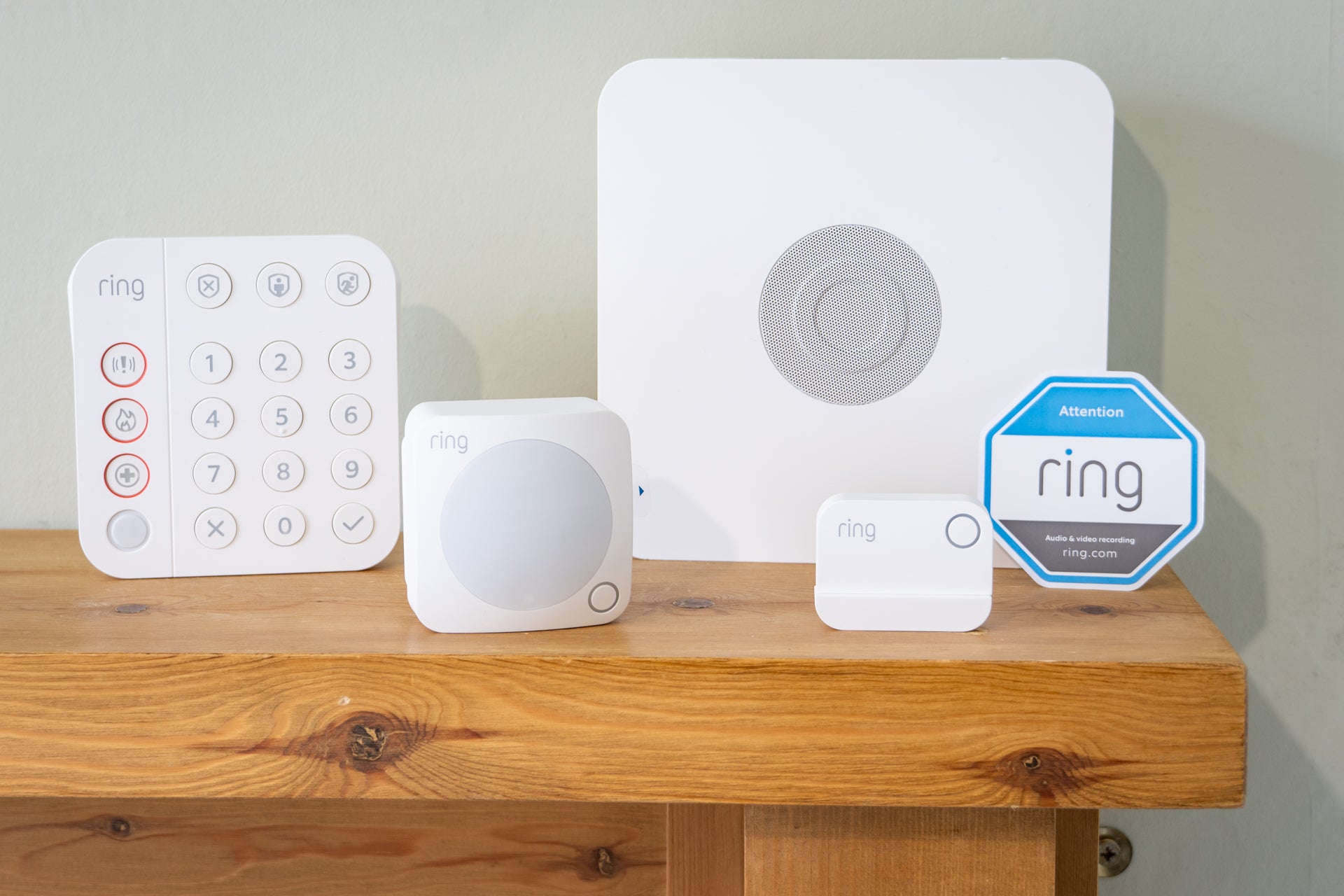
- Hardwired Recessed/Surface Sensors: If your Digital Life installation utilized physical hardwired sensors connected to an AT&T wired-to-wireless converter box, those raw magnetic reed-switch contacts can be reused. You can connect those existing low-voltage copper sensor runs into modern hardwire translator modules (such as the Ring Retrofit Alarm Kit or Konnected.io boards) to modernize your system without replacing wall wiring.
Z-Wave Smart Door Locks, Thermostats, and Plugs
During the operation of Digital Life, AT&T deployed standard Z-Wave peripherals, including Yale or Kwikset smart door locks and standard Z-Wave smart wall outlets.
These peripheral devices can usually be repurposed:
- Perform a physical Factory Reset on the specific device (refer to the device manufacturer's manual for button-hold sequences).
- Put your new Z-Wave hub (e.g., Samsung SmartThings, Home Assistant, Hubitat, or Ring Alarm Pro) into Z-Wave Exclusion Mode, then trigger the device to clear its old network pairing.
- Initiate Z-Wave Inclusion Mode on your new hub to pair the hardware successfully.
Frequently Asked Questions
Does AT&T still offer home security services?
No. AT&T officially shut down its direct home security platform, AT&T Digital Life, in 2022. AT&T no longer sells or monitors residential alarm systems. Today, AT&T focuses on broadband connectivity, 5G wireless network infrastructure, network security tools via AT&T ActiveArmor, and home Wi-Fi control via the Smart Home Manager app.
What happened to existing AT&T Digital Life customer contracts?
When AT&T discontinued Digital Life due to the 3G cellular network sunset, the company established an official customer migration agreement with Brinks Home. Active subscribers were offered equipment upgrade packages to switch their monitoring services over to the Brinks Home platform without losing central monitoring coverage.
Can I use AT&T Smart Home Manager as my home alarm app?
No. The AT&T Smart Home Manager app is strictly a home network administration tool designed to manage Wi-Fi settings, check connected device statuses, run internet speed tests, and set parental controls on your AT&T internet gateway. It does not monitor physical door/window sensors, process alarm conditions, or dispatch emergency services.
Which home security systems work best with AT&T Fiber?
Because AT&T Fiber offers ultra-fast, symmetrical upload and download speeds with minimal network latency, virtually all modern security platforms perform exceptionally well with it. Top recommended systems include ADT (for professionally installed, white-glove security with Google Nest integration), SimpliSafe (for direct DIY contract-free monitoring), and Brinks Home or Vivint (for integrated advanced smart home automation).
How do I protect my Wi-Fi security cameras on AT&T Internet?
To maximize security for IP-connected cameras, use the AT&T Smart Home Manager app to set up an isolated Guest Wi-Fi Network specifically for your smart home devices. Ensure AT&T ActiveArmor network security is turned on to block malicious traffic streams, always keep device firmware updated, and enforce strong, unique passwords combined with two-factor authentication (2FA) across all security apps.
Practical Recommendations and Next Actions
If you currently have legacy AT&T Digital Life hardware in your residence or are building a home security strategy around an AT&T internet connection, take the following steps:
- Audit Existing Hardware: If legacy Digital Life equipment is installed in your home, remove and recycle the main DLC panel cabinet. If you have hardwired door/window sensors embedded in door frames, consider buying an open-protocol bridge (like Konnected.io or a Ring Retrofit Board) to reuse the physical copper wiring.
- Factory Reset Standalone Smart Devices: Unpair any surviving Z-Wave door locks, light switches, or water leak sensors from the old system so they can be re-added to a modern smart hub like SmartThings or Home Assistant.
- Choose a Purpose-Built Security Provider:
- For no-contract DIY simplicity, select SimpliSafe.
- For advanced home automation and high-end AI camera deterrence, choose Vivint.
- For traditional white-glove setup and robust physical monitoring infrastructure, choose ADT or Brinks Home.
- Optimize Your AT&T Wi-Fi Setup: Log into the AT&T Smart Home Manager app, create a secondary 2.4 GHz IoT Wi-Fi network for your security devices, and verify that AT&T ActiveArmor is enabled to safeguard your connected security ecosystem at the network perimeter.