Choosing a secure cloud service in 2026 requires prioritizing providers that implement zero-knowledge encryption and robust privacy safeguards over mainstream convenience features. Services like Proton Drive, Tresorit, and Sync.com lead the market by ensuring that only the user holds the decryption keys, effectively preventing unauthorized access from both hackers and the providers themselves.
The landscape of digital storage has shifted significantly. While the early 2020s focused on sheer capacity and integration, 2026 is defined by the necessity of data sovereignty and architectural security. Large-scale data breaches and evolving regulatory requirements have made standard "encryption at rest" insufficient for sensitive personal or professional information. To truly protect your data, you must look for services designed with a "security-first" mindset.
Why Security Architecture Matters in 2026
When evaluating cloud services, the distinction between "encrypted" and "secure" is critical. Most mainstream providers encrypt data using keys they manage. While this protects data from external intruders, it leaves the door open for the provider to access your files for AI training, metadata analysis, or in response to government subpoenas.
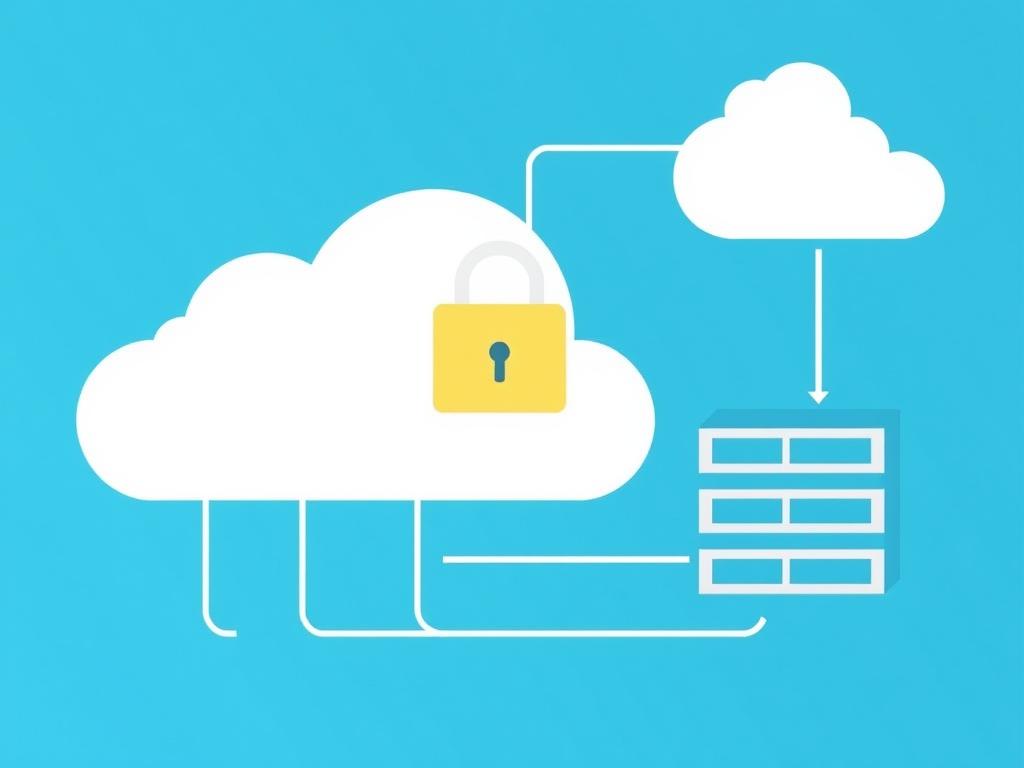
A truly secure cloud service utilizes zero-knowledge encryption. In this framework, your password acts as the basis for a local encryption key. Your files are encrypted on your device before they are uploaded to the cloud. Because the provider never sees your plaintext password or your private keys, they cannot decrypt your data even if they are compelled to by law or suffer a server-side breach.
Furthermore, the physical location of the servers—the jurisdiction—dictates which privacy laws apply. In 2026, many users prefer services based in Switzerland, Iceland, or Canada, where privacy protections are traditionally stronger than in "Five Eyes" countries.
1. Proton Drive (Switzerland)
Proton Drive has emerged as a top-tier contender for users who require an integrated secure ecosystem. Based in Switzerland, it benefits from some of the world's most stringent privacy laws. As part of the Proton suite—which includes Mail, Calendar, VPN, and Pass—Drive offers a seamless experience for those already committed to high-privacy workflows.
Proton Drive uses OpenPGP (Pretty Good Privacy) standards for its encryption, ensuring that every file and even file metadata (like names and sizes) are encrypted. In 2026, Proton continues to emphasize its open-source nature, allowing independent security researchers to audit their code regularly. This transparency is a cornerstone of trust in the cybersecurity community.
The service is particularly useful for individuals who need to share sensitive documents securely. Its "Secure Sharing" feature allows users to set expiration dates and passwords for shared links, providing granular control over data even after it leaves the local environment.
2. Tresorit (Switzerland/Luxembourg)
Tresorit is frequently cited as the gold standard for enterprise-grade secure cloud storage. While it offers personal plans, its primary focus is on professional teams and businesses that must comply with strict regulations like GDPR, HIPAA, and TISAX.
Tresorit’s standout feature is its Digital Rights Management (DRM) capabilities. Users can control who can download, print, or copy files within a shared folder. If a device is lost or an employee leaves a project, administrators can revoke access instantly. By 2026, Tresorit has further refined its "Zero-Knowledge Content Collaboration," allowing multiple users to edit encrypted documents simultaneously without compromising the underlying security keys.
While Tresorit is more expensive than many competitors, the cost reflects its advanced security certifications and the depth of its administrative controls. It is a "set-and-forget" solution for organizations where a data leak could result in catastrophic legal or financial consequences.
3. Sync.com (Canada)
Sync.com has maintained a loyal following by offering a balance between the high security of zero-knowledge architecture and the ease of use typically associated with less secure services like Dropbox. Based in Canada, Sync.com adheres to privacy standards that are compliant with global regulations, including PIPEDA and HIPAA.
Unlike some secure providers that struggle with large file sizes or slow sync speeds due to encryption overhead, Sync.com has optimized its proprietary protocol for performance. One of its most valuable features is "Sync Vault," a storage area for files that you do not want synchronized across all your devices. This is ideal for long-term backups of sensitive data that should not live on a laptop's local hard drive.
Sync.com also offers version history and file recovery for up to 365 days on its professional plans. This provides a robust defense against ransomware; if your local files are encrypted by a malicious actor, you can simply roll back your entire Sync.com library to a state prior to the attack.
4. Mega (New Zealand)
Mega is perhaps the most well-known secure cloud provider, famous for its generous free storage tier and its browser-based encryption. Every file uploaded to Mega is encrypted locally before transmission.
In 2026, Mega remains a powerhouse for high-capacity needs. It utilizes User-Controlled Encryption (UCE), meaning the user is solely responsible for their recovery key. If you lose your password and your recovery key, Mega cannot help you regain access—a hallmark of true zero-knowledge design.
Mega’s interface is intuitive, and it provides integrated encrypted chat and video calling, making it a multifaceted communication tool. However, users should be aware that while the encryption is robust, the company’s history and ownership have occasionally been subjects of debate in the privacy community. Nonetheless, its long-term commitment to E2EE (End-to-End Encryption) keeps it on the list of viable secure options.
5. Internxt (Spain)
Internxt represents the "Web3" evolution of cloud storage. Unlike traditional services that store your data on centralized servers (even if encrypted), Internxt uses a decentralized network. When you upload a file, it is encrypted, fragmented (sharded), and distributed across a global network of nodes.
This architectural choice offers a unique security benefit: even if a single server or node is compromised, the attacker only gains access to an encrypted fragment of a file, which is useless on its own. Internxt is fully open-source, and its code is available on GitHub for public verification.
In 2026, Internxt has gained traction among tech-savvy users who are wary of "Big Tech" centralization. Its commitment to "Zero-Knowledge" extends to its entire suite, including Internxt Photos and Internxt Send. It is an excellent choice for those looking for a modern, transparent, and highly resilient storage solution.
6. NordLocker (Panama/Global)
Developed by the team behind NordVPN, NordLocker is an encryption tool first and a cloud service second. It allows users to create "lockers"—encrypted folders that can live on your local machine, on a USB drive, or in the NordLocker cloud.
NordLocker uses AES-256 and ECC (Elliptic-Curve Cryptography) to secure data. Its primary advantage is its integration into the broader Nord security ecosystem. If you are already a user of NordVPN or NordPass, adding NordLocker provides a unified security management experience.
A significant feature of NordLocker is its "Local-First" approach. You can use the software to encrypt files on your computer without ever uploading them to the cloud, giving you total control over your data's physical location. This is particularly useful for sensitive files that you need to keep offline but still want to protect against unauthorized local access.
7. SpiderOak One Backup (USA)
SpiderOak has a long-standing reputation in the security industry, famously recommended by Edward Snowden years ago. While it is based in the United States—a jurisdiction that some privacy purists avoid—its technical "No-Knowledge" architecture is designed so that the physical location of the servers is secondary to the mathematical strength of the encryption.
SpiderOak One Backup is designed primarily for disaster recovery and system backups. It allows for the backup of any folder on your computer, not just a single "Sync" folder. Its "Point-in-Time" recovery feature is specifically designed to combat ransomware, allowing users to restore their entire system state to a specific minute before an infection occurred.
By 2026, SpiderOak has focused its efforts on high-reliability backup for power users and small businesses who prioritize data integrity and recovery over social sharing features.
Comparing Secure Cloud Services
The following table summarizes the key attributes of these services to help you determine which fits your specific requirements.
| Service | Jurisdiction | Free Tier | Encryption Type | Primary Use Case |
|---|---|---|---|---|
| Proton Drive | Switzerland | 5 GB | Zero-Knowledge (PGP) | Privacy enthusiasts / Ecosystem users |
| Tresorit | Switzerland | Trial Only | Zero-Knowledge (E2EE) | Enterprise / Legal / Compliance |
| Sync.com | Canada | 5 GB | Zero-Knowledge | General use / Large file storage |
| Mega | New Zealand | 20 GB+ | User-Controlled E2EE | High capacity / Free users |
| Internxt | Spain | 10 GB | Decentralized E2EE | Web3 / Open-source advocates |
| NordLocker | Panama | 3 GB | AES-256 / ECC | Local & Cloud encryption |
| SpiderOak | USA | Trial Only | No-Knowledge | System backup / Ransomware protection |
Security Audits and Compliance Standards
When choosing a service in 2026, do not rely solely on the provider's marketing claims. Look for evidence of third-party verification. Reputable secure cloud services undergo regular audits to ensure their "zero-knowledge" claims are technically sound.
- SOC 2 Type II: This audit confirms that a service provider manages your data securely to protect the interests of your organization and the privacy of its clients.
- ISO 27001: An international standard for managing information security.
- HIPAA/GDPR: These are not just acronyms but legal frameworks. If you handle medical data (HIPAA) or European citizen data (GDPR), your cloud provider must offer specific compliance guarantees.
Always check the provider’s website for the most recent Transparency Report. These reports detail how many requests for data the company received from law enforcement and, crucially, how many times they were able to provide usable data (which, for a zero-knowledge provider, should be zero).
Technical Prerequisites for Secure Cloud Use
Before migrating your data to a secure cloud service, you must prepare your local environment. Security is only as strong as its weakest link, which is often the user’s endpoint.
- Strong Master Password: Since these services are zero-knowledge, your master password is the only way to generate your encryption keys. Use a long, unique passphrase.
- Backup Recovery Codes: Most secure services provide a "Recovery Key" or "Seed Phrase" during setup. If you lose your password, this is the only way to recover your data. Store this physically (e.g., in a safe) or in an offline password manager.
- Multi-Factor Authentication (MFA): Even with E2EE, you must protect your account login. Use hardware keys (like Yubico) or TOTP apps (like 2FAS or Aegis) rather than SMS-based authentication.
- Local Device Security: Ensure your computer or smartphone is encrypted (using BitLocker or FileVault) and protected by a strong password. If an attacker gains access to your unlocked device, they can access your secure cloud files through the logged-in app.
Common Mistakes When Selecting a Provider
Confusing "Cloud Sync" with "Cloud Backup" Many users assume that because their files are in Proton Drive or Sync.com, they are "backed up." However, sync services mirror deletions. If you accidentally delete a file on your laptop, the "sync" command will often delete it from the cloud simultaneously. Always check if your provider offers a "Vault" or "Archive" feature that is disconnected from the live sync.
Ignoring Metadata A service might encrypt the contents of your PDF, but does it encrypt the filename? In 2026, metadata harvesting is a significant privacy concern. Ensure the provider encrypts file names, folder structures, and timestamps.
Assuming Big Brand Safety Mainstream providers like Google Drive, Microsoft OneDrive, and Apple iCloud (without Advanced Data Protection enabled) have massive security budgets, but they generally retain the ability to decrypt your data. While they are "safe" from most hackers, they are not "secure" from the providers themselves or from sophisticated state-level actors.
FAQ
Is zero-knowledge encryption slower than standard cloud storage?
In general, yes, there is a minor performance trade-off. Because your device must perform the mathematical calculations to encrypt and decrypt files locally, you may notice a slight delay in upload and download speeds compared to non-encrypted services. However, in 2026, modern processors and optimized protocols have made this difference negligible for most document-based workflows.
Can I recover my files if I forget my master password?
For a true zero-knowledge service, the answer is no. The provider does not store your password or your keys. If you lose both your password and your emergency recovery code, your data is mathematically impossible to retrieve. This is the "cost" of total privacy.
Are these services legal to use globally?
While encryption is legal in most countries, some jurisdictions have "Key Disclosure Laws" that could theoretically compel you to hand over your password. However, the services themselves are legal. Always check the local laws of the country you are residing in or traveling to.
Does E2EE protect me from viruses or malware?
No. End-to-end encryption only ensures that no one can read your data while it is in transit or stored on the server. If you upload a file that is already infected with a virus, it will remain infected. Furthermore, if you download an infected file from a shared link, the encryption will not protect your system.
Can I use these services for collaboration?
Yes, but with limitations. Sharing files in a zero-knowledge environment is more complex than in a standard one. Most secure services allow you to create password-protected links. For team collaboration, services like Tresorit and Proton Drive for Business allow you to share encrypted folders with specific users who also have accounts on the same platform.
Practical Recommendation
If you are new to secure cloud storage, start by moving your most sensitive documents—such as tax returns, legal papers, and identity documents—to Proton Drive or Sync.com. Both offer free tiers that are sufficient for essential files. For businesses requiring strict regulatory compliance, Tresorit remains the most robust choice in 2026. Regardless of the service you choose, ensure you have recorded your recovery keys in a secure, offline location before you begin the upload process.