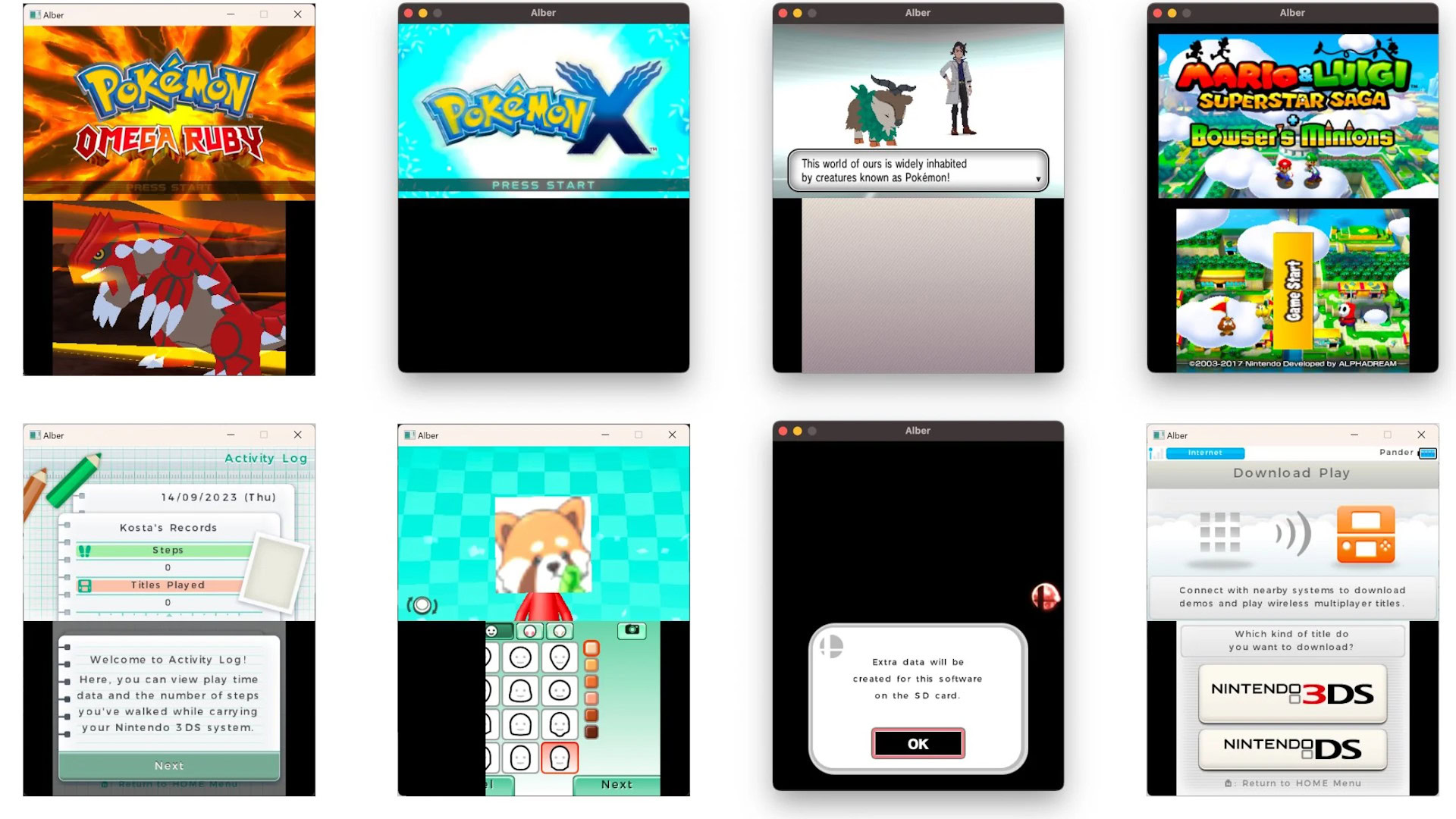
Playing Nintendo 3DS games on mobile devices requires downloading a specialized software application known as an emulator, which translates console architecture to run on Android hardware. Because Nintendo officially discontinued the 3DS eShop and hardware production, mobile emulation remains a primary method for preserving and playing these dual-screen titles on smartphones and tablets.
The landscape of handheld gaming emulation has evolved significantly over the years. With modern smartphones boasting powerful multi-core processors, high-refresh-rate displays, and ample random-access memory (RAM), running resource-intensive applications on mobile operating systems is more feasible than ever. However, translating the complex, proprietary architecture of a dual-screen handheld console onto a touch-sensitive mobile device involves intricate software engineering, hardware constraints, and legal considerations. Understanding how these systems operate, what hardware is required, and how to configure them safely ensures an optimal gaming experience without running into unexpected performance bottlenecks.
Understanding Nintendo 3DS Architecture and Emulation Challenges
Emulating the Nintendo 3DS on a mobile phone or tablet is fundamentally different from emulating older systems like the Game Boy Advance or the Nintendo Entertainment System. The 3DS hardware features a unique dual-screen layout—one of which is a resistive touchscreen—coupled with a dual-core ARM11 MPCore processor, a dedicated PICA200 graphics processing unit (GPU), and specialized coprocessors for handling system menus, wireless communications, and stereoscopic 3D graphics.
To make these games run on an Android smartphone, an emulator must use dynamic binary translation to convert the 3DS machine code into instructions that modern mobile ARM processors can understand in real time. This process demands substantial processing power. While older emulators relied heavily on interpreter-based code execution, modern software uses Just-In-Time (JIT) compilation to dramatically speed up execution.
Furthermore, rendering two screens simultaneously while maintaining a stable frame rate creates unique graphical hurdles. Developers must implement layout customization options so users can stack screens vertically, display them side-by-side, or use a toggle button to switch between the top widescreen and the bottom touch display. Additionally, handling the 3DS circle pad, motion controls, and microphone input on a flat glass smartphone screen requires responsive touch overlays or seamless Bluetooth gamepad integration.
Historical Evolution and the Current Software Landscape
The journey of 3DS emulation spans over a decade, transitioning from theoretical proof-of-concept projects to highly optimized, commercially viable software. The most notable milestone in this ecosystem was the development of Citra, an open-source project originally launched for desktop operating systems in 2014. Over time, independent developers ported Citra to Android, bringing sophisticated dual-screen emulation to mobile hardware.
In early 2024, legal actions by Nintendo led to the discontinuation of official development for Citra and its derivative projects. Despite this development, the open-source nature of the original codebase meant that the underlying technology did not disappear. Various community-driven forks, archived builds, and independent projects continue to circulate within the emulation community.
When searching for a 3DS emulator mobile solution today, users typically encounter iterations derived from these foundational codebases. Because official updates have ceased for the primary mainstream applications, the community relies heavily on established APK (Android Package) archives and community patches to maintain compatibility with newer Android versions, such as Android 14 and Android 15. This shift places a greater emphasis on user caution, as downloading software from unverified third-party websites exposes devices to malware disguised as utility apps.
Hardware Prerequisites and Performance Expectations
Achieving smooth, full-speed gameplay (typically 60 frames per second) on a 3DS emulator mobile app depends heavily on the specifications of the host smartphone. While budget and mid-range devices can handle lighter titles, graphically intensive 3D games require robust processing hardware.
Processor and Graphics Specifications
The central processing unit (CPU) is the single most critical component for emulation. Devices powered by Qualcomm Snapdragon processors—specifically those in the Snapdragon 8 series or recent 7 series chips—generally offer the best compatibility and performance due to superior graphics driver support. MediaTek Dimensity processors also perform admirably in modern devices, though historically, Adreno graphics drivers have received more fine-tuning from the emulation community compared to Mali alternatives.
Random Access Memory (RAM) and Storage
A minimum of 6GB of RAM is recommended for comfortable emulation, with 8GB or higher preferred if users intend to run applications in the background or utilize high-resolution texture packs. Fast internal storage, such as UFS 3.1 or UFS 4.0, helps reduce stuttering when the emulator reads game assets from storage.
| Component | Minimum Requirement | Recommended Specification |
|---|---|---|
| Processor (SoC) | Mid-range ARM64 (e.g., Snapdragon 7-series) | High-end ARM64 (e.g., Snapdragon 8-series Gen 2/3) |
| RAM | 4 GB to 6 GB | 8 GB or Higher |
| Operating System | Android 9.0 (Pie) | Android 13.0 or Newer |
| Graphics API | OpenGL ES 3.1 | Vulkan (Preferred for modern drivers) |
| Storage Space | 2 GB Free Space | 10 GB+ (Depending on game library size) |
Software Setup and Configuration Best Practices
Installing and configuring a 3DS emulator on a mobile device requires careful attention to file formats, directory structures, and graphics settings. Most mobile emulators operate on Android devices, as iOS security restrictions historically prevented the execution of JIT compilers—a vital component for running 3DS software efficiently—though alternative sideloading methods have evolved.
Obtaining and Formatting Game Files
Emulators do not come bundled with games, commonly referred to as ROMs. Legal acquisition of these files typically involves dumping data from physically owned game cartridges or digital purchases using specialized homebrew tools on a modified console.
- Supported file formats usually include
.3ds,.cci, or decrypted.ciafiles. - Encrypted files often fail to boot unless decrypted using system keys or specific decryption tools prior to transfer.
Optimizing Graphics and Audio Settings
Once the emulator is installed and pointed to the correct storage directory containing the game files, users must fine-tune the settings for their specific hardware:
- Graphics API: Switch between OpenGL ES 3.1 and Vulkan. Vulkan often provides better multi-threaded performance and lower CPU overhead on modern devices, though OpenGL may occasionally offer higher stability on older hardware.
- Resolution Scaling: The native resolution of the 3DS is 400x240 for the top screen. Mobile emulators allow scaling this to 2x or 3x (720p or 1080p), significantly sharpening visuals. However, higher resolutions increase the load on the GPU and can cause thermal throttling.
- Shader Compilation: Enable asynchronous shader compilation if available. This reduces stuttering caused by the system compiling visual effects on the fly during gameplay.
Common Performance Bottlenecks and Troubleshooting
Even on high-end hardware, users frequently encounter performance issues, visual glitches, or audio crackling. Identifying the root cause of these problems allows for targeted adjustments rather than random trial and error.
Thermal Throttling and Battery Drain
Emulation is a heavy computational workload that pushes both the CPU and GPU to their limits. As the phone heats up, the operating system initiates thermal throttling, lowering clock speeds to prevent overheating. This results in sudden frame rate drops during extended gaming sessions. To mitigate this, remove bulky phone cases, avoid charging the phone while playing, and lower the resolution scaling if thermal limits are reached too quickly.
Audio Stutters and Frame Drops
If audio crackles or the game runs in slow motion (below 100% speed), the CPU is struggling to keep up with the emulation demand. Users can try disabling accurate shader multiplication, lowering the resolution back to native 1x, or closing background applications to free up system memory and processing threads.
Touch Controls vs. Physical Gamepads
Playing action-heavy games using transparent touchscreen overlays can be cumbersome because lack of tactile feedback makes precise movements difficult. Connecting a dedicated Bluetooth controller—such as an Xbox wireless controller, a PlayStation DualSense, or a telescopic mobile gamepad that grips the sides of the phone—vastly improves the ergonomic experience and frees up screen real estate for an unobstructed view of the dual displays.
Legal and Ethical Considerations in Emulation
The legal status of video game emulation is a nuanced topic that distinguishes between the emulator software itself and the game files executed upon it.
- The Legality of Emulators: Courts in various jurisdictions have generally ruled that writing clean-room software to replicate the functional behavior of a hardware console is legal. Emulators are tools designed for software compatibility and preservation.
- The Legality of ROMs: Downloading copyrighted game files from unauthorized distribution websites constitutes copyright infringement. While format-shifting—creating personal backups of legally purchased physical cartridges—is practiced by enthusiasts, downloading those same files online without ownership remains illegal in most regions.
Additionally, Nintendo's intellectual property policies strictly protect their proprietary game code, artwork, and character likenesses. While exploring emulation for educational or archival purposes is a common pursuit among software engineers, distributing copyrighted game images online violates international copyright laws. Users must exercise discretion and adhere to local regulatory frameworks regarding digital media consumption.
Frequently Asked Questions
Can I run a 3DS emulator on an iPhone or iPad?
Running a 3DS emulator on Apple iOS devices has historically been restricted due to operating system sandboxing rules and the blocking of JIT compilation. While newer iOS versions have opened up allowances for certain types of emulators via official app stores, high-performance 3DS emulation still relies heavily on specialized hardware acceleration that performs best within the Android ecosystem.
Do I need a modified (jailbroken or rooted) phone to use a 3DS emulator?
No, rooting your Android device or jailbreaking an iOS device is not required to run a 3DS mobile emulator. These applications install like standard mobile apps, though they do require manual file management permissions to locate and read game ROM files stored in local device directories.
Why do some 3DS games run smoothly while others lag?
Emulation performance varies drastically depending on how heavily a specific game relied on the unique hardware quirks of the 3DS. Games optimized for the console's architecture require complex translation layers, and poorly optimized titles or games with heavy graphical effects demand significantly more processing power from your mobile device's GPU and CPU.
Where can I safely download 3DS mobile emulator apps?
Because official development for primary applications like Citra concluded following legal disputes, users must exercise extreme caution. Avoid unverified third-party APK aggregator websites, as they frequently bundle malware, adware, or outdated builds. Look for trusted community preservation archives or open-source repositories hosted on reputable developer platforms.
How do I fix graphical glitches or missing textures in games?
Visual artifacts usually stem from driver incompatibilities or incorrect graphics API settings within the emulator menu. Switching between the Vulkan and OpenGL graphics backends, updating your phone's system software to ensure you have the latest GPU drivers, or toggling shader-related options often resolves rendering errors.
Conclusion and Final Recommendations
Utilizing a 3DS emulator mobile application offers a powerful way to experience classic dual-screen gaming on the go, provided your smartphone meets the necessary performance thresholds. Success in mobile emulation depends on understanding hardware limitations, properly configuring graphics APIs, and sourcing game files responsibly through personal backups. By prioritizing devices with capable processors, utilizing physical Bluetooth controllers for better ergonomics, and managing thermal performance during long sessions, users can achieve a reliable and high-fidelity gaming experience that honors the legacy of Nintendo's handheld dual-screen innovation.