An e-sign service is a secure, cloud-based platform that allows individuals and organizations to execute, manage, and store legally binding agreements electronically. By replacing physical ink and paper with cryptographic verification, these services enable users to authenticate signatures, ensure document integrity, and create an auditable trail of the signing process in full compliance with global legal frameworks.
The Foundation of Electronic Signatures
At its core, an electronic signature (e-signature) is not merely a digital image of a handwritten signature. It is a legal concept that encompasses any electronic sound, symbol, or process attached to or logically associated with a contract or record and executed by a person with the intent to sign the record.
Modern e-sign services provide the technical infrastructure to satisfy the requirements of major legislation, such as the U.S. ESIGN Act of 2000 and the Uniform Electronic Transactions Act (UETA), as well as the eIDAS regulation in the European Union. These platforms serve as a "trusted third party," ensuring that the signature is linked to a unique individual, that the document has not been altered after signing, and that the entire lifecycle of the document is recorded.
How the Signing Process Works
The utility of an e-sign service lies in its ability to simplify complex legal workflows into a series of automated steps. While interfaces vary between providers, the underlying operational flow remains consistent.
1. Document Preparation
The sender uploads a document—typically in PDF format—to the service portal. The sender then defines "signing fields," which dictate where the recipient must interact. Common fields include signature blocks, date stamps, initials, and text boxes for supplementary data such as job titles or addresses.
2. Recipient Authentication
Before a recipient can access the document, the service must verify their identity. Depending on the sensitivity of the contract, this can range from simple email verification to multi-factor authentication (MFA) protocols, such as requiring a one-time password (OTP) sent via SMS, knowledge-based authentication (KBA) involving public records, or identity verification through government-issued ID scanning.
3. The Signing Ceremony
The recipient receives a secure link to the document. After authenticating, the recipient applies their signature. In many platforms, this is done by typing a name that is then converted into a stylized script or by drawing a signature using a stylus or mouse. Crucially, the service captures the metadata behind this action, including the IP address, timestamp, and device fingerprint.
4. Encryption and Finalization
Once all parties have signed, the service locks the document. Cryptographic hashing is applied to the file, which creates a unique digital fingerprint. If even a single character in the document is altered after this point, the hash will change, effectively notifying any auditor that the document’s integrity has been compromised.
The Audit Trail: The Backbone of Legal Enforceability
The most critical output of an e-sign service is the "Audit Trail" or "Certificate of Completion." This document is automatically generated and attached to the final file. It serves as an independent record of the transaction. A robust audit trail must include:
- Identities: Information about who was invited to sign and how they were verified.
- Timestamps: Precise records (coordinated universal time) of when the email was opened, when the signing link was clicked, and when the signature was applied.
- Device Context: The IP address and browser/device metadata used during the session.
- Event Log: A step-by-step history of the document’s life, including any changes made by the sender or actions taken by the recipient.
Comparison of E-Sign Service Types
Selecting the right service often depends on whether your requirements are personal, professional, or enterprise-grade.
| Feature | Basic Consumer Tools | Professional/Business Services | Enterprise Platforms |
|---|---|---|---|
| Authentication | Email verification | SMS/Email/SSO | ID Verification/Biometrics |
| Workflow | Linear/Simple | Complex/Conditional logic | Automated API integration |
| Audit Detail | Standard log | Comprehensive/Exportable | Highly granular/Legal-grade |
| Compliance | Basic (ESIGN/UETA) | Global (GDPR/HIPAA/eIDAS) | Regulated industry (FDA/SEC) |
Prerequisite Requirements for Users
Before implementing an e-sign service, organizations must ensure they meet specific operational prerequisites. First, ensure that your legal and compliance teams have reviewed the jurisdictional requirements for your specific industry. While e-signatures are broadly accepted, certain documents—such as some real estate deeds or wills—may still require wet-ink signatures or notarization in specific jurisdictions.
Second, technical accessibility is paramount. Because e-sign services function via web browsers or mobile applications, you must ensure that your recipients have reliable internet access and basic digital literacy. Finally, establish a standardized naming convention and folder structure for your digital archives; the efficiency gained by using an e-sign service is quickly lost if signed documents are not stored in a coherent, searchable database.
Common Challenges and Troubleshooting
Despite the streamlined nature of e-sign services, users occasionally face friction. Here is how to address the most frequent issues:
- Document Access Issues: If a recipient cannot open the link, check for browser compatibility or restrictive firewalls. Most services provide a "resend" function that can generate a fresh, temporary access token.
- Signature Display: If a user complains that their signature "looks wrong," clarify that the visual representation (the font or image) is secondary to the cryptographic metadata associated with the action.
- Workflow Stalls: If a document is stuck, use the provider's built-in reminder features. These allow you to automate periodic notifications to signers who have not yet completed their action.
- Compliance Errors: In regulated industries, ensure you have enabled the appropriate compliance settings (e.g., HIPAA-compliant storage) within the service dashboard before sending documents containing sensitive personal health information.
Legal Disclaimer
This guide is for informational purposes only and does not constitute legal advice. Laws regarding electronic signatures vary significantly by country, state, and industry. Always consult with qualified legal counsel regarding the enforceability of electronic signatures for your specific contracts and jurisdictions.
Frequently Asked Questions
Are electronic signatures legally equivalent to handwritten signatures?
Yes, in the vast majority of commercial and consumer transactions. Legislation like the U.S. ESIGN Act ensures that an electronic signature carries the same legal weight as a paper signature, provided all parties intended to sign and the process captures enough evidence to verify the signer's identity.
Can I use an e-sign service for international documents?
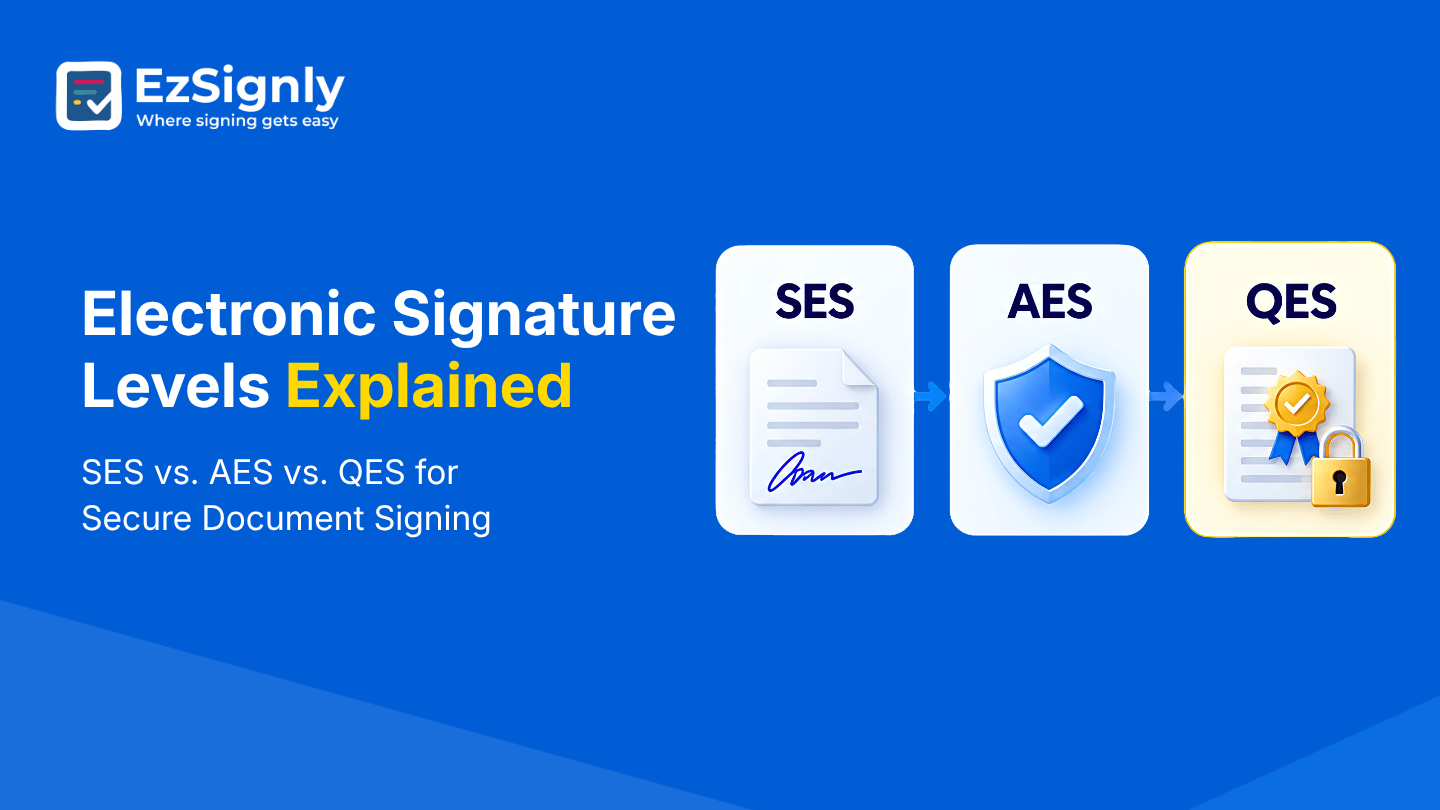
Generally, yes. However, you should look for a provider that supports "Advanced" or "Qualified" electronic signatures as defined by the EU’s eIDAS regulation if you are dealing with European parties. These require higher levels of identity verification than the standard electronic signatures used in the United States.
What happens if I lose my copy of a signed document?
E-sign services maintain a cloud repository of your completed documents. As long as you maintain your account subscription, your documents remain accessible. It is best practice to export copies of your signed documents to your own secure local storage or cloud server as a redundant measure.
Can a person refuse to sign electronically?
Yes. Parties have the right to request a paper-based alternative. If you are a business sending documents to a consumer, you are often required by law to provide a process for the consumer to "opt-out" of electronic signatures and request a traditional paper document if they choose.
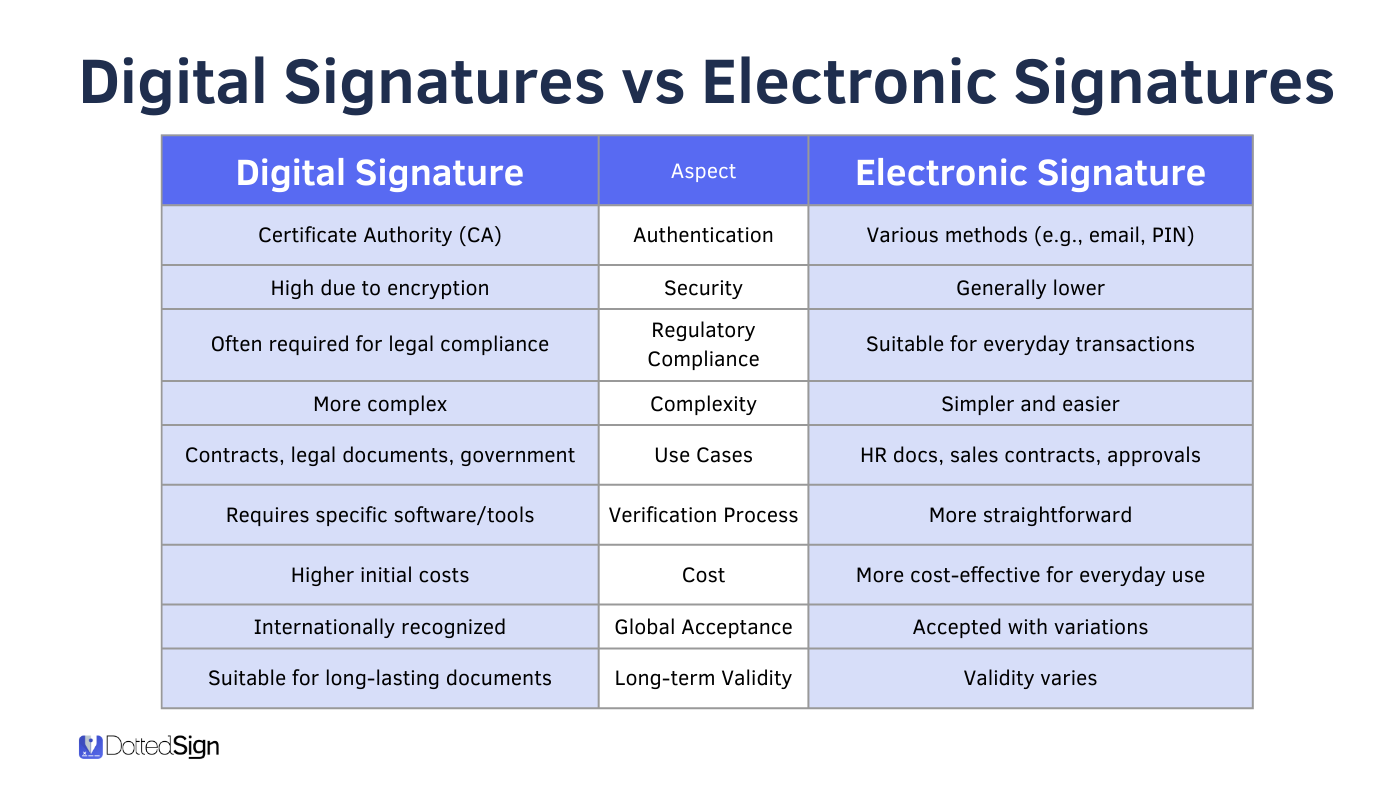
How are e-sign services different from digital signatures?
While often used interchangeably, there is a technical distinction. An "electronic signature" is the broad legal category. A "digital signature" is a specific technical implementation that uses Public Key Infrastructure (PKI) to provide an extra layer of mathematical security and verification to the document. Most commercial e-sign services use digital signature technology behind the scenes to secure the files.
Next Actions and Recommendations
To begin using an e-sign service effectively, start by auditing your current document workflows. Identify the top three paper-heavy processes in your organization—such as onboarding documents, non-disclosure agreements, or vendor contracts.
Once identified, select a provider that offers a free trial or entry-level tier that supports these specific document volumes. Prioritize a service that integrates with your existing tools, such as your email provider or file storage system, to minimize manual data entry. Finally, establish a formal internal policy regarding who is authorized to send agreements and how long signed records must be retained in your digital archives to maintain compliance with both local laws and your organizational standards.