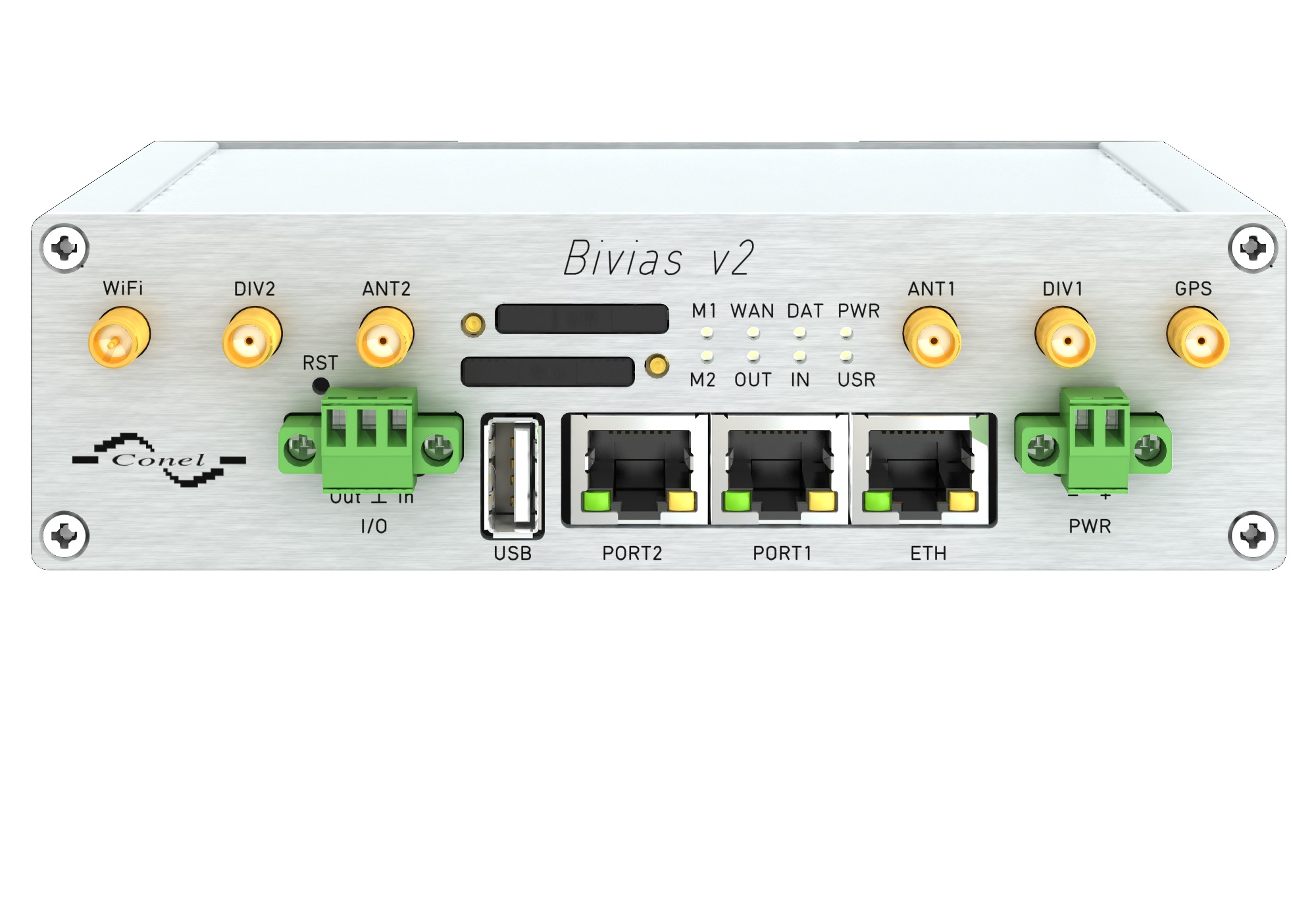
A 4G failover router is a specialized networking device designed to maintain internet connectivity by automatically switching to a 4G LTE cellular network when the primary wired connection—such as fiber, cable, or DSL—fails. This process ensures uninterrupted access for critical applications, point-of-sale systems, and remote operations during provider outages.
The Critical Importance of Network Redundancy
By 2026, the reliance on cloud-based infrastructure has reached a point where even a few minutes of downtime can result in significant financial loss and operational paralysis. Whether it is a local retail shop processing credit card transactions or a large-scale logistics firm managing real-time fleet data, the internet is no longer just a utility; it is the backbone of modern commerce.
A 4G failover router acts as an insurance policy. While high-speed fiber remains the preferred primary connection due to its low latency and high throughput, it is susceptible to physical disruptions such as construction-related cable cuts, hardware failures at the ISP (Internet Service Provider) level, or extreme weather events. In these scenarios, a failover router detects the loss of signal and immediately reroutes traffic through the cellular network.
The value of this technology lies in its transparency. In a well-configured environment, the transition from wired to wireless happens in seconds, often without the end-user or the connected applications noticing a disruption. This "always-on" capability is a prerequisite for any business aiming for five-nines (99.999%) availability.
How 4G Failover Technology Works
The heart of a failover system is its monitoring logic, often referred to as a "keepalive" or "heartbeat" mechanism. The router continuously sends small packets of data (pings) to a reliable external target, such as a DNS server (like Google’s 8.8.8.8) or the ISP’s gateway.
The Detection Phase
If the router fails to receive a response after a pre-configured number of attempts, it determines that the primary WAN (Wide Area Network) connection is down. This threshold is critical; setting it too low might cause "flapping" (unnecessary switching due to minor jitter), while setting it too high leads to prolonged downtime before the backup kicks in.
The Transition Phase
Once an outage is confirmed, the router activates its secondary interface—the 4G LTE modem. Modern routers in 2026 are equipped with "warm spare" or "hot spare" configurations. In a "hot" configuration, the 4G connection is already authenticated and idle, allowing for a near-instantaneous switch. In a "warm" setup, the modem powers up and connects only when needed, which saves power but adds a few seconds to the transition time.
The Failback Process
Failover is only half of the equation. A sophisticated router also manages "failback." It continues to monitor the primary wired connection while operating on 4G. Once the wired service is stable for a set duration (e.g., five minutes), the router gracefully transitions traffic back to the primary link. This is vital because 4G data is often metered or capped, and it generally offers higher latency than wired fiber.
Key Hardware Components and Features
When selecting a 4G failover router, the technical specifications dictate how effectively the device will perform under pressure. It is not merely about having a SIM card slot; it is about the modem's category and the router's processing power.
LTE Modem Categories
Modem performance is categorized by "UE Categories." By 2026, while 5G is prevalent, 4G LTE Category 12 (Cat 12) and Category 18 (Cat 18) remain the standards for high-performance failover.
- Cat 4: Basic failover, offering up to 150 Mbps download. Suitable for small offices or IoT applications.
- Cat 12/18: High-tier failover, utilizing carrier aggregation to combine multiple bands. These can reach speeds of 600 Mbps to 1.2 Gbps, making them capable of handling heavy video conferencing and cloud backups during an outage.
Dual-SIM Support
Professional-grade routers often feature two SIM slots. This allows the device to connect to two different cellular providers (e.g., Verizon and AT&T). If the primary cellular tower is congested or failing, the router can switch to the second provider, adding a third layer of redundancy.
External Antenna Ports
Internal antennas are often insufficient in the "server closets" or "basements" where networking gear is typically stored. Look for routers with SMA or N-type connectors. These allow for the installation of high-gain external antennas mounted on the building's exterior to capture the strongest possible signal.
4G vs. 5G Failover: The 2026 Perspective
As we move through 2026, the question often arises: Why choose 4G over 5G for failover? The answer involves a balance of cost, coverage, and stability.
| Feature | 4G LTE Failover | 5G Failover |
|---|---|---|
| Availability | Near-universal coverage, even in rural areas. | High in urban areas; spotty in rural zones. |
| Building Penetration | Excellent; lower frequency bands travel through walls well. | Poor at higher frequencies (mmWave); better at sub-6GHz. |
| Hardware Cost | Lower; mature technology is affordable. | Higher; 5G modems and thermal management are costly. |
| Data Latency | 30ms - 60ms; sufficient for most tasks. | 10ms - 30ms; ideal for real-time trading/gaming. |
| Reliability | Extremely high; 4G networks are highly optimized. | High, but susceptible to signal interference. |
For many businesses, 4G LTE remains the "sweet spot." It provides enough bandwidth to keep the lights on without the premium price tag of 5G hardware and data plans. However, for organizations requiring massive throughput during an outage, 5G is the logical, albeit more expensive, evolution.
Deployment Strategies for Maximum Reliability
Successfully implementing a 4G failover solution requires more than just plugging in a router. Proper placement and configuration are essential to ensure the backup works when the primary fails.
Strategic Placement
The biggest enemy of cellular failover is the "Faraday cage" effect of modern steel and concrete buildings.
- Signal Testing: Before permanent installation, use a cellular signal analyzer or the router’s built-in software to check RSRP (Reference Signal Received Power) and RSRQ (Reference Signal Received Quality). An RSRP better than -90 dBm is generally considered excellent.
- Cable Runs: If the router must be in a central IT room, use low-loss LMR-400 coaxial cables to connect it to antennas placed near windows or on the roof.
Network Segmentation
During a failover event, you may be working with limited bandwidth or expensive metered data. Most 4G failover routers allow for "traffic shaping" or "load shedding." You can configure the router to:
- Prioritize POS systems and VoIP phones.
- Block bandwidth-heavy services like Netflix, YouTube, or large OS updates while on the backup connection.
Security and VPN Persistence
Outages shouldn't compromise security. Ensure your failover router supports "Stateful Firewall" capabilities and can maintain VPN tunnels. Some SD-WAN (Software-Defined Wide Area Network) solutions can maintain a VPN connection across both the primary and backup links simultaneously, ensuring that remote employees never lose access to secure internal servers during the switch.
Managing Ongoing Costs: Data Plans and M2M SIMs
A common mistake is using a standard consumer "unlimited" smartphone SIM card in a failover router. Most carriers' Terms of Service prohibit this, and consumer plans often lack the features necessary for business continuity.
M2M and IoT Data Plans
For failover, it is recommended to use M2M (Machine-to-Machine) or industrial IoT data plans. These plans are designed for low-usage scenarios with the ability to "burst" when an outage occurs.
- Pooled Data: If you have ten locations, you can buy a pool of 50GB of data. If one location has a major outage and uses 20GB, it draws from the collective pool, preventing overage charges at a single site.
- Static IPs: Unlike consumer connections, M2M plans often allow for a Static IP on the 4G network. This is crucial if you need to remotely access the router or host a local service during an outage.
Troubleshooting Common 4G Failover Issues
Even the best hardware can encounter issues. Understanding how to diagnose them quickly is key to maintaining uptime.
- "Flapping" Connections: If the router constantly switches between fiber and 4G, increase the "stability timer." This forces the router to wait longer to ensure the primary connection is truly healthy before switching back.
- Low Throughput: This is usually due to signal interference or tower congestion. Upgrading to a higher-category modem (e.g., from Cat 4 to Cat 12) or adding a MIMO (Multiple Input, Multiple Output) antenna setup can often double the speed.
- SIM Not Registered: Ensure the APN (Access Point Name) settings are correctly entered. Each carrier has a specific APN that tells the modem how to communicate with the network. In 2026, most routers auto-detect this, but manual overrides are sometimes necessary for private APNs.
- MTU Size Issues: Cellular networks often use a smaller Maximum Transmission Unit (MTU) than wired networks. If some websites load but others don't, try lowering the MTU setting in the router (e.g., from 1500 to 1420).
Choosing the Right Solution: A Comparison
The market for failover routers is diverse, ranging from small home-office units to ruggedized industrial gateways.
| User Profile | Recommended Hardware Type | Key Requirement |
|---|---|---|
| Home Office / Freelancer | Integrated Wi-Fi Router with SIM Slot | Ease of setup; built-in Wi-Fi. |
| Retail / Small Business | Dual-WAN Ethernet Router with USB Backup | Low cost; compatibility with existing modems. |
| Branch Office / Enterprise | SD-WAN Appliance with Embedded Cat 18 | Deep packet inspection; central management. |
| Industrial / ATM / Kiosk | Ruggedized M2M Gateway | Vibration resistance; wide temperature range. |
Final Recommendation
For businesses looking to implement a 4G failover solution in 2026, the most effective path is to invest in a dedicated dual-WAN router with an integrated Category 12 (or higher) LTE modem. This setup avoids the instability of USB dongles while providing enough bandwidth to support modern business operations.
Before purchasing, verify your local signal strength across different carriers and opt for a "pooled" M2M data plan to manage costs effectively. Remember that a failover router is only as good as its configuration—spend the extra time to set up traffic prioritization to ensure your most critical business functions remain online when the primary network goes dark.