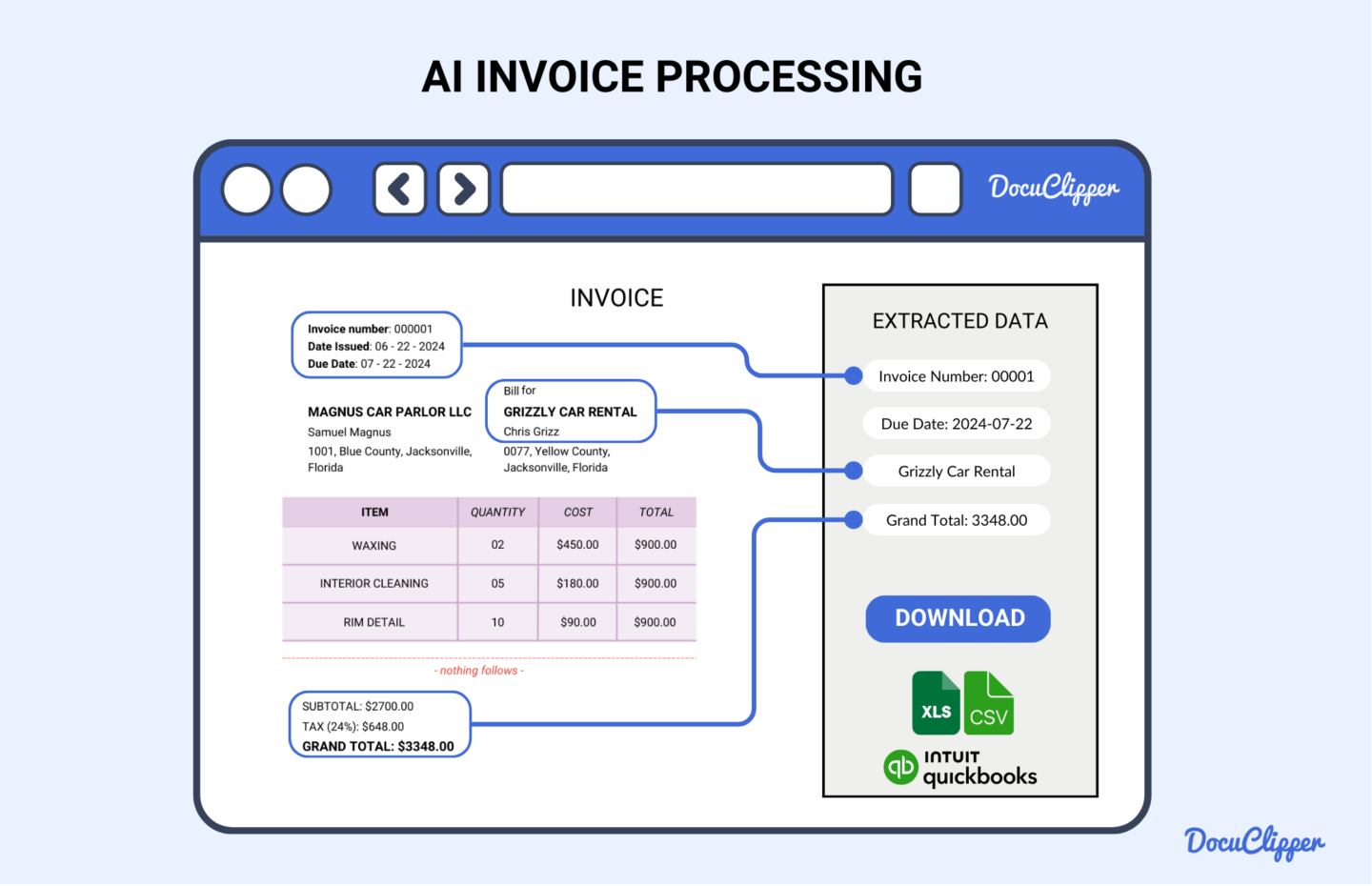
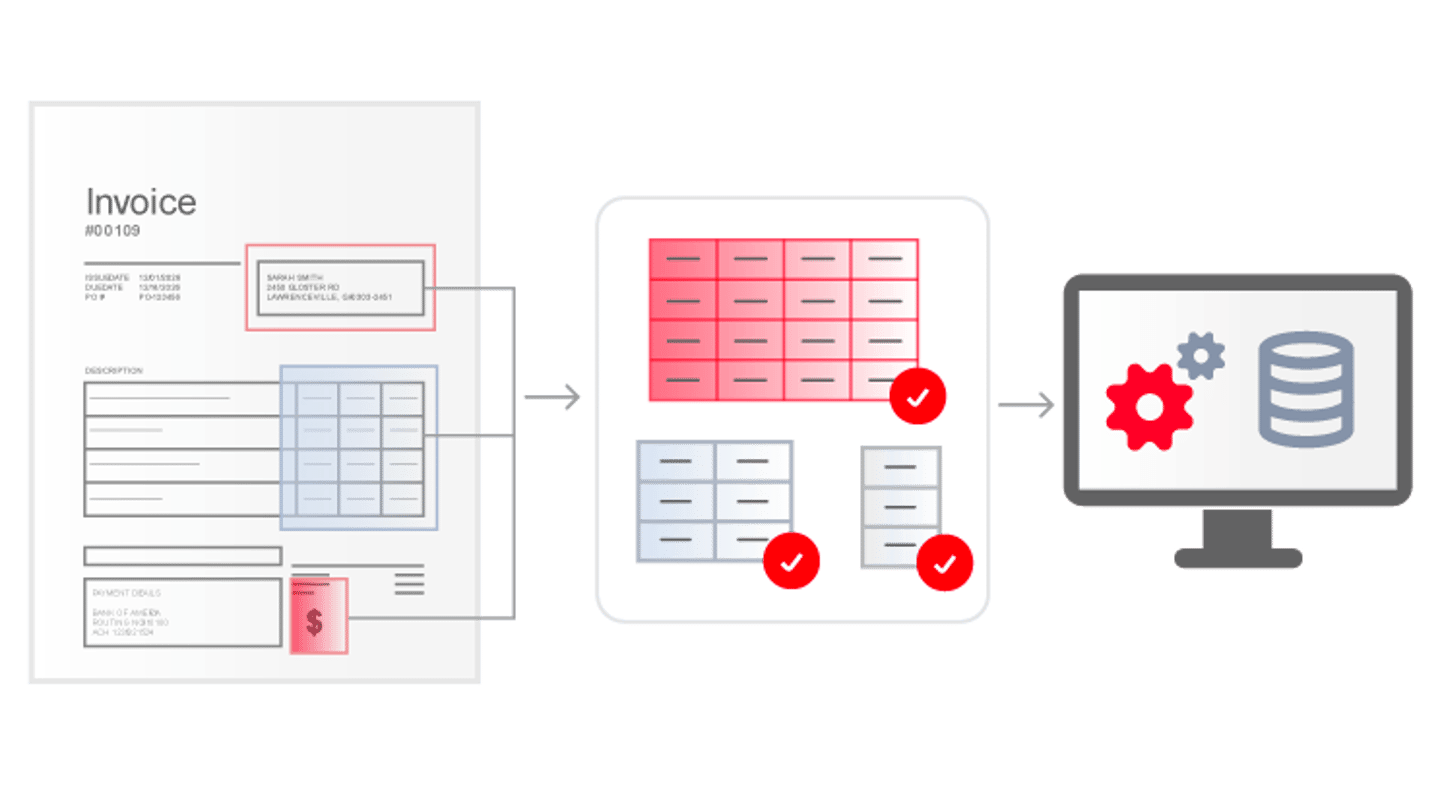
Invoice processing encompasses receiving, verifying, and paying vendor bills, moving from the initial receipt of a billing document to the final cash disbursement in the general ledger. Modern accounts payable departments rely on these foundational milestones to maintain accurate financial records, preserve vendor relationships, and prevent fraudulent payments or costly administrative errors.
Introduction to Modern Invoice Processing
Invoice processing is the backbone of corporate finance and accounts payable (AP) operations. At its core, it is the systematic procedure through which a business receives, reviews, and settles financial obligations owed to its suppliers, contractors, and service providers. Without a streamlined procedure, organizations quickly find themselves bogged down by manual paperwork, lost documents, late payment penalties, and inaccurate financial reporting.
The complexity of handling supplier bills has evolved significantly over recent decades. Historically, paper bills arrived via mail, sat on physical desks for manual data entry, required wet signatures for approval, and were paid via physical checks. Today, digital transformation has reshaped this landscape, incorporating optical character recognition (OCR), electronic data interchange (EDI), and automated workflow software. Despite these technological leaps, the fundamental operational framework remains anchored to three core phases.
Understanding the mechanics of these phases is essential for financial controllers, business owners, and AP specialists aiming to optimize cash flow management. This guide explores the sequence, technical nuances, common challenges, and best practices associated with handling supplier bills in modern organizations.
Phase 1: Receipt and Data Capture
The initial stage of invoice processing begins the moment a vendor bill enters an organization's ecosystem. Historically, this meant opening physical envelopes in a mailroom. In contemporary business environments, bills arrive through a multitude of channels, including structured electronic formats, secure vendor portals, email attachments, and traditional postal mail. Regardless of the entry vector, the primary objective of this first phase is to ingest the document accurately and capture all relevant data fields without manual transcription errors.
Channels of Inception
Organizations typically ingest supplier documentation through several standardized pathways:
- Email Inboxes: Dedicated AP email addresses receive PDF, TIFF, or image files sent directly by vendors.
- Electronic Data Interchange (EDI): Automated system-to-system transmissions of structured data files between trading partners, bypassing human intervention entirely.
- Vendor Portals: Self-service web applications where suppliers upload bills directly into an enterprise resource planning (ERP) or AP system.
- Paper Mail: Traditional physical documentation that requires sorting, opening, and subsequent scanning into digital formats.
Data Extraction and OCR Technology
Once a document is received in digital format—or digitized via desktop or high-speed document scanners—data capture technologies extract vital information. Optical Character Recognition (OCR) and Intelligent Document Recognition (IDR) software scan the text, identifying key data points such as the vendor name, billing address, tax identification number, invoice date, due date, line-item descriptions, quantities, unit prices, and total amounts due.
Advanced IDR solutions utilize machine learning algorithms to adapt to different layouts and formats, as every vendor tends to design their paperwork differently. This reduces the need for rigid template configurations. When data capture is successful, the system populates these extracted values directly into the accounts payable ledger or ERP system, creating a pending record for review.
Phase 2: Verification, Matching, and Approval
Once data is captured, the invoice enters the verification and matching stage. This phase acts as the financial and operational gatekeeper for the organization. Its purpose is to confirm that the goods or services billed were actually ordered, delivered in satisfactory condition, and priced in accordance with agreed-upon terms. Skipping or rushing this phase exposes the enterprise to overpayments, duplicate billings, and fraudulent transactions.
The Three-Way Match Process
For purchase-order (PO)-based purchasing, the gold standard of verification is the three-way match. This automated or manual reconciliation compares three distinct documents:
The Purchase Order: Issued by the buyer to the vendor, outlining authorized quantities, pricing, and terms.
The Receiving Report (Goods Receipt Note): Generated by the warehouse or receiving department upon physical delivery of the items.
The Vendor Bill: The document requesting payment for the delivered goods.
Purchase Order (What was ordered)
Receiving Report (What was received)
Vendor Bill (What was billed)
- [ THREE-WAY MATCH ]
- (If Data Aligns) -> [Approve for Payment]
- (If Discrepancies) -> [Route for Exception Handling]
- [ THREE-WAY MATCH ]
When all three documents align within acceptable tolerance thresholds (such as minor freight or tax variances), the transaction is automatically approved. If discrepancies arise—such as a price hike on the billing document that differs from the PO, or missing quantities noted on the receiving report—the transaction is flagged for exception handling. Non-PO expenditures, such as utility bills or recurring software subscriptions, typically undergo a two-way match (comparing the bill against the approved contract or purchase requisition) followed by managerial sign-off.
Workflow Routing and Authorization
Beyond mathematical and document matching, human oversight is frequently required to authorize expenditure. Modern AP automation platforms route flagged documents or department-specific expenses through predetermined digital approval workflows.
For instance, marketing expenses might route to the Chief Marketing Officer, while IT infrastructure bills require sign-off from the Chief Technology Officer. Implementing authorization matrices ensures proper internal controls and segregation of duties, satisfying compliance standards such as the Sarbanes-Oxley Act (SOX) for publicly traded corporations.
Phase 3: Payment Execution and Recordkeeping
The final step in the invoice processing lifecycle is the disbursement of funds to the vendor, followed by the systematic archiving of the transaction records. Completing this phase efficiently maintains healthy working capital dynamics, avoids late fees, and takes advantage of early-payment discounts offered by suppliers.
Payment Methods and Mechanics
Organizations utilize various financial instruments to settle approved liabilities. Selecting the appropriate payment method depends on transaction volume, vendor preference, processing costs, and security considerations:
- Automated Clearing House (ACH) and Electronic Funds Transfers (EFT): Increasingly favored for their speed, low cost, and security, moving funds directly from bank to bank.
- Virtual Credit Cards (VCC): Single-use digital credit card numbers that offer enhanced security, automated reconciliation, and potential cash-back rebate incentives.
- Physical Checks: Traditional paper checks remain in use for legacy vendors who refuse electronic methods, though they carry higher processing costs, mailing delays, and fraud risks.
- Wire Transfers: High-speed, secure transfers typically reserved for large-value, international, or time-sensitive transactions.
General Ledger Posting and Archiving
Upon successful disbursement, the ERP or accounting software automatically credits the cash account and debits the appropriate expense or accounts payable liability account. This closes the loop in the general ledger.
Concurrently, the digital document, along with its associated purchase order, receiving report, and payment confirmation receipt, is archived in a secure, searchable digital repository. Regulatory compliance mandates that these financial records be retained for specified periods (often seven years in many jurisdictions) to facilitate internal audits, tax filings, and vendor dispute resolutions.
Comparative Overview of Processing Approaches
Organizations typically manage their AP workflows through one of three primary operating models. Understanding the trade-offs among manual entry, hybrid automation, and end-to-end automated systems helps businesses evaluate their current operational maturity.
| Processing Method | Primary Characteristics | Common Limitations | Ideal Organizational Scale |
|---|---|---|---|
| Manual Processing | Physical paper handling, manual data entry into spreadsheets or basic accounting software, wet signatures. | High error rates, slow cycle times, expensive per-invoice processing costs, prone to fraud. | Very small businesses with low invoice volumes (<100 per month). |
| Hybrid Automation | Email-based PDF intake combined with basic OCR tools or spreadsheet tracking; manual approval emails. | Disjointed workflows, occasional data silos, lingering bottlenecks during manager reviews. | Small-to-medium businesses experiencing steady growth. |
| End-to-End AP Automation | Cloud-based ingestion, AI-driven IDR extraction, automated three-way matching, ERP integration, digital approvals. | Requires upfront software implementation costs and staff change management training. | Mid-market to enterprise organizations handling high invoice volumes. |
Best Practices for Optimizing AP Workflows
Achieving peak efficiency requires looking beyond the basic three steps and adopting structural improvements across the entire procure-to-pay lifecycle. Implementing these strategies minimizes human intervention and strengthens internal controls.
Enforcing Electronic Invoicing (E-Invoicing)
Transitioning suppliers away from paper bills and unformatted PDFs toward structured electronic formats (such as Peppol standards or direct vendor portal entry) eliminates Phase 1 data capture errors entirely. When vendors submit data in standardized formats, verification and matching can occur instantly without OCR reliance.
Establishing Clear Exception Management Protocols
Bottlenecks frequently occur when exceptions arise during the matching phase. Organizations should establish clear, documented protocols detailing who is authorized to resolve specific discrepancies (e.g., purchasing agents handling price variances, warehouse managers handling quantity discrepancies). Setting Service Level Agreements (SLAs) for exception resolution prevents bills from languishing in limbo.
Leveraging Dynamic Discounting and Terms
Suppliers frequently offer early-payment discounts, such as "2/10 net 30" (a 2% discount if paid within 10 days, otherwise the full balance is due in 30 days). Streamlining processing speed allows finance teams to capture these valuable cash discounts consistently, turning the AP department from a cost center into a value generator.
Frequently Asked Questions
What is the difference between a two-way match and a three-way match?
A two-way match compares the vendor bill directly against the purchase order to verify prices and quantities. A three-way match adds a third document—the receiving report or goods receipt note—to confirm that the ordered items were physically delivered and accepted by the warehouse before payment authorization is granted.
How does OCR technology improve invoice processing?
Optical Character Recognition (OCR) technology scans paper documents or digital image files, automatically recognizing text characters and extracting key financial data fields. This eliminates the need for manual data entry, significantly reducing keystroke errors and accelerating the intake phase.
What are the main causes of invoice processing bottlenecks?
Common bottlenecks include missing purchase orders, mismatched pricing or quantities between documents, delayed managerial approvals, illegible paper bills, and reliance on manual data entry across disconnected software systems.
How long does standard invoice processing take?
While manual processing can take anywhere from several days to several weeks per bill—often resulting in late fees—fully automated end-to-end workflows frequently reduce processing times to mere hours or minutes, depending on whether exception handling is required.
What security risks are associated with manual invoice processing?
Manual workflows lack digital audit trails, making them vulnerable to internal fraud, duplicate payments, ghost vendor scams, and business email compromise (BEC) attacks. Implementing digital workflows with strict segregation of duties mitigates these vulnerabilities.
Conclusion and Next Actions
Mastering the three main steps of invoice processing—receipt and data capture, verification and matching, and payment execution—is essential for maintaining robust financial operations. Organizations should begin by auditing their current AP workflow to identify where manual friction, bottlenecks, and error rates are highest. Transitioning toward automated data capture and matching tools will reduce operational costs, strengthen supplier relationships, and ensure complete visibility over corporate cash flow.