Server hardening is the systematic process of reducing a system's vulnerability surface area by eliminating unnecessary functions, closing unused ports, and implementing robust access controls. By stripping a server down to its essential components and securing those that remain, administrators minimize the potential for exploitation, unauthorized access, and data breaches within their digital environment.
The Foundation of Server Security
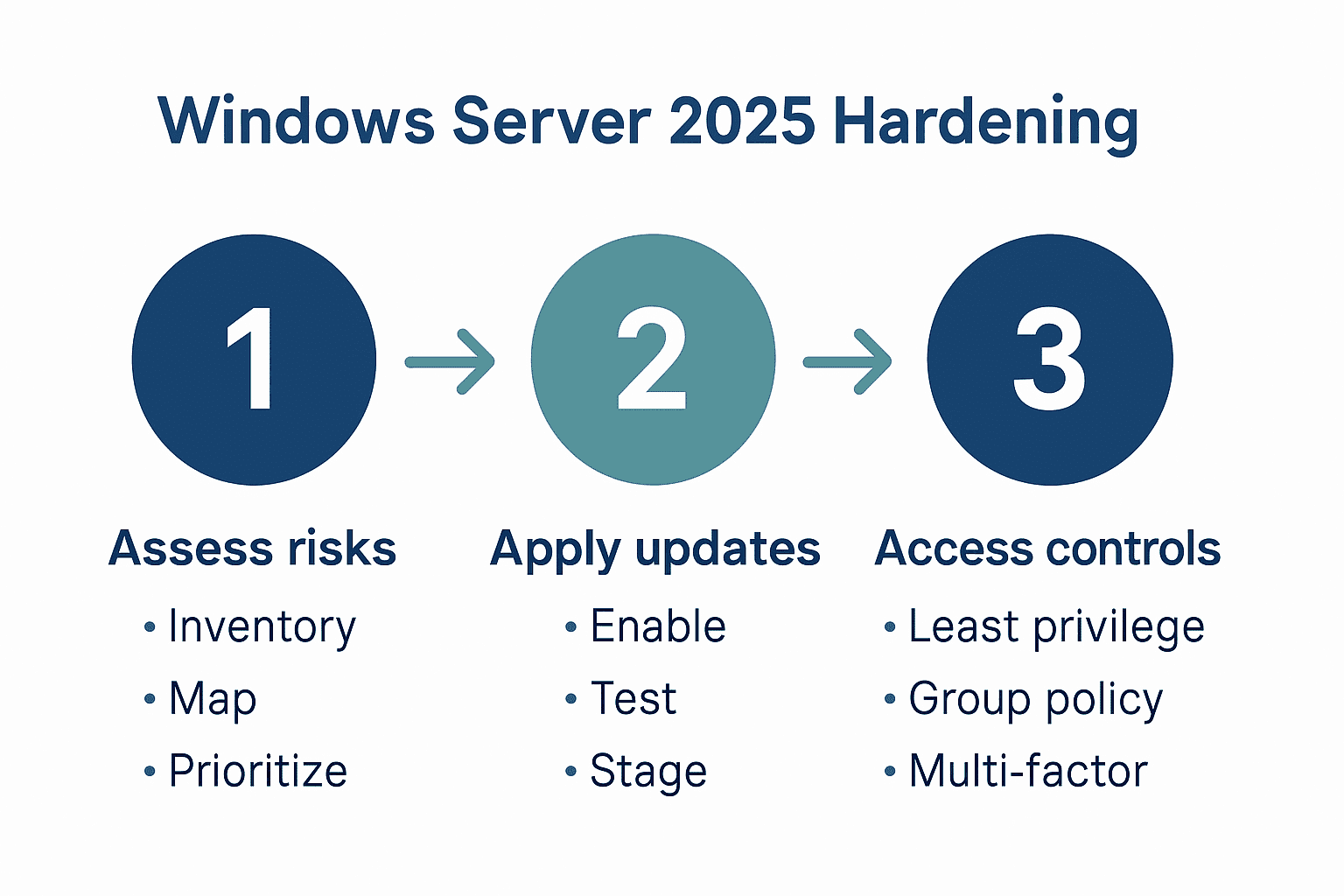
Before implementing specific configurations, you must understand that server hardening is a continuous lifecycle, not a one-time project. As of 2026, the threat landscape continues to evolve, with automated scanning tools constantly probing for misconfigurations. Effective hardening begins with the principle of least privilege—ensuring that services, applications, and users have only the minimum access necessary to perform their required functions.
If your server is accessible via the public internet, you are effectively a target. Hardening is not about making a server "unhackable," but rather about raising the cost and effort of an attack to a point where automated threats move on to lower-hanging fruit and sophisticated actors face significant barriers to progress.
Prerequisites and Preparation
Before starting the hardening process, ensure you have a baseline backup of the current system configuration. Document all existing services, open ports, and active user accounts. This audit provides a recovery point if a security configuration inadvertently breaks critical functionality.
Auditing Installed Services
Begin by identifying every service currently running on your machine. Services that are not required for the server’s primary purpose act as potential vectors for intrusion. Use standard utilities to verify active processes:
- Linux: Utilize
systemctl list-units --type=service --state=runningornetstat -tulpnto inspect listening ports. - Windows: Use the Services console (
services.msc) or PowerShell’sGet-Serviceto review and disable unnecessary background tasks.
Documentation Requirements
Maintain a security log that records changes made to the configuration. This is essential for troubleshooting and ensuring compliance with organizational security policies. If you are operating in a regulated environment, you may be required to produce these records for audit purposes.
The Practical Hardening Checklist
Follow this systematic sequence to secure your environment. Each step should be verified in a staging environment before being pushed to production.
1. Account and Access Management
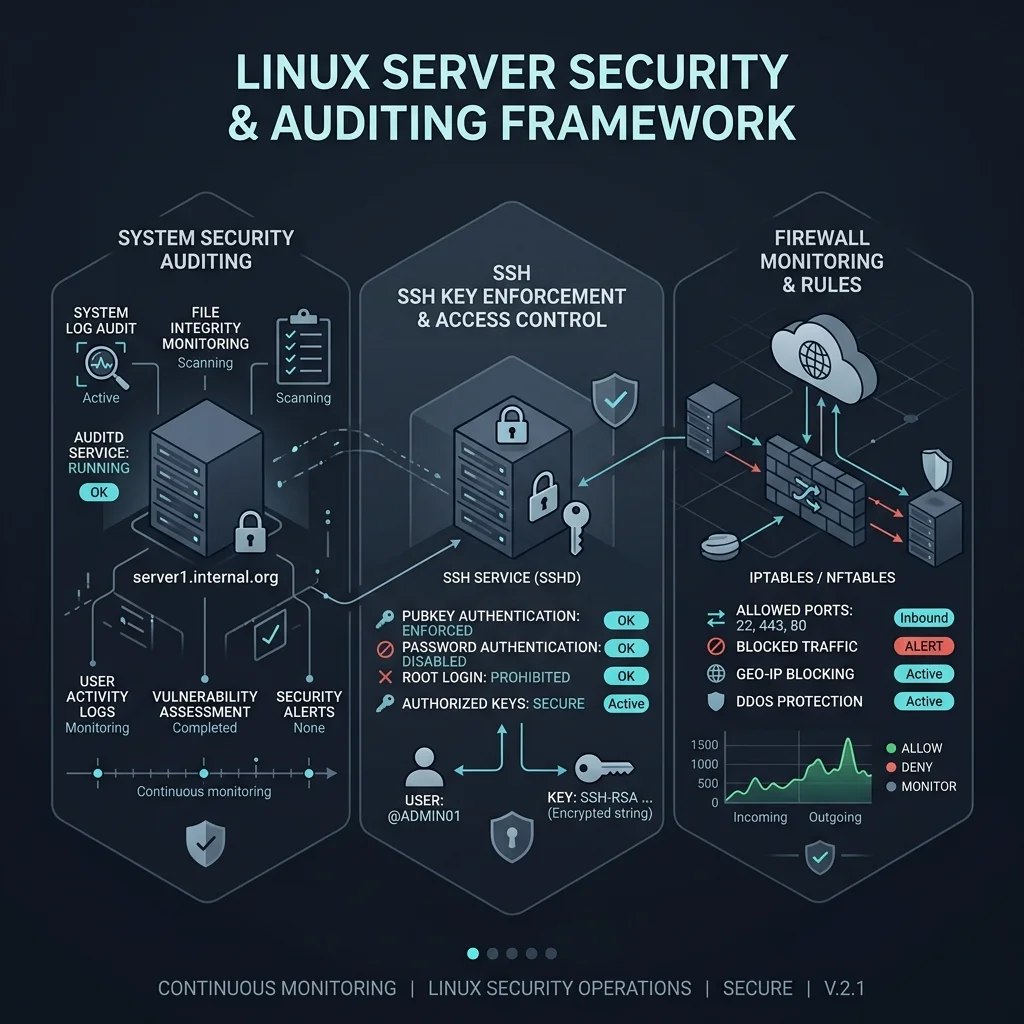
- Disable Root Login: Never permit direct SSH root login. Force administrators to log in as standard users and escalate privileges using
sudo. - Implement SSH Key-Based Authentication: Disable password-based authentication entirely. Use Ed25519 or RSA 4096-bit keys.
- Enforce MFA: Where possible, require Multi-Factor Authentication for all administrative shell access.
- Remove Inactive Accounts: Regularly audit the
/etc/passwdfile or local user database. Delete accounts belonging to former employees or legacy test users.
2. Network Security and Firewall Configuration
- Default Deny: Configure your firewall (such as UFW,
nftables, or Windows Firewall) to block all incoming traffic by default. Only explicitly whitelist the ports required for your services (e.g., 80, 443, and your custom SSH port). - Change Default Ports: While "security by obscurity" is not a primary defense, changing the default SSH port (22) significantly reduces the noise from automated brute-force attacks.
- Disable Unused Protocols: Disable IPv6 if your network infrastructure does not specifically require it, and shut down legacy protocols like Telnet, FTP, or SMBv1.
3. Software and Patch Management
- Automated Updates: Enable unattended upgrades for security patches.
- Dependency Auditing: Regularly scan your application dependencies for known vulnerabilities using automated tools provided by your language ecosystem or specialized security scanners.
- Remove Compilers and Development Tools: On production servers, consider removing C compilers (like
gcc) to prevent attackers from compiling exploit code directly on your machine.
4. System Monitoring and Logging
- Centralized Logging: Forward logs to a remote, write-only server (e.g., using
rsyslogor a dedicated SIEM) so that an attacker cannot delete their tracks after gaining entry. - File Integrity Monitoring (FIM): Implement tools like AIDE or Tripwire to detect unauthorized changes to system binaries and configuration files.
Comparison of Hardening Tools
| Tool Category | Function | Examples | Use Case |
|---|---|---|---|
| Firewall Management | Traffic filtering | UFW, firewalld, nftables | Network boundary security |
| File Integrity | Change detection | AIDE, Samhain | Detecting unauthorized system changes |
| Vulnerability Scanners | Identifying gaps | OpenVAS, Nessus | Periodic security auditing |
| Intrusion Detection | Behavioral analysis | Fail2Ban, OSSEC | Real-time threat response |
Troubleshooting and Verification
Hardening often leads to "over-securitization," where critical services fail because a necessary port or permission was restricted.
- The "Break-Fix" Workflow: If a service becomes unresponsive, check your firewall logs first. Often, a service is trying to communicate over a dynamic port that was inadvertently blocked.
- Verification: Use external scanning tools to verify that your firewall is actually blocking traffic as expected. Tools like
nmapallow you to scan your server from a remote machine to confirm that only intended ports are open. - Log Rotation: Ensure that your security logs do not fill up the server's disk, which can trigger a self-inflicted Denial of Service (DoS) condition.
Addressing Common Myths
A common misconception is that firewalls negate the need for local hardening. This is false. Defense-in-depth requires that even if the network perimeter is breached, the internal server environment is difficult to navigate. Another myth is that hardened servers do not require regular re-evaluation. Because software vulnerabilities are discovered daily, your "hardened" status has an expiration date; continuous monitoring is required.
Frequently Asked Questions
Does disabling root login completely prevent unauthorized access? No. It adds a layer of friction by requiring an attacker to compromise a user account first and then find a way to escalate privileges. It prevents simple, brute-force attacks against the root password.
How often should I audit my server configuration? For production environments, a monthly security audit is recommended. If your environment changes frequently, integrate these checks into your CI/CD pipeline or infrastructure-as-code (IaC) deployment process.
Is it safe to use default configurations for web servers? No. Default configurations are designed for ease of use, not security. They often expose server version information, enable unnecessary modules, and lack secure header configurations. Always follow vendor-specific hardening guides for your specific web server (e.g., Nginx or Apache).
What is the most critical step in this checklist? While all steps are vital, disabling root login and implementing strict firewall rules represent the most effective immediate actions for reducing the automated attack surface.
Can I automate the entire hardening process? Yes. Using tools like Ansible, Puppet, or Chef, you can define your "hardened" state in code and apply it consistently across all your servers, ensuring no manual oversight leads to a misconfigured node.
Final Recommendation
Begin your hardening journey by focusing on your perimeter: implement a strict firewall policy and replace all password-based SSH access with robust, key-based authentication. Once these core boundaries are established, move to granular tasks like disabling unused services and centralizing logs. Remember that your goal is to make your server an unattractive and difficult target; perfection is rarely achieved, but consistent maintenance will significantly minimize your organizational risk.