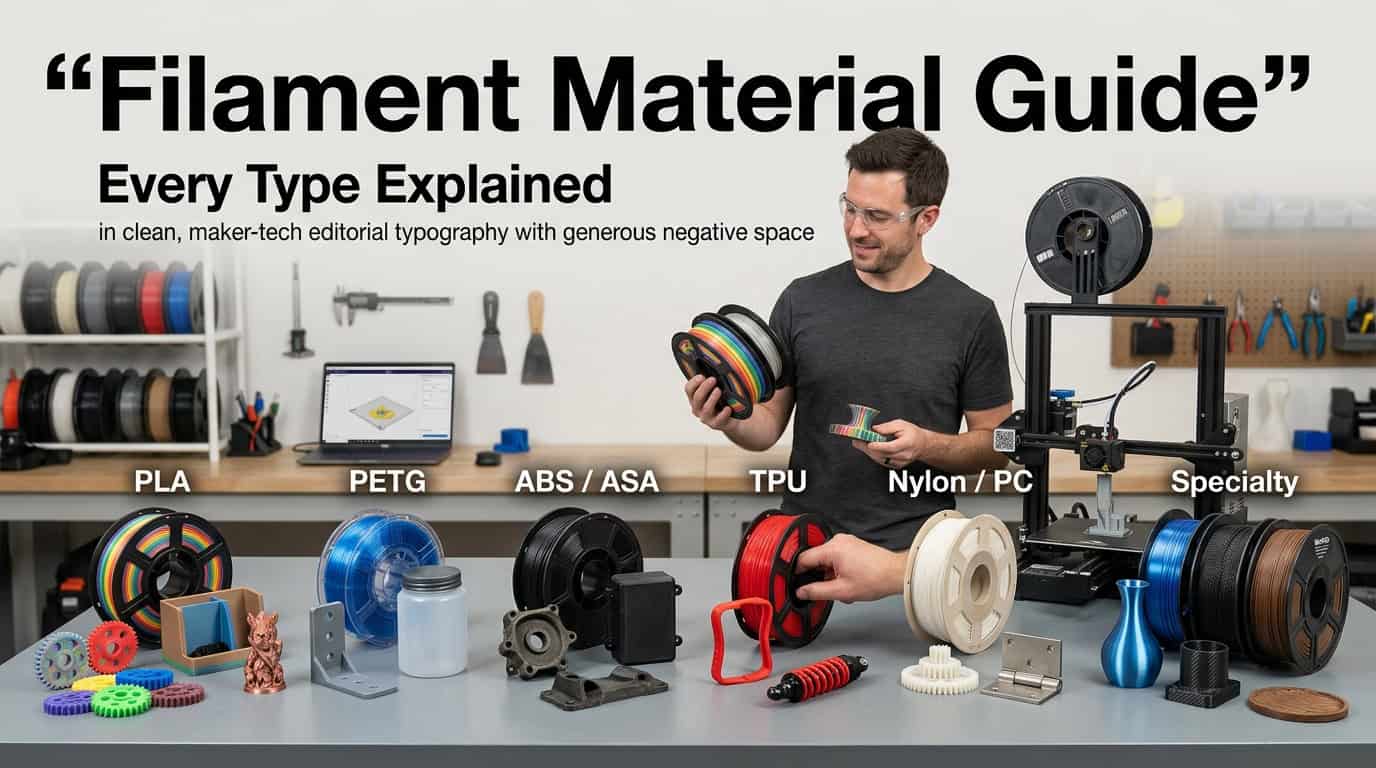
Choosing the right 3D print filament requires balancing material mechanical properties, printing temperatures, bed adhesion requirements, and intended end-use applications, as using an incorrect polymer often leads to warping, layer delamination, or structural failure.
Understanding 3D Print Filament Fundamentals
When diving into fused deposition modeling (FDM) 3D printing, the filament you choose acts as the foundation of your success. Unlike traditional manufacturing methods that carve shapes out of solid blocks, 3D printing builds objects layer by layer. The filament—typically supplied as a continuous spool of thermoplastic wire—is fed through a heated nozzle, melted, and deposited with precision.
However, not all plastics behave the same way under thermal stress. Factors such as glass transition temperature ($T_g$), melting point, moisture absorption, and shrinkage rates dictate how a filament performs during and after printing. Mastering these variables is the first step toward achieving professional-grade results.
Filament Diameters and Printer Compatibility
The physical dimensions of your filament are critical. Two primary diameters dominate the consumer and prosumer market: 1.75mm and 2.85mm (sometimes historically referred to as 3mm).
- 1.75mm Filament: The industry standard for the vast majority of modern desktop 3D printers. Its thinner profile allows for tighter bends in Bowden tube setups and requires less torque from direct-drive extrusion gears.
- 2.85mm Filament: Predominantly used in industrial machines and specific ecosystems like Ultimaker. It offers greater column strength over longer unsupported distances before entering the hotend, though it requires a matching extruder and nozzle assembly.
Always verify your printer’s specifications. Feeding a 2.85mm filament into a 1.75mm hotend will cause immediate jams, while a 1.75mm filament in a 2.85mm system will slip past the drive gear entirely.
Dimensional Tolerance and Ovality
High-quality filament features a strict dimensional tolerance, typically rated at $\pm0.05\text{ mm}$ or $\pm0.03\text{ mm}$. This measurement refers to the consistency of the filament's diameter along the entire length of the spool.
If a spool is advertised as 1.75mm with a $\pm0.05\text{ mm}$ tolerance, the actual thickness can fluctuate anywhere from 1.70mm to 1.80mm. While modern slicers allow you to input exact filament diameters, wild fluctuations in width cause uneven extrusion volume, resulting in under-extrusion (weak, gappy layers) or over-extrusion (blobs, oozing, and dimensional inaccuracy).
Ovality is another critical metric. It measures how circular the cross-section of the filament is. If a filament is flattened along its spooling path, it may bind inside tight extruder gears or feed unevenly depending on its rotational orientation.
Common 3D Print Filament Materials Compared
Different projects demand different material characteristics. Below is a detailed breakdown of the most common 3D printing filaments, their operational parameters, and their ideal use cases.
| Filament Material | Printing Temp (°C) | Bed Temp (°C) | Enclosure Required? | Key Advantages | Primary Disadvantages |
|---|---|---|---|---|---|
| PLA (Polylactic Acid) | 190–220 | 20–60 | No | Easy to print, low warping, biodegradable origin | Low heat resistance, brittle |
| PETG (Polyethylene Terephthalate Glycol) | 220–250 | 70–80 | No | Strong layer adhesion, chemical resistant, low odor | Stringing, hygroscopic, sticks too well to glass |
| ABS (Acrylonitrile Butadiene Styrene) | 230–260 | 90–110 | Yes | Impact resistant, high heat tolerance, post-process smoothing with acetone | Severe warping, toxic fumes |
| TPU (Thermoplastic Polyurethane) | 210–230 | 20–60 | No | Extreme flexibility, high tear resistance, durable | Slow print speeds, difficult in Bowden extruders |
| Nylon (Polyamide) | 240–260 | 70–100 | Recommended | Incredible strength, wear resistance, slight flexibility | Extreme moisture absorption, high warp rate |
Deep Dive Into Core Filament Types
PLA (Polylactic Acid): The Reliable Standard
PLA is derived from renewable resources such as cornstarch or sugarcane, making it the most popular entry-level material. It melts at a relatively low temperature and exhibits minimal thermal contraction, meaning it rarely warps even when printed on an unheated print bed.
- Mechanical Properties: Rigid and strong, but mechanically brittle. It snaps rather than bends under sudden loads.
- Thermal Limits: PLA has a low glass transition temperature of approximately 55°C to 60°C. Objects left in a hot car or exposed to direct summer sunlight will soften and warp permanently.
- Post-Processing: Excellent for sanding, priming, and painting. However, it cannot be smoothed with chemical solvents like acetone.
PETG (Polyethylene Terephthalate Glycol): The Balanced Workhorse
PETG bridges the gap between the ease of printing PLA and the mechanical strength of ABS. Modified with glycol to prevent crystallization during manufacturing, it yields clear, tough, and chemically resistant prints.
- Mechanical Properties: High tensile strength with excellent layer bonding. It flexes slightly before breaking, providing great impact resistance.
- Printing Quirks: PETG has a tendency to string and ooze. Retraction settings must be dialed in carefully. Furthermore, molten PETG bonds aggressively to glass and PEI print surfaces; using a separation agent like glue stick acts as a release layer to prevent bed damage.
- Moisture Sensitivity: PETG absorbs ambient humidity faster than PLA, requiring proactive drying for optimal surface finish.
ABS and ASA: Engineering Thermoplastics
ABS is a petroleum-based plastic renowned for its toughness and heat resistance, commonly found in automotive components and consumer electronics housing. ASA (Acrylonitrile Styrene Acrylate) is a modern alternative engineered specifically with weather resistance and UV stability in mind.
- Thermal Management: Both materials shrink significantly as they cool. Printing them in an open-air environment invariably leads to curling, splitting layers, and warping off the bed. An enclosed, heated printer chamber is strongly recommended.
- Safety Considerations: Printing ABS releases styrene fumes and volatile organic compounds (VOCs). Enclosures should be vented outdoors or equipped with an active carbon and HEPA filtration system.
Flexible Filaments (TPU, TPE): Bending the Rules
Thermoplastic Polyurethane (TPU) and Thermoplastic Elastomer (TPE) allow makers to print functional hinges, phone cases, gaskets, and shock-absorbing feet.
- Extrusion Mechanics: Flexible filaments act like a wet noodle inside the extruder path. If there is any gap between the drive gear and the hotend throat, the filament will buckle and squirt out the sides. Direct-drive extruders with constrained filament paths are mandatory for reliable TPU printing.
- Speed Limitations: To prevent the filament from stretching or slipping, print speeds must be kept low (typically 20 mm/s to 40 mm/s) with retraction minimized or disabled entirely.
Moisture Management and Filament Storage
One of the most overlooked aspects of 3D printing is filament hygiene. Nearly all common thermoplastics are hygroscopic, meaning they actively absorb water vapor from the surrounding air.
The Hidden Impact of Moisture
When moisture-laden filament enters a 230°C hotend, the trapped water instantly converts to steam micro-explosions. This manifests as:
- An audible sizzling or popping sound coming from the nozzle.
- Excessive stringing, oozing, and weeping between print moves.
- Pockmarks, bubbles, and rough patches on the external surfaces of the print.
- A severe reduction in tensile strength due to polymer chain degradation (hydrolysis).
Storage Best Practices
To protect your inventory, follow these storage protocols:
- Airtight Containers: Store opened spools in heavy-duty plastic storage bins or vacuum-sealed bags.
- Desiccant Packs: Always include rechargeable silica gel packets inside your storage containers to scavenge residual humidity. A humidity indicator card inside the box should ideally read below 15% relative humidity.
- Active Drying: If a spool becomes saturated, dry it in a dedicated filament dryer or a food dehydrator (do not use a kitchen oven, as temperature control is rarely precise enough to prevent melting). Typical drying parameters are 45°C–50°C for PLA and 65°C for Nylon/PETG over 4 to 6 hours.
Advanced Filament Varieties: Composites and Specialty Blends
Beyond pure polymers, the market features a wide array of composite and specialty filaments designed for specific industrial or aesthetic applications.
Carbon Fiber and Glass Fiber Infused Filaments
Manufacturers blend chopped carbon or glass fibers into matrices like PLA, PETG, Nylon, or PEEK to increase stiffness, dimensional stability, and strength-to-weight ratios.
- Abrasive Warning: These fibers act like microscopic sandpaper as they pass through the extrusion system. Standard brass nozzles will wear out within a single spool. Upgrading to a hardened steel, tool steel, or ruby-tipped nozzle is mandatory.
- Layer Delamination Risks: While stiffness increases, transverse strength (between layers) can sometimes decrease. Proper hotend temperature calibration is vital to ensure inter-layer bonding.
Wood, Metal, and Glow-in-the-Dark Filaments
Aesthetic filaments incorporate pulverized natural wood fibers, bronze powders, copper dust, or strontium aluminate pigments into a base polymer (usually PLA).
- Wood Fill: Allows prints to be sanded, stained, and treated like real timber. Varying the print temperature changes the shade of the wood—higher temperatures cause the wood particles to scorch, creating realistic grain effects.
- Metal Fill: Generates heavy prints with a metallic sheen. They can be polished with steel wool to reveal a metallic luster, though they remain structurally plastic rather than solid metal.
- Glow-in-the-Dark: Phosphorescent additives are highly abrasive. Use hardened steel nozzles with a diameter of 0.4mm or larger (0.6mm is preferred) to prevent clogs.
Troubleshooting Filament-Related Printing Issues
Even with careful selection, printing anomalies occur. Diagnosing root causes helps streamline your workflow.
- [Issue Detected]
- Popping sound / surface bubbles: Wet Filament (Dry spool)
- No extrusion / gear clicking: Clogged Nozzle or Heat Creep
- Corners lifting off bed: Warping / Insufficient Bed Temp or Enclosure
- Excessive stringing: Temperature too high or Retraction misconfigured
Addressing Layer Adhesion Failure
If your layers are splitting apart horizontally:
- Increase the hotend temperature by 5°C increments to improve inter-layer melting.
- Reduce cooling fan speeds, especially for engineering plastics like PETG or ABS, which require slower cooling to fuse properly.
- Check for partial clogs that starve the volumetric flow rate.
Combating Extruder Skipping
If your extruder motor skips, clicks, or grinds the filament:
- Ensure your hotend temperature is high enough to melt the incoming plastic at your target print speed.
- Check the tension arm on your extruder; too much tension can flatten soft TPU, while too little tension will cause slipping on harder filaments.
- Perform a cold pull (atomic pull) to clear any carbonized debris trapped inside the nozzle assembly.
Conclusion and Strategic Next Steps
Selecting and managing 3D print filament is a foundational skill that directly dictates the quality, strength, and reliability of your final creations. Begin your projects by matching foundational materials like PLA or PETG to your mechanical requirements, invest in reliable storage solutions to protect your inventory from humidity, and always match your hardware—specifically your nozzle composition and extruder type—to the specialized requirements of carbon-fiber or flexible composites.
CATEGORY_SLUG: lifestyle-learning
TAGS_JSON: ["3D Printing", "Filament Guide", "Manufacturing Materials", "Hardware Troubleshooting"]