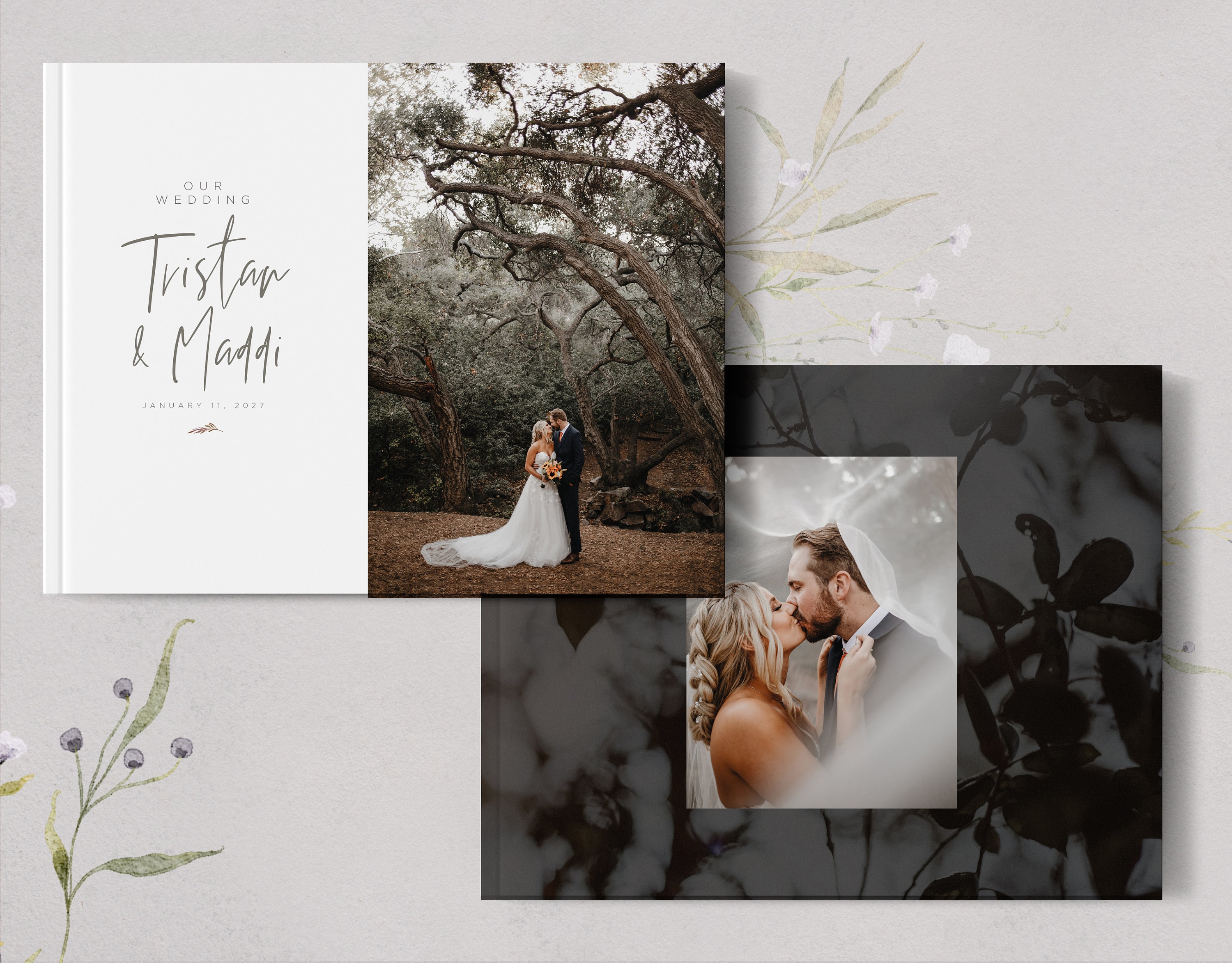
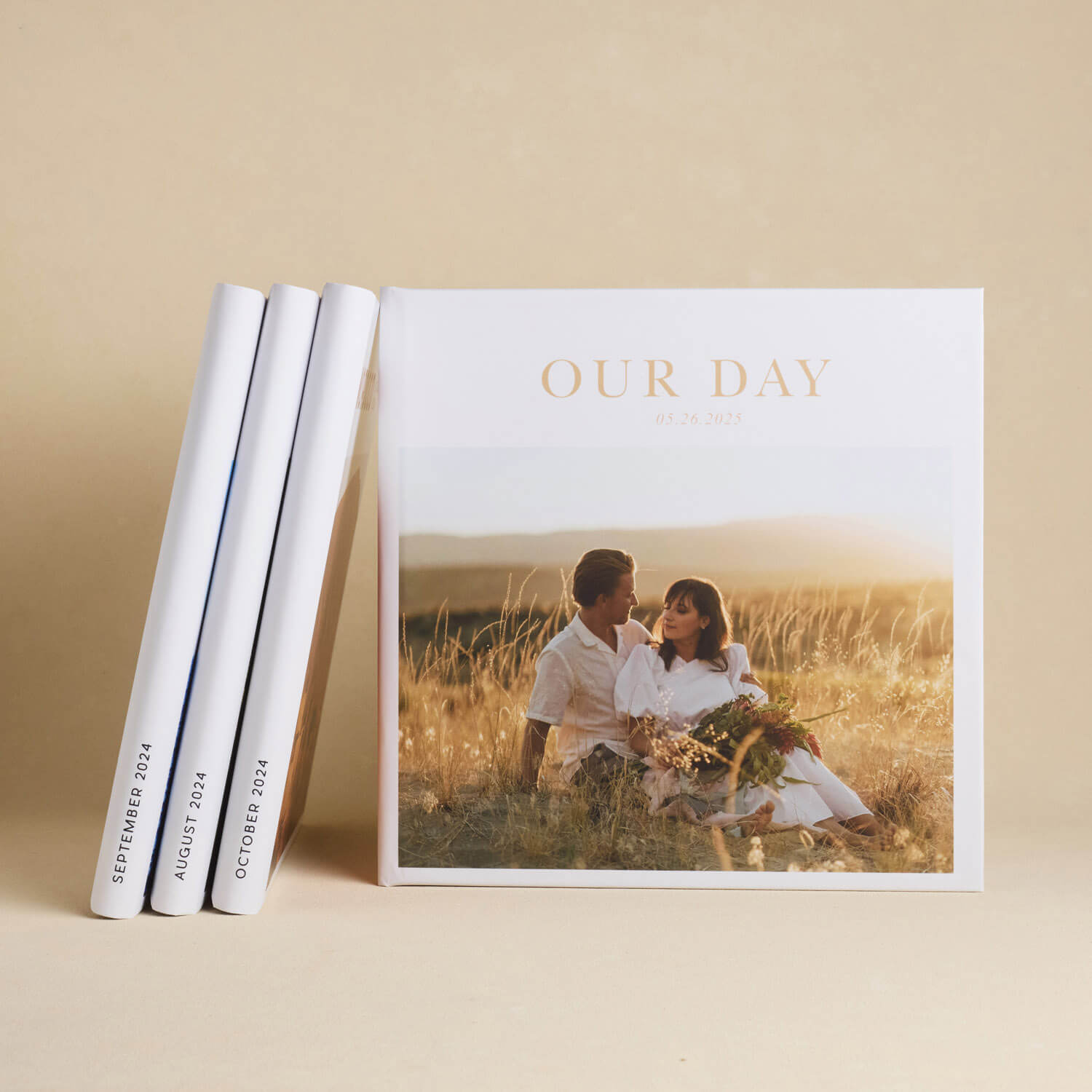
A wedding album proof is a digital or physical draft of your custom-designed wedding book, provided by your photographer or designer for review before the final printing. This stage allows you to verify image selection, layout flow, and text accuracy, ensuring the final heirloom perfectly reflects your wedding day narrative.
The transition from a digital gallery of thousands of images to a curated, physical wedding album is one of the most significant steps in post-wedding photography. The "proof" is the final gatekeeper between a digital design and a permanent physical product. In 2026, while AI-assisted design has streamlined the initial layout, the human element of "proofing"—the meticulous review of every spread—remains the most critical task for couples who want a flawless keepsake.
Why the Album Proofing Stage is Essential
The proofing stage serves as the final quality control check. Even the most experienced wedding photographers can occasionally miss a detail that is deeply personal to the couple. Proofing is not merely about looking at pretty pictures; it is a technical and emotional review of a high-value investment.
Preventing Permanent Errors
Once a wedding album is sent to a professional lab and bound, it cannot be edited. Common errors caught during proofing include:
- Typographical Errors: Misspelled names, incorrect wedding dates, or wrong venue locations.
- Duplicate Images: Accidentally using the same photo in two different sections of the album.
- Cropping Issues: Ensuring that a person's limb or a vital piece of decor isn't cut off by the "gutter" (the middle fold) or the "bleed" (the edge of the page).
- Color Consistency: Verifying that the edit style remains consistent across a single spread, especially when mixing shots from different lighting conditions.
Refining the Narrative Flow
A wedding album is a storyboard. During the proofing process, you can see if the transition from the ceremony to the cocktail hour feels natural. You might realize that while a certain photo is beautiful, it doesn't fit the "mood" of the surrounding pages. Proofing allows you to swap images to better represent the emotional arc of the day.
The Evolution of Proofing: Digital vs. Physical
In 2026, the vast majority of wedding album proofing is conducted via specialized cloud-based software. However, some luxury studios still offer physical "press proofs."
Digital Proofing Platforms
Modern platforms like Pixieset, Pic-Time, and SmartAlbums (Cloud Proofing) allow couples to view their album as a virtual book. You can "flip" the pages digitally and leave specific comments on individual images or spreads.
- Pros: Instant communication, easy to share with family for feedback, and usually included in the base package price.
- Cons: Screen calibration can vary, meaning the colors on your phone or laptop might look slightly different than the final printed ink.
Physical Press Proofs
A physical proof is a draft version of the album printed on lower-quality paper or as individual loose leaves. This is less common due to environmental concerns and cost but remains a staple in the ultra-high-end market.
- Pros: You can see the actual scale of the images and check for sharpness in a way that screens sometimes mask.
- Cons: Significant added cost, adds weeks to the production timeline, and creates physical waste.
How the Wedding Album Proofing Process Works
Understanding the workflow helps manage expectations regarding timelines. Typically, the process involves four distinct phases.
1. The Initial Design Phase
After you select your "must-have" images (or allow the photographer to curate them), the designer creates the first draft. In 2026, many photographers use AI-integrated software to analyze image metadata, grouping photos by time and location to create a logical first draft in a fraction of the time it took a decade ago.
2. The Review Period
The photographer sends a link to the proofing gallery. Most contracts allow for a specific window (e.g., 14 to 30 days) for the couple to provide feedback. It is recommended to review the proof on a large desktop monitor rather than a mobile device to see fine details.
3. The Revision Cycle
Most wedding photography packages include one or two "rounds" of revisions. A revision might involve:
- Swapping one image for another.
- Changing a layout from a four-image grid to a single full-page spread.
- Adjusting the crop on a specific photo.
- Moving a spread from the end of the book to the middle.
4. Final Approval and Production
Once the changes are implemented, you will receive a "Final Proof." After you provide digital "sign-off," the files are locked and transmitted to the print lab. At this point, the photographer is no longer liable for errors that were present in the approved proof.
Technical Specifications to Verify During Proofing
When reviewing your album proof, look beyond the emotions and focus on the technical execution of the layout.
| Feature | What to Look For | Why it Matters |
|---|---|---|
| The Gutter | Ensure no faces or important details are in the center fold. | Details lost in the fold cannot be seen and can look like a mistake. |
| Safe Zones | Keep text and heads at least 0.5 inches from the outer edges. | Trimming during binding can cut off elements too close to the edge. |
| Image Resolution | Look for any signs of pixelation or "fuzziness." | Digital files that look fine on a phone may not have enough DPI for large prints. |
| White Space | Check for consistent margins around the images. | Uneven white space makes the album look amateurish and cluttered. |
| Chronology | Ensure the sequence of events matches the actual day. | A guest appearing in a reception photo before they arrive at the ceremony is jarring. |
Common Challenges in the Proofing Stage
The proofing stage is often where "decision fatigue" sets in for couples. Having already planned a wedding, the task of reviewing 40 to 80 pages of design can feel daunting.
Analysis Paralysis
Couples often struggle to choose between two very similar portraits. The best advice is to trust the designer's initial choice, as they are looking at the visual balance of the entire spread, not just the individual photo. If you are stuck, ask yourself: "Does this photo tell a different part of the story than the one next to it?"
Overcrowding Spreads
A common mistake is trying to fit too many photos onto a single page. This is known as "cluttering." Professional wedding albums rely on "breathing room" or negative space to highlight the most important images. If a page has more than six images, it often begins to look like a yearbook rather than a luxury art book.
Disagreements on Selection
Often, one partner prefers candid shots while the other wants formal portraits. It is helpful to designate a "lead reviewer" for the album to maintain a consistent aesthetic, or to split the album into sections where each person has the final say on specific chapters (e.g., "The Party" vs. "The Ceremony").
Software Solutions for Professional Proofing
If you are a photographer or a DIY couple, several industry-standard tools facilitate the proofing process. According to Rangefinder Magazine, these tools have become the backbone of the modern photography workflow.
- SmartAlbums: Widely considered the fastest layout tool, it includes a built-in "Cloud Proofing" feature where clients can leave comments directly on the spreads.
- Fundy Designer: Offers an "IPS" (In-Person Sales) and remote proofing module that allows for real-time layout changes during a video call.
- Pic-Time: An all-in-one gallery and store platform that allows couples to design their own albums and see digital previews instantly.
- Album Stomp: A more affordable, simplified layout tool that integrates with basic proofing workflows.
Cost Considerations and Revision Fees
Most professional wedding photographers include the first 20 to 30 spreads in their base package. However, the proofing stage is often where "scope creep" occurs.
- Additional Spreads: If you find you cannot narrow down your photos, adding extra pages usually costs between $30 and $100 per spread (two pages).
- Extra Revisions: While the first one or two rounds of edits are typically free, subsequent rounds can incur a fee (often $50-$150 per round) to compensate the designer for their time.
- Upgraded Materials: During proofing, you may decide that a standard linen cover isn't enough and opt for Italian leather or an acrylic cover, which will be billed before the order is finalized.
Frequently Asked Questions
How many photos should be in a wedding album proof?
A standard wedding album usually features between 50 and 100 photos spread across 20 to 30 spreads (40 to 60 pages). While you may have thousands of images in your gallery, the album is intended to be a "highlight reel." Over-stuffing the album diminishes the impact of the best shots.
Can I change my mind after I approve the proof?
Technically, no. Once the "Approve" button is clicked in the proofing software, the photographer usually submits the order to the lab within 24 to 48 hours. If you catch an error after approval, contact your photographer immediately. If the lab hasn't started printing, they may be able to pause it, but you will likely be responsible for any "reset" fees charged by the manufacturer.
How long does the proofing process take?
The timeline varies. Usually, you will receive the first design 4 to 8 weeks after your wedding. The review and revision process typically takes another 2 to 4 weeks depending on how quickly you provide feedback. Once approved, professional printing and binding take an additional 4 to 12 weeks.
Should I include black and white photos in the proof?
Yes, but use them intentionally. A mix of color and black and white can be beautiful, but it is best to keep them on separate spreads or use them to highlight specific emotional moments. During proofing, ensure that if a photo is converted to black and white, it still has the same "tonal range" (the levels of grey and contrast) as the other images on the page.
What if I don't like the design at all?
If the initial proof doesn't meet your expectations, schedule a brief call with your photographer. It is often easier to explain your vision over the phone than through digital comments. Most photographers want you to love the final product and are happy to rearrange the layout to suit your taste, provided it stays within the contracted page count.
Final Recommendation for Couples
When you receive your wedding album proof, set aside at least one hour of uninterrupted time to review it with your partner. Do not look at it on your phone while distracted. Open it on a large screen, perhaps with a glass of wine, and "walk through" the day together. Check the spelling of names three times, ensure the chronology is correct, and don't be afraid to ask for a "cleaner" layout if a page feels too busy. Remember, this is not just a book for today; it is a historical record for your family's future.