Understanding 802.11ac speed requires distinguishing between theoretical physical (PHY) rates and actual data throughput. While 802.11ac (Wi-Fi 5) advertises maximum speeds up to 6.9 Gbps, real-world throughput typically reaches only 50% to 60% of the connection rate due to network overhead, interference, and hardware limitations of client devices.
The Evolution of 802.11ac (Wi-Fi 5)
The IEEE 802.11ac standard, retroactively named Wi-Fi 5 by the Wi-Fi Alliance, represented a monumental shift in wireless networking when it was first introduced. Unlike its predecessor, 802.11n, which operated on both 2.4 GHz and 5 GHz bands, 802.11ac was designed to operate exclusively in the 5 GHz frequency range. This decision was strategic; the 2.4 GHz band had become increasingly congested by household electronics, Bluetooth devices, and neighboring networks, leading to significant signal degradation.
In the context of 2026, 802.11ac remains a foundational technology. While Wi-Fi 6 (802.11ax) and Wi-Fi 7 (802.11be) have taken over the high-performance consumer and enterprise markets, millions of legacy devices, IoT sensors, and budget-friendly access points still rely on 802.11ac. Understanding its throughput dynamics is essential for network administrators maintaining mixed-mode environments and for consumers trying to optimize older hardware.
The transition to 802.11ac brought about several key technological advancements that defined its speed capabilities: wider channel bandwidths, more spatial streams, and higher-order modulation. By expanding the "pipes" through which data flows and increasing the complexity of the data encoding, the standard significantly raised the ceiling for wireless performance.
Theoretical Speed vs. Real-World Throughput
One of the most frequent sources of confusion in wireless networking is the discrepancy between the speed printed on the router’s box and the speed a user sees during a file transfer or a speed test. To understand 802.11ac throughput, we must dissect why these two numbers never match.
The PHY Rate (Physical Layer)
The PHY rate is the maximum speed at which the wireless hardware can transmit raw bits across the air. For an 802.11ac router advertised as "AC1900," this number is an aggregate of the maximum theoretical speeds of all its radios combined. However, a single device can only connect to one radio at a time. Furthermore, the PHY rate includes not just your data, but also all the "management" data required to keep the connection alive.
Protocol Overhead and Contention
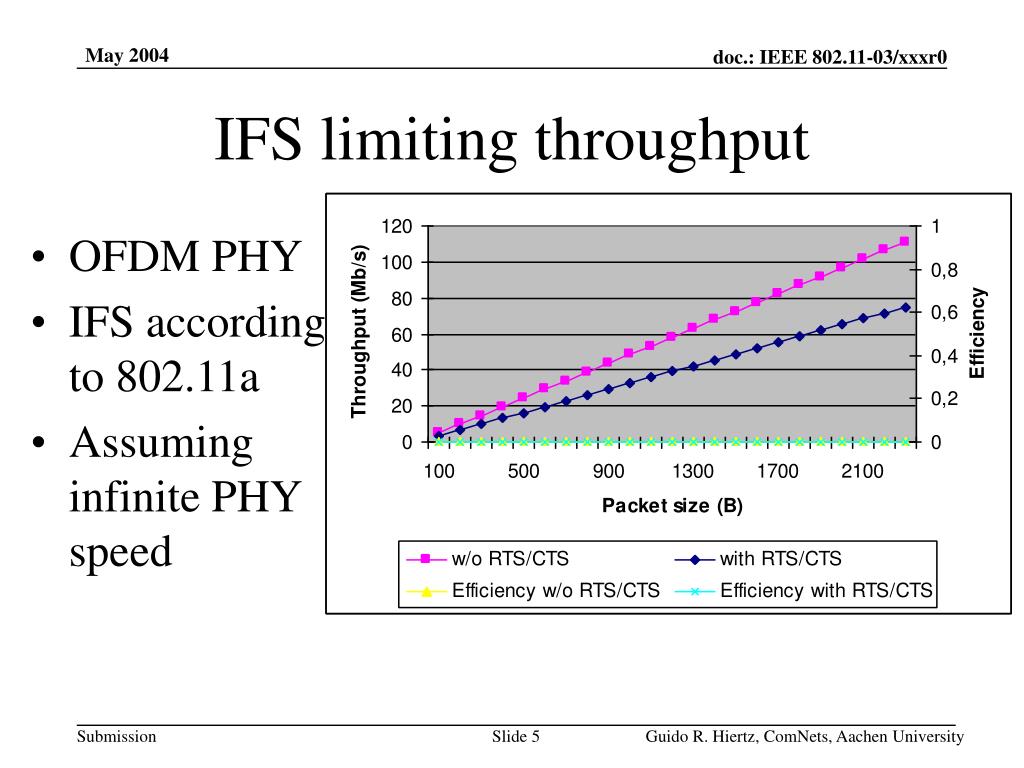
Wireless communication is half-duplex, meaning a device cannot send and receive data at the same time. This is akin to a walkie-talkie system. Every packet of data sent requires an acknowledgment (ACK) from the receiver. If the ACK isn't received, the packet is retransmitted. This cycle, along with headers, guard intervals, and beacons, consumes roughly 40% to 50% of the total available bandwidth. Therefore, if your device shows a connection speed of 866 Mbps, your actual data throughput will likely top out around 400-500 Mbps under ideal conditions.
Key Technical Factors Influencing 802.11ac Speed
To truly understand how 802.11ac achieves its throughput, we must look at the specific mechanisms defined by the IEEE 802.11-2013 amendment and its subsequent "Wave 2" updates.
Spatial Streams and MIMO
802.11ac utilizes Multiple-Input Multiple-Output (MIMO) technology. This allows a router to use multiple antennas to transmit and receive multiple data streams simultaneously. Each "spatial stream" in 802.11ac can carry up to 433 Mbps (at 80 MHz channel width).
- 1x1 Devices: Common in budget smartphones and IoT devices, limited to one stream (max 433 Mbps).
- 2x2 Devices: Standard in most laptops and high-end phones, utilizing two streams (max 866 Mbps).
- 3x3 and 4x4 Devices: Found in high-end workstations or used as "bridges" between routers, offering significantly higher ceilings.
Channel Bandwidth (20, 40, 80, 160 MHz)
In the 5 GHz band, 802.11ac allows for wider channels. If a 20 MHz channel is a single-lane road, an 80 MHz channel is a four-lane highway.
- 80 MHz: The standard for 802.11ac, allowing for much higher burst speeds.
- 160 MHz: Introduced in Wave 2, this doubles the potential speed again, though it is often difficult to implement in crowded environments due to a lack of available non-overlapping spectrum.
256-QAM Modulation
Modulation is the process of packing data into radio waves. 802.11ac uses 256-QAM (Quadrature Amplitude Modulation), which is 33% more efficient than the 64-QAM used in 802.11n. This allows the standard to transmit 8 bits of data per symbol instead of 6. However, 256-QAM requires a very clean, strong signal; if you move too far from the router, the system will automatically drop back to a lower, more stable modulation, reducing your throughput.
802.11ac Wave 1 vs. Wave 2
The rollout of 802.11ac happened in two distinct phases, known as Wave 1 and Wave 2. Understanding which "Wave" your hardware belongs to is critical for predicting throughput.
| Feature | 802.11ac Wave 1 | 802.11ac Wave 2 (2026 Context) |
|---|---|---|
| Max PHY Rate (Single Stream) | 433 Mbps | 866 Mbps (with 160MHz) |
| Channel Width | Up to 80 MHz | Up to 160 MHz |
| MIMO Type | SU-MIMO (Single User) | MU-MIMO (Multi-User) |
| Spatial Streams | Max 3 | Max 4 (up to 8 in spec) |
| 256-QAM Support | Standard | Standard / Improved |
MU-MIMO (Multi-User MIMO) is the most significant addition in Wave 2. In Wave 1 (SU-MIMO), the router could only talk to one device at a time, very quickly switching between them. MU-MIMO allows the router to talk to multiple devices simultaneously, significantly increasing the total aggregate throughput of the network when multiple users are active.
Environmental and Hardware Limitations
Even with the best 802.11ac Wave 2 router, several external factors will dictate your actual throughput.
Distance and Signal-to-Noise Ratio (SNR)
The 5 GHz signal used by 802.11ac does not penetrate walls or floors as effectively as the 2.4 GHz signal. As the distance from the access point increases, the signal strength drops. To maintain the connection, the router and client negotiate a lower MCS (Modulation and Coding Scheme) index. This means that while you might start with a 866 Mbps link in the same room, moving two rooms away might drop that link to 173 Mbps or lower.
Client Radio Capabilities
Your network is only as fast as its slowest link. If you have a high-end AC3200 router but are using a smartphone with a 1x1 antenna, your maximum theoretical speed is capped at 433 Mbps, regardless of the router's power. In 2026, many "smart home" devices still use basic 802.11ac or even 802.11n radios to save on cost and power, which can sometimes create bottlenecks if they consume too much "airtime."
Interference and DFS Channels
Because 802.11ac requires wide channels (80 MHz or 160 MHz) to reach its top speeds, it often needs to use Dynamic Frequency Selection (DFS) channels. These are frequencies shared with radar systems (like weather or military radar). If your router detects radar, it must instantly vacate the channel, often dropping clients or moving them to a narrower, slower 20 MHz channel.
Practical Steps to Maximize 802.11ac Throughput
If you are looking to squeeze the maximum performance out of an 802.11ac network in 2026, follow these technical guidelines:
- Optimize Placement: Ensure the access point is centrally located and elevated. Avoid placing it inside cabinets or behind metal objects, as 5 GHz waves are easily attenuated.
- Select the Right Channel Width: While 80 MHz offers higher speeds, in a crowded apartment building, it might be subject to more interference. Sometimes, a "clean" 40 MHz channel will provide more stable throughput than a "noisy" 80 MHz channel.
- Update Firmware: Manufacturers often release updates that improve the beamforming algorithms and airtime fairness, which directly impact throughput.
- Use 5 GHz Exclusively for High-Bandwidth Tasks: Ensure that devices like gaming consoles, PCs, and 4K streaming boxes are connected to the 5 GHz band. Many 802.11ac routers use "Band Steering" to automatically push capable devices to the faster 5 GHz band.
- Check Client Constraints: Verify if your device supports Wave 2 features like MU-MIMO. If it doesn't, it won't benefit from the router's ability to handle multiple simultaneous streams.
The Role of 802.11ac in a Wi-Fi 6/7 World (2026)
In 2026, 802.11ac is no longer the "speed king," but it remains a workhorse. It is frequently used in mesh backhaul configurations for mid-range home systems and remains the standard for most mid-tier public Wi-Fi installations.
The primary difference between 802.11ac and the newer Wi-Fi 6 (802.11ax) is not just raw speed, but efficiency. Wi-Fi 6 handles crowded environments much better using OFDMA (Orthogonal Frequency Division Multiple Access). However, for a single user in a typical home environment, the perceptible difference between a well-configured 802.11ac Wave 2 connection and a Wi-Fi 6 connection may be negligible for tasks like 4K streaming or web browsing.
Frequently Asked Questions
Why does my "AC1200" router only give me 400 Mbps?
The "AC1200" label is a combined total of the 2.4 GHz band (usually 300 Mbps) and the 5 GHz band (867 Mbps). Since your device can only connect to one at a time, the maximum theoretical speed is 867 Mbps. After accounting for the 50% overhead of wireless protocols, a real-world throughput of 400-450 Mbps is actually a sign of a very healthy and well-optimized connection.
Does 802.11ac support 2.4 GHz?
Technically, no. The 802.11ac standard is defined only for the 5 GHz band. However, almost all "802.11ac routers" are dual-band, meaning they include a separate 802.11n radio to handle the 2.4 GHz band for older devices and for longer-range connectivity.
What is Beamforming in 802.11ac?
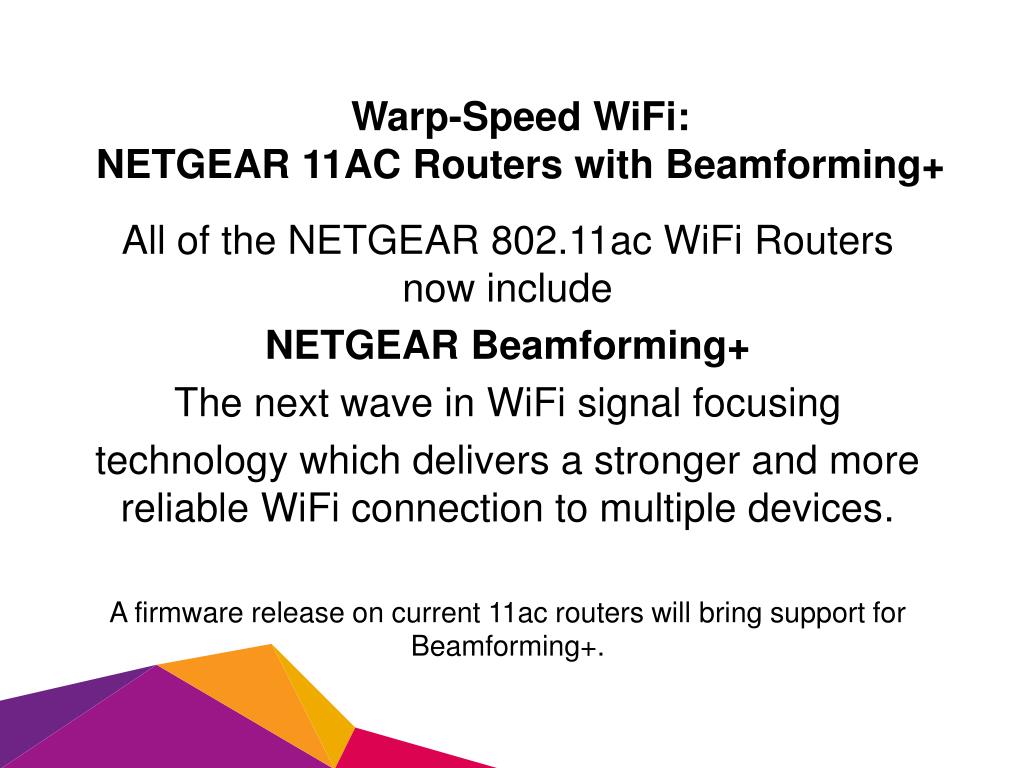
Beamforming is a signal processing technique where the router identifies the location of your device and focuses the radio signal in that specific direction, rather than broadcasting it in a 360-degree circle. In 802.11ac, this became standardized (explicit beamforming), which helps maintain higher throughput at greater distances.
Is 802.11ac fast enough for 4K streaming?
Yes, absolutely. A 4K Netflix stream typically requires about 15-25 Mbps. Even a modest 802.11ac connection with heavy interference usually provides well over 100 Mbps of throughput, making it more than sufficient for multiple simultaneous 4K streams.
Can I mix 802.11ac and Wi-Fi 6 devices?
Yes. Wi-Fi standards are backward compatible. A Wi-Fi 6 router will support 802.11ac devices, and an 802.11ac router will support Wi-Fi 6 devices (though they will operate at 802.11ac speeds). However, having many slow, older legacy devices (like 802.11g or n) on the same network can sometimes slow down the overall throughput for everyone due to "airtime fairness" issues.
Final Recommendation
To achieve the best possible performance with 802.11ac, prioritize signal quality over theoretical capacity. Use a tool like a Wi-Fi analyzer to find a non-overlapping 80 MHz channel in the 5 GHz band, and ensure your most demanding devices are within a clear line of sight of the access point. While newer standards exist, a properly configured 802.11ac Wave 2 system remains highly capable of handling the bandwidth demands of most modern households and offices in 2026.