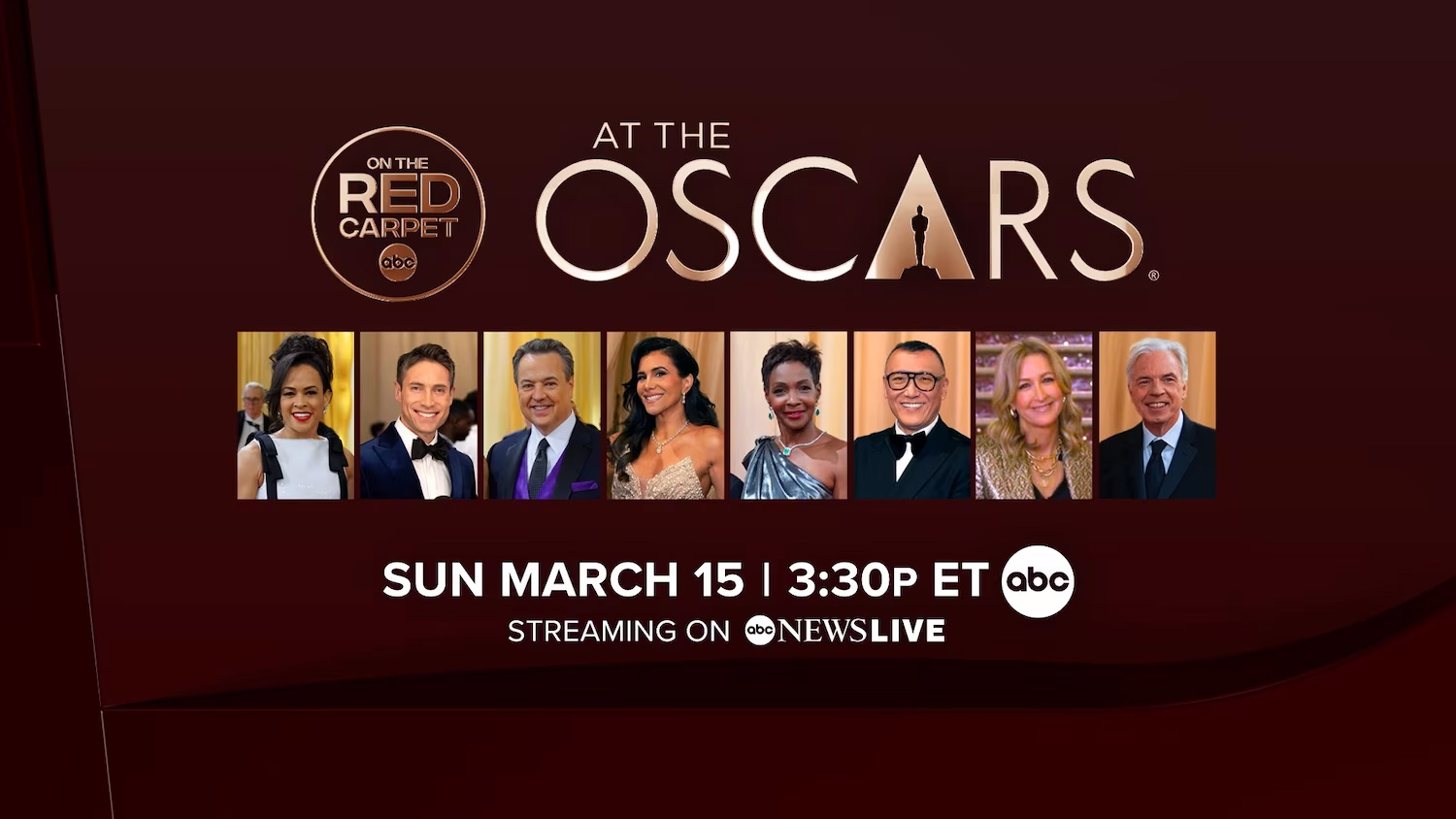
The Academy Awards, colloquially known as the Oscars, are broadcast live on ABC in the United States, offering multiple ways to stream the ceremony in 2026. Viewers can access the live feed via the ABC website or the ABC app using a participating cable provider login, or through live TV streaming services that carry local ABC stations, such as Hulu + Live TV, Fubo, YouTube TV, or DirecTV Stream.
The Oscars represent one of the most significant annual events in global entertainment. As the primary broadcast network for the Academy Awards in the United States, ABC maintains exclusive terrestrial television rights to the ceremony. For viewers in 2026, the shift from traditional cable television to streaming-first consumption has made accessing the broadcast more flexible, provided you understand the authentication requirements for local affiliate networks.
Understanding Broadcast Rights and ABC Affiliates
The fundamental nature of the Oscars broadcast is that it is aired over local ABC affiliate stations. Unlike some streaming-exclusive content produced by platforms like Netflix or Amazon, the Oscars are a network television event. This is a critical distinction because your ability to stream the event depends entirely on whether your local ABC affiliate is included in the service provider’s lineup.
In 2026, most major live TV streaming services have solidified carriage agreements with the vast majority of local ABC stations. However, in certain smaller television markets, the local affiliate may be owned by a third-party group that has not reached a distribution agreement with specific streaming platforms. Before committing to a subscription, it is essential to verify your specific zip code on the provider’s website to ensure you will have access to your local station, not just a national feed.
Primary Methods for Streaming the Oscars
There are two main avenues for streaming the Oscars: direct network authentication and third-party live TV streaming subscriptions.
1. The ABC App and Official Website
If you maintain a subscription to a cable, satellite, or fiber-optic television service, you are likely already paying for ABC as part of your package. You can use your provider’s credentials to sign in to the ABC app on smart TVs, tablets, and smartphones, or via the web browser on your computer.
- Prerequisites: You must have an active TV provider account that includes local broadcast channels.
- Process: Navigate to the "Live TV" section within the ABC interface. You will be prompted to select your TV provider and enter your login credentials.
- Limitations: This method is subject to "blackout" restrictions if your local station does not participate in digital streaming rights or if you are attempting to access the stream from outside of your local market area.
2. Live TV Streaming Services (Cord-Cutting)
For households that do not have traditional cable, "virtual" multichannel video programming distributors (vMVPDs) are the most reliable way to watch. These services function similarly to cable but are delivered over your internet connection.
- Hulu + Live TV: This service integrates directly with the standard Hulu interface and typically includes the local ABC affiliate based on your location.
- YouTube TV: Known for its unlimited cloud DVR and robust channel lineup, YouTube TV is a primary choice for live events. It offers a "custom" guide feature that allows you to ensure your local ABC station is front and center.
- Fubo: Generally focused on sports, Fubo still carries most local broadcast affiliates, including ABC, making it a viable alternative.
- DirecTV Stream: This service mirrors the traditional cable experience most closely and often includes access to regional sports networks alongside major broadcast channels.
Technical Requirements for a Seamless Experience
Streaming a high-profile, multi-hour event like the Oscars requires a stable network environment. Because the ceremony is broadcast in high definition (and occasionally in 4K, depending on your provider’s specific output), bandwidth consumption is significant.
- Internet Speed: A minimum of 25 Mbps download speed is recommended for consistent HD streaming. If multiple people in your household are using the network simultaneously, aim for 50 Mbps or higher to avoid buffering during high-traffic moments, such as the announcement of the Best Picture winner.
- Hardware Compatibility: Ensure your streaming device (Roku, Apple TV, Amazon Fire Stick, or Smart TV) is updated to the latest firmware. Apps like the ABC app or YouTube TV often release updates shortly before major events to patch bugs and improve stability.
- Latency: It is important to note that live streams are often delayed by 30 to 60 seconds compared to traditional over-the-air (OTA) antenna broadcasts. If you are following the event on social media, you may see spoilers before they appear on your screen.
Comparison Table: Streaming Service Features
The following table outlines key features for major platforms providing access to ABC in 2026.
| Service | Local ABC Access | Cloud DVR | Simultaneous Streams |
|---|---|---|---|
| Hulu + Live TV | Yes (Location-based) | Included | 2 (Upgradable) |
| YouTube TV | Yes (Location-based) | Unlimited | 3 |
| DirecTV Stream | Yes (Location-based) | Unlimited (9 months) | Unlimited (Home) |
| Fubo | Yes (Market-dependent) | Included | 10 (Home) |
Troubleshooting Common Issues
Despite the maturity of streaming technology in 2026, technical hitches can occur. If you find yourself unable to access the stream on Oscars night, consider the following steps:
- Location Services: Many streaming services use your device's GPS or IP address to determine your "home" location. If you are traveling or using a VPN, the service may restrict your access to your local ABC affiliate. Disable any VPNs to ensure your location is correctly identified.
- Authentication Errors: If the ABC app rejects your provider credentials, try logging out of the provider's own app first. If you can log into your cable provider’s app, the credentials are valid; the issue may be a temporary sync error between the services.
- Local Affiliate Blackouts: If you receive a message stating "Content Not Available in Your Area," it typically means your specific local station has not opted into the streaming agreement. In this scenario, you may need to use an over-the-air digital antenna, which is the most reliable fallback for receiving local broadcast signals for free.
The Value of an Over-the-Air (OTA) Antenna
While digital streaming is convenient, it is not the only way to watch. For the most reliable, highest-quality signal that is completely immune to internet fluctuations, a digital antenna remains the gold standard. In 2026, many households choose to keep a simple indoor antenna connected to their television for major events like the Oscars. An antenna bypasses internet service provider bottlenecks, ensuring that you receive the broadcast signal directly from the station's tower. This provides the lowest possible latency and the highest bit-rate picture quality, as the signal is uncompressed compared to a transcoded internet stream.
Planning Your Viewing Party
When planning to watch the ceremony, consider the duration of the event. The Oscars frequently exceed three hours. If you are relying on a streaming service, check your device’s power settings. Many streaming boxes will go into a "sleep mode" after a few hours of inactivity. Make sure to toggle this setting off to prevent the feed from cutting out during the middle of a speech.
Furthermore, if you intend to record the event to watch later, ensure you are familiar with your service's DVR functionality. With services like YouTube TV, recording is automatic, but with others, you may need to manually add the program to your library. It is advisable to set the recording to extend for an extra hour beyond the scheduled end time to ensure that any potential ceremony overruns—which are common at the Oscars—are fully captured.
Summary of Next Actions
To prepare for the Oscars broadcast in 2026:
- Verify your provider: If you have cable, confirm your login works on the ABC app before the ceremony date.
- Test your location: If using a streaming service, sign in a few days prior to confirm your local ABC affiliate is detected correctly.
- Prepare hardware: Ensure your internet connection is stable and your streaming device software is updated.
- Consider backups: If you live in an area with inconsistent internet, an inexpensive digital antenna is your best insurance policy for uninterrupted viewing.