The APC Smart-UPS XL 750VA (Model: SU750XL) manages its internal temperature through a combination of passive heat sinks and active fan-based forced convection. To maintain server cooling system integrity, the SU750XL must be positioned to allow unobstructed front-to-rear airflow, ensuring that its heat dissipation—measured at approximately 120 BTU/hr under full load—does not adversely impact the thermal envelope of adjacent server hardware.
Understanding the Role of the SU750XL in Server Infrastructure
The APC SU750XL is a legacy "tank" in the world of power protection, distinguished from the standard SU750 by its "XL" designation, which indicates extended runtime capabilities. In a server environment, the "cooling system" of a UPS is often overlooked, yet it is a critical component of the overall data center or server closet thermal strategy. Because the SU750XL is designed to connect to external battery packs (UXBP48), it handles significantly more current during extended discharge and recharge cycles than standard models. This increased electrical activity necessitates a robust internal thermal management strategy.
As of 2026, many of these units remain in service within home labs, small businesses, and edge computing nodes due to their exceptional build quality. However, their cooling systems—primarily mechanical fans and thermal paste interfaces—require specific maintenance to ensure they do not become the "hot spot" in your rack.
Internal Cooling Architecture of the SU750XL
The internal cooling system of the SU750XL is a forced-air design. Unlike modern, high-efficiency lithium-ion UPS units, the SU750XL utilizes a large copper-wound transformer and heavy-duty MOSFETs (Metal-Oxide-Semiconductor Field-Effect Transistors) which generate substantial waste heat during two specific phases: Inverter Operation (on battery) and Charging (especially when external packs are attached).
Active Components: The Internal Fan
The primary active cooling component is a DC brushless fan. In the SU750XL, the fan logic is typically "smart," meaning it varies its RPM based on the internal temperature sensors and the load percentage. In 2026, many original fans in these units are reaching the end of their bearing life (indicated by a high-pitched whine or grinding noise).
The fan pulls air from the front vents, moves it over the main logic board and transformer, and exhausts it out the rear. If the fan fails, the unit will likely provide a "Site Wiring Fault" or a generic "Fault" LED indicator, though older firmware versions might simply shut down the inverter to prevent thermal runaway.
Passive Components: Heat Sinks and Airflow Paths
The SU750XL utilizes extruded aluminum heat sinks attached to the power transistors. These heat sinks rely on a specific static pressure within the chassis. If the top cover of the UPS is removed or if the side vents are blocked, the "wind tunnel" effect is lost, and the MOSFETs can reach critical temperatures (above 90°C) even if the fan is spinning.
Thermal Specifications and Environmental Requirements
To integrate the SU750XL into a broader server cooling system, one must understand its thermal output. Heat in a server rack is additive; the UPS contributes to the "Delta T" (the difference between intake and exhaust temperature) of the entire room.
| Specification | Value/Detail | Impact on Cooling |
|---|---|---|
| Max Heat Dissipation | ~120 - 150 BTU/hr | Minimal at idle; significant during heavy charging. |
| Airflow Direction | Front to Rear | Must match server airflow to prevent "heat looping." |
| Operating Temp Range | 0°C to 40°C (32°F to 104°F) | Performance degrades significantly above 25°C. |
| Fan Configuration | Single 60mm or 80mm DC (varies by revision) | Primary failure point in units over 10 years old. |
| Humidity Limits | 0 - 95% non-condensing | High humidity reduces the efficiency of air cooling. |
The Impact of Ambient Temperature on Battery Life
While the UPS electronics can survive 40°C, the batteries cannot. Lead-acid battery chemistry (VRLA) used in the SU750XL is highly sensitive to heat. For every 8°C (15°F) rise in ambient temperature above 25°C (77°F), the chemical life of the battery is halved. Therefore, the "cooling system" of the SU750XL is not just about protecting the electronics; it is an economic necessity for preserving battery health.
Integration with Server Rack Cooling Systems
When installing the SU750XL in a 19-inch rack (typically using the rack-mount version, the SU750RMXL), placement is vital.
- The "Bottom-Heavy" Rule: UPS units should always be placed at the bottom of the rack for physical stability. From a cooling perspective, this is also beneficial because the coolest air in a data center is usually near the floor.
- Clearance Requirements: Ensure at least 1U of "blanking panel" space is not strictly necessary if airflow is front-to-back, but you must never block the front intake mesh.
- Cable Management: The rear exhaust of the SU750XL is often crowded with NEMA 5-15R outlets and the heavy DC connector for external batteries. Poor cable management can create a "heat trap" at the rear, forcing the hot exhaust air back into the UPS or into the intake of the server mounted directly above it.
Maintenance and Troubleshooting the Cooling System
By 2026, maintaining the cooling system of an SU750XL involves more than just dusting. It requires a proactive approach to mechanical and chemical aging.
Cleaning and Dust Removal
Dust is a thermal insulator. In the SU750XL, dust tends to accumulate on the transformer windings and between the fins of the MOSFET heat sinks. Using compressed air to blow out the unit (while powered off and batteries disconnected) is recommended every 12 months. Pay special attention to the fan blades; dust buildup on the blades changes their aerodynamic profile, reducing CFM (Cubic Feet per Minute) and increasing noise.
Fan Replacement and Upgrades
If the internal fan has failed or has become excessively loud, it can be replaced. Many IT professionals in the home lab space opt for "silent" fans from manufacturers like Noctua. However, a critical technical warning is necessary here: APC units often use a non-standard pinout or a specific voltage (24V vs. 12V) depending on the specific PCB revision.
- Verification: Always measure the voltage at the fan header before installing a third-party replacement.
- RPM Sensing: The SU750XL logic board expects an RPM signal (tachometer). If a fan without a tach signal is used, the UPS may throw a fault code.
Monitoring via Network Management Card (NMC)
To truly manage the cooling system, one should install an APC Network Management Card (such as the AP9630 or AP9631). These cards provide real-time temperature monitoring. You can set threshold alerts in the 2026-standard web interface to notify you via SNMP or email if the internal temperature exceeds a safe limit, allowing you to intervene before the unit enters thermal shutdown.
Advanced Cooling Modifications for High-Load Scenarios
In scenarios where the SU750XL is utilized at its maximum capacity with multiple external battery packs (UXBP48), the stock cooling may be insufficient for "closet" environments with poor ventilation.
External Active Cooling
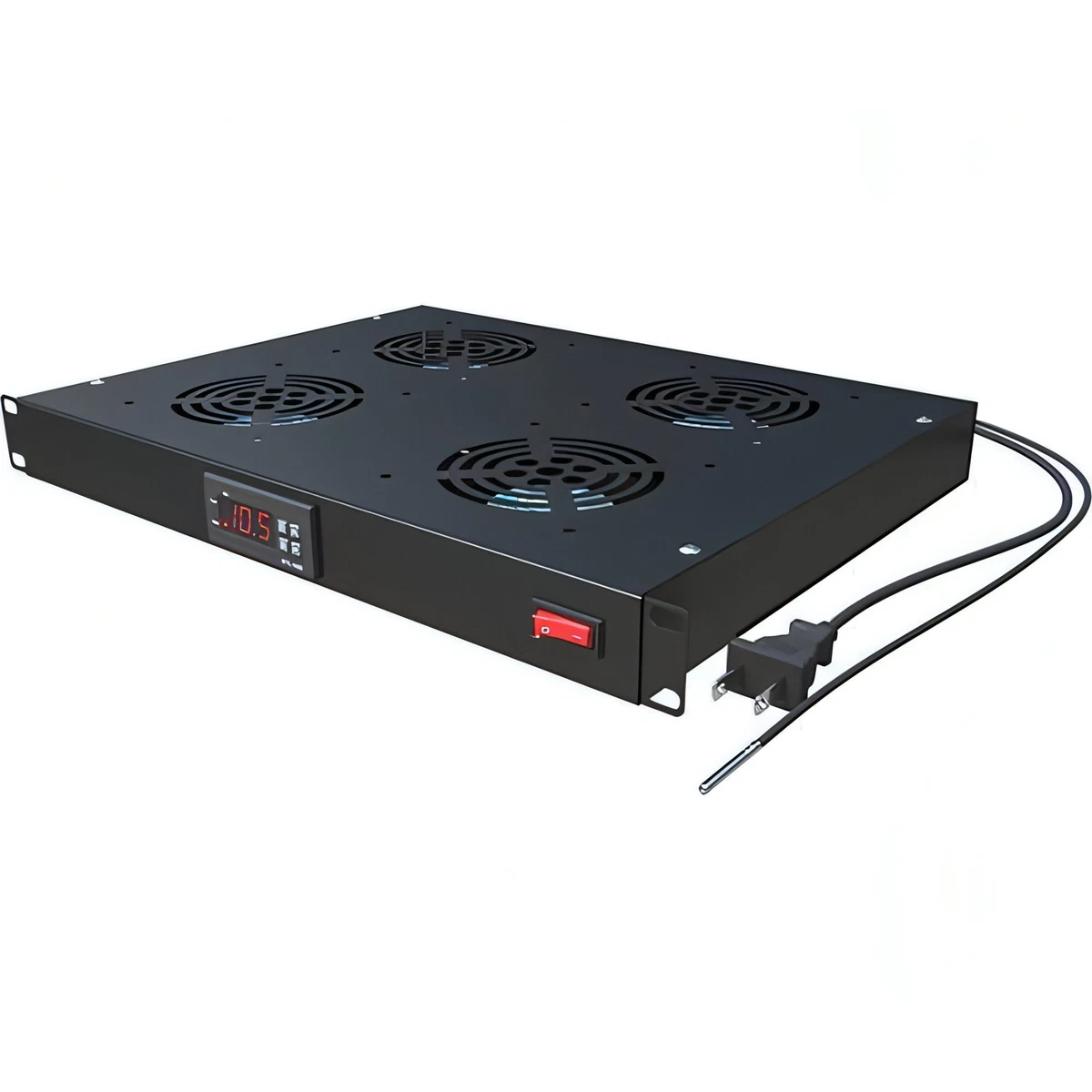
If the UPS is stored in a small, unventilated cabinet, the 120 BTU/hr of heat will eventually saturate the space. In these cases, installing an AC-powered rack fan tray directly behind the UPS exhaust can help pull the hot air away from the unit and move it toward the room's return air vent.
Thermal Paste Refresh
For the technically inclined, the SU750XL uses thermal pads or paste between its power semiconductors and the aluminum heat sinks. After 15–20 years of service, these materials can dry out and lose their thermal conductivity (a process known as "pump-out" or "dry-out"). Replacing these with high-quality non-conductive ceramic thermal compound can drop internal component temperatures by 3–5°C.
Common Cooling Problems and Solutions
- Symptom: The fan runs at full speed constantly, even with no load.
- Cause: This usually indicates a failed internal temperature sensor or a very high ambient temperature. It can also happen during the "Bulk" charging phase if the batteries were recently deeply discharged.
- Solution: Check the ambient temperature. If the room is cool, the charging circuit might be working overtime due to a failing battery cell (sulfation), which creates internal resistance and heat.
- Symptom: A "burnt plastic" smell coming from the exhaust.
- Cause: This is often not the cooling system failing, but the transformer or a capacitor overheating.
- Solution: Immediate shutdown. Inspect the unit for "bulging" electrolytic capacitors or discolored PCB areas near the heat sinks.
- Symptom: The UPS shuts down during a power outage despite having good batteries.
- Cause: Thermal shutdown. If the fan fails to spin up when the inverter starts, the MOSFETs will overheat within minutes.
- Solution: Test the fan by initiating a "Self-Test" via the front panel button. The fan should pulse or spin up during this test.
Comparison: SU750XL vs. Modern Smart-UPS Cooling
| Feature | SU750XL (Legacy) | Smart-UPS SMT750 (Modern) |
|---|---|---|
| Cooling Efficiency | Moderate (Transformer-based) | High (Switched-mode power supply) |
| Fan Noise | High (Older bearing tech) | Low (PWM-controlled) |
| Internal Airflow | Front-to-Back | Front-to-Back / Side (varied) |
| Thermal Monitoring | Basic (via NMC card) | Advanced (Integrated LCD/Cloud) |
| Idle Heat | Higher (~30-40W) | Lower (~10-15W) |
While the SU750XL is less efficient than modern 2026-era units, its over-engineered cooling fins and large internal volume make it very resilient to temporary cooling failures compared to modern, more compact units.
FAQs
Can I run the SU750XL without the fan?
No. Even at low loads, the charging circuit and the transformer generate enough heat to cause component degradation over time. The fan is a required component of the SU750XL's safety certification. Removing it poses a fire risk and will almost certainly lead to premature battery failure.
How do I know if my SU750XL cooling fan is failing?
The most common signs are audible: grinding, clicking, or a change in pitch. You may also notice the chassis of the UPS feeling hot to the touch (it should be warm, but never uncomfortable to hold your hand on). If you have a Network Management Card, look for "Internal Temperature" logs that show a steady upward trend over weeks or months.
Does the SU750XL need a dedicated "cool" rack space?
It does not require a dedicated air conditioner, but it should not be "sandwiched" between two high-heat servers without at least a small air gap. Standard ASHRAE (American Society of Heating, Refrigerating and Air-Conditioning Engineers) guidelines for Class A1 to A4 environments are sufficient for the SU750XL.
What is the ideal temperature for the SU750XL?
For maximum battery longevity, the intake air should be kept between 20°C and 25°C (68°F to 77°F). Operating the unit consistently at 30°C or higher will significantly increase your total cost of ownership due to frequent battery replacements.
Can I use the SU750XL to power my server cooling fans?
Yes, the SU750XL can provide power to external rack fan trays. This is a common setup to ensure that even during a power failure, the rack's cooling system continues to move air, preventing the servers from overheating while they perform a graceful shutdown.
Practical Recommendation
To ensure the longevity of your 750xl su 750xl server cooling system components in 2026, perform a "Thermal Audit." Use an infrared thermometer to check the exhaust temperature of the UPS while it is charging. If the exhaust is more than 15°C higher than the intake, it is time to clean the internal heat sinks and verify the fan's RPM. If the unit is over 10 years old, consider a preemptive fan replacement with a high-static-pressure 24V DC fan to maintain optimal airflow.