The HTTP 405 Method Not Allowed status code is a client-side error response indicating that the web server recognizes the request method used by the client, but the target resource does not support that specific method. While the server is aware of the requested URL, it has been configured or programmed to reject the action the client is attempting to perform—such as trying to "POST" data to a page that only allows "GET" requests.
In the complex landscape of 2026 web architecture, where microservices, headless CMS platforms, and RESTful APIs dominate, the 405 error remains a frequent hurdle for developers and system administrators. Unlike a 404 error, which suggests a missing page, a 405 error confirms the page exists but signifies a communication mismatch regarding the "verb" or action being applied to it. This guide provides an exhaustive analysis of the 405 status code, its technical nuances, and practical strategies for resolution across various server environments.
The Anatomy of the 405 Method Not Allowed Error
To understand the 405 error, one must first understand the fundamental nature of HTTP methods. Hypertext Transfer Protocol (HTTP) relies on "verbs" to define what action should be performed on a specific resource. The most common methods include:
- GET: Retrieves data from a server (e.g., loading a webpage).
- POST: Submits data to be processed to a specified resource (e.g., submitting a contact form).
- PUT: Replaces all current representations of the target resource with the request payload.
- DELETE: Deletes the specified resource.
- PATCH: Applies partial modifications to a resource.
- HEAD: Identical to GET but asks for the response without the response body.
- OPTIONS: Describes the communication options for the target resource.
When a client (like a browser or an API consumer) sends a request using one of these methods, the server evaluates whether that resource is capable of, or permitted to, handle that method. If the server is configured to only allow GET and HEAD for a specific URL, but the client sends a POST request, the server is obligated by RFC 9110 (the current standard for HTTP Semantics) to return a 405 status code.
The Critical "Allow" Header Requirement
A distinguishing feature of the 405 error is the requirement for the server to include an Allow header in its response. This header must list the methods that the resource currently supports. For example, if a developer receives a 405 error, they should check the response headers for a line like Allow: GET, HEAD, OPTIONS. This provides the client with the necessary information to correct the request and use a valid method.
Common Causes of the 405 Status Code
Identifying the root cause of a 405 error requires looking at both the client-side request and the server-side configuration. In 2026, most 405 errors stem from one of the following four scenarios:
1. Misconfigured Web Server Software
Web servers like Nginx, Apache, and IIS have default behaviors regarding certain file types. A common scenario involves Nginx returning a 405 error when a client attempts to POST data to a static HTML file. By default, Nginx treats static files as read-only resources and rejects any method that suggests a data modification (like POST or PUT).
2. API Routing Restrictions
In modern web development, backend frameworks (such as Express.js, Ruby on Rails, or Spring Boot) use routing tables to map URLs to specific functions. If a route is defined as router.get('/submit-data') but the frontend sends a POST request to that same URL, the framework will trigger a 405 Method Not Allowed because no POST handler exists for that specific path.
3. Database and Permission Constraints
Sometimes, the application logic itself triggers a 405 error. If a user tries to perform a DELETE request on a resource they have permission to see (GET) but not to modify, the server might respond with a 405 (though a 403 Forbidden is also common in this context, depending on the API design philosophy). In RESTful design, 405 is preferred when the resource cannot be deleted by anyone using that method, whereas 403 is used when the user specifically lacks the right to do so.
4. CDN and WAF Interference
Content Delivery Networks (CDNs) and Web Application Firewalls (WAFs) act as intermediaries. They often have security rules that block specific HTTP methods like PUT or DELETE to prevent "Method Tampering" attacks. If these intermediaries are not updated to allow the methods required by your application, they will intercept the request and return a 405 error before it even reaches your origin server.
Troubleshooting the 405 Error: Step-by-Step
When a 405 error appears, follow this systematic approach to isolate and fix the issue.
Step 1: Analyze the Request in Browser DevTools
Open your browser’s Developer Tools (F12) and navigate to the "Network" tab. Reproduce the error and click on the failed request. Check the Request Method to see what your browser actually sent. It is common to find that a form intended to be a POST was accidentally sent as a GET, or vice versa, due to a typo in the HTML
attribute. Step 2: Examine the Response Headers While still in the Network tab, look at the Response Headers. As mentioned previously, look for the Allow header. If the header says Allow: GET, and you are trying to POST, you have confirmed the source of the conflict. This tells you exactly what the server expects. Step 3: Check Server-Side Logs If you have access to the server, check the access and error logs. For Nginx: Look at /var/log/nginx/access.log and error.log. For Apache: Look at /var/log/apache2/error.log or the location specified in your VirtualHost configuration. The logs will show the incoming request and the specific module that rejected the method. Step 4: Review Application Code and Routing Check your backend controllers. Ensure that the endpoint you are hitting is explicitly configured to handle the method you are using. In 2026, many frameworks use decorators or annotations. For example, in a Python FastAPI environment, ensure you are using @app.post("/endpoint") rather than @app.get("/endpoint") if you expect data submissions. Component Common Issue Resolution HTML Forms Missing method="POST" attribute Add method="POST" to the tag. Nginx POSTing to static .html or .json files Use a proxy_pass or rewrite rule to handle the POST via a script. Apache AllowMethods directive in .htaccess Update the directive to include the missing method. JavaScript (Fetch/Axios) Defaulting to GET Explicitly define the method property in the request object. REST APIs Method not implemented for resource Implement the corresponding controller method or update the client to a supported verb.
Solving 405 Errors in Specific Environments
Nginx Configuration Adjustments
Nginx is notoriously strict about POST requests to static files. If you must allow this, one common (though sometimes debated) workaround is to redirect the 405 error to the same URI but force it to return a 200 status code:
error_page 405 =200 $uri;
However, a better approach is to ensure that the POST request is being handled by a dynamic upstream server (like PHP-FPM or a Node.js process) rather than being served as a static file. Ensure your location blocks are correctly prioritized so that API calls are routed to the logic handler, not the static file directory.
Apache and .htaccess
In Apache, 405 errors are often caused by the mod_allowmethods module. If your .htaccess or VirtualHost file contains an AllowMethods directive, it acts as a whitelist. To fix it, you would modify the line:
# Before AllowMethods GET HEAD # After (adding POST) AllowMethods GET HEAD POST
Additionally, ensure that mod_rewrite is not accidentally changing your request method. Sometimes, a poorly written RewriteRule that redirects from http to https can strip the POST data and convert the request into a GET, leading to a 405 on the destination.
WordPress and CMS Platforms
WordPress users often encounter 405 errors due to plugin conflicts or issues with the admin-ajax.php file. If a security plugin (like Wordfence or Sucuri) detects a "suspicious" HTTP method, it may block it. To troubleshoot:
- Disable all plugins to see if the error persists.
- Reset the
.htaccessfile to the WordPress default. - Check if the REST API is disabled. WordPress uses the REST API for many block-editor functions; if a "Disable REST API" plugin is active, it can result in 405 errors during post saving.
Impact on SEO and User Experience
From a Technical SEO perspective, a 405 error on a critical resource can be damaging. Search engine crawlers like Googlebot primarily use the GET method to index content. If your server returns a 405 for a GET request on a public URL, Googlebot will be unable to crawl the page, leading to its eventual removal from search results.
However, a 405 on other methods (like POST or DELETE) generally does not impact rankings directly, as bots do not attempt to submit forms or delete data. The danger lies in "Resource Discovery." If your internal linking structure points to URLs that return 405 errors, it creates a "dead end" for both users and crawlers, wasting crawl budget and increasing bounce rates.
405 vs. 404: The SEO Difference
A 404 (Not Found) tells Google the page is gone. A 405 (Method Not Allowed) tells Google the page is there, but the "conversation" failed. If you see 405 errors in Google Search Console, it usually indicates a server configuration error that is preventing the crawler from accessing the content via a standard GET request. This should be treated with high priority.
Security Considerations: The 405 as a Defense
While often viewed as a nuisance, the 405 status code is a vital security tool. By explicitly disallowing methods like TRACE, CONNECT, or PUT on resources that don't need them, you reduce the attack surface of your server.
"Cross-Site Tracing" (XST) attacks, for instance, rely on the TRACE method to steal cookies. A properly configured server will return a 405 for any TRACE request, effectively neutralizing the threat. Therefore, the goal is not to allow all methods to stop the errors, but to allow only the necessary methods.
Frequently Asked Questions
Is a 405 error a server-side or client-side issue?
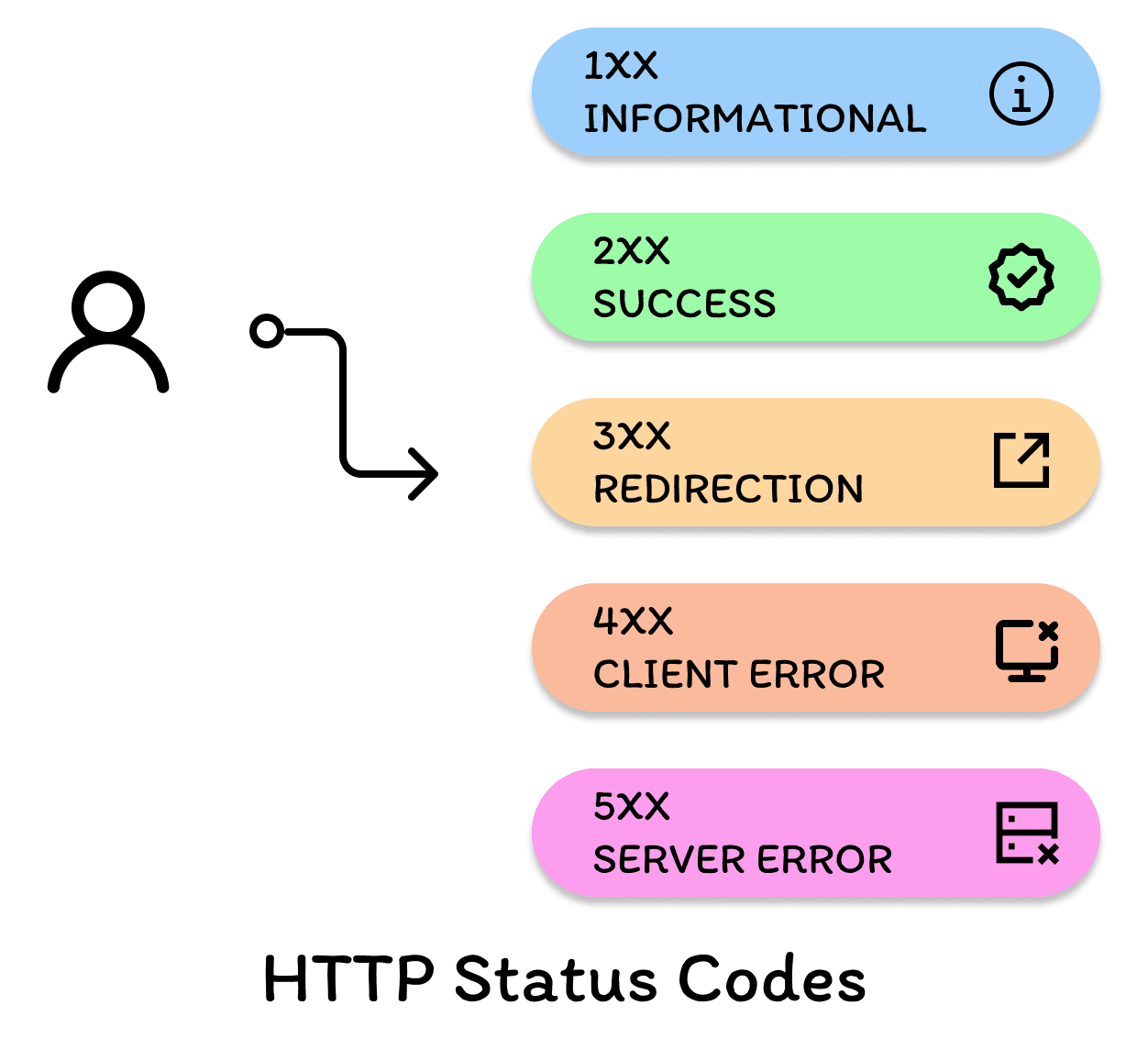
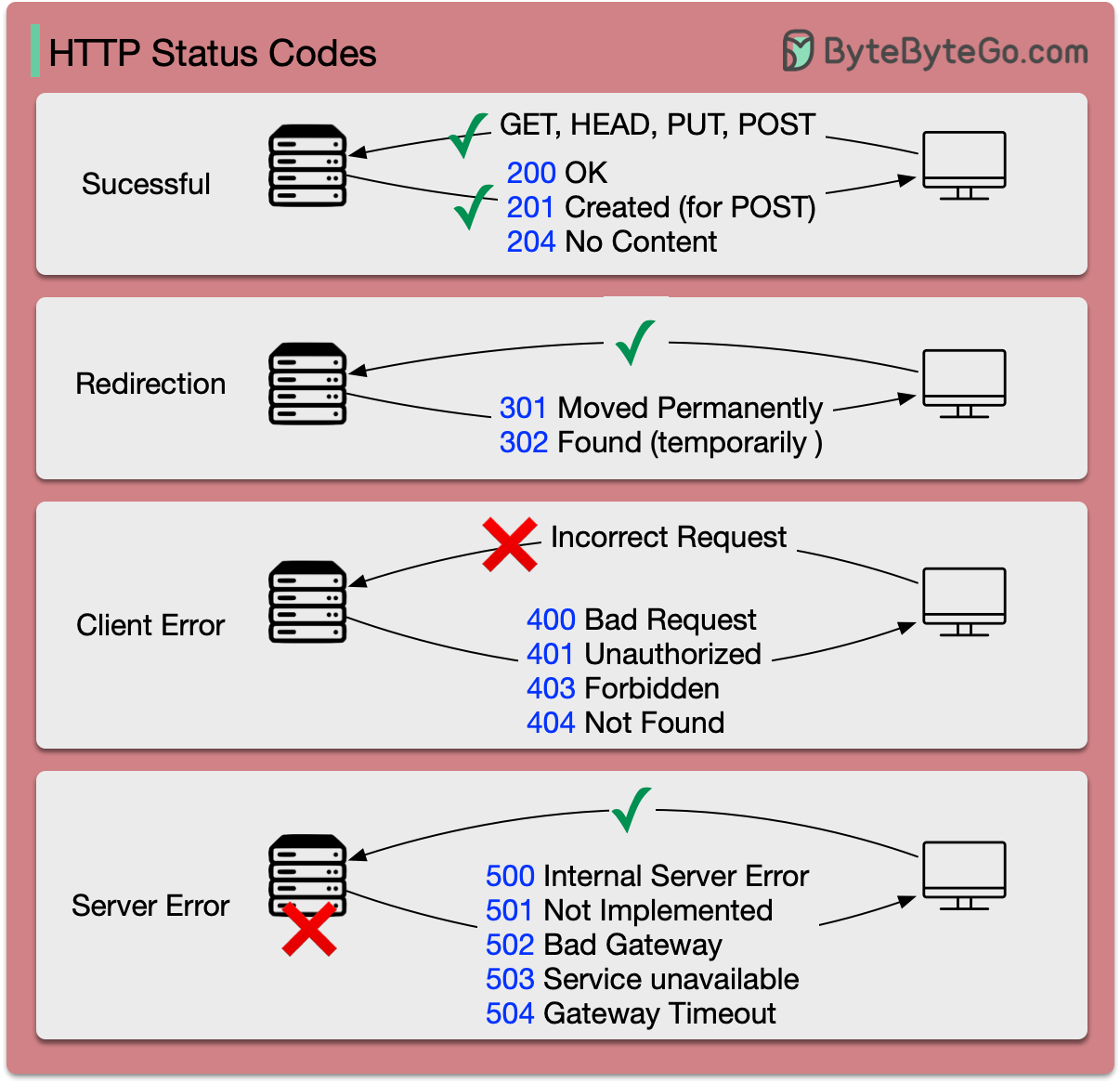
Technically, it is classified as a 4xx client-side error. This is because the server believes the client made a mistake by using an unsupported method. However, in practice, the "mistake" is often a configuration error on the server that the administrator needs to fix.
Can a 405 error be caused by a URL redirect?
Yes. If you perform a 301 or 302 redirect on a POST request, many older clients will follow the redirect using a GET request for the new URL. If the new URL strictly requires a POST, the server will return a 405. To maintain the method through a redirect, use the 307 Temporary Redirect or 308 Permanent Redirect status codes.
Why does my browser show a 405 error only on mobile?
This is often due to mobile-specific redirects or "m." subdomains. If the mobile version of your site is not configured to handle the same HTTP methods as the desktop version, or if the redirect logic strips the request method, mobile users will see the error while desktop users do not.
Does a 405 error mean my site was hacked?
Not necessarily. It usually points to a technical configuration issue. However, if you see a sudden spike in 405 errors in your logs for methods like PUT or DELETE that you don't use, it may indicate that a bot is scanning your site for vulnerabilities.
How do I fix a 405 error in JavaScript's Fetch API?
Ensure that the method property in your fetch call matches what the server expects. Also, if you are making a cross-origin request (CORS), the browser will first send an OPTIONS "preflight" request. If your server is not configured to handle OPTIONS and return a 200 OK, the browser will block the actual request, and you might see a 405 on the preflight.
Summary and Next Actions
The HTTP 405 Method Not Allowed error is a precise signal that there is a mismatch between the intent of the client and the capabilities of the server. In 2026, as we rely more on complex API interactions and strict security headers, understanding this code is essential for maintaining a healthy web presence.
Recommended Next Actions:
- Audit your API documentation: Ensure that all endpoints clearly state their supported HTTP methods.
- Verify the
Allowheader: Use a tool likecurl -I [URL]to check which methods your server currently permits for key resources. - Review Redirect Logic: Ensure that redirects (especially from HTTP to HTTPS) are not inadvertently changing POST requests to GET requests.
- Monitor Search Console: Keep an eye on "Crawl Errors" to ensure that search engines are not encountering 405 errors on pages you want indexed.
By mastering the 405 status code, you ensure that your server-client communication remains robust, secure, and efficient.