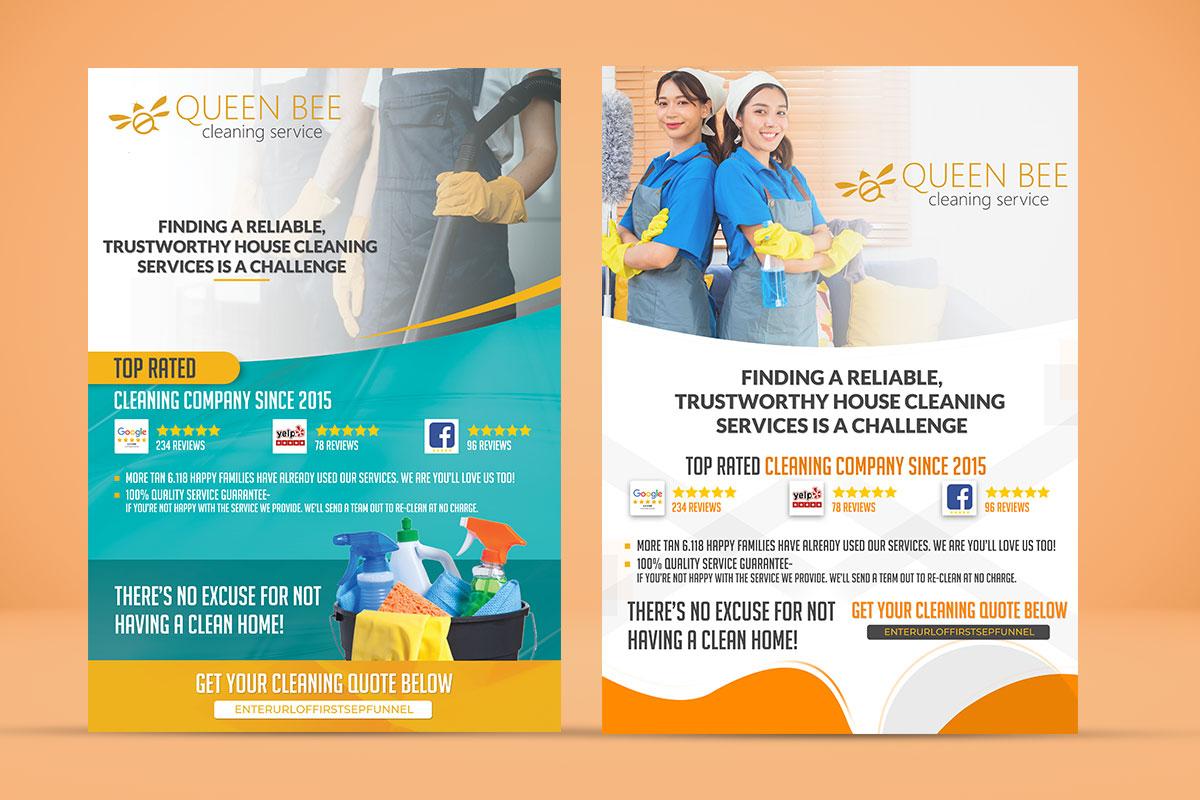
Modern ads design software enables marketing teams to design, scale, and optimize visual creative assets across digital channels including Meta, Google Ads, TikTok, and programmatic display platforms. Unlike generic visual design software, specialized ad creation platforms combine dynamic creative automation, multi-format batch exporting, channel compliance checks, and feed-driven production to streamline paid campaign operations.
The Transformation of Digital Ad Design
Paid digital advertising has shifted from static, low-frequency campaigns to high-velocity, multi-channel creative engines. In modern performance marketing, relying solely on traditional graphic design tools presents operational bottlenecks. Creating a single ad concept often requires delivery across dozens of aspect ratios, static variations, motion graphics, and video adaptations tailored to distinct platform specifications.
- MODERN AD CREATIVE ECOSYSTEM
- Creative Core
- Brand Kits
- Master Templates
- Video/Motion Ops
- Automation Engine
- Smart Resizing
- Product Feed (DCO)
- AI Variant Generation
- Multi-Channel Output
- Meta Feed/Reels
- Google Display/PMax
- TikTok / YouTube
- Creative Core
Modern campaigns rely heavily on continuous creative testing. Performance marketers systematically test visual hooks, call-to-action (CTA) button placements, background color contrast, video pacing, and messaging variations to combat creative fatigue and optimize cost-per-acquisition (CPA). Managing this volume manually leads to file versioning errors, non-compliant aspect ratios, and delayed campaign launches.
Dedicated ad design platforms bridge the gap between creative design and media buying. By automating repetitive layout adjustments and integrating channel-specific guidelines, these tools allow design teams to focus on strategy and visual storytelling while maintaining brand control across thousands of creative variants.
Core Capabilities of Modern Ad Design Platforms
Selecting the right software requires an understanding of the technical features that separate specialized ad creation suites from general design tools. Modern platforms emphasize multi-format rendering, creative automation, and direct ad network integration.
1. Multi-Format Batch Scaling and Responsive Layout Rules
A primary operational challenge in ad production is adapting a single master concept into all required dimensions. A comprehensive campaign typically requires:
- Vertical Video & Graphics (9:16): Instagram Stories, Reels, TikTok, YouTube Shorts.
- Square Assets (1:1): Meta Feed, LinkedIn Sponsored Content, desktop placement.
- Landscape Visuals (16:9): YouTube in-stream video, programmatic display banners.
- Mobile & Feed Ratios (4:5): Facebook and Instagram mobile feeds.
- Standard IAB Display Banners: Medium Rectangle (300x250), Leaderboard (728x90), Half-Page (300x600), and Skyscraper (160x600).
Modern ad design software incorporates responsive rules—similar to web layout engines—allowing graphic elements, typography, and logo placements to adjust automatically when switching dimensions. Intelligent focal-point tracking ensures subject images remain centered across square, tall, and wide formats without manual cropping.
2. Dynamic Creative Optimization (DCO) and Feed Integration
For e-commerce, retail, and travel advertisers, manual ad creation for every stock keeping unit (SKU) or localized offer is impossible. Advanced ad design software connects to live data sources (such as CSV files, Google Sheets, XML feeds, or real-time APIs).
By linking master design templates to data feeds, the software automatically populates product titles, dynamic pricing, localized currency symbols, discount badges, and tailored image URLs. When product prices change in the inventory feed, graphic assets update automatically across connected ad networks without requiring manual rebuilds or re-uploads.
3. Native HTML5 and Interactive Display Animation
Standard display advertising on the web relies on interactive HTML5 banners capable of rich animation while adhering to strict publisher file-size budgets. Modern ad design tools offer timeline-based keyframe animation editors that export clean, light code packages.
Key technical specifications supported by modern HTML5 display software include:
- Direct clickTag Implementation: Standardized JavaScript click handlers embedded directly into banner source code without manual scripting.
- Asset Optimization: Automated compression of PNG, JPEG, SVG, and WebP files to ensure initial load payloads remain under standard thresholds, such as the Interactive Advertising Bureau (IAB) 150 KB initial load guideline.
- Fallback Asset Rendering: Automatic generation of static visual fallbacks (JPG/GIF) for legacy browsers or networks restricting script execution.
4. AI-Assisted Asset Generation and Variation Creation
Artificial intelligence inside ad creative platforms focuses primarily on workflow acceleration rather than pure image generation. Key functional implementations include:
- Background Removal and Outpainting: Removing background environments from product shots and expanding canvas edges to fit non-standard aspect ratios.
- Automated Variant Generation: Producing multiple layout iterations by swapping background colors, copy positioning, and CTA shapes based on historic performance data.
- Localization and Translation: Translating graphic text layers into multiple target languages while automatically adjusting font sizes to fit designated text containers.
5. Collaboration, Governance, and Brand Control
When scaling ad output across agencies, freelancers, and internal teams, maintaining brand integrity is critical. Enterprise-grade ad software provides centralized brand kits containing approved color palettes, custom typography files, vector logo sets, and locking mechanisms. Creative directors can lock essential design elements—such as brand placement zones or legal disclaimers—preventing automated resizing engines or junior designers from violating brand guidelines.
Technical Specifications Across Ad Channels
Design requirements vary significantly depending on the target ad network. The following table summarizes technical parameters that modern ad design software must support for seamless cross-channel publishing.
| Channel / Placement | Primary Aspect Ratios | Native File Formats | Standard Canvas Dimensions | Key Technical Constraints |
|---|---|---|---|---|
| Meta (Feed & Reels) | 1:1, 4:5, 9:16 | MP4, MOV, JPG, PNG | 1080x1080, 1080x1350, 1080x1920 | Keep primary text within UI safe zones; max video size 4GB. |
| TikTok Ads | 9:16 | MP4, MOV, AVI | 1080x1920 | Avoid bottom/right UI overlay zones; 5-60 sec duration range. |
| Google Display Network | 1:1, 1.91:1, Various IAB | HTML5 (ZIP), JPG, PNG, GIF | 300x250, 728x90, 300x600, 1200x628 | Initial HTML5 file size limit is strictly 150 KB; SSL required. |
| YouTube In-Stream | 16:9, 9:16 | MP4, MOV | 1920x1080, 1080x1920 | AAC audio codec; minimum 30 fps frame rate required. |
| LinkedIn Sponsored | 1:1, 16:9, 9:16 | JPG, PNG, MP4 | 1080x1080, 1920x1080, 1080x1920 | Max text layer size recommendations to ensure mobile legibility. |
Leading Ad Design Software Options
The software ecosystem for ad creative design ranges from multi-purpose visual platforms to specialized automation engines. Choosing the best tool depends on team structure, production volume, and target media formats.
- AD DESIGN PLATFORM TAXONOMY
- Automation & DCO Platforms (e.g., Creatopy, Celtra)
- All-in-One Creative Suites (e.g., Canva Enterprise, Figma Ops)
- AI-Powered Performance Tools (e.g., AdCreative.ai, Pencil)
- Dynamic Display Specialists (e.g., Bannerflow, Responsive Ads)
Creatopy
Creatopy is an ad design automation platform built specifically for performance marketers, creative agencies, and in-house teams. It excels at multi-size banner creation, dynamic feed automation, and collaborative reviews. Users can design master templates and generate dozens of display and social variations simultaneously.
- Key Features: Advanced animation timeline, dynamic product feed generator, custom brand control locks, direct ad network publishing via API, and real-time team feedback tools.
- Best For: Mid-market to enterprise marketing teams and performance agencies requiring rapid scaling of static, animated HTML5, and video assets across multiple formats.
Celtra
Celtra is an enterprise-grade creative automation platform designed for large brands, media agencies, and global publishers. It focuses on dynamic creative personalization, automated video production, and high-volume programmatic display scale.
- Key Features: Enterprise Creative Automation Software (CAS), robust dynamic content distribution, strict brand compliance governance, and comprehensive cross-channel analytics.
- Best For: Global enterprise organizations executing complex, highly segmented dynamic campaigns across international regions.
Bannerflow
Bannerflow is a specialized ad management platform focusing on display ad automation, dynamic creative optimization, and digital out-of-home (DOOH) campaign management. It integrates design tools directly with publishing workflows.
- Key Features: Multi-market translation workflows, interactive HTML5 builder, real-time creative updating post-launch, and built-in heatmaps for display ad analysis.
- Best For: European and global brands focused heavily on programmatic display, dynamic retargeting, and multi-language rollout.
Canva Enterprise
While initially designed for general graphic creation, Canva Enterprise has expanded its feature set to support performance advertising teams through brand kits, batch resizing features, and team collaboration workflows.
- Key Features: Extensive template libraries, intuitive drag-and-drop builder, integrated AI background tools, team asset sharing, and multi-format resizing.
- Best For: Small-to-medium businesses (SMBs) and content teams seeking an accessible interface for lower-volume social ad graphics without complex HTML5 requirements.
AdCreative.ai
AdCreative.ai is a data-driven creative generator built specifically to generate conversion-focused social and display ad assets using trained machine-learning models.
- Key Features: Machine-learning score predictions for ad creative variants, rapid image asset generation, headline writing assistance, and seamless ad account connectivity.
- Best For: E-commerce brands and media buyers focused primarily on high-velocity testing of social ad static variations.
Feature Comparison Matrix
The table below compares key operational parameters across leading ad design software categories.
| Platform Category | Example Tools | Automation Level | HTML5 Export Support | Data Feed Integration (DCO) | Video Editing Capability | Technical Skill Floor |
|---|---|---|---|---|---|---|
| Dedicated Ad Automation | Creatopy, Bannerflow | High | Full native support | Native (CSV, XML, Google Sheets) | Moderate (Timeline & keyframes) | Low to Intermediate |
| Enterprise CAS | Celtra, Storyteq | Very High | Full native support | Advanced custom API & feeds | Advanced dynamic video scaling | Intermediate to High |
| All-in-One Graphic Suites | Canva Enterprise, Adobe Express | Moderate | Limited or static fallback | Basic spreadsheet connection | Basic timeline editing | Low |
| AI Performance Generators | AdCreative.ai, Pencil | High (AI-driven) | Static/Image focus | E-commerce platform connections | Automated template video | Low |
| Professional UX/Design Software | Figma (with plugins), Adobe CC | Manual / Scripted | Requires plugin/developer export | Requires developer integration | High (via Premiere/After Effects) | High |
A Step-by-Step Production Workflow for Modern Campaigns
To maximize efficiency and maintain visual compliance across multi-channel campaigns, design teams should adopt a standardized production workflow.
- CAMPAIGN CREATIVE PRODUCTION PIPELINE
- Asset & Copy Briefing
- Master Template Design (1:1 / 9:16)
- Responsive Layout Batch Scale
- Data/Feed Connection
- Compliance Check & QA
- Direct Publishing / API Export
Step 1: Creative Strategy and Asset Matrix Assembly
Before opening software, establish a creative matrix defining core concepts, messaging hooks, visual assets, target audiences, and required sizes. Consolidate high-resolution product photography, transparent PNG cutouts, typography assets, and approved brand vectors in a shared asset library.
Step 2: Establish the Base Master Template
Design the primary master template in the most restrictive or visually demanding format—typically the 1:1 square feed or 9:16 vertical video layout. Establish explicit typography hierarchies, color themes, contrast boundaries, and call-to-action button placements. Lock fundamental brand assets that must remain unedited across formats.
Step 3: Configure Responsive Scaling Rules
Apply auto-layout, constraints, and smart anchor points to key elements:
- Anchor logos to specific outer padding limits.
- Set copy frames to fluid widths with automatic font scaling to prevent text clipping.
- Define object focal points so dynamic background imagery adjusts framing automatically across portrait, landscape, and banner aspect ratios.
Execute batch generation to build out remaining aspect ratios (e.g., 16:9, 300x250, 728x90, 4:5). Review generated layouts and make minor spacing adjustments where necessary.
Step 4: Inject Dynamic Data Feeds and Variant Matrices
For campaigns requiring multi-sku or localized assets:
- Connect the design project to the designated data feed (CSV, Google Sheet, or live URL feed).
- Map graphic text layers to data columns (e.g.,
Product_Title,Sale_Price,CTA_Text). - Map image containers to dynamic asset URLs (
Image_Front_View). - Generate the full variation suite automatically, validating that long product titles wrap correctly without overlapping background graphics.
Step 5: Compliance Verification and Quality Assurance
Review generated assets against channel-specific guidelines:
- Verify that critical graphic and text elements do not overlap with platform UI components (e.g., TikTok's right-hand interaction icons or Meta's top/bottom story margins). Refer to official platform resources like the Meta Business Help Center for updated UI margin parameters.
- Test animated display formats to confirm that embedded clickTags function properly and that the compressed ZIP archive falls under the maximum initial file size limit specified by ad networks, such as the requirements detailed in the Google Ads Help Center.
- Run visual contrast checks to ensure legibility on mobile displays under low-brightness conditions.
Step 6: Export and Direct API Publishing
Export assets in compliant native formats:
- Static Assets: WebP or optimized PNG/JPG.
- Animated Display: HTML5 ZIP packages with embedded clickTag scripts.
- Video Content: H.264 encoded MP4 files with stereo AAC audio.
Where supported, publish assets directly from the ad design tool to Meta Ads Manager, TikTok Ads Manager, or Google Ads using integrated ad account API connections. This eliminates manual file handling and preserves asset meta-naming conventions across media buying platforms.
Best Practices for High-Converting Ad Creative
Software is only as effective as the underlying creative strategy. Implementing proven visual design principles ensures that scaled creative outputs engage audience attention and drive conversion metrics.
Prioritize Mobile UI Safe Zones
Mobile ad interfaces feature native overlays including channel handles, captions, share icons, audio indicators, and swipe-up indicators.
Designing assets without accounting for these elements leads to obscured call-to-actions and key product details. Ad design tools with visual overlay guides help designers keep critical messaging within the readable safe area.
- TOP SAFE MARGIN (Avoid placing text/logos here)
- PRIMARY VISUAL & CORE COPY SAFE ZONE
- BOTTOM & SIDE OVERLAYS (TikTok captions, icons, CTAs)
Visual Hierarchy and Hook Velocity
Digital audiences decide whether to scroll past or engage with an ad within the first 1.5 seconds. Effective ad design establishes an immediate visual focus point:
- High Contrast: Ensure text layers contrast sharply against background imagery. Avoid placing small text over busy visual backgrounds.
- Single Focal Point: Avoid cluttering small display spaces with competing visual elements. Highlight a single clear hero image or visual concept per frame.
- Action-Oriented CTAs: Use high-contrast visual buttons containing clear action-oriented copy (e.g., "Get Offer," "Shop Now," "Claim Pass") rather than passive text.
Modular Creative Components for Systematic A/B Testing
Structure master creative files modally to allow rapid element swapping during testing cycles:
- Background Variants: Solid brand color vs. real-life environmental photo vs. neutral lifestyle backdrop.
- Hook Variations: Problem statement text vs. direct offer headline vs. social proof rating.
- Media Types: User-generated video clip vs. polished product animation vs. static carousel card.
By maintaining standardized master layouts, performance teams can isolate performance variables and systematically optimize creative parameters.
Frequently Asked Questions
What distinguishes specialized ad design software from standard graphic design platforms?
Specialized ad design software includes dedicated paid media workflows, such as multi-size batch resizing, automated dynamic feed integration (DCO), compliance safe-zone overlays, timeline animation tuned to lightweight HTML5 banner specs, and direct API connections to ad management platforms like Meta and Google. Generic design platforms require manual, layer-by-layer adjustments for every individual size variant.
How do dynamic creative optimization (DCO) features work within ad design software?
DCO features link variables in a visual master design template—such as image containers, text blocks, or pricing tags—to a structured data source (like a CSV or API feed). The design software automatically renders distinct ad creative variations for every record in the data feed, enabling automated, large-scale personalization without manual design assembly.
What technical specifications must ad design software meet for Google Display Network HTML5 ads?
For Google Display Network compliance, ad design tools must export clean HTML5 code packages formatted as ZIP files containing all referenced images, scripts, and CSS. The total initial load size must not exceed standard ad network limits (typically 150 KB), and links must use standard JavaScript clickTag variables rather than hardcoded URLs.
Can ad design software generate vertical video formats optimized for TikTok and Instagram Reels?
Yes. Modern ad design platforms support video canvas creation in 9:16 vertical aspect ratios. They include timeline-based keyframe tools, video trimming controls, subtitle overlay integration, and visual safe-zone guides to ensure captions and brand logos are not obscured by native platform UI elements.
How do team permissions and brand kits maintain visual compliance in scaled campaigns?
Centralized brand kits store locked color swatches, approved typography, and vector logos. Administrative users can set explicit permissions that lock critical branding elements in master templates. This allows remote editors, media buyers, or copywriters to update text layers or background images without altering corporate brand guidelines or layout structures.
Next Steps for Marketing Teams and Designers
- Audit Current Production Bottlenecks: Quantify the time spent manually resizing assets versus conceptualizing strategic creative variations. If design teams spend significant time adjusting dimensions, transition to automated multi-size design software.
- Define Essential Channel Formats: List all target ad formats across social, programmatic, and video channels to ensure prospective software natively supports required export types (e.g., HTML5 ZIP, H.264 MP4, SVG, or WebP).
- Standardize Creative Assets: Build centralized asset repositories containing verified vector logos, brand typography files, standard CTA micro-copy, and high-resolution product photography prior to software deployment.
- Test Dynamic Data Connections: Evaluate software feed-integration features using sample product feeds (CSV or Google Sheets) to ensure fluid dynamic layout rendering across long product titles and variable price inputs.