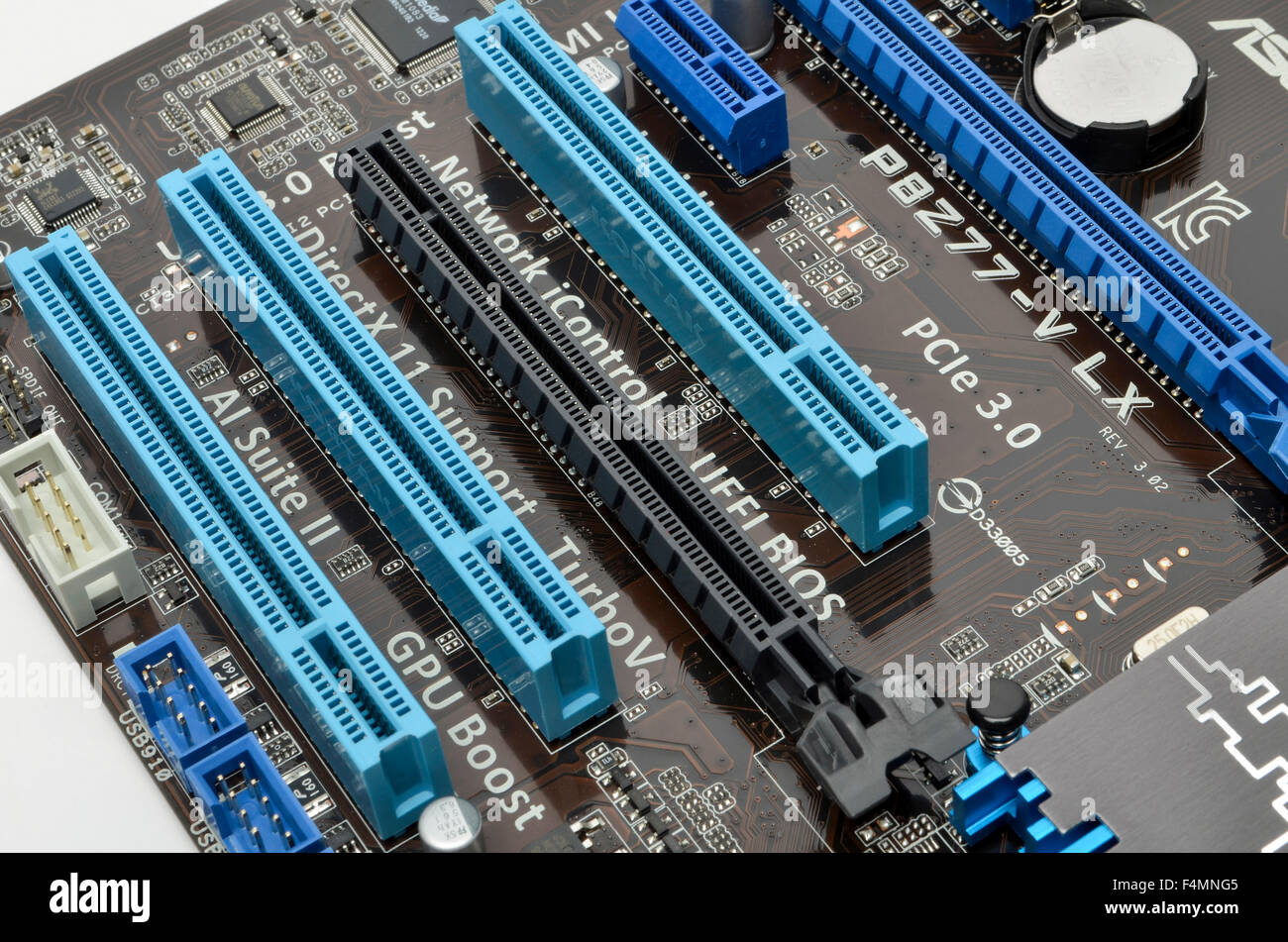
A 2-slot configuration refers to a hardware design standard where a component, most notably a graphics processing unit or expansion card, occupies the physical space of two adjacent expansion slots within a computer chassis. This physical dimension dictates motherboard compatibility, cooling clearances, and overall system architecture in desktop computers.
Introduction to Expansion Slots and Physical Dimensions
In the architecture of desktop computers, the physical space inside a chassis is a tightly contested commodity. As hardware components have grown more powerful, their thermal and electrical demands have increased, leading to larger physical footprints. Among the most critical physical standards in modern computer building is the slot width specification. While a standard peripheral card might only require the electrical bandwidth of a single PCIe (Peripheral Component Interconnect Express) lane slot, thermal and structural engineering requirements often force manufacturers to design hardware that spans multiple slot widths.
The most common manifestation of this sizing convention is the 2-slot design. Understanding what a 2-slot definition entails, recognizing its key features, and evaluating how it impacts hardware selection are essential skills for system builders, enthusiasts, and IT professionals alike. This guide explores the precise dimensions, engineering rationale, compatibility implications, and performance considerations associated with 2-slot hardware components.
Defining the 2-Slot Standard
To understand a 2-slot design, one must first examine the standard motherboard layout. Motherboards feature multiple PCIe slots spaced at standardized intervals. These intervals are measured from the center of one slot to the center of the next, typically adhering to a strict pitch designed to accommodate standard expansion brackets.
A "single-slot" device features an I/O shield bracket and a chassis profile that fits entirely within the vertical boundary of one slot and its corresponding motherboard space. Conversely, a 2-slot device is twice as thick. It utilizes an I/O bracket that spans two vertical expansion slots on the back of the computer case and features a cooler shroud and heatsink assembly that extends over the adjacent, secondary slot space on the motherboard.
Crucially, the "2-slot" descriptor refers to the physical volume occupied by the card, not necessarily its electrical interface. A graphics card can feature a PCIe x16 electrical connection while physically consuming two, three, or even four slots due to its massive heatsink and fan array.
Core Engineering Rationale: Why 2-Slot Designs Exist
The transition from single-slot to 2-slot and larger form factors was not arbitrary; it was driven by fundamental thermodynamic and electronic realities in high-performance computing.
Thermal Dissipation and Heatsink Surface Area
Modern processors—both CPUs and GPUs—generate substantial thermal energy under load. To prevent thermal throttling or hardware degradation, this heat must be dissipated rapidly. A single-slot cooler is severely limited in volume, restricting the size of the aluminum or copper fin stack and the diameter of the heat pipes that can be integrated.
By expanding into a 2-slot profile, manufacturers double the available volume for heatsink fins. This increased surface area allows for significantly more efficient heat transfer from the silicon die to the surrounding air, enabling higher sustained clock speeds and longer hardware lifespans.
Fan Acoustics and Airflow Dynamics
Cooling performance is a function of both heatsink mass and airflow. Single-slot cards often rely on high-RPM, small-diameter blower fans that generate high static pressure but produce a loud, high-pitched whining noise.
A 2-slot design typically accommodates larger, axial fans—often 80mm, 90mm, or larger—that can move a greater volume of air at lower rotational speeds. This results in quieter operation acoustic profiles while maintaining lower core temperatures.
Structural Integrity and PCB Component Density
Modern graphics cards and enterprise accelerator cards carry dense configurations of voltage regulator modules (VRMs), high-speed VRAM modules, and power delivery components. A 2-slot design provides the physical depth required to mount sturdy metal backplates and rigid mid-frames. These structural elements prevent the heavy printed circuit board (PCB) from sagging over time under its own weight, protecting both the card and the motherboard PCIe slot from physical damage.
Key Features of 2-Slot Hardware
When evaluating components built to the 2-slot standard, several defining characteristics distinguish them from both slimmer single-slot alternatives and bulkier triple- or quadruple-slot behemoths.
Standardized Backplate and I/O Shield Geometry
The rear mounting bracket of a 2-slot card is engineered to secure into the chassis using two vertical slot spaces. This dual-point anchoring provides superior mechanical stability compared to single-slot brackets, anchoring the heavy peripheral securely to the back panel of the computer case.
Dual-Slot Heatsink and Shroud Enclosure
The internal architecture features a dense matrix of heat pipes routed from a copper baseplate directly into widespread aluminum fin arrays. The plastic or metal shroud encasing these fins is specifically contoured to remain strictly within the two-slot boundary, ensuring it does not bleed into the third slot space.
Compatibility with Compact and Mid-Tower Form Factors
While ultra-high-end enthusiast cards have trended toward 3.5-slot and 4-slot designs, the 2-slot form factor remains the gold standard for mainstream and performance-class hardware. It strikes an optimal balance, offering robust cooling for mid-to-high-tier GPUs while remaining compatible with a vast array of mid-tower and micro-ATX chassis configurations.
Comparison of Expansion Slot Width Categories
To contextualize the 2-slot standard, it helps to compare it against other common hardware footprints found in modern desktop systems.
| Slot Width Category | Typical Use Case | Primary Advantage | Main Disadvantage |
|---|---|---|---|
| Single-Slot | Entry-level GPUs, capture cards, sound cards, Wi-Fi adapters | Maximum motherboard compatibility, minimal space consumption | Poor thermal performance for high-power components; loud fans |
| 2-Slot | Mid-to-high performance GPUs, enterprise HBAs, specialized controllers | Excellent balance of cooling efficiency and broad chassis compatibility | Blocks the immediately adjacent PCIe slot on standard motherboards |
| 3-Slot to 4-Slot | Enthusiast-tier GPUs, workstation accelerators (e.g., NVIDIA RTX series) | Massive cooling capacity for high-wattage components | Severely limits multi-GPU setups and restricts expansion card options |
Motherboard Compatibility and Spatial Considerations
Installing a 2-slot component requires careful planning regarding motherboard layout and surrounding hardware. Even if a motherboard features multiple physical PCIe x16 slots, the spacing between them dictates what can be installed simultaneously.
The Problem of Slot Blocking
On standard ATX motherboards, the primary PCIe slot (closest to the CPU) is often positioned immediately adjacent to a secondary slot. When a 2-slot graphics card is installed in the primary slot, its physical bulk will completely cover and render unusable the second slot on the board.
If the second slot is a PCIe x1 slot intended for a sound card or capture card, that expansion avenue is permanently closed. Users must verify the distance (slot pitch) between PCIe slots on their motherboard specification sheet before purchasing supplementary hardware.
Clearance with CPU Coolers
Another critical spatial constraint involves CPU air coolers. Large dual-tower CPU heatsinks or wide liquid cooling blocks can overhang the primary PCIe slot. In compact builds, a 2-slot graphics card may collide with the base of a massive CPU cooler, making installation impossible or forcing the user to use a vertical mounting kit.
Practical Guidance for System Builders
Navigating 2-slot hardware installations successfully requires adherence to a few fundamental planning and assembly best practices.
Step-by-Step Installation Verification
- Check Case Clearance: Measure the maximum GPU length and width supported by your PC case. Ensure there is at least a few millimeters of clearance between the face of the 2-slot card and the case floor or PSU shroud to allow adequate fresh air intake.
- Review Motherboard Layout: Identify the designated primary PCIe x16 slot. Determine which adjacent slots will be blocked by a 2-slot cooler and plan your storage (M.2 drives) and peripheral cards accordingly.
- Verify Power Supply Unit (PSU) Capacity: Ensure your power supply features the correct PCIe power cables (such as 8-pin or 12VHPWR connectors) required by the 2-slot device.
- Secure the Retention Latch: When inserting the card, ensure the motherboard's PCIe slot retention clip clicks securely into place, and fasten both screws on the dual-slot I/O bracket to the chassis to eliminate sag.
Frequently Asked Questions
What is the difference between a 2-slot and a dual-slot card?
In contemporary hardware terminology, "2-slot" and "dual-slot" are used interchangeably to describe a component that occupies the physical space of two expansion slots on a computer chassis. There is no functional or dimensional difference between the two terms.
Can a 2-slot graphics card fit in a micro-ATX case?
Yes, most micro-ATX and standard ATX cases can easily accommodate 2-slot graphics cards, provided the case length specifications are met. However, you must check the distance between the bottom of the card and the power supply shroud to ensure the fans are not starved of airflow.
Do 2-slot cards require special motherboards?
No. 2-slot cards are designed to be fully compatible with standard ATX, micro-ATX, and even some mini-ITX motherboards that feature a standard PCIe x16 slot and appropriate chassis clearance.
Will a 2-slot card block my other expansion slots?
Yes, a 2-slot card will physically cover the slot directly underneath the primary installation slot. If you planned to use that adjacent slot for a secondary expansion card, you will need to select a motherboard with a different layout or utilize USB-based peripherals instead.
Are all modern mid-range GPUs built to a 2-slot standard?
While the 2-slot standard was once universal for mid-range cards, modern generations of graphics hardware have grown thicker. Many contemporary mid-range and performance cards now utilize 2.5-slot or full 3-slot designs for enhanced cooling, making careful measurement of your specific hardware model mandatory.
Conclusion and Next Actions
The 2-slot configuration remains a foundational hardware standard that balances thermal efficiency, acoustic performance, and physical compatibility across a vast ecosystem of desktop components. Whether you are upgrading an existing system or planning a new custom build, always cross-reference your chassis clearance specifications with the exact dimensions of your target hardware components. Begin your hardware selection process by consulting official manufacturer dimensional drawings and motherboard layout diagrams to ensure a seamless, conflict-free assembly.