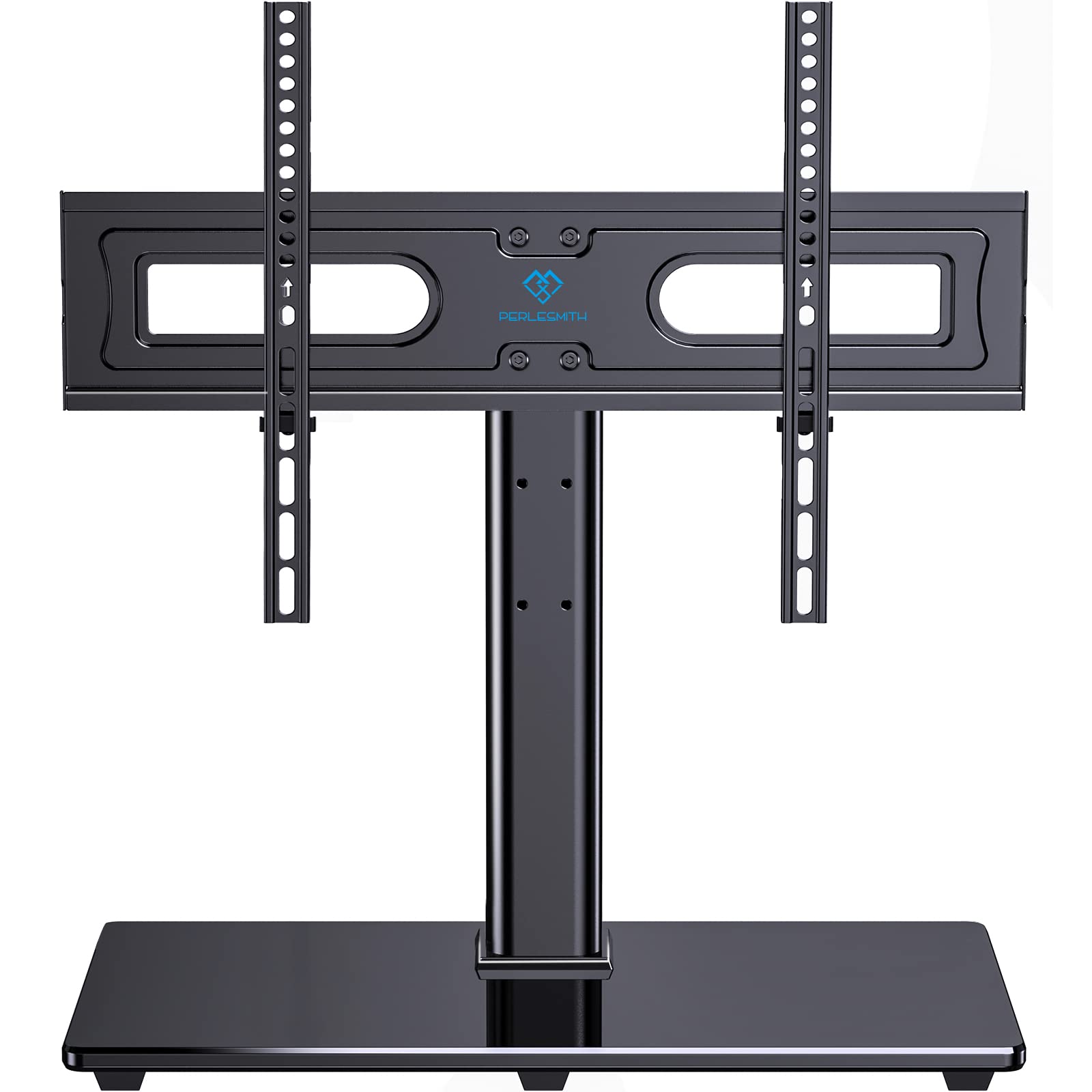
Selecting a table top TV mount requires a precise understanding of weight capacity to ensure the stability of your display and the safety of your living environment. A table top mount, which serves as a pedestal or base replacement, must be rated to support the exact mass of your specific television model while accounting for the distribution of that weight across the mounting plate or bracket. Understanding the interplay between VESA standards, center of gravity, and surface load-bearing is essential to preventing structural failure or screen damage.
Understanding Weight Capacity Ratings and Structural Integrity
The weight capacity of a table top TV mount is the maximum static load that the structure is engineered to support without bending, fracturing, or tipping. Manufacturers determine this limit through rigorous stress testing in controlled environments, simulating both the dead weight of the television and potential dynamic forces, such as vibrations or minor accidental impacts.
When reviewing a product’s specifications, you must differentiate between "maximum load" and "recommended load." While a mount might be rated for 88 pounds (40 kg), this figure assumes that the weight is centered. If you are using an articulating swivel stand, the leverage exerted on the central column increases as you rotate the screen, potentially creating stress points that could compromise the stand’s integrity if you are near the upper limit of the weight rating. Always prioritize the manufacturer’s rated capacity over your own estimation of your television's weight.
The Role of VESA Standards in Compatibility
Weight capacity is only one half of the equation; VESA (Video Electronics Standards Association) compatibility is the other. VESA refers to the standardized pattern of mounting holes located on the back of your television. A table top mount might have a weight capacity sufficient to hold a 75-inch television, but if the mounting bracket’s VESA holes do not align with the hardware on your screen, the mount is useless.
Common VESA patterns include 100x100mm, 200x200mm, 400x400mm, and 600x400mm. When choosing a stand, verify that the mount supports your TV’s specific dimensions. If your television is heavy but uses a small VESA pattern, ensure the bracket is reinforced. Using adapters to force a mismatch can create weak points that concentrate weight on small areas of the TV's chassis, which can lead to casing cracks or internal display damage.
Calculating Your Television's Weight
Many modern televisions—especially ultra-thin OLED or edge-lit LED models—are lighter than their predecessors. However, you should never guess the weight of your unit. To find the exact weight, check the manufacturer’s technical specifications document provided in your user manual or on the company’s official website.
When calculating the total weight load, remember to factor in any peripheral attachments that remain connected to the TV, such as:
- Soundbars: If attached directly to the mount via a bracket, their weight adds to the total load.
- External Media Players: Devices mounted behind the screen using Velcro or secondary brackets.
- Cable Management Bundles: While negligible in most cases, heavy-gauge HDMI cables bundled tightly can exert pull on the mount if they are pulled taut during rotation.
Surface Stability and Weight Distribution
The table top stand is only as stable as the surface it rests upon. Even if the mount’s capacity is 100 pounds, a weak, hollow, or improperly sized piece of furniture can fail. When placing a heavy television on a stand, you must ensure that the surface is level and capable of supporting the combined weight of the mount and the TV.
Consider the surface area of the mount’s base. A base with a small footprint concentrates all the weight into a narrow zone. If your television cabinet or desk is made of thin particleboard, the weight could cause the surface to bow or, in extreme cases, punch through. If your furniture is questionable, consider adding a reinforced backing board or a tempered glass plate underneath the mount to distribute the weight across a larger area.
Comparative Analysis of Stand Configurations
Different types of stands offer varying degrees of stability and weight tolerance. Use the following guide to understand how your mount type affects safety and capacity.
| Stand Type | Stability Profile | Weight Capacity Range | Best Use Case |
|---|---|---|---|
| Fixed Pedestal | High stability; rigid base | Very High | Large, heavy LED/OLED displays |
| Swivel/Articulating | Moderate; higher torque stress | Medium | Viewing from multiple room angles |
| Height-Adjustable | Lower; vertical stress risk | Medium | Positioning TV above other devices |
| Tripod/Floor-Style | High; requires floor space | High | Temporary setups or heavy studio gear |
Common Mistakes and Safety Hazards
The most frequent error in table top mounting is ignoring the "Center of Gravity." If you adjust the height of a mount too high, you elevate the center of gravity. This makes the stand prone to tipping, even if the total weight of the TV is well within the mount's stated capacity. Always keep the television as low to the base as possible to maintain a stable, grounded profile.
Another common mistake is neglecting the hardware. Most mounts come with a variety of bolts (M4, M6, M8). Using a bolt that is too long can penetrate the interior components of the TV, while a bolt that is too short may not engage enough threads to hold the weight securely. Always use the spacers and washers provided in the kit to ensure a flush, secure connection that does not put stress on the TV's internal mounting bosses.
Troubleshooting Mount Issues
If your television appears to lean after installation, do not ignore the issue. A slight lean usually indicates one of three things:
- Uneven Surface: Check if your furniture or the floor is level.
- Loose Fasteners: Re-check the connection between the mounting plate and the TV. Over time, vibrations can loosen these screws.
- Capacity Strain: If the mount is bowing, you have exceeded the weight threshold or the material of the stand is too thin for the size of the TV.
In any scenario involving structural deformation, you should immediately remove the television from the mount to prevent the unit from falling and causing injury or property damage.
Frequently Asked Questions
1. Does the size of the TV matter if it is under the weight capacity? Yes. Even if your TV is lightweight, a very large screen creates a larger "lever" when swiveled. A large screen catches more air and is more susceptible to torque; always choose a mount rated for your TV’s maximum width, not just its weight.
2. Can I use a mount for a TV heavier than the capacity if I reinforce it? No. Manufacturer ratings are calculated based on the metal fatigue limits of the stand’s components. Reinforcing the surface will not stop the mount itself from snapping or bending under excessive load.
3. Why do some mounts list a range, like 32 to 65 inches? These ranges indicate the physical reach of the VESA brackets and the leverage limits. A 65-inch TV is physically wider, which exerts more torque on the stand. Never exceed the recommended screen size, even if the weight is within limits.
4. Are glass-based stands less secure than metal-based stands? Glass-based stands are generally tempered for safety but can be prone to cracking if the weight is concentrated on a single point. Ensure your mount uses heavy-duty rubber feet to cushion the weight against the glass.
5. How often should I inspect the stand for loose connections? Inspect your mount at least every six months. If you move, adjust, or swivel the TV frequently, perform a quick check of the mounting bolts every three months to ensure no vibrations have loosened the hardware.
Final Recommendations for Installation
When you are ready to mount your display, prioritize the hardware provided with the stand. If the bolts are not a perfect fit, purchase high-quality machine screws from a hardware store rather than forcing an incorrect size. Verify your TV’s manual for the required bolt length. After installation, perform a gentle "push test"—apply light pressure to the top corner of the television to ensure there is no excessive wobbling or tendency to tip forward. If the setup feels unstable, prioritize lowering the mounting bracket or securing the stand base to the furniture using heavy-duty industrial adhesive or physical bolting.