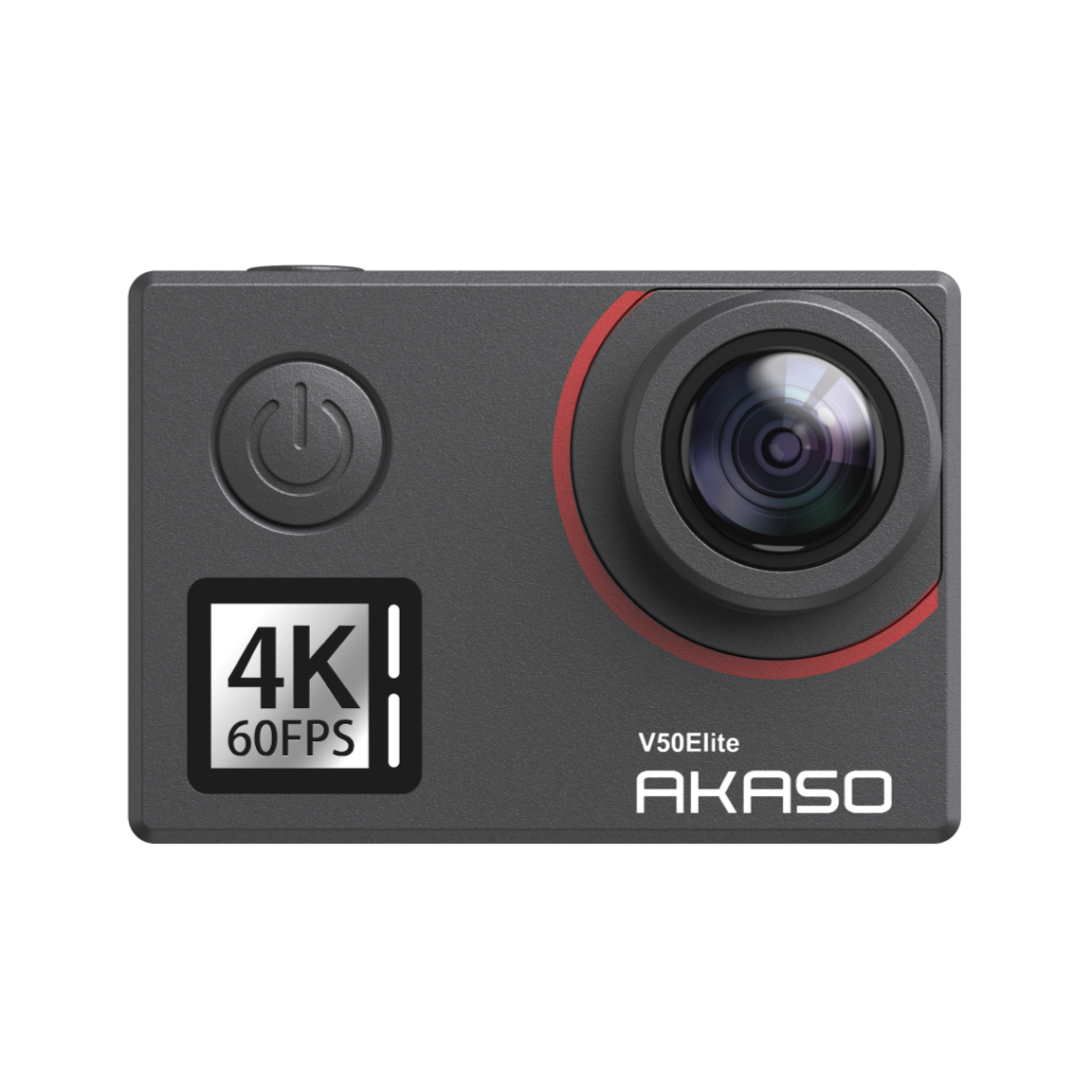
Finding an affordable sports camera requires a strategic approach that prioritizes essential imaging capabilities over non-essential luxury features. By focusing on core specifications like frame rates, stabilization quality, and sensor performance rather than high-end brand premiums, users can secure reliable hardware capable of capturing high-definition action footage without exceeding a modest budget.
Defining the Value Proposition in Action Cameras
In the current hardware market, the gap between professional-grade flagship devices and entry-level action cameras is narrower than ever. For a consumer seeking value, the primary objective is to distinguish between "cheap" components—which often lead to unreliable battery life, poor low-light performance, and fragile housing—and "affordable" cameras that utilize proven, slightly older technology to keep costs down.
An affordable sports camera is defined by its ability to reliably record footage in demanding environments. This involves three pillars: structural durability, sensor output resolution, and electronic image stabilization (EIS). Manufacturers often achieve lower price points by omitting secondary features such as front-facing status screens, advanced voice control integration, or proprietary high-bitrate codecs that require professional post-processing hardware.
When evaluating a device, the goal is to secure a camera that captures usable 4K or at least stable 1080p footage while remaining rugged enough to withstand the vibrations, moisture, and impact common in sports. Sacrifice should only occur in the realm of convenience—such as having to navigate a less intuitive mobile application or managing batteries that do not charge via the latest proprietary ultra-fast methods.
Essential Specifications to Prioritize
To avoid the trap of purchasing a device that fails to perform in the field, one must understand the technical minimums required for acceptable sports footage. These specifications serve as the baseline for your research.
Resolution and Frame Rates
While 8K is a modern marketing buzzword, it is rarely necessary for amateur sports documentation. In 2026, 4K at 30 or 60 frames per second (fps) is the industry standard for clarity. If the budget dictates a lower tier, prioritize a higher frame rate (60 fps) at 1080p resolution rather than a choppy 4K at 24 fps. Higher frame rates allow for smooth slow-motion editing, which is essential for analyzing technique or highlighting dynamic moments in sports.
Electronic Image Stabilization (EIS)
Electronic Image Stabilization is arguably more important than raw resolution. An action camera without reliable EIS will produce "shaky" footage that is often unwatchable, especially when mounted on a helmet, bike, or chest strap. Seek cameras that use internal six-axis gyroscopes to smooth out motion. If the device lacks this, the footage will be inherently limited in utility, regardless of how crisp the image quality is.
Sensor Size and Low-Light Sensitivity
Most budget-friendly cameras utilize smaller sensors compared to premium models. A smaller sensor typically struggles in low-light conditions, leading to "noise" or graininess in the video. If your sport occurs predominantly outdoors during daylight hours, this is a sacrifice you can safely make. If you are filming indoor sports or evening events, look for models that explicitly advertise a larger aperture or improved ISO performance, even if it means sacrificing some resolution.
Comparative Analysis of Key Performance Metrics
| Feature | Premium Flagship Tier | Value-Focused Tier | Impact on User Experience |
|---|---|---|---|
| Resolution | 5.3K / 6K | 4K / 1080p | Minimal for standard social/web use |
| Stabilization | Hyper-smooth AI processing | Standard 6-axis EIS | Significant; EIS is mandatory for action |
| Battery Life | Extended/High Efficiency | Standard / Swappable | Moderate; carry spares for long sessions |
| Build Quality | Metal/Reinforced | High-impact Polymer | Negligible for non-extreme use |
| Connectivity | Cloud Auto-upload | Manual/App-based | Moderate; involves extra step for sync |
Navigating Ecosystems and Hidden Costs
The purchase price of the camera body is often only the beginning of the investment. Many entry-level models use proprietary batteries or mounting systems. Before finalizing a purchase, calculate the "Total Cost of Ownership," which includes:
- Mounting Hardware: Does the camera use a universal screw thread or a proprietary mounting clip? A universal mount allows you to use cheap, third-party accessories. Proprietary mounts force you to purchase official branded accessories, which are significantly more expensive.
- MicroSD Card Requirements: High-resolution video requires high-speed cards (UHS-I U3 or V30 rated). Do not attempt to use older, slower cards, as they will cause the camera to stop recording unexpectedly, leading to the loss of footage.
- Spare Power: Budget cameras often struggle with battery efficiency. Budgeting for an external dual-slot charger and at least two spare batteries is often cheaper than buying a single camera with "industry-leading" battery life.
- Editing Software: Some premium cameras require specific, expensive software to unlock full color profiles or advanced stabilization. Stick to cameras that record in standard MP4 formats compatible with free software like DaVinci Resolve or mobile editors.
Common Mistakes When Selecting a Camera
The most frequent error is prioritizing "megapixels" over "bitrate." In video, the bitrate—the amount of data processed per second—determines the visual quality more than the pixel count. A 4K video recorded at a low bitrate will look worse than a 1080p video recorded at a high bitrate because the former suffers from compression artifacts.
Another mistake is ignoring environmental sealing. If the sport involves water, mud, or snow, do not purchase a camera that requires a separate, bulky plastic housing unless you are prepared to manage the resulting fogging issues. Many modern budget cameras are "natively waterproof" to a certain depth (usually 5–10 meters), which is far more convenient and reliable for most active users.
Finally, avoid buying "no-name" devices from unverified marketplaces that lack firmware updates. A camera is a piece of software as much as it is a piece of hardware. If the manufacturer does not provide periodic updates to fix bugs, connectivity issues with mobile apps, or exposure glitches, the camera will become obsolete much faster than a slightly more expensive model from a reputable secondary brand.
Maintenance and Longevity
Once you have acquired a budget-friendly sports camera, extending its lifespan is the final step in ensuring long-term value.
- Lens Protection: The lens is the most vulnerable part of the device. If your model does not have a removable lens cover, consider a third-party stick-on protector. Scratches on the lens are permanent and ruin every subsequent shot.
- Thermal Management: These cameras operate in small housings with limited airflow. Avoid leaving the camera in direct sunlight when not in use. Overheating can cause the hardware to throttle, leading to frame drops or unexpected shutdowns.
- Port Care: The rubber doors covering the charging and memory card ports are the most frequent point of failure for moisture ingress. Ensure these are clean of debris and sand before sealing. A single grain of sand can prevent a waterproof seal from closing, leading to catastrophic water damage.
Frequently Asked Questions
Does a cheaper camera actually produce good video? Yes, provided you operate within its limits. Affordable cameras produce excellent results in daylight and controlled conditions. The sacrifice is usually found in performance during low-light situations, extreme contrast scenes, or when subjected to intense, high-frequency vibration.
Is 4K resolution necessary for beginners? For most users, 1080p at 60fps is more than sufficient. 4K is only necessary if you intend to crop into the footage during editing or if you require the highest possible detail for large-screen viewing. Prioritizing 60fps over 4K resolution provides a better, smoother experience for sports.
How do I ensure a cheap camera will work with my existing mounts? Check if the camera uses the standard "two-prong" mount system found on most action cameras. This is an industry-standard interface that makes the device compatible with the vast majority of inexpensive third-party straps, tripods, and suction cups.
Are branded batteries always better? Not necessarily. While branded batteries are built to tighter tolerances, many high-quality third-party manufacturers produce reliable batteries that offer the same capacity for a fraction of the cost. Check for reviews regarding "puffing" or failure rates before opting for a generic brand.
Can I use my phone instead of an action camera? While phones have superior processing and image quality, they lack the durability, mounting options, and wide-angle optics of dedicated sports cameras. Using a phone in an action environment significantly increases the risk of expensive hardware damage compared to a budget sports camera.
Final Recommendation
When shopping for an affordable sports camera, shift your focus away from brand prestige and toward verified, third-party compatibility. Choose a device that uses a standard mounting system, supports high-speed MicroSD storage, and offers a proven record of firmware stability. By investing the money you save on the camera body into high-quality mounts, reliable memory cards, and extra batteries, you build a functional kit that solves the problem of documentation without the "sacrifice" of high-end, depreciating hardware costs. Always test your settings in your specific sport's lighting conditions before committing to a major event or trip.