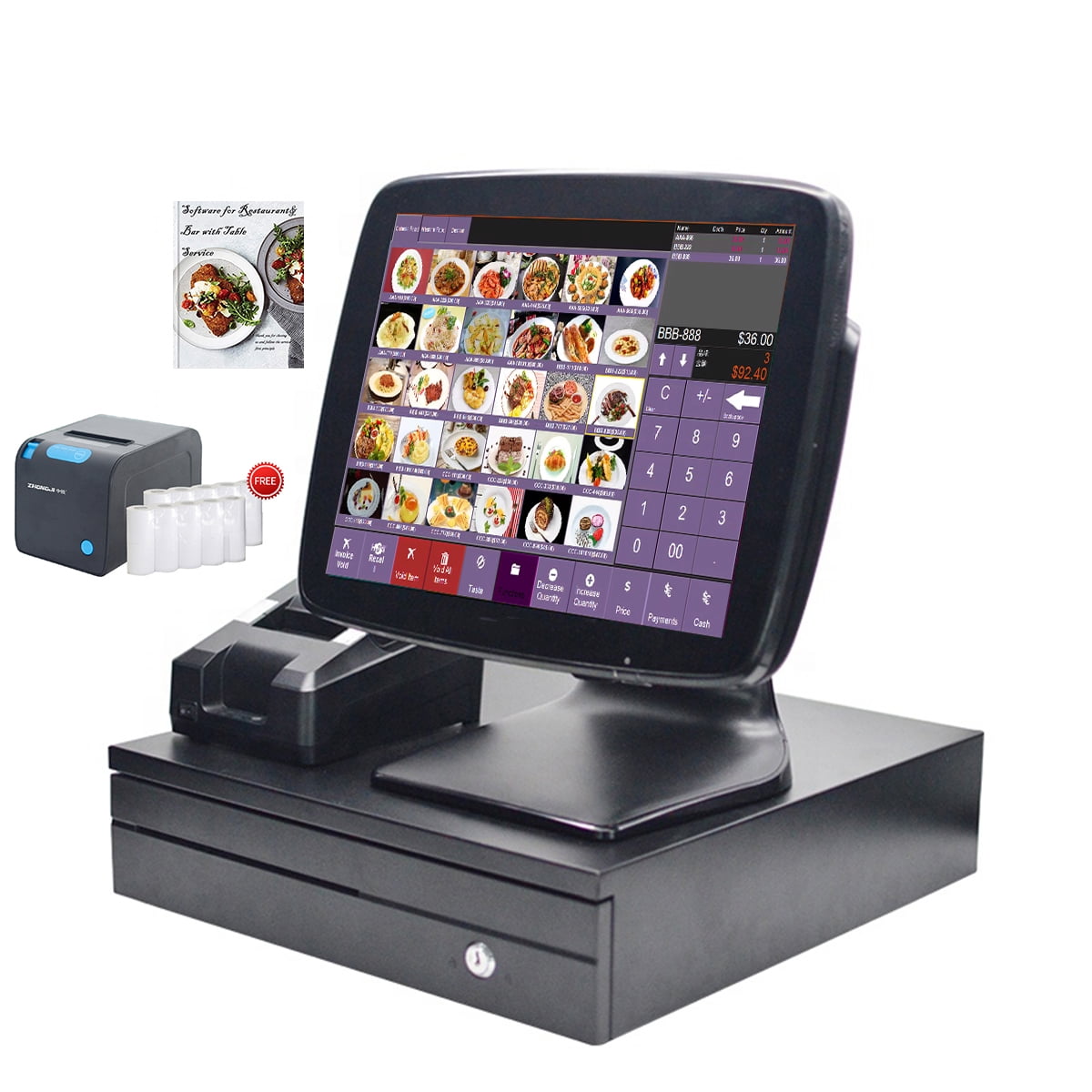
AccuPOS Point of Sale (POS) is a specialized software solution designed to integrate directly with established accounting platforms, primarily Sage and QuickBooks. It enables retail and hospitality businesses to process transactions, manage inventory, and track sales data in real-time while ensuring that financial information remains synchronized with their back-office accounting systems to streamline reporting and tax compliance.
Understanding the Role of AccuPOS in Modern Commerce
The primary function of a point of sale system is to serve as the physical and digital interface where a customer completes a transaction. Unlike standalone, cloud-native POS systems that operate in isolation, AccuPOS is engineered for the "accounting-first" business owner. By anchoring the POS to a robust accounting engine, users reduce the need for manual end-of-day reconciliation.
In 2026, the retail and service landscape demands extreme accuracy in inventory levels and profit margins. AccuPOS addresses this by capturing sales data at the register and pushing that data immediately into the accounting ledger. This integration creates a closed-loop system where inventory depletion, sales tax collection, and revenue recognition occur simultaneously, minimizing the latency between a customer’s swipe and the business owner’s financial dashboard.
Core Architecture and Compatibility
The technical foundation of AccuPOS is its ability to act as a bridge between the front-of-house user interface and the back-office database. It is not designed to replace an accounting package; it is designed to extend one.
Integration Frameworks
AccuPOS is widely recognized for its long-standing compatibility with Sage 50, Sage 100, and various editions of Intuit QuickBooks. This integration is not merely a data export function; it is a live sync. When a transaction occurs, the software:
- Reduces the stock count in the accounting inventory module.
- Updates the cash or credit sales account in the General Ledger.
- Calculates and posts the relevant sales tax obligations.
- Updates customer profiles if loyalty tracking or A/R (Accounts Receivable) modules are active.
Hardware Requirements
As of 2026, AccuPOS continues to support a variety of hardware peripherals essential for high-volume environments. Compatibility typically extends to:
- Barcode Scanners: USB and Bluetooth models for rapid inventory lookups.
- Receipt Printers: Standard thermal printers for transaction logs and kitchen tickets.
- Cash Drawers: RJ11-connected drawers triggered by the software upon sale completion.
- Customer-Facing Displays: Integrated screens for transparency during the checkout process.
Operational Benefits for Retail and Hospitality
Selecting a POS system is a strategic decision that affects every transaction. AccuPOS is particularly suited for businesses that prioritize financial reporting accuracy over "all-in-one" cloud platforms that may lack depth in accounting integration.
Efficiency in Data Entry
Manual entry is the primary source of accounting errors. By automating the transfer of data from the storefront to the ledger, AccuPOS eliminates the "human factor" in daily bookkeeping. This is particularly advantageous for businesses with large SKUs where inventory tracking must be precise to avoid stockouts or overstocking.
Real-Time Financial Visibility
Business owners using AccuPOS can review their P&L (Profit and Loss) statements with data that is only minutes old, rather than days. This allows for informed purchasing decisions. If the POS reports that a specific category of items is moving faster than expected, the business owner can initiate a purchase order in their accounting software based on live data, preventing a supply chain interruption.
Comparison of POS Architectures
When evaluating AccuPOS, it is essential to understand how it differs from contemporary cloud-based alternatives.
| Feature | AccuPOS (Accounting-Integrated) | Standalone Cloud POS |
|---|---|---|
| Primary Focus | Accounting Integrity | Omni-channel/E-commerce |
| Data Sync | Real-time to Ledger | Periodic/API-based batching |
| Connectivity | Local Server/Local Database | Cloud-hosted |
| Ideal User | Businesses with complex bookkeeping | High-growth e-commerce/Startups |
| Offline Mode | Robust local database caching | Limited/Browser-dependent |
Implementation and Maintenance
Successfully deploying AccuPOS requires a structured approach to hardware provisioning and software configuration. Because the system relies on deep integration with accounting software, the installation process is more rigorous than plug-and-play mobile systems.
Initial Setup Prerequisites
Before installation, verify that the accounting software (e.g., QuickBooks or Sage) is updated to a supported version. AccuPOS requires a stable connection between the workstation and the server hosting the accounting data. A common mistake is failing to verify local network latency, which can cause delays in data synchronization.
Maintenance and Updates
As of 2026, software maintenance focuses on security patches and compatibility updates for operating systems. Users must ensure that their workstations meet the minimum RAM and processor requirements to run both the POS interface and the accounting engine simultaneously. Periodic backups of the accounting database remain the most critical step in maintaining system health, as the POS acts as a client to that database.
Common Challenges and Troubleshooting
Despite the robust nature of the integration, users may occasionally encounter issues related to synchronization or hardware connectivity.
- Synchronization Errors: These are often caused by changes to the General Ledger account mapping. If a user deletes an account in their accounting software that was previously mapped in AccuPOS, the sync will fail. This is typically resolved by re-mapping the accounts in the AccuPOS settings menu.
- Hardware Disconnection: If a receipt printer or scanner stops responding, the first step is to verify the USB driver status in the operating system’s Device Manager. Ensure that the POS software is configured to "listen" to the correct COM or USB port.
- Database Latency: In environments with heavy traffic, the sheer volume of transactions can slow the update cycle to the accounting software. It is recommended to perform routine "Database Rebuilds" or "Compact and Repair" operations on the host accounting file to keep the data structure lean.
Frequently Asked Questions
Does AccuPOS work if my internet connection goes down? Yes. Unlike many modern web-based POS systems, AccuPOS is designed to operate on a local network. It saves transactions locally and synchronizes them with the accounting software once connectivity is restored, ensuring that your business does not stop during an internet outage.
Is AccuPOS compliant with current 2026 data security standards? AccuPOS adheres to standard security protocols for localized transaction processing. Users are responsible for ensuring that their network environment (firewalls, anti-virus, and OS updates) meets the current PCI-DSS requirements applicable to their specific business size and payment processing volume.
Can I use AccuPOS for multiple store locations? Yes, but this requires a robust network infrastructure. Multiple locations often connect to a centralized accounting server. You must ensure that the VPN or wide-area network (WAN) provides enough bandwidth to support real-time data writes to the central accounting database.
Does AccuPOS support EMV and contactless payments? Yes, it integrates with various payment processing gateways to support EMV (chip), NFC (contactless), and traditional magstripe transactions. When selecting a payment processor, ensure they provide an integration module specifically designed for the version of AccuPOS currently in use.
How does AccuPOS handle sales tax changes? Sales tax is managed through the tax tables in your accounting software. Because AccuPOS pulls tax settings from the accounting system, any changes made to tax rates or rules in the back-office are automatically applied to the POS registers upon the next synchronization.
Recommendations for Business Owners
For businesses already heavily invested in the Sage or QuickBooks ecosystems, AccuPOS offers a level of continuity and data integrity that is difficult to replicate with third-party middleware or "bolt-on" integrations. Before committing to the system, perform a comprehensive audit of your current accounting data structure. Ensure your item lists, tax codes, and customer databases are clean and organized; the efficacy of your POS is directly proportional to the quality of the data in your accounting package.
If your primary objective is to eliminate the manual reconciliation of daily sales and to have a "single source of truth" for your financial and inventory data, AccuPOS provides a mature, reliable architecture that has been refined through years of commercial operation.