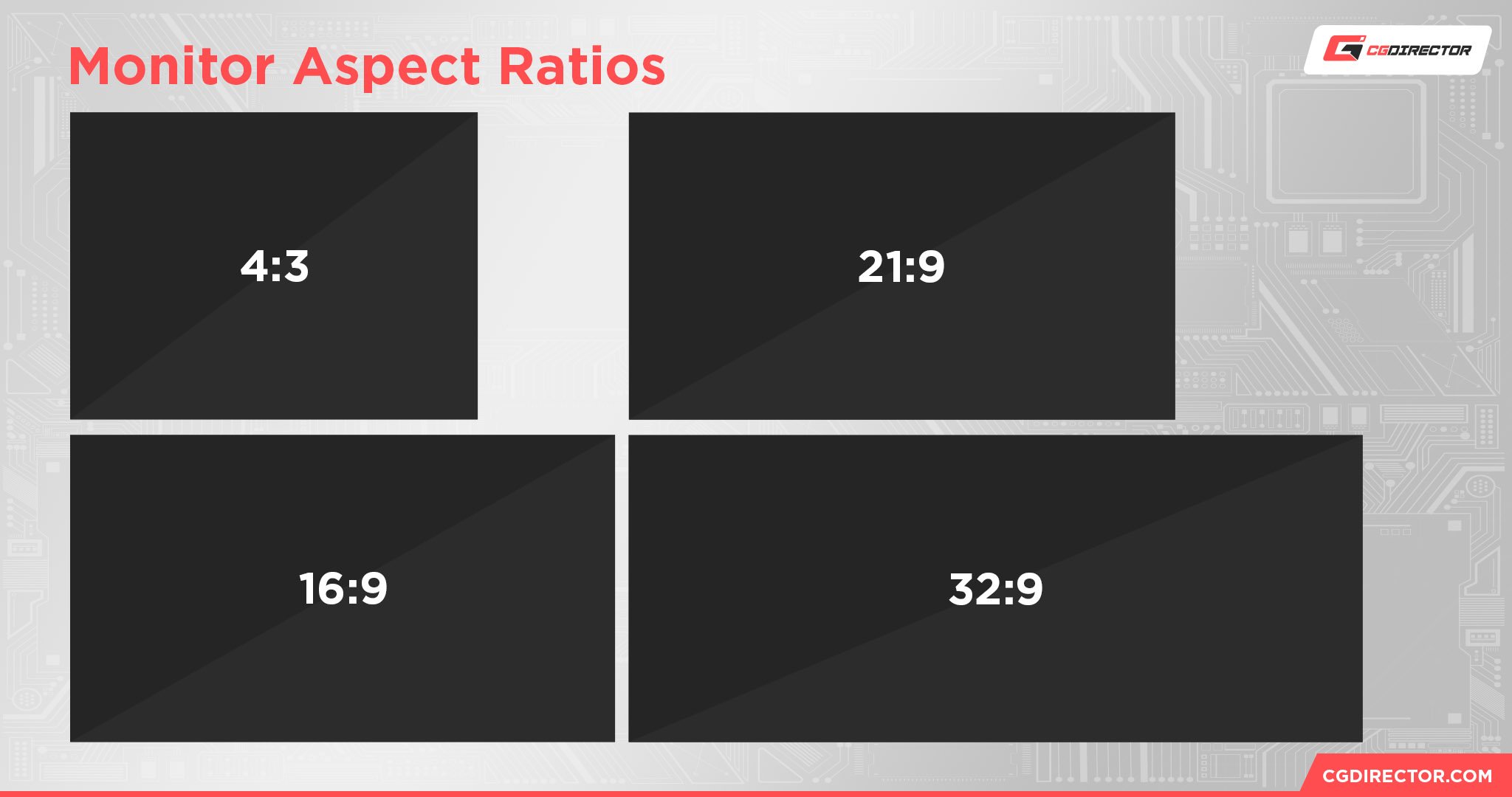
Selecting the optimal monitor aspect ratio depends entirely on your specific workflow, the physical space available on your desk, and your requirements for visual immersion versus multi-tasking utility. Whether you are choosing between the standard 16:9, the expansive 21:9 ultrawide, or the immersive 32:9 super ultrawide, each format serves a distinct purpose in productivity, gaming, and creative professional environments.
Understanding Aspect Ratio and Screen Real Estate
An aspect ratio represents the proportional relationship between the width and the height of a display. It is the mathematical definition of the shape of your screen.
- 16:9 (Standard Widescreen): This is the industry standard for television, video games, and most digital content. It provides a balanced rectangle that feels natural for general computing.
- 21:9 (Ultrawide): This format is roughly 33% wider than a standard 16:9 display. It is designed to mirror the cinematic aspect ratio (often called Anamorphic Widescreen), allowing for a broader field of view in media and more horizontal space for side-by-side application windows.
- 32:9 (Super Ultrawide): Equivalent to placing two 16:9 monitors side-by-side without a bezel in the middle, this format provides an extreme horizontal canvas. It is primarily used for deep immersion in simulations or intense multi-application multitasking.
The Standard: 16:9 Widescreen
For most users in 2026, 16:9 remains the default choice. It is the most widely supported format by operating systems, software developers, and content creators. If you predominantly consume 16:9 video content—such as YouTube, streaming platforms, or traditional broadcast television—a 16:9 monitor ensures that you do not see black bars (letterboxing) on the top and bottom of your screen.
Advantages:
- Compatibility: Every application and game is built for 16:9. You will never encounter UI scaling issues or broken cutscenes.
- Cost-Efficiency: Due to the mass production of 16:9 panels, you get the highest resolution and best panel technology (OLED, IPS, Mini-LED) for your budget.
- Ergonomics: 16:9 monitors are easier to fit on standard-depth desks and do not require excessive head-turning to view the corners of the screen.
Limitations:
- Limited Multitasking: You are generally limited to splitting your screen into two distinct windows, which can feel cramped if you are working with complex IDEs or spreadsheets.
The Productivity Workhorse: 21:9 Ultrawide
The 21:9 format has become the preferred choice for creative professionals, including video editors, music producers, and data analysts. In video editing, the extra horizontal space allows for a longer timeline, meaning you have to scroll less to see your entire project.
Advantages:
- Workflow Efficiency: You can place a chat window, a web browser, and an editing suite side-by-side without overlapping your primary workspace.
- Cinematic Experience: Many modern films are shot in 2.35:1 or 2.39:1, which is native to 21:9. Watching movies in this format fills the entire screen, significantly increasing immersion.
- Gaming Field of View: In supported titles, 21:9 offers a wider peripheral view, which can provide a competitive advantage in navigation and spatial awareness without the extreme distortion sometimes found in 32:9.
Limitations:
- Content Compatibility: Some older games or specific video content may result in black bars on the sides, which can be distracting to some users.
- Desktop Management: You will likely need window management software (such as Windows Snap layouts or PowerToys) to organize your workspace efficiently on such a wide plane.
The Immersive Canvas: 32:9 Super Ultrawide
A 32:9 display is effectively a "dual-monitor" setup in a single, seamless physical package. In 2026, these monitors are frequently curved to ensure the edges of the display remain at a consistent distance from the user's eyes.
Advantages:
- Maximum Real Estate: For traders, high-level developers, or users who typically run a dual-monitor setup, 32:9 eliminates the center bezel that typically breaks the visual experience.
- Total Immersion: In flight simulators or racing games, 32:9 provides an expansive view that occupies almost your entire peripheral vision, making the experience feel significantly more realistic.
- Simplified Setup: You only need one power cable and one DisplayPort or HDMI connection for the entire setup, reducing desk cable clutter.
Limitations:
- Hardware Demands: Rendering a 32:9 resolution (such as 5120x1440) requires significant GPU power. If you are gaming, ensure your graphics card can handle the pixel count.
- Ergonomic Challenges: You must have a sufficiently deep desk to sit far enough back from the monitor; otherwise, the width of the display will force you to physically rotate your neck, which can lead to fatigue.
Comparison Matrix: Aspect Ratio Characteristics
| Feature | 16:9 (Standard) | 21:9 (Ultrawide) | 32:9 (Super Ultrawide) |
|---|---|---|---|
| Primary Use | General, Media, Gaming | Editing, Productivity, Gaming | Simulations, Pro-multitasking |
| Desk Space | Low | Medium | High |
| App Support | Native (Universal) | Excellent | Good (Variable) |
| Multi-window | 2 side-by-side | 2–3 side-by-side | 3–4 side-by-side |
| GPU Load | Moderate | High | Very High |
Implementation Considerations: What to Check Before Buying
Before investing in a wider monitor, evaluate three critical factors:
- Desk Depth: Ultrawide and super ultrawide monitors require more distance. If your desk is less than 60–70cm deep, you may find the screen overwhelming and uncomfortable to focus on for long periods.
- Resolution and Pixel Density: A 34-inch 21:9 monitor at 1440p looks sharp, but a 49-inch 32:9 monitor at 1080p may result in visible pixelation. Always aim for at least 1440p vertical resolution to maintain text clarity for productivity tasks.
- Connection Standards: High-resolution ultrawide monitors often require DisplayPort 1.4 or HDMI 2.1 to achieve high refresh rates (120Hz+). Ensure your computer's hardware, including the port version, can support the bandwidth required for your chosen resolution and frame rate.
Frequently Asked Questions
Does a 32:9 monitor replace a dual-monitor setup? Yes, for most users, a 32:9 monitor is the spiritual successor to the dual-monitor configuration. It offers the same effective horizontal resolution without the central plastic bezel that divides your view. However, if your workflow relies heavily on "snapping" windows to full-screen limits often, you may need software to help define custom zones.
Will I experience problems with games on 21:9 or 32:9? Most modern PC games support these ratios. However, some cinematic cutscenes or older titles may be locked to 16:9, causing black bars to appear on the sides. While community-made patches often exist to fix these issues, it is worth checking the game's official forums if you play niche or older titles.
Is an ultrawide monitor better for office work? For spreadsheet-heavy tasks or comparing multiple documents, the width of a 21:9 or 32:9 monitor is a significant productivity multiplier. It reduces the need for constant "Alt-Tab" switching. If you spend your time in a single primary window, such as a word processor, the extra width may go unused.
Do I need a curved screen for ultrawide monitors? For 21:9 monitors that are 34 inches or smaller, a curve is optional but nice to have. For 32:9 monitors (typically 45 inches and above), a curve is highly recommended. Because of the extreme width, the edges of a flat 32:9 monitor would be far away from your eyes at an angle, causing color shifting and a lack of focus.
Recommendation
If you are a casual user or a standard gamer, stick with a high-quality 16:9 monitor. It is the most reliable and affordable path to high-fidelity visuals. If your goal is to increase your output in professional software or you want to achieve "simulator-grade" immersion, move to 21:9 as your entry point. Reserve 32:9 only if you are confident that your desk space and GPU hardware can handle the extreme demands of the format.