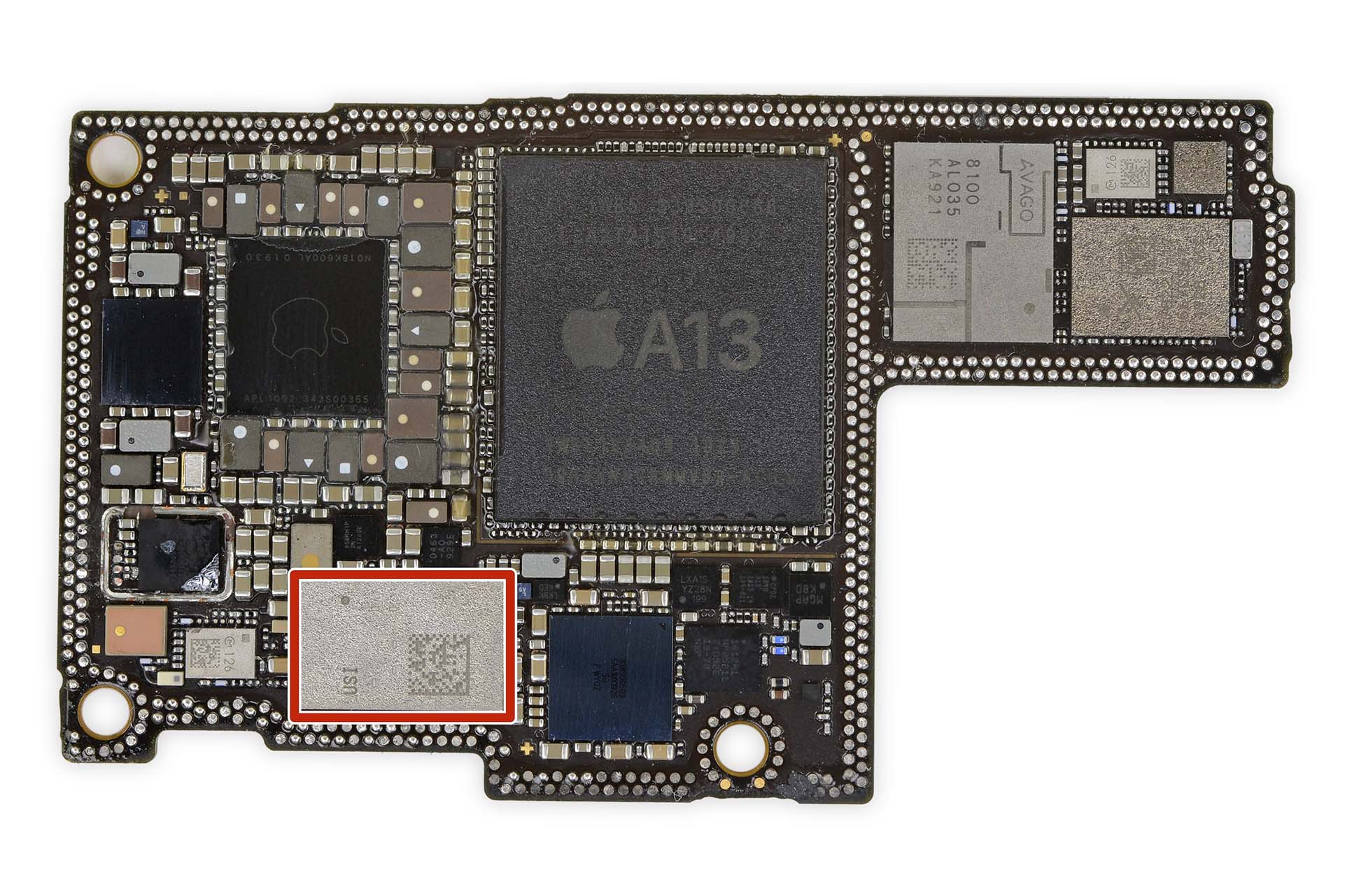
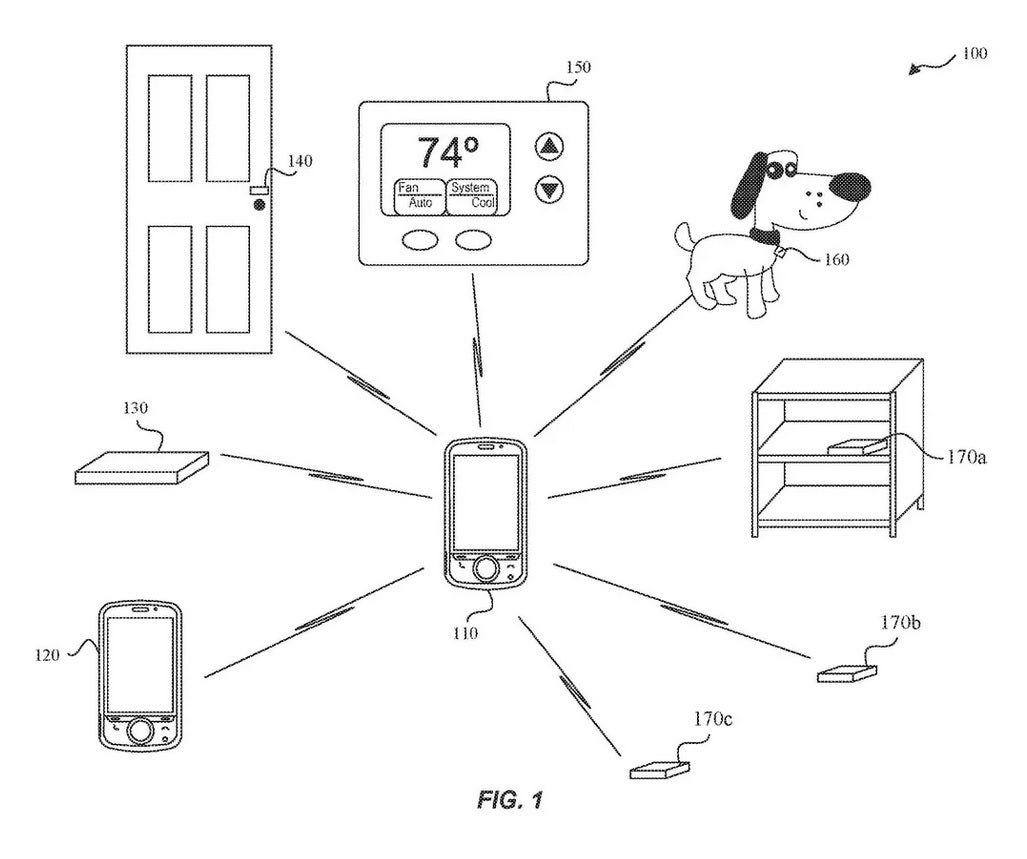
Apple’s Ultra Wideband (UWB) technology is a short-range wireless communication protocol that provides precise spatial awareness and directional sensing. Primarily powered by the U1 and second-generation UWB chips, it allows devices to determine their exact location relative to one another within centimeters, enabling features like Precision Finding for AirTags, digital car keys, and seamless HomePod handoffs.
The Fundamentals of Ultra Wideband (UWB) Technology
Ultra Wideband is a radio technology that uses very low energy levels for short-range, high-bandwidth communications over a large portion of the radio spectrum. Unlike Bluetooth, which measures signal strength (RSSI) to estimate distance, UWB utilizes Time of Flight (ToF). By calculating the exact time it takes for a pulse to travel between two devices at the speed of light, UWB can determine distance with incredible accuracy—often within a few centimeters.
In the Apple ecosystem, this technology debuted with the U1 chip in the iPhone 11 series in 2019. Since then, it has evolved significantly. As of 2026, the second-generation Ultra Wideband chip has become the standard across the iPhone, Apple Watch, and HomePod lineups. This newer silicon offers up to three times the range of the original U1 chip, allowing for "Precision Finding for Friends" even in crowded environments like transit hubs or stadiums.
The "Wideband" part of the name refers to the fact that the signal occupies a bandwidth of at least 500 MHz. This wide frequency spread makes the signal resistant to "multipath fading," where radio waves bounce off walls or furniture and interfere with each other. For users, this means UWB works reliably in cluttered indoor environments where GPS and Bluetooth often struggle.
The Evolution of Apple’s Silicon: From U1 to the Second-Generation Chip
Apple’s transition from the original U1 chip to the second-generation Ultra Wideband chip represents a major leap in spatial computing. While the U1 established the foundation for the "Find My" network, the second-generation chip (introduced with the iPhone 15 and Apple Watch Series 9) refined the power consumption and expanded the operational radius.
The Original U1 Chip
The U1 chip was Apple's first custom-designed UWB radio. Its primary goal was to give the iPhone "spatial awareness." Before the U1, an iPhone knew other devices were nearby but didn't know which direction they were in. The U1 changed this by enabling the device to understand its position relative to other U1-equipped devices. This enabled directional AirDrop—where you simply point your iPhone at another to prioritize it as the file recipient.
The Second-Generation Ultra Wideband Chip
By 2026, the second-generation chip has matured as the backbone of Apple’s proximity services. This chip improved the "handshake" speed between devices, making features like Digital Car Keys nearly instantaneous. More importantly, the increased range allowed Apple to introduce Precision Finding for Friends. Using the Find My app, users can see a directional arrow and distance counter to locate a contact in a crowd, a task that was previously impossible with standard GPS or Bluetooth.
| Feature | U1 Chip (First Gen) | Second-Generation UWB Chip |
|---|---|---|
| Primary Launch Year | 2019 (iPhone 11) | 2023 (iPhone 15 / Watch S9) |
| Detection Range | Up to 10–15 meters | Up to 60 meters |
| Primary Use Case | AirTags / AirDrop | Precision Finding for Friends / Car Keys |
| Accuracy | 5–10 Centimeters | 1–5 Centimeters |
| Power Consumption | Standard | Optimized for 24/7 Proximity |
Precision Finding and the AirTag Ecosystem
The most visible application of Apple's UWB technology is the AirTag. While many item trackers rely solely on Bluetooth, the AirTag uses UWB to offer "Precision Finding." When a user is within range (roughly 30 feet or 10 meters for U1-equipped phones), the iPhone’s screen transforms into a directional compass.
This process integrates data from the camera, ARKit, accelerometer, and gyroscope to guide the user. The screen provides haptic feedback and visual cues, such as "10 feet to your right," as the user moves. This level of granularity is essential for finding keys that may be buried under sofa cushions or hidden in a drawer—scenarios where a simple "chirp" from a speaker might not be enough to pinpoint the exact location.
By 2026, third-party manufacturers have also integrated Apple's UWB specifications into their own products through the Find My Network Accessory Program. This means high-end bicycles, designer handbags, and even professional camera gear now ship with built-in UWB chips that respond to the iPhone’s Precision Finding interface just like an AirTag does.
Enhancing the Smart Home: HomePod and Handoff
Apple has integrated UWB into its smart home strategy, specifically through the HomePod (2nd Gen) and HomePod mini. These devices contain UWB hardware that interacts with a user’s iPhone as they approach.
Seamless Music Handoff
When you walk toward a HomePod while playing music or a podcast on your iPhone, the UWB chips in both devices detect the closing distance. As the iPhone gets closer, it provides haptic feedback that grows stronger, eventually "transferring" the audio to the HomePod without the user needing to press a single button.
Proximity-Based Controls
In 2026, this interaction has expanded. If an iPhone is near a HomePod, the iPhone's Lock Screen automatically surface media controls or "Up Next" suggestions. This spatial awareness eliminates the friction of opening an app to control volume or skip tracks. The HomePod knows exactly where the user is in the room, allowing for a more "invisible" interface where the technology anticipates the user's intent based on physical proximity.
Automotive Integration: Digital Car Keys
The automotive industry has been one of the biggest beneficiaries of Apple's UWB technology. While NFC (Near Field Communication) allowed for digital car keys, it required users to tap their iPhone against the car door handle. UWB allows for a truly passive experience.
With UWB-enabled Digital Car Keys, the car can detect the iPhone in the user's pocket or bag as they approach. The vehicle can perform a "welcome" sequence, such as turning on lights, when the user is 5 meters away, and unlock the doors when they reach the handle.
Safety is a critical component here. Because UWB measures the actual "Time of Flight" of the radio signal, it is immune to relay attacks. In a relay attack, a thief uses a radio booster to trick a car into thinking a key fob is nearby when it is actually inside the owner's house. Because UWB measures the time it takes for the signal to travel, it can detect if a signal is being "relayed" or delayed, and it will refuse to unlock the car. As of 2026, most major manufacturers including BMW, Mercedes-Benz, Hyundai, and Kia have fully adopted Apple’s UWB key standards.
Security and Privacy in the UWB Framework
Apple has built UWB with a privacy-first architecture. The U1 and second-generation chips use randomized identifiers that change frequently. This prevents a malicious actor from "sniffing" UWB signals to track a specific device or user across different locations.
Furthermore, the distance calculations happen locally on the device. When you use Precision Finding to find a friend, the location data is encrypted end-to-end. Apple does not receive information about where you are or who you are meeting.
One common concern involves the regulatory environment. Because UWB uses specific radio frequencies, it is subject to international laws. In some countries, Apple is required by law to disable the UWB chip because those frequencies are reserved for other purposes (such as military radar). The iPhone uses its internal GPS to determine if it is in a restricted zone; if so, UWB features are automatically turned off until the device exits that region.
Troubleshooting and Technical Limitations
While UWB is highly robust, users may occasionally encounter issues where Precision Finding or Handoff fails to activate.
- Physical Obstructions: While UWB is better at penetrating walls than high-frequency Wi-Fi, very dense materials like reinforced concrete or metal lead shielding can block the signal. If you are trying to find an AirTag inside a metal safe, UWB likely won't connect until the safe is opened.
- Compatibility Gaps: Users often forget that both devices must have UWB chips. For example, while the iPhone SE (3rd Gen) is a powerful phone, it lacks the U1/UWB chip. Consequently, it can only find AirTags using the less precise Bluetooth method (showing "Nearby" but no directional arrow).
- System Settings: For UWB to function, "Precise Location" must be enabled in the Find My app settings. Additionally, because UWB is a radio technology, it is disabled in "Airplane Mode" unless the user specifically re-enables wireless sensing features.
- Interference: Although rare, some industrial high-frequency equipment can interfere with the 6.0 GHz to 9.0 GHz bands used by Apple's UWB chips.
Summary of Device Compatibility (2026 Status)
To take full advantage of Ultra Wideband features, you must be using compatible hardware. Below is the status of the ecosystem as of 2026:
- iPhone: All models from iPhone 11 onwards (excluding iPhone SE 2nd and 3rd generations) feature UWB. The iPhone 15 and newer utilize the superior second-generation chip.
- Apple Watch: Series 6, 7, 8, 9, 10, and Ultra 1/2/3. The Series 9 and Ultra 2 were the first to move to the second-gen UWB silicon.
- AirTag: All models currently use the U1-equivalent UWB for Precision Finding.
- HomePod: The HomePod mini and HomePod (2nd Gen) include UWB for Handoff and proximity sensing.
- Accessories: AirPods Pro (2nd Gen and newer) charging cases include UWB chips so the case itself can be found via Precision Finding.
Frequently Asked Questions
Does Ultra Wideband drain my iPhone battery? The power consumption of UWB is extremely low. It operates using "impulse radio," which sends very short bursts of data. In standard standby mode, the chip's impact on battery life is negligible. It only draws significant power when actively being used for a task like "Precision Finding" or a car key handshake.
Is Ultra Wideband the same as 5G? No. While some 5G frequencies (mmWave) are high-frequency, UWB is a completely different protocol used for short-range spatial sensing, not for cellular data or internet connectivity. You do not need a 5G data plan to use UWB features like AirTags.
Can I turn off the Ultra Wideband chip for privacy? Yes. If you wish to disable the UWB chip, you can go to Settings > Privacy & Security > Location Services > System Services and toggle off Networking & Wireless. Note that this will disable the spatial awareness features, including the ability to use Precision Finding and digital car keys.
How does UWB help with "Precision Finding for Friends"? This feature uses the second-generation UWB chip to establish a peer-to-peer connection between two iPhones. Once the connection is made, the phones share their relative distance and heading in real-time. This allows one person to see an arrow on their screen pointing exactly toward the other person's location, even if they are in a multi-story building or a crowded park.
Will my AirTag work if I have an older iPhone without a UWB chip? Yes, but the experience will be different. Owners of an iPhone 8 or iPhone X, for example, can still see the AirTag's general location on a map via the Find My network. However, they will not see the "Precision Finding" arrow. Instead, they must rely on playing a sound on the AirTag to find it by ear.
Practical Recommendation
If you are heavily invested in the Apple ecosystem—using AirTags for your luggage, a HomePod for your music, or a modern vehicle with digital key support—ensure your primary device is an iPhone 15 or newer. The transition to the second-generation Ultra Wideband chip significantly improves the range and reliability of these "invisible" features, making the spatial awareness of your devices feel considerably more seamless and responsive in daily use.