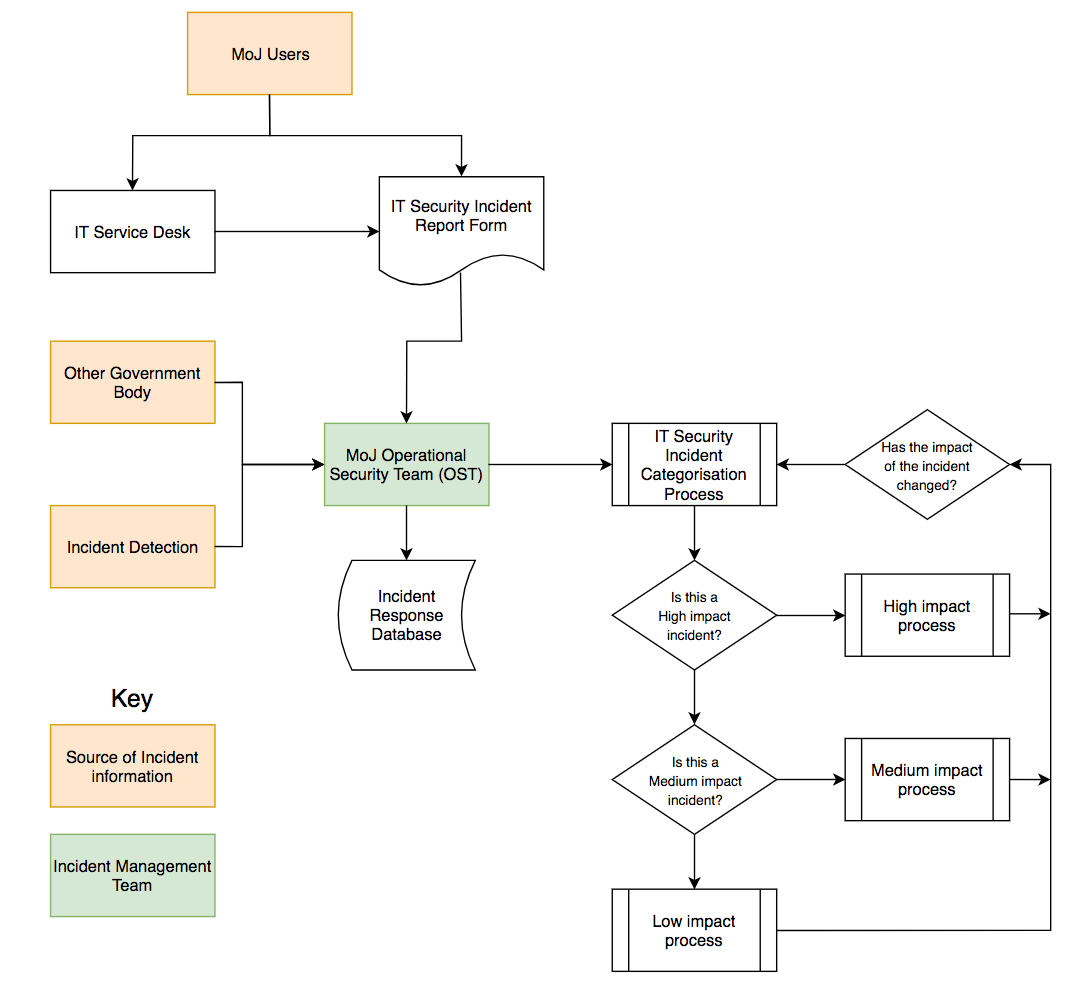
Atlassian incident management is a unified practice that combines Jira Service Management, Opsgenie, Statuspage, and Confluence to help IT and DevOps teams detect, respond to, and resolve service interruptions. By centralizing alerting, communication, and documentation, the Atlassian ecosystem streamlines the lifecycle of an incident from initial detection to the final post-mortem analysis.
In 2026, effective incident management is no longer just about fixing bugs; it is about maintaining high availability and customer trust through automated workflows and AI-driven insights. This guide explores the technical architecture, implementation steps, and best practices for mastering incident management within the Atlassian suite.
The Architecture of Atlassian Incident Management
Atlassian has moved away from siloed applications toward a deeply integrated "Service Management" experience. To understand how to manage incidents, one must first understand the primary components involved in the 2026 ecosystem.
Jira Service Management (The Hub)
Jira Service Management (JSM) serves as the command center. It is where incidents are logged, categorized, and tracked. In modern iterations, JSM includes native "Incident" object types that distinguish unplanned outages from standard service requests. It provides the UI for agents to manage the ticket lifecycle and links directly to the underlying infrastructure data via the Service Registry.
Opsgenie (The Alerting Engine)
While previously a standalone product, Opsgenie’s core functionality is now deeply embedded into JSM Cloud. It handles on-call scheduling, alert routing, and escalation policies. When a monitoring tool (like Datadog or New Relic) detects an anomaly, Opsgenie ensures the right engineer is notified via SMS, phone call, or mobile push, preventing critical alerts from being lost in an overflowing inbox.
Statuspage (The Communication Layer)
Transparency is vital during a crisis. Statuspage allows teams to communicate service status to both internal stakeholders and external customers. By updating Statuspage, teams can "deflect" incoming support tickets, as users can see that the team is already aware of the issue and working on a fix.
Confluence (The Knowledge and Learning Base)
Confluence is used for two critical phases: pre-incident preparation and post-incident learning. It stores "Runbooks" (step-by-step guides for fixing known issues) and hosts "Post-Incident Reviews" (PIRs). In 2026, Atlassian Intelligence (AI) assists in drafting these reviews by summarizing Jira tickets and Slack conversations.
The Incident Management Lifecycle
Managing an incident effectively requires a repeatable process. The Atlassian framework generally follows the ITIL (Information Technology Infrastructure Library) standards but adapts them for the high-velocity requirements of DevOps.
1. Detection and Alerting
The process begins when a monitoring system or a user reports a problem.
- Automated Detection: Monitoring tools send signals to JSM/Opsgenie via API integrations.
- Manual Reporting: Users submit tickets through the JSM Portal.
- Filtering: Use Alert Suppression rules to prevent "alert fatigue." In 2026, Atlassian’s AI helps group similar alerts into a single "Master Incident" to reduce noise.
2. Triage and Categorization
Once an incident is created, it must be prioritized. JSM uses a priority matrix (Urgency vs. Impact) to assign a severity level (e.g., P1 for a total outage, P4 for a minor UI glitch).
- Service Mapping: By using the Service Registry, JSM identifies which downstream services are affected. If the "Payment Gateway" is down, the system automatically flags it as a high-priority incident and notifies the "FinTech Engineering" on-call team.
3. Response and Coordination
This is the "active" phase of the incident.
- Incident Command: Assign an Incident Commander to lead the effort.
- ChatOps: Integrate JSM with Slack or Microsoft Teams. Modern JSM setups allow you to spin up a dedicated incident channel directly from the Jira ticket, pulling in all relevant responders automatically.
- Conference Bridge: For P1/P2 incidents, use the native "Incident Management" meeting features to launch a video call where responders can collaborate in real-time.
4. Resolution and Communication
The primary goal is to restore service.
- Workarounds: Sometimes a permanent fix takes time. If a workaround is found, it is documented in the Jira ticket.
- Status Updates: Use Statuspage templates to provide consistent updates to users (e.g., "Investigating," "Identified," "Monitoring," "Resolved").
5. Post-Incident Review (PIR)
The "Learning" phase is what prevents future occurrences. After the incident is marked "Resolved," an automation rule can trigger the creation of a PIR page in Confluence.
- Root Cause Analysis (RCA): Identify why the failure happened (e.g., a bad code deploy or an expired SSL certificate).
- Action Items: Create linked Jira tasks directly from the PIR to ensure that the "preventative" work actually gets completed.
Technical Configuration and Prerequisites
Before implementing Atlassian incident management, ensure your environment meets the following requirements:
- Jira Service Management Subscription: Premium or Enterprise tiers are recommended for advanced features like "Global Incident Post-Mortems" and "Asset Management."
- Service Registry Setup: Define your "Services" (e.g., "Checkout API," "User Database"). This allows the system to route incidents based on the specific piece of software that is failing.
- On-Call Schedules: Configure rotations in the "Alerting" section of JSM to ensure 24/7 coverage.
- Integration Tokens: Have API keys ready for your monitoring tools (AWS CloudWatch, Azure Monitor, Sentry, etc.).
Comparison of JSM Tiers for Incident Management (2026)
| Feature | Standard | Premium | Enterprise |
|---|---|---|---|
| On-Call Management | Basic | Advanced | Unlimited |
| Incident Post-Mortems | Manual | Automated Templates | AI-Generated Summaries |
| Service Registry | Limited | Full | Global Service Map |
| External Communication | Statuspage (Manual) | Statuspage (Auto-updates) | Full Integration |
| Asset/Configuration Management | No | Yes (Insight/Assets) | Yes (Global Scale) |
Automation and AI in 2026
In the current landscape of 2026, automation is the backbone of incident response. Atlassian’s Automation for Jira engine allows for complex "If-This-Then-That" logic without writing code.
Smart Alert Grouping
One common problem is the "Alert Storm," where a single root cause (e.g., a database failure) triggers 500 individual alerts. Atlassian Intelligence now uses machine learning to analyze the timing and metadata of these alerts, grouping them into one incident. This allows the responder to focus on the cause rather than managing the tickets.
Auto-Remediation
For known issues, JSM can trigger external scripts (via webhooks or tools like Ansible and PagerDuty Runbook Automation) to attempt a fix before a human even logs in. For example, if a "Disk Space Full" alert is received, the system can automatically clear temporary logs.
Best Practices for Successful Implementation
- Define "Incident" vs. "Request": Ensure your team knows the difference. An incident is a disruption of service; a request is a query for a new feature or access.
- Keep Statuspage Simple: Do not overcomplicate the technical details for customers. Use clear, non-jargon language like "We are experiencing delays with our payment processing" rather than "The SQL cluster is experiencing high IOPS latency."
- Standardize Priority Levels: Create a clear rubric for P1 through P4 levels. This prevents "priority inflation" where every user thinks their issue is a P1.
- Embrace Blameless Culture: The Post-Incident Review should focus on system failures, not human errors. The goal is to make the system resilient enough that a single human mistake cannot take it down.
Troubleshooting Common Issues
Alert Fatigue
If your engineers are being paged 20 times a night for non-critical issues, they will eventually ignore a real P1.
- Solution: Review your "Alert Rules." Move non-critical warnings to a Slack channel and reserve "Paging" (SMS/Calls) for true outages.
Data Silos
If the developers are working in Jira Software and the Ops team is in Jira Service Management, communication breaks down.
- Solution: Use the native "Link Issue" feature to connect an Incident ticket to a Bug ticket in the developer's project. This gives developers the context of the outage while they work on the fix.
Delayed Communication
Stakeholders often complain they "didn't know what was happening" during an outage.
- Solution: Set up automation that sends an internal email or Slack notification to leadership the moment an incident is promoted to "Major" status.
Frequently Asked Questions
What is the difference between an incident and a major incident in Atlassian?
In Atlassian’s terminology, a standard incident is a service disruption that can be handled through normal support channels. A Major Incident is a critical disruption (usually P1 or P2) that requires an accelerated response, a dedicated incident commander, and frequent communication via Statuspage. Major incidents in JSM often have their own specific workflow and reporting requirements.
How does Atlassian Incident Management integrate with Slack?
The integration is two-way. You can create a Jira incident directly from a Slack message using the /jira command. More importantly, JSM can automatically create a dedicated "Incident Room" in Slack, invite the on-call responders, and sync all chat messages back to the Jira ticket history for later review.
Do I need a separate license for Opsgenie in 2026?
No. Since the 2022-2023 consolidation, Opsgenie’s core functionality has been integrated into the Jira Service Management Cloud offering. If you have a JSM Cloud license (Standard, Premium, or Enterprise), you have access to the alerting and on-call features that were previously known as Opsgenie.
Can I manage hardware assets within an incident?
Yes, using Jira Assets (formerly Insight). When an incident is reported on a laptop or server, you can link the ticket to the specific asset in your database. This allows you to see the asset's history, such as previous repairs or warranty status, which can help in diagnosing whether the hardware needs a total replacement.
How does AI help with incident management?
By 2026, Atlassian Intelligence (AI) helps by summarizing long comment threads for new responders joining an incident, suggesting potential root causes based on historical data, and drafting the first version of the Post-Incident Review in Confluence. This reduces the administrative burden on engineers, allowing them to focus on technical resolution.
Next Steps for Your Team
To begin optimizing your incident response, start by auditing your current "Mean Time to Acknowledge" (MTTA) and "Mean Time to Resolve" (MTTR) within Jira Service Management reports. If these metrics are high, consider implementing Automated Alert Grouping or refining your On-Call Rotations. Your next action should be to conduct a mock "Game Day" exercise, simulating a service failure to test how your team uses the Atlassian tools under pressure.