Active Directory (AD) serves as the centralized identity and access management system for organizations, providing the foundational framework for authentication, authorization, and policy enforcement across networked environments. By managing user identities, devices, and permissions, it ensures that only authorized entities access critical corporate resources, maintaining operational stability and security in complex enterprise ecosystems.
The Architectural Foundation of Identity Management
At its core, Active Directory is a directory service developed by Microsoft for Windows domain networks. It functions as a hierarchical database that stores information about objects on the network—such as user accounts, computers, printers, and security groups—and makes this information available to administrators and users. Since its introduction, it has evolved from a simple directory service into a comprehensive identity management suite that serves as the heartbeat of IT operations.
The power of AD lies in its ability to provide a "single source of truth." In a decentralized network, managing permissions on a per-server or per-workstation basis is impossible at scale. Active Directory solves this by centralizing the identity database. When a user logs into their machine, the authentication request is processed against the AD database rather than a local file. This centralization is what makes AD the backbone of modern IT, as it dictates the access levels of every entity within the domain.
Key Components of the Active Directory Environment
To understand why Active Directory is so pervasive, one must examine its core technical pillars. These components work in tandem to provide a secure and manageable environment:
- Domain Controllers (DCs): These are servers running Active Directory Domain Services (AD DS). They respond to authentication requests, verify users, and enforce security policies. A domain can have one or several DCs, which replicate data to ensure consistency across the network.
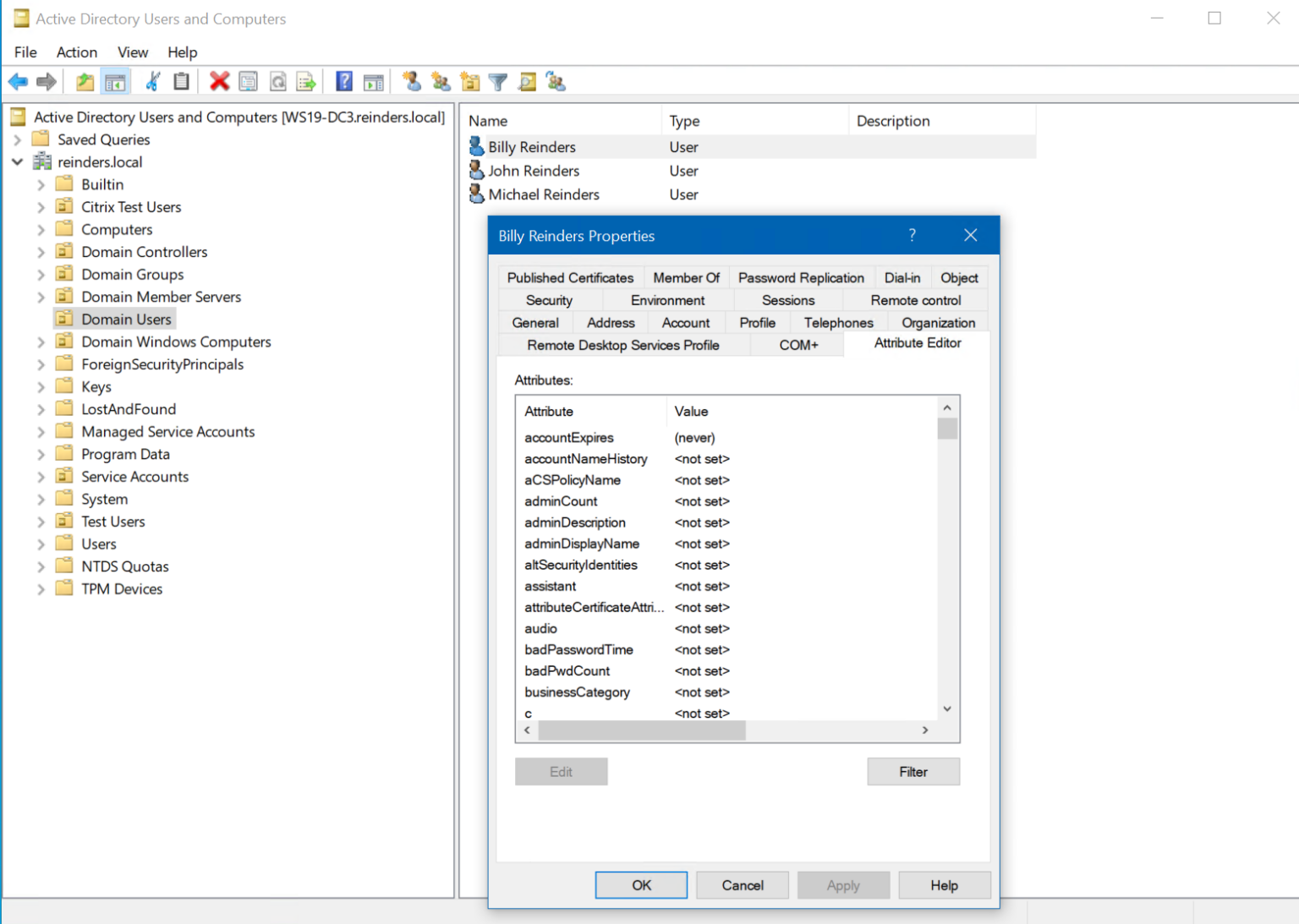
- The Schema: This is the blueprint of the AD database. It defines the types of objects that can be created (e.g., users, groups, computers) and the attributes associated with them (e.g., telephone number, department, login ID).
- Global Catalog: A specialized domain controller that stores a partial replica of every object in the forest. It allows users and applications to find objects in the domain without needing to know exactly where they reside.
- Group Policy Objects (GPOs): Perhaps the most powerful tool for administrators, GPOs allow for the centralized management and configuration of operating systems, applications, and user settings. Whether it is deploying software updates or enforcing password complexity, GPOs act as the enforcement mechanism for corporate governance.
Why Active Directory Remains Unrivaled in 2026
Despite the proliferation of cloud-native solutions, Active Directory remains the industry standard for on-premises and hybrid identity management. Many organizations maintain a hybrid identity model, linking their local Active Directory to Microsoft Entra ID (formerly Azure Active Directory). This synergy allows companies to leverage legacy applications that require traditional Kerberos or LDAP authentication while simultaneously providing single sign-on (SSO) capabilities for cloud-based SaaS applications.
The durability of Active Directory stems from its deep integration with the Windows operating system and its ability to handle immense scale. Even in 2026, the complexity of enterprise IT, which often involves thousands of endpoints and global sites, is best managed by the hierarchical structure of AD domains and forests.
Essential Operational Functions
The backbone function is best observed through the primary tasks that AD performs on a daily basis:
- Authentication: Validating that a user is who they claim to be, typically through Kerberos protocol, which provides a secure way to verify identity without sending passwords over the network.
- Authorization: Defining exactly what an authenticated user is permitted to do. This is managed via Access Control Lists (ACLs) applied to resources like file shares, databases, and internal web applications.
- Auditing: AD provides detailed logs of network activity. If a breach occurs or a user reports access issues, administrators can look back through security logs to trace the actions taken by specific accounts.
Security Considerations and Best Practices
Because Active Directory holds the "keys to the kingdom," it is a frequent target for cyberattacks. Securing the AD environment is not merely a task but an ongoing necessity. In 2026, the sophistication of lateral movement attacks, where an attacker gains a low-level credential and attempts to escalate privileges to a Domain Admin, necessitates a "Tiered Administration" model.
The Tiered Administration model restricts high-privilege accounts to high-security servers, preventing the usage of Domain Admin credentials on compromised workstations. Additionally, implementing the "Principle of Least Privilege" (PoLP) ensures that users only have the access they strictly require to perform their job functions.
Common Risks and Mitigation Strategies
| Risk Factor | Impact | Mitigation Strategy |
|---|---|---|
| Weak Password Policies | Credential theft and brute force | Enforce complex password rotation and MFA. |
| Privilege Escalation | Full domain compromise | Use Tiered Administration and Group Managed Service Accounts. |
| Stale Accounts | Increased attack surface | Implement automated lifecycle management and account cleanup. |
| Unpatched Domain Controllers | Vulnerabilities and exploits | Apply monthly security updates immediately upon validation. |
Comparing AD to Modern Cloud Alternatives
While Microsoft Entra ID has largely taken over the "cloud identity" space, it does not function exactly like traditional Active Directory. AD relies on LDAP and Kerberos, which are essential for legacy software. Entra ID operates on modern protocols like OIDC (OpenID Connect) and SAML (Security Assertion Markup Language).
For many enterprises in 2026, the question is not "Active Directory or Cloud Identity," but rather "How do we integrate them?" The reality of modern IT is a hybrid environment where AD serves as the local anchor for legacy hardware and file servers, while cloud identity providers manage the modern software-as-a-service (SaaS) workflow.
Managing the Hybrid Identity Lifecycle
Transitioning from a pure on-premises environment to a hybrid one requires meticulous planning:
- Synchronized Identities: Using tools like Microsoft Entra Connect to synchronize on-premises identities to the cloud, ensuring users have a seamless login experience.
- Password Writeback: Allowing users to reset their passwords in the cloud and having that change propagate back to the local Active Directory, reducing helpdesk tickets.
- Hybrid Join: Joining devices to both the local Active Directory and the cloud environment enables unified management through both Group Policy and mobile device management (MDM) platforms.
Frequently Asked Questions
What is the difference between AD DS and Entra ID?
Active Directory Domain Services (AD DS) is an on-premises directory service that uses legacy protocols like LDAP and Kerberos. Entra ID is a cloud-native identity service that uses modern REST-based APIs and protocols like SAML and OIDC. They serve different purposes, though they can be linked.
Can a business survive without Active Directory?
Yes, for small organizations or cloud-only businesses. If an organization does not rely on Windows-specific protocols or on-premises file servers, they may find cloud-native solutions sufficient. However, for most medium-to-large enterprises, the depth of control offered by AD is difficult to replicate elsewhere.
What is a "Forest" in Active Directory?
A forest is the highest level of organization within an Active Directory environment. It is a collection of one or more "trees" (which are collections of domains) that share a common schema, configuration, and global catalog. It defines the boundary of security and replication.
How often should AD health checks be performed?
Ideally, a basic health check—monitoring replication, DNS health, and event logs—should be automated and occur daily. A comprehensive deep-dive into the security posture and directory structural integrity should be conducted at least quarterly.
Does AD provide security by itself?
No. Active Directory provides the mechanisms for security, but the actual security level depends on the implementation. Without strict GPO enforcement, regular patching, and monitoring of administrative groups, AD can be a liability rather than an asset.
Recommended Next Steps for Administrators
To ensure your Active Directory environment remains the backbone of your IT infrastructure, begin with a security audit of your most privileged groups. Verify who is currently a member of "Domain Admins," "Enterprise Admins," and "Schema Admins." Remove any accounts that do not absolutely require these permissions.
Following this, evaluate your backup and disaster recovery plan. If a Domain Controller were to fail or if the directory database were corrupted, do you have a verified, isolated backup? Testing a forest recovery is a standard operational requirement that should be performed at least once a year. By treating Active Directory as a high-value asset rather than a "set and forget" server role, you protect the fundamental integrity of your organization’s entire digital existence.