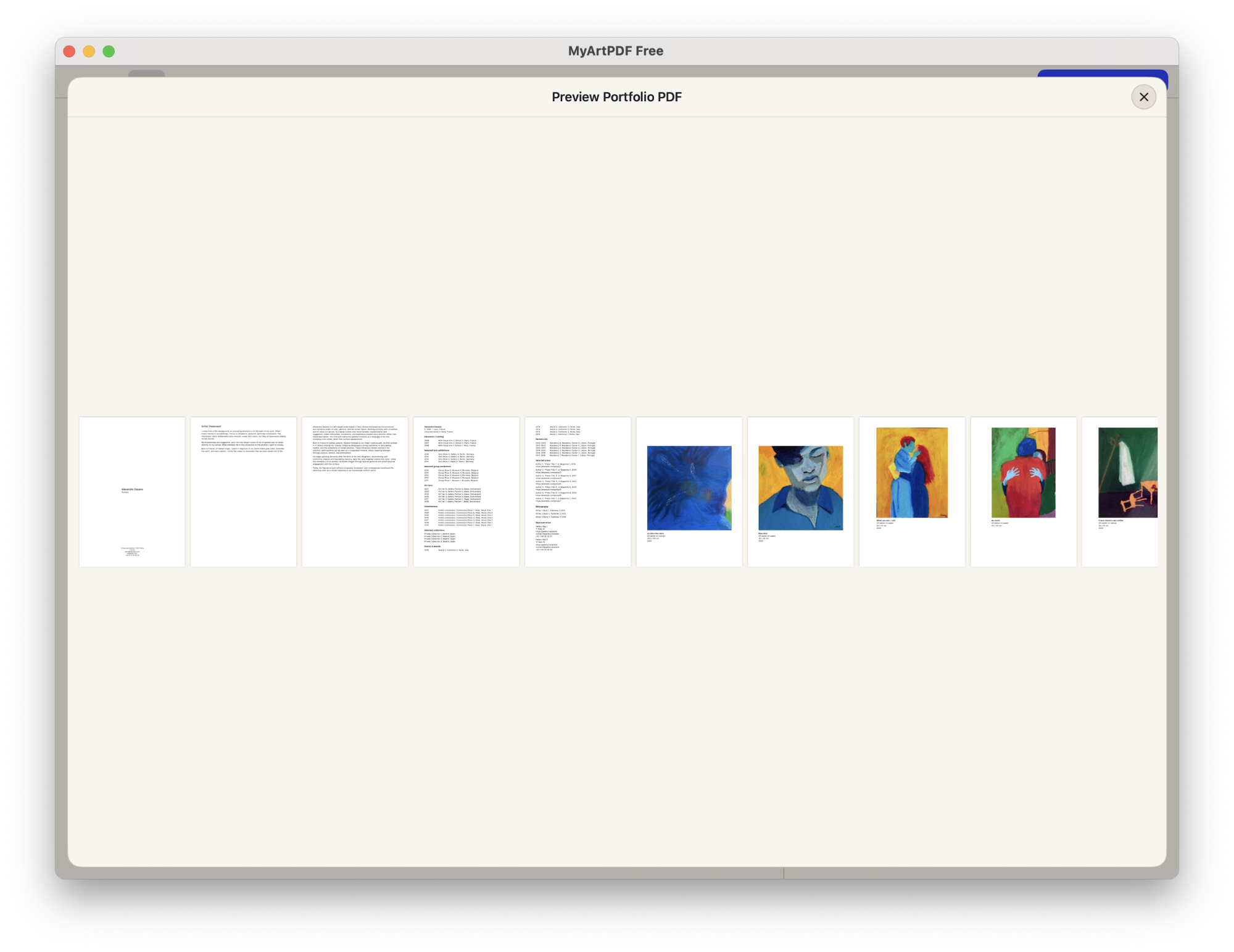
An art portfolio in PDF format is the industry-standard method for presenting visual work to curators, galleries, universities, and potential clients. This format ensures that your layout, image resolution, and typography remain consistent across diverse operating systems and devices, while providing a professional, shareable, and secure container for your creative body of work.
Why the PDF Format Remains the Gold Standard
In the professional art world, the PDF (Portable Document Format) is preferred over direct image links or proprietary design files because it acts as a digital bridge between the artist and the viewer. Unlike a set of loose JPEGs, a PDF allows for a curated sequence. You control the narrative, the pace at which the viewer moves through your work, and the context provided for each piece.
Furthermore, PDFs support high-quality color profiles, such as Adobe RGB or sRGB, which are vital for ensuring that your digital representations align as closely as possible with the physical reality of your paintings, sculptures, or installations. Because PDFs are essentially a "fixed" document format, you do not have to worry about your carefully designed layout breaking when a gallery curator opens the file on their mobile device or a high-end desktop workstation.
Technical Requirements: Setting Up Your Canvas
Before you begin exporting your files, you must establish a baseline for technical quality. The goal is to balance visual fidelity with a file size that is practical for email attachments or web-based submission portals.
File Size Limitations
Most submission portals, especially those for academic residencies or competitive grants, impose strict file size limits, typically ranging from 5MB to 20MB. If your PDF exceeds this, it may be rejected by automated systems or cause frustration for busy reviewers. To manage this, follow these guidelines:
- Resolution: 150 to 300 DPI (dots per inch) is standard. 300 DPI is necessary if the portfolio might be printed; 150 DPI is usually sufficient for screen viewing.
- Compression: Use JPEG compression within your PDF export settings. A quality setting of "High" or "Medium" often yields an imperceptible loss in visual quality while reducing file size significantly compared to uncompressed TIFFs or PNGs.
- Vector vs. Raster: If you are using text or shapes created in design software, keep them as vector objects. Only your photographic images should be rasterized, as this saves significant space.
Structural Best Practices
A professional portfolio should tell a story. Avoid dumping your entire creative history into a single document. Instead, treat your portfolio as a dynamic, modular document that you can rearrange depending on the specific application.
- The Cover Page: Include your name, a professional contact email, your website URL, and a clean, high-impact image that represents your current body of work.
- The Introduction/Artist Statement: Keep it brief—no more than 300 words. It should bridge the gap between your conceptual intent and your technical execution.
- The Gallery Pages: Present one to two works per page. Do not clutter the layout. Leave ample "white space" (or negative space) to allow the work to breathe.
- The Index/Captions: Every image must be accompanied by a clear caption: Title, Year, Medium, and Dimensions (e.g., Untitled, 2025, Oil on Canvas, 48" x 60").
- The Closing: Include a brief CV or resume highlight and a direct link to your website or social media channels.
Choosing Your Software
The tools you use to assemble your PDF will dictate the precision of your layout. While simple tools are available, professional results often require dedicated design software.
| Software | Best For | Learning Curve | Cost Structure |
|---|---|---|---|
| Adobe InDesign | Industry standard, long-form layout | High | Subscription |
| Canva | Quick layouts, template-based | Low | Free/Subscription |
| Affinity Publisher | One-time license, professional features | Medium | One-time purchase |
| Apple Preview/PDF Expert | Simple reordering/merging | Very Low | Built-in/One-time |
For most professional artists, Adobe InDesign is the preferred choice because of its ability to manage large images without sacrificing performance and its superior typographic controls. If you are building a smaller portfolio, Canva provides excellent templates that handle the heavy lifting of layout design, though you must be careful with resolution settings upon export.
Troubleshooting Common Issues
When preparing your portfolio for submission, you will inevitably encounter technical hurdles. Below are the most common issues and how to resolve them:
- Inconsistent Color Representation: If your colors look dull in the PDF, ensure your working space is set to sRGB, which is the standard for web and screen viewing. Avoid CMYK if you are not planning on printing the document.
- Font Embedding Errors: When exporting to PDF, always ensure "Embed all fonts" is checked in your software settings. If the receiver does not have your specific font installed, a generic system font will replace it, which can ruin your portfolio's aesthetic.
- Damaged Links: If you include clickable links to your website, test them from a secondary device before sending. Ensure the links open in a new tab if hosted online.
Frequently Asked Questions
What is the ideal page count for an art portfolio PDF? Aim for 10 to 15 pages. This is long enough to show a cohesive body of work but short enough that a juror can review it in under three minutes. Quality always trumps quantity; ten great works are better than twenty mediocre ones.
Should I password-protect my PDF portfolio? Generally, no. Password protection can trigger security flags in email clients and annoy reviewers. If you are concerned about image theft, use a subtle watermark, but remember that a watermark can distract from the artwork itself.
Does my portfolio need to be landscape or portrait orientation? Landscape (horizontal) is generally better for digital screens, as it fills more of the monitor space. Portrait (vertical) is more traditional for printed catalogs. Choose the one that best suits your work—wide landscapes suit expansive paintings, while tall portraits may work better for figure studies or fashion photography.
Can I embed video or audio in a PDF? While Adobe Acrobat supports embedded multimedia, many standard PDF viewers do not. It is safer to use a placeholder image with a "Click to View" button that redirects the viewer to an external link (such as Vimeo or YouTube).
How do I update an old PDF portfolio? Always keep your "source file" (the project file from your design software). Never try to edit the PDF directly if you can avoid it. Open the project file, swap the images, update the text, and perform a fresh export to ensure the highest image quality.
Next Steps for Your Portfolio
To finalize your portfolio, spend an afternoon curating your best pieces. Export your first draft, then send it to yourself and open it on both a computer and a mobile device to verify that the layout scales correctly. If the file is under 15MB, looks crisp on a screen, and clearly communicates your artist statement, you are ready to start your application process. If you find the file is too large, use a professional-grade PDF compressor—but always inspect the results for pixelation before sending.