In computer networking and hardware architecture, the term all port refers to a configuration, hardware capability, or security rule that encompasses the entire range of logical communication endpoints (0 to 65535) or all available physical connection interfaces on a device. In 2026, it most commonly describes firewall rules that allow or block traffic across the complete 16-bit port spectrum.
Understanding the context of "all port" configurations is vital for systems administrators, cybersecurity professionals, and hardware engineers. Whether you are configuring a cloud-based security group, troubleshooting a network bottleneck, or selecting a high-performance docking station, the distinction between logical port ranges and physical port density defines how data flows through an ecosystem. This guide explores the technical foundations, security implications, and practical applications of all-port environments.
The Technical Definition of "All Ports"
To define "all ports" accurately, one must distinguish between the two primary contexts: logical networking and physical hardware connectivity.
Logical Network Ports (The 0–65535 Range)
In the Transmission Control Protocol (TCP) and User Datagram Protocol (UDP), a "port" is a 16-bit unsigned integer used to direct data to specific processes or services on a host. Because the field is 16 bits, the total number of available ports is 2 to the power of 16, resulting in a range from 0 to 65,535.
When a software interface or firewall rule refers to all ports, it is addressing this entire numerical range. This range is categorized by the Internet Assigned Numbers Authority (IANA) into three distinct segments:
- Well-Known Ports (0–1023): Reserved for system processes or fundamental internet services (e.g., HTTP on 80, HTTPS on 443, SSH on 22).
- Registered Ports (1024–49151): Assigned by IANA to specific services upon request (e.g., Microsoft SQL Server on 1433).
- Dynamic or Private Ports (49152–65535): Usually used for ephemeral connections, where a client machine opens a temporary port to communicate with a server.
An "all port" rule in a router or cloud security group (like those in AWS or Azure) means the policy applies to every single one of these 65,536 possibilities without exception.
Physical Hardware Ports
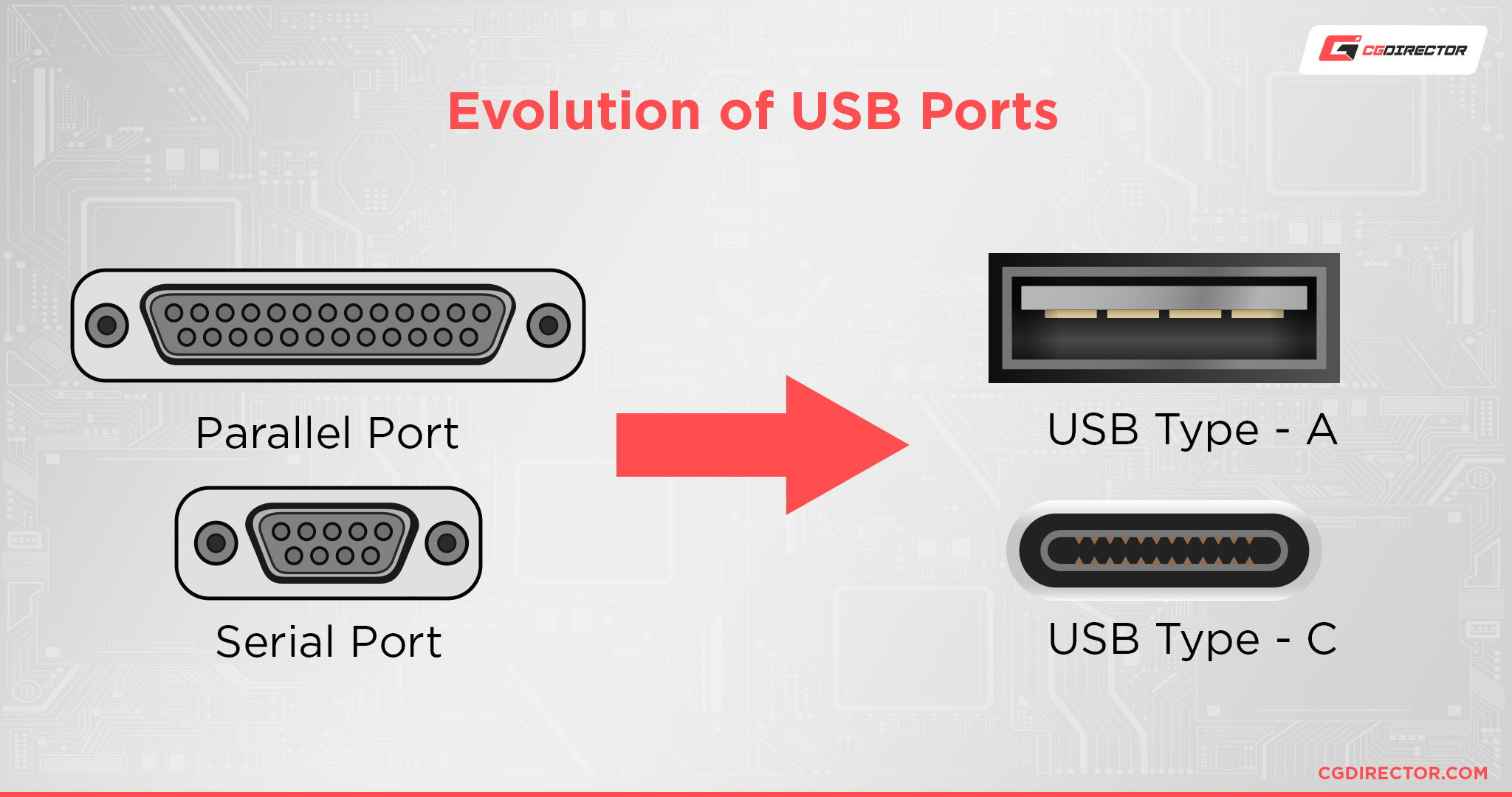
In a hardware context, "all port" refers to the totality of physical interfaces on a device, such as a switch, router, or laptop. For example, an "all-port active" configuration on a managed network switch ensures that every physical RJ45 or SFP+ slot is provisioned and monitored. In consumer electronics, "all-port" connectivity often describes a hub or docking station that provides every standard connection type—USB-C, HDMI 2.1, DisplayPort, Ethernet, and SD 4.0—simultaneously.
The Context of "All Ports" in Network Security
The context in which "all port" is used determines whether it represents a functional necessity or a critical security vulnerability. In the landscape of 2026, where AI-driven lateral movement attacks are common, "all port" configurations are treated with extreme caution.
Firewall and Security Group Rules
When an administrator sets a firewall rule to "All Ports" (often denoted as 0-65535 or *), they are essentially removing the port-level filter.
- Inbound All-Port Rules: These are generally discouraged and considered a major security risk. Opening all inbound ports makes a server "invisible" to no one; every service running on that machine—even those intended only for local use—becomes accessible to the public internet. This is a primary precursor to successful port scanning and subsequent exploitation.
- Outbound All-Port Rules: These are more common. Many organizations allow "All Ports" for outbound traffic to ensure that employees can access various web services without interruption. However, modern Zero Trust architectures are moving away from this, instead restricting outbound traffic to specific known-good ports to prevent "calling home" behavior by malware.
The "Any/Any" Problem
In enterprise networking, the "All Port" definition is often part of an "Any/Any/Any" rule (Any Source, Any Destination, Any Port). While useful for initial setup or troubleshooting a connectivity issue, leaving such a rule active in a production environment is a violation of the Principle of Least Privilege (PoLP).
Troubleshooting and Diagnostic Context
There are legitimate scenarios where "all port" visibility is required. Network engineers use "All Port" monitoring (often through SPAN or Mirror ports) to capture every packet entering or leaving a switch. This is essential for deep packet inspection (DPI) and identifying the source of network congestion or a security breach.
| Feature | All Port Configuration | Restricted Port Configuration |
|---|---|---|
| Security Level | Low (High Attack Surface) | High (Reduced Attack Surface) |
| Complexity | Low (Set and Forget) | High (Requires detailed service mapping) |
| Use Case | Troubleshooting, DMZ, Internal Testing | Production Servers, Financial Apps |
| Performance | Minimal overhead on filtering | Slight overhead due to packet inspection |
| Compliance | Often fails PCI-DSS/SOC2 | Required for most certifications |
Physical Connectivity: The "All-Port" Hardware Evolution
In 2026, the definition of "all port" hardware has shifted due to the dominance of USB4 Version 2.0 and Thunderbolt 5. We no longer look for a dozen different physical shapes; instead, "all-port" context refers to the ability of a single interface to handle all protocols.
Universal Docking Stations
A "true all-port" docking station in the current market must support:
- High-Speed Data: At least 80Gbps to 120Gbps (Thunderbolt 5 standards).
- Video Output: Dual 8K at 60Hz or triple 4K at 144Hz.
- Power Delivery: Up to 240W to support gaming laptops via a single cable.
- Legacy Support: Inclusion of USB-A and dedicated Ethernet (2.5GbE or 5GbE).
Network Switches and Throughput
In the data center, "all port" refers to non-blocking wire-speed performance. An "all-port 100GbE" switch means that every single port on the device can transmit and receive at 100 Gigabits per second simultaneously without internal backplane oversubscription. If a switch cannot handle "all ports" at full speed, it is referred to as an "oversubscribed" switch, which can lead to dropped packets during peak loads.
Configuration Requirements and Best Practices
If you must implement an "all port" strategy, whether for a specific application or a temporary test, following these requirements ensures you do not inadvertently compromise your infrastructure.
1. Verification of Necessity
Before applying an ANY or 0-65535 rule, perform a port audit. Tools like netstat (on Windows/Linux) or ss (on Linux) can identify which ports are actually listening.
- Command:
netstat -tuln - Goal: To see if you actually need "all ports" or just a specific range like 30000-32767 for a Kubernetes NodePort.
2. Implementation of Temporary Windows
In cloud environments like AWS, use "all port" rules only within a Security Group that has a strictly defined source IP (e.g., your specific office IP). Never set "All Ports" with a source of 0.0.0.0/0 (the entire internet).
3. Monitoring and Logging
When all ports are open, logging becomes your only line of defense. Enable VPC Flow Logs or Firewall Logging to monitor which ports are receiving the most hits. In 2026, AI-integrated SIEM (Security Information and Event Management) systems can analyze these logs in real-time to detect anomalous patterns even when the "all port" gate is open.
Common Mistakes and Misconceptions
- "Opening all ports makes the internet faster": This is a myth. Port restrictions do not throttle speed; they regulate access. Opening all ports does not increase bandwidth but does increase risk.
- Confusing Port Forwarding with "All Port" DMZ: Many home routers have a "DMZ" (Demilitarized Zone) feature. Placing a device in the DMZ is an "all port" action—it forwards every unsolicited packet from the internet to that specific device. This is much more dangerous than forwarding a single port for a game or web server.
- Assuming IPv6 removes the need for port management: While IPv6 eliminates the need for NAT (Network Address Translation), it does not eliminate ports. TCP and UDP still operate on the 0-65535 range in IPv6, and "all port" firewall rules are just as relevant and dangerous.
Troubleshooting All-Port Connectivity Issues
If you have configured an "all port" rule but still face connectivity issues, the problem likely resides in one of three areas:
- Host-Based Firewalls: Even if your network router allows all ports, the OS firewall (Windows Firewall or Linux
nftables/iptables) might still be blocking traffic. - ISP Filtering: Some Internet Service Providers block specific ports (like 25 for SMTP or 80/443 for residential lines) regardless of your internal "all port" settings to prevent spam and unauthorized hosting.
- Application Binding: A service might be configured to listen only on
localhost(127.0.0.1). In this case, even with all ports open to the outside world, the service will not respond to external requests because it is only "listening" to the machine itself.
FAQs
What does "All Ports" mean in a firewall setting?
In a firewall setting, "All Ports" refers to the entire range of TCP and UDP logical addresses from 0 to 65,535. Selecting this option means the firewall will not filter traffic based on the port number, allowing any service to communicate as long as other criteria (like IP address) are met.
Is it safe to enable an all-port rule for a gaming console?
While many gamers use DMZ or all-port forwarding to achieve an "Open NAT" type, it is technically a security risk. However, since gaming consoles are "closed" systems (you cannot easily install arbitrary software on them), the risk is lower than on a PC. A better approach is using UPnP (Universal Plug and Play) or specific port forwarding for the game's required ports.
How many ports are included in the "all port" definition?
There are exactly 65,536 ports. The range starts at 0 and ends at 65,535. Note that Port 0 is reserved and often used as a wildcard in programming, but it is technically part of the 16-bit port space.
What is an "all-port" docking station?
An all-port docking station is a hardware peripheral designed to provide a comprehensive array of connections. This typically includes multiple USB-C/Thunderbolt ports, legacy USB-A, HDMI, DisplayPort, Ethernet, and sometimes specialized ports like SD card readers or 3.5mm audio jacks, allowing a laptop to serve as a full desktop replacement.
Can I monitor traffic on all ports simultaneously?
Yes, using a technique called port mirroring or a Network TAP (Test Access Point). This allows a network administrator to copy all traffic from every port on a switch to a single monitoring port where a packet sniffer (like Wireshark) can analyze the data.
Practical Recommendations
For most users and professionals in 2026, the best approach to "all port" management is restrictive by default.
- For Network Security: Avoid "all port" inbound rules at all costs. If you are unsure which port a service uses, use a network scanner or check the documentation rather than opening the entire range.
- For Hardware: When purchasing "all-port" hubs, ensure they support the Power Delivery (PD) 3.1 standard to ensure they can charge your devices safely while maintaining high-speed data across all physical connections.
- For Cloud Architecture: Utilize Infrastructure as Code (IaC) to audit your security groups. Set up automated alerts that trigger whenever an "all port" (0.0.0.0/0 to 0-65535) rule is created, as this is often a sign of a configuration error or a compromised account.
By treating the "all port" definition as a specialized tool for troubleshooting rather than a standard configuration, you maintain a robust security posture while ensuring your hardware remains versatile enough for modern demands.