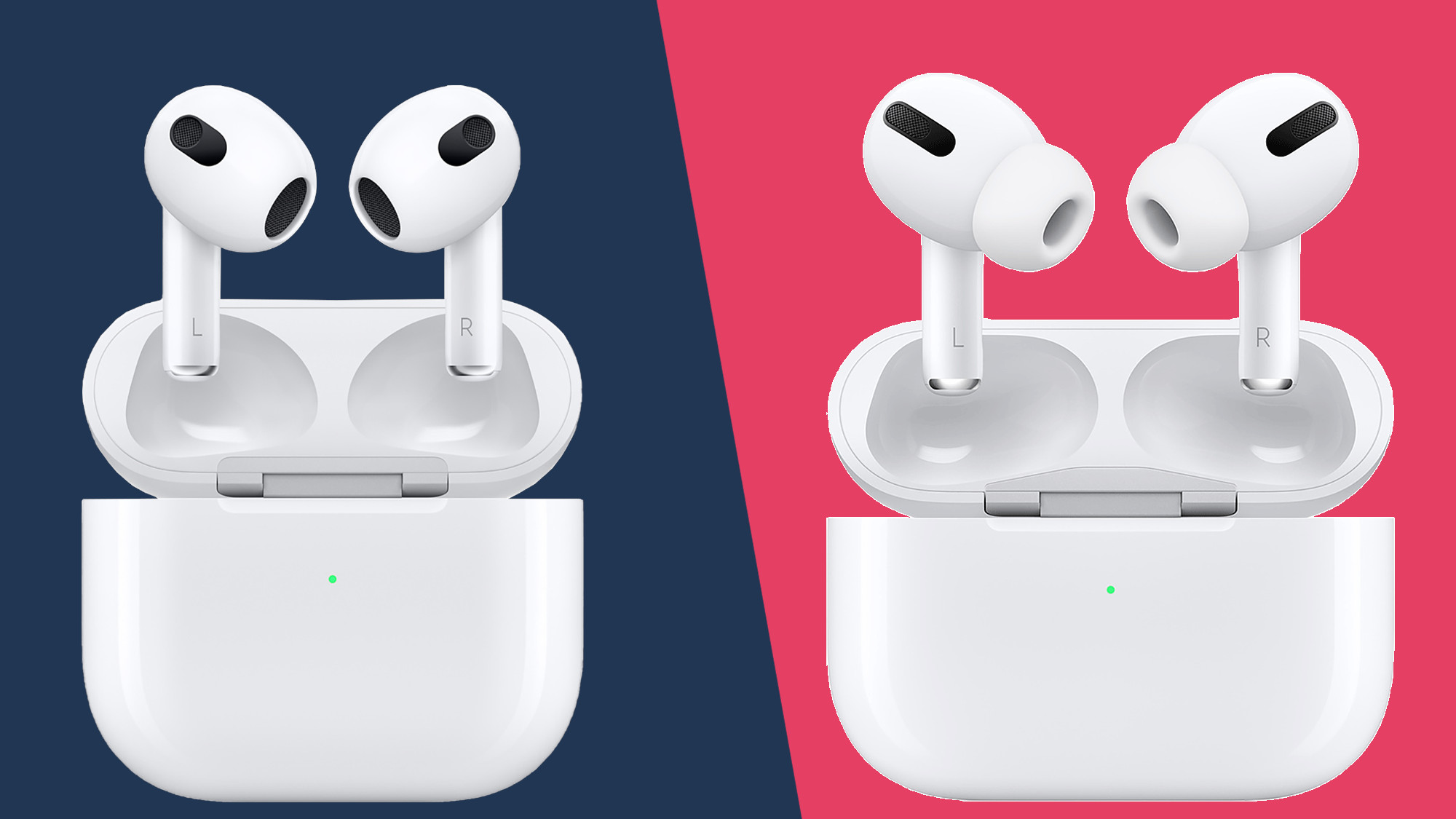
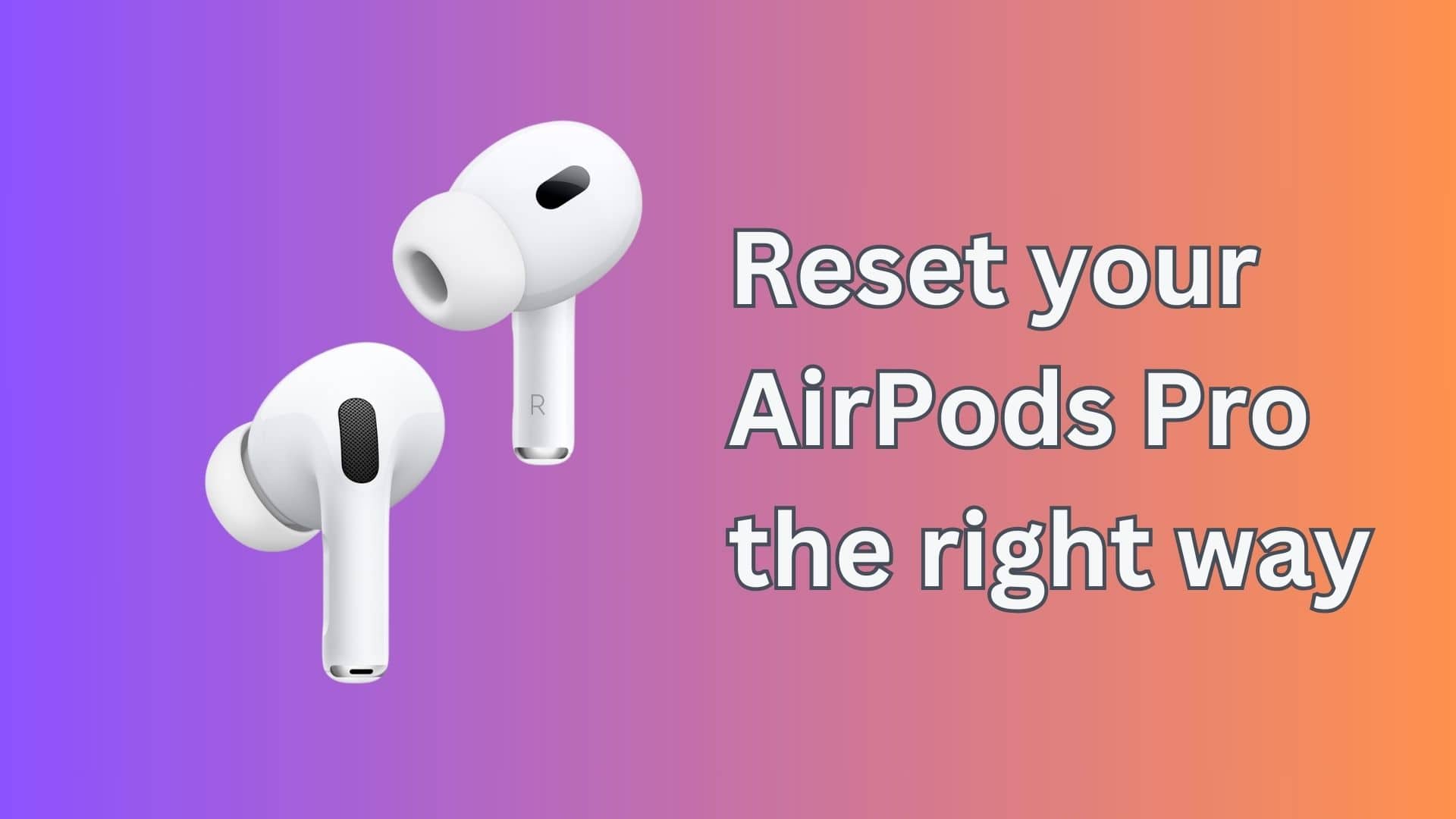
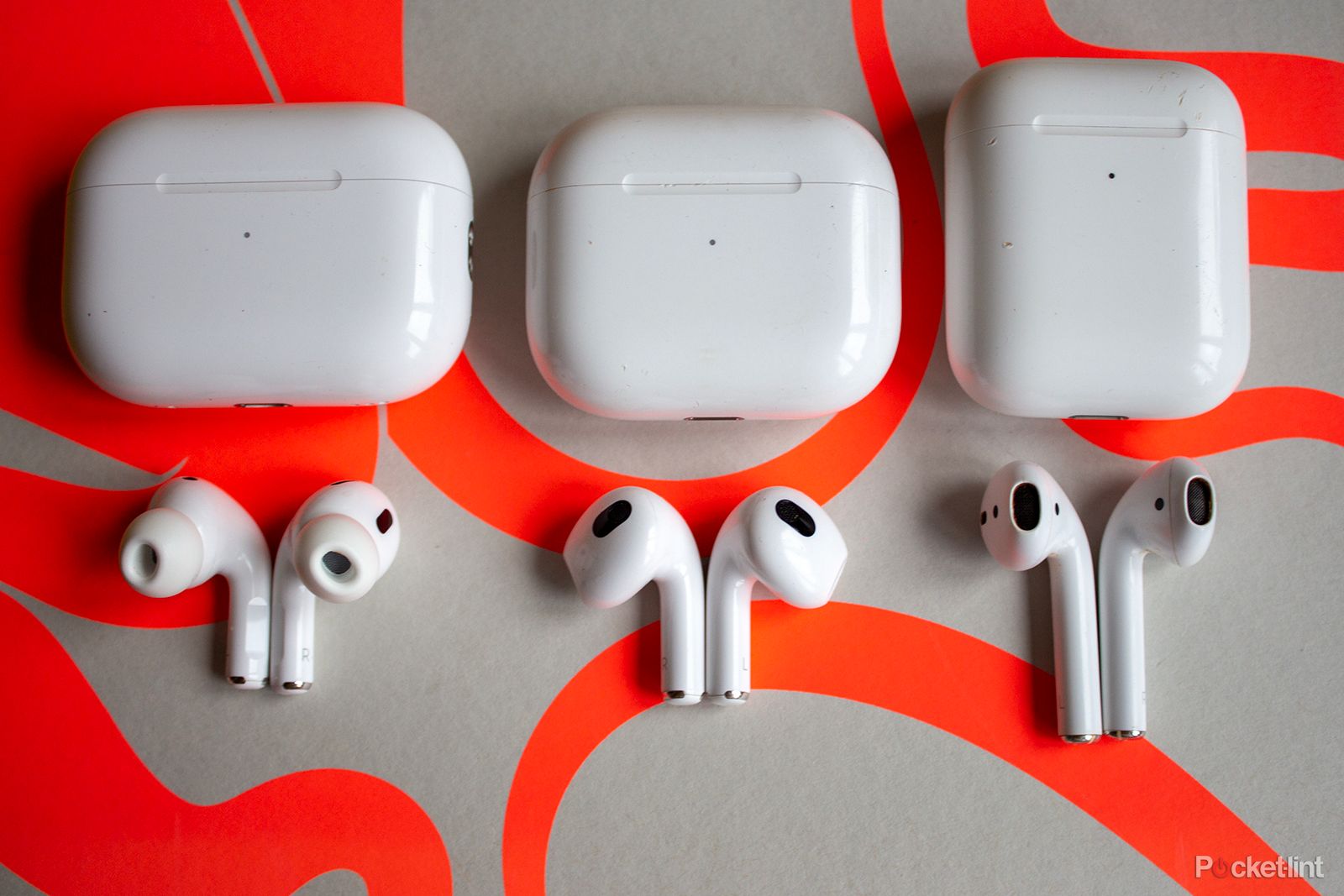
The primary difference between AirPods Pro models lies in the processor, charging connectivity, and audio processing capabilities. The second-generation AirPods Pro (USB-C) features the H2 chip, offering double the active noise cancellation of the first generation, alongside Adaptive Audio, a USB-C MagSafe case with Precision Finding, and clinical-grade hearing aid functionality.
Understanding the evolution of the AirPods Pro line is essential for anyone looking to purchase or upgrade in 2026. While the original AirPods Pro redefined the noise-canceling earbud market in 2019, the second generation—released in 2022 and updated with USB-C in late 2023—represented a massive leap in computational audio. As we look at the landscape today, the choice typically falls between the legacy Lightning-based models and the modern USB-C standard, which brings more than just a different port to the table.
The Evolution of Hardware: H1 vs. H2 Chipsets
The most significant technical "difference explained" starts with the silicon. The original AirPods Pro utilized the H1 chip, which was highly capable for its time, managing Bluetooth connectivity, "Hey Siri" functionality, and basic Active Noise Cancellation (ANC). However, the H1 chip hit a ceiling regarding the complexity of audio processing it could handle in real-time.
In contrast, the second-generation AirPods Pro (both Lightning and USB-C versions) introduced the H2 chip. This processor is the brain behind the most advanced features currently available in 2026. The H2 chip uses computational algorithms to cancel noise more intelligently, process sound more quickly, and manage power more efficiently. This shift from H1 to H2 is not merely a naming convention; it is the difference between a device that simply blocks noise and one that understands your environment and adjusts the sound profile hundreds of times per second.
The H2 chip enables higher bandwidth for audio transmission, which reduces distortion during playback. This results in cleaner highs and deeper, more resonant bass. For users who prioritize audio fidelity, the H2 chip's ability to coordinate with the custom-built driver and amplifier in the second-generation model creates a noticeably wider soundstage compared to the flatter response of the first-generation H1-powered buds.
Active Noise Cancellation and Transparency Modes
One of the most frequently asked questions regarding the "AirPods Pro difference" is whether the noise cancellation is actually better. Apple claims that the second-generation AirPods Pro provides up to two times more Active Noise Cancellation than the original. This is achieved through the placement of the microphones and the sheer processing power of the H2 chip.
The microphones on the second-generation models are placed in a way that minimizes wind interference and better captures ambient noise before it reaches your ear. In 2026, this translates to a much quieter experience in high-decibel environments like airplanes, subways, or busy offices. Where the first generation might struggle with high-pitched screeching or low-frequency rumbles, the second generation creates a significantly more "silent" bubble.
Adaptive Transparency and Adaptive Audio
Transparency Mode was a breakthrough in the original AirPods Pro, allowing users to hear their surroundings naturally. However, the second generation introduced Adaptive Transparency. This feature uses the H2 chip to dampen sudden, loud noises—such as a construction drill or a passing siren—while still allowing you to hear regular conversation.
Building on this, the Adaptive Audio feature (introduced via software but powered by H2 hardware) dynamically blends Transparency and ANC based on your environment. If you walk from a quiet park into a noisy construction zone, the earbuds automatically shift the level of noise control without you touching a single setting. This level of environmental awareness is entirely absent in the first-generation AirPods Pro.
Charging Case Innovations and Connectivity
While the earbuds themselves hold the audio technology, the charging case has seen three distinct iterations. The original 2019 case used Lightning charging and did not feature MagSafe. The 2021 refresh added MagSafe. However, the true "Pro" case arrived with the second generation.
Precision Finding and the U1/U2 Chip
The second-generation cases include a built-in speaker and a U1 (or U2 in later batches) chip for Precision Finding. This allows you to use the Find My app on your iPhone to locate your case with directional arrows, much like an AirTag. The speaker on the case can also emit a chime, making it much easier to find if it falls between couch cushions.
The USB-C Transition
As of 2026, the USB-C version of the second-generation AirPods Pro is the industry standard. Beyond the convenience of using the same cable for your MacBook, iPad, and iPhone, the USB-C model introduced a slightly improved IP54 rating for both the earbuds and the case, providing better dust resistance compared to the IPX4 rating of earlier models.
Furthermore, the USB-C AirPods Pro (2nd Gen) supports a specific 20-bit, 48kHz Lossless Audio protocol when paired with the Apple Vision Pro. This specific hardware tweak is not present in the earlier Lightning version of the second-generation model, making the USB-C version the only truly "future-proof" option for Apple’s spatial computing ecosystem.
Battery Life and Control Mechanisms
Battery longevity is a practical difference that impacts daily use. The first-generation AirPods Pro offered roughly 4.5 hours of listening time with ANC enabled. The second-generation models increased this to 6 hours on a single charge, with a total of 30 hours of listening time when including the charges held in the case.
The control scheme also evolved. While both generations use a "force sensor" on the stem to play/pause or toggle noise modes, the second generation added Touch Control. By swiping up or down on the stem, users can adjust the volume directly. In the first generation, volume could only be controlled via the connected device or Siri, which remains a significant pain point for legacy users.
Clinical Grade Features: The 2024/2025 Hearing Revolution
A massive differentiator that emerged late in the AirPods Pro 2 lifecycle (validated through 2026) is the transition into a certified hearing health tool. Following FDA clearance, Apple introduced a clinical-grade Hearing Aid feature and a comprehensive Hearing Test specifically for the second-generation AirPods Pro.
These features allow users with mild-to-moderate hearing loss to use their AirPods as personalized hearing aids. The H2 chip processes incoming voices and environmental sounds in real-time, boosting specific frequencies based on the user's personal hearing profile. This feature is technically impossible on the first-generation AirPods Pro due to the limitations of the H1 chip's processing latency and microphone sensitivity.
Comprehensive Comparison Table
The following table summarizes the technical specifications across the three main iterations of the AirPods Pro as they stand in 2026.
| Feature | AirPods Pro (1st Gen) | AirPods Pro (2nd Gen - Lightning) | AirPods Pro (2nd Gen - USB-C) |
|---|---|---|---|
| Processor | H1 Chip | H2 Chip | H2 Chip |
| Noise Cancellation | Standard ANC | 2x Stronger ANC | 2x Stronger ANC |
| Audio Features | Transparency Mode | Adaptive Audio / Transparency | Adaptive Audio / Transparency |
| Volume Control | Device Only | Swipe on Stem | Swipe on Stem |
| Battery (Buds) | ~4.5 Hours | ~6 Hours | ~6 Hours |
| Total Battery | 24 Hours | 30 Hours | 30 Hours |
| Case Port | Lightning | Lightning | USB-C |
| Find My | Basic Proximity | Precision Finding (U1) | Precision Finding (U1/U2) |
| Durability | IPX4 (Water) | IPX4 (Water) | IP54 (Dust & Water) |
| Lossless Audio | No | No | Yes (with Vision Pro) |
| Hearing Aid Mode | No | Yes (Software Update) | Yes (Software Update) |
Fit and Ergonomics
While the general "white-stemmed" aesthetic has remained consistent, the second-generation models introduced an Extra Small (XS) ear tip size. The original model only included Small, Medium, and Large. This addition was a response to feedback from users who found the original Pro model too bulky for smaller ear canals. If you have previously struggled with the fit of the original AirPods Pro, the XS tips on the 2nd Gen might resolve the issue of the buds "creeping" out during physical activity.
The internal vent system was also redesigned in the second generation to better equalize pressure. This reduces that "plugged-up" feeling that some users experience with in-ear monitors, making the second-generation models more comfortable for extended four-to-six-hour listening sessions.
Is it Worth Upgrading in 2026?
For owners of the original 2019/2021 AirPods Pro, the difference in 2026 is stark. The battery health of original units is likely degraded by now, and the jump to H2-powered features like Adaptive Audio and Conversation Awareness provides a significantly better user experience.
If you are choosing between the Lightning 2nd Gen and the USB-C 2nd Gen, the decision is simpler. Unless you find a significant discount on the Lightning model, the USB-C version is superior due to its better dust resistance, compatibility with modern charging cables, and the unique Lossless Audio support for the Vision Pro.
Common Mistakes When Identifying Models
When buying from third-party retailers or second-hand markets, it is easy to confuse these models.
- Checking the Model Number: You can find this in Settings > Bluetooth > [Your AirPods] > Info.
- Looking at the Case: If the case has a lanyard loop and speaker holes on the bottom, it is definitely a second-generation model.
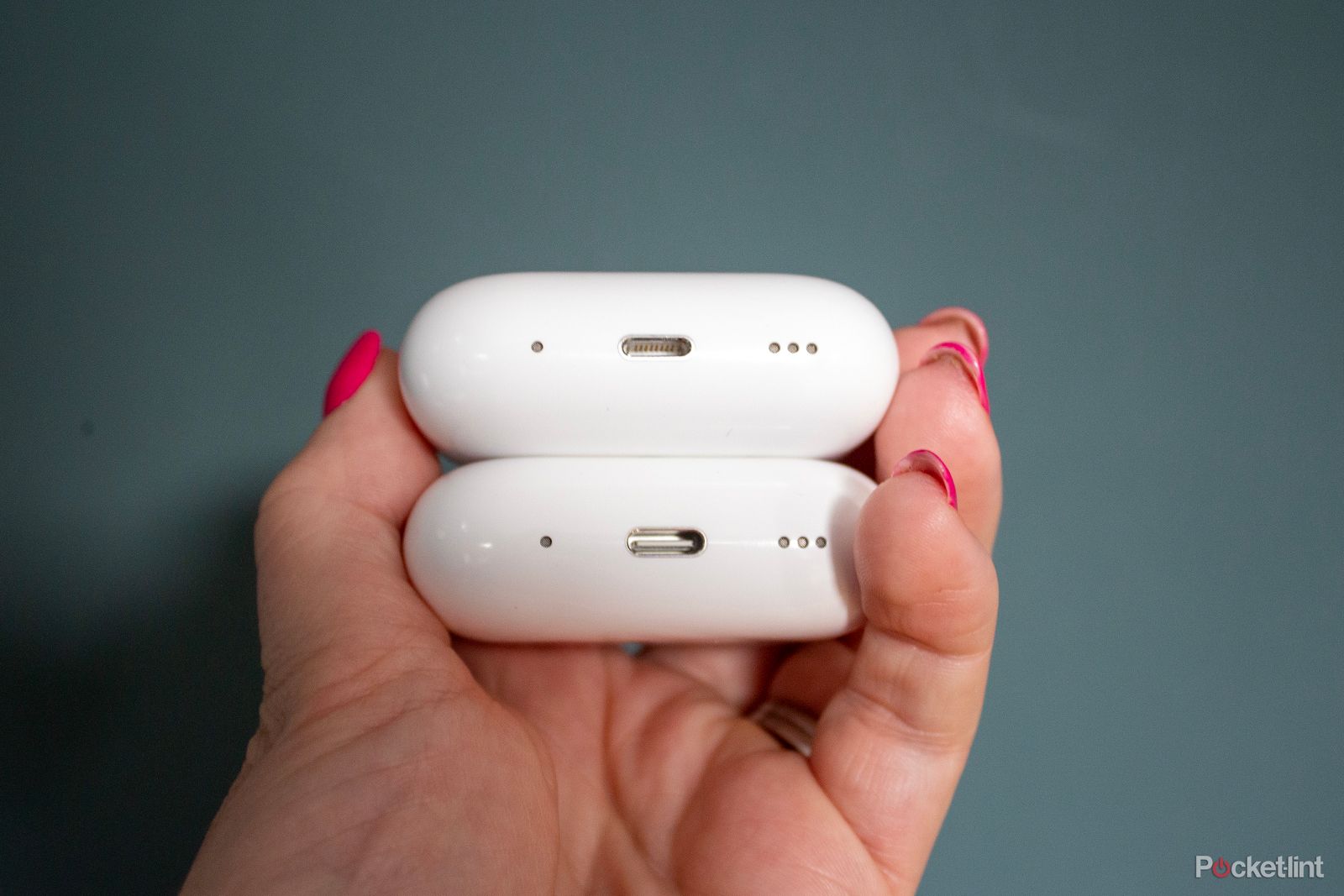
- The Charging Port: This is the easiest way to distinguish the latest 2023/2024+ stock. If it uses a USB-C cable, it is the most modern version available.
FAQ
Can I use a 1st Gen bud in a 2nd Gen case?
No. While they look similar, the internal charging contacts and communication protocols between the H1 and H2 chips are incompatible. You cannot mix and match earbuds or cases across generations.
Is the sound quality significantly better on the 2nd Gen?
Yes. While the "signature" is similar, the 2nd Gen offers much higher clarity in the mid-range and punchier, more controlled bass. This is due to the new low-distortion audio driver and custom amplifier powered by the H2 chip.
Does the 1st Gen support Adaptive Audio?
No. Adaptive Audio requires the real-time computational power of the H2 chip to analyze and blend environmental sounds. The 1st Gen is limited to static Active Noise Cancellation and standard Transparency Mode.
What is Conversation Awareness?
This is a 2nd Gen feature where the earbuds automatically lower your music volume and enhance the voices of people speaking in front of you the moment you start talking. It uses the H2 chip's voice-recognition algorithms to distinguish your voice from background noise.
How do I know if I have the USB-C version?
Examine the charging port at the bottom of the case. A USB-C port is larger and more oval-shaped than the thin, flat Lightning port. Additionally, the USB-C version carries an IP54 rating, whereas the Lightning version is IPX4.
Final Recommendation
For most users in 2026, the AirPods Pro (2nd Gen) with USB-C is the definitive choice. It represents the pinnacle of Apple's earbud technology, combining elite noise cancellation with advanced health features like the clinical-grade hearing aid mode. While the original AirPods Pro was a landmark product, the technical gap in processing power, battery life, and spatial audio integration makes the second-generation USB-C model the only version that fully leverages the current iOS ecosystem. If you are currently using the first-generation model, the improvements in noise cancellation and the convenience of USB-C charging justify the investment in an upgrade.