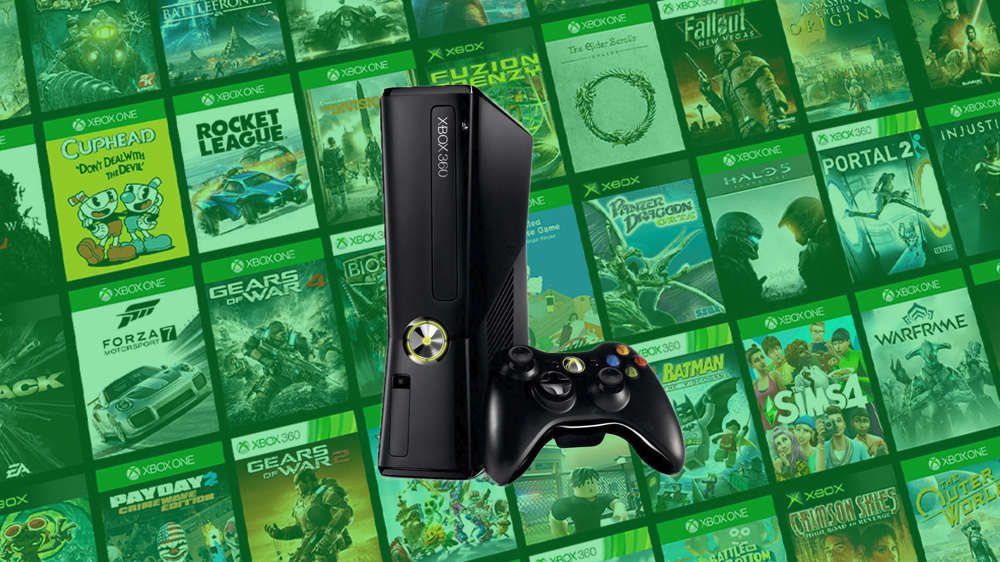
To access Xbox 360 games on the Microsoft Store in 2026, you must utilize the modern Xbox ecosystem’s backward compatibility features. While the original Xbox 360 Marketplace closed in 2024, over 600 titles remain available for purchase and download via the Xbox Series X|S, Xbox One, and the web-based Microsoft Store.
In 2026, the landscape of retro gaming on modern hardware has stabilized. Microsoft’s commitment to preservation means that while the original hardware’s digital storefront is a thing of the past, the "modern" Microsoft Store serves as a robust archive for the most popular and culturally significant titles from the Seventh Generation. Navigating this ecosystem requires an understanding of how digital entitlements, backward compatibility wrappers, and subscription services intersect.
Whether you are looking to reclaim a childhood favorite or discover a classic for the first time, here are nine comprehensive ways to access Xbox 360 games through the Microsoft Store ecosystem.
1. Direct Search on Xbox Series X|S and Xbox One Stores
The most straightforward method to access Xbox 360 content is through the integrated Microsoft Store app on your modern console. Microsoft has integrated a curated list of backward-compatible Xbox 360 titles directly into the "Games" section of the current store interface.
When you search for a title like Gears of War or Mass Effect, the store recognizes these as backward-compatible titles. They are delivered as a digital bundle that includes the original game data wrapped in an emulator. In 2026, these listings are clearly marked with an "Xbox 360" badge on the thumbnail.
To use this method effectively:
- Open the Store app from the Xbox dashboard.
- Use the Search function (Y button) to type the specific title.
- Look for the original Xbox 360 branding on the product page.
- Once purchased, the game will automatically appear in your "Full Library" under the "All Games" tab.
This method is preferred because it ensures the game you are buying is 100% compatible with your current hardware. If a game does not appear in the search results on your console, it likely was not part of the backward compatibility program and cannot be purchased digitally for modern systems.
2. Using the Web-Based Microsoft Store (Xbox.com)
Sometimes the console interface can be cumbersome for browsing large libraries. The web-based version of the Microsoft Store at Xbox.com remains a powerful tool for accessing Xbox 360 content.
In 2026, the web store offers superior filtering compared to the console app. You can specifically filter search results by "Original Xbox" and "Xbox 360" categories. Purchasing through the web store is particularly useful if you are away from your console or if you want to use a PC-based payment method that might be harder to navigate on a controller.
When you buy a game here, the license is immediately attached to your Microsoft Account. If your console is set to "Home Xbox" and "Remote Features" are enabled, the game can even begin downloading automatically the moment the transaction is complete. This is the most efficient way to browse sales and "Deals with Gold" (now integrated into Game Pass tiers) that include classic titles.
3. Accessing "Ready to Install" via My Games & Apps
If you owned digital Xbox 360 games prior to the 2024 Marketplace closure, those titles are permanently accessible through the Microsoft Store’s "Ready to Install" cloud library. You do not need to repurchase these games.
To access your historical purchases:
- Navigate to My Games & Apps on your Xbox Series X|S or Xbox One.
- Select Full Library.
- Choose Owned Games.
- Use the filter to sort by "Console Type: Xbox 360 & Xbox."
This section communicates directly with the Microsoft Store database to verify your ownership licenses. Even if a game has been "delisted" from the store (meaning new players cannot buy it), your personal license remains valid. This is a critical distinction in 2026: the Microsoft Store functions as a delivery system for existing owners even when it ceases to be a storefront for specific titles.
4. Xbox Game Pass Ultimate and EA Play Integration
A significant portion of the Xbox 360 library available on the Microsoft Store is tied to subscription services. For a monthly fee, you can access hundreds of classic games without individual purchases.
- Xbox Game Pass: Microsoft includes many first-party titles (Halo, Fable, Forza) in the "Backcompat" section of the Game Pass library.
- EA Play: Integrated into Game Pass Ultimate, this service provides access to the "Vault," which contains a massive array of 360-era classics like Dead Space, Dragon Age, and Skate 3.
To access these, go to the Game Pass tab on the Microsoft Store. There is a dedicated "Classics" or "Backward Compatible" sub-menu. This is often the most cost-effective way to play 360 games, as it bypasses the need to manage individual digital licenses.
5. Redeeming Digital Codes from Third-Party Retailers
While the 360 Marketplace is closed, third-party retailers like Amazon, Best Buy, and GameStop often still have "New Old Stock" of digital download codes for Xbox 360 games. These codes are still honored by the modern Microsoft Store.
When you purchase a digital code from a retailer, you receive a 25-character key. You can redeem this:
- On the console via the Redeem section of the Store.
- On the web via redeem.microsoft.com.
Once the code is entered, the Microsoft Store recognizes the 360 title and adds it to your modern library. This is a vital "backdoor" for accessing games that might not be prominently featured on the console's front page or for finding titles that are occasionally unavailable for direct digital purchase due to regional store variations.
6. Utilizing Xbox Cloud Gaming (xCloud)
In 2026, Xbox Cloud Gaming has become a primary way to experience Xbox 360 titles without the need for high-speed downloads or storage management. Many backward-compatible games on the Microsoft Store are "Cloud Enabled."
If you have an Xbox Game Pass Ultimate subscription, you can find these games in the Cloud Gaming section of the Store or the Game Pass app. This allows you to:
- Play Xbox 360 games on your Windows PC.
- Play on Mobile devices (iOS/Android).
- Play on Smart TVs with the Xbox app.
The Microsoft Store handles the save-state synchronization. When you play a 360 game via the Cloud, it pulls your original cloud saves from 2005–2013, allowing you to pick up exactly where you left off on original hardware over a decade ago.
7. The Microsoft Store App on Windows
While the Xbox 360 was a console, many of its games were part of the "Games for Windows Live" era or have since been ported to the Universal Windows Platform (UWP). You can access many 360-era titles directly through the Microsoft Store on Windows 10/11.
Search for titles that were "Play Anywhere" or had PC releases. While these aren't always the "360 version" in a technical sense (they are often the PC port), they represent the same game accessible through the same account and store ecosystem. For example, Alan Wake or BioShock can be found here. The Windows store is particularly useful for players who want to enjoy 360-era content but do not own a physical console in 2026.
8. Remote Installation via the Xbox Mobile App
The Xbox Mobile App acts as a remote interface for the Microsoft Store. If you are searching for an Xbox 360 game and aren't sure if it’s compatible, the mobile app is often the fastest way to check.
In 2026, the app allows you to "Search" the entire Microsoft Store catalog. A unique feature of the mobile app is the ability to "Download to Console" even for games you do not yet own. You can find an Xbox 360 title, trigger the download to your home console, and then purchase the license later through the Store interface when you sit down to play. This is a great way to manage your 360 library and storage space while on the go.
9. Accessing via Remastered Bundles and Compilations
Many Xbox 360 games have been repackaged into "Remastered" versions or "Collection" bundles available on the Microsoft Store. In many cases, these bundles actually use the original 360 digital files.
A prime example is Rare Replay. When you purchase Rare Replay on the Microsoft Store, it populates your library with several individual Xbox 360 titles (like Banjo-Kazooie: Nuts & Bolts and Viva Piñata). These aren't just remakes; they are the original 360 versions being accessed through a modern store license. Always check if a 360 game you want is part of a larger, often cheaper, compilation.
Comparison of Access Methods
The following table summarizes the different ways to interact with Xbox 360 content via the Microsoft Store as of 2026.
| Access Method | Platform | Best For... | Requires Subscription? |
|---|---|---|---|
| Console Search | Series X|S, One | Quick access to verified titles | No |
| Web Store | PC/Mobile Browser | Detailed filtering and price tracking | No |
| Owned Library | All Xbox Consoles | Re-downloading old purchases | No |
| Game Pass/EA Play | Console/PC/Cloud | Accessing multiple titles cheaply | Yes |
| Digital Codes | Retailers/Web | Gift cards and "off-store" finds | No |
| Cloud Gaming | Mobile/TV/PC | Instant play without downloads | Yes |
| Windows Store | Windows 11 | PC-native versions of 360 hits | No |
| Xbox Mobile App | iOS/Android | Remote library management | No |
| Compilations | Console/Store | Getting multiple 360 games in one | No |
Technical Prerequisites and Performance
Accessing Xbox 360 games through the modern Microsoft Store involves more than just a transaction; there are technical layers to consider in 2026.
The Emulator Wrapper
When you download an Xbox 360 game from the modern store, you are not just getting the game files. Microsoft attaches a "wrapper"—a specialized emulator designed to mimic Xbox 360 architecture on the x86-64 hardware of the Series X|S and Xbox One. This allows for features the original console didn't have, such as Auto HDR and FPS Boost. Many 360 games accessed this way in 2026 run at higher resolutions (up to 4K on Series X) and more stable framerates than they ever did on original hardware.
Storage Requirements
While 360 games are small by modern standards (usually between 5GB and 15GB), they must be installed on the internal SSD (or a high-speed expansion card) on Series X|S consoles to take advantage of Quick Resume. You can store them on an external USB 3.0 drive, but you will lose the near-instant loading times that the modern Microsoft Store ecosystem provides.
Regional Availability
The Microsoft Store is region-locked based on your account settings. Some Xbox 360 titles were only released in specific territories (NTSC-J for Japan or PAL for Europe). If you are looking for a specific 360 title and cannot find it, you may need to check the regional availability. However, unlike the original 360 hardware, the modern Microsoft Store on Series X|S is largely region-free for backward-compatible digital content.
Troubleshooting Common Access Issues
Even with a streamlined system, you may encounter hurdles when trying to access 15-to-20-year-old software.
- "Not Currently Available": If a game appears in the store but says it is unavailable, it has likely been delisted due to expiring music or car licenses (common in Forza or GTA titles). In this case, your only option is the physical disc (if you have a console with a disc drive) or a remaining digital code from a third-party seller.
- Account Migration Issues: If you changed your Microsoft Account email between the 360 era and 2026, your old purchases will not show up. You must be signed into the exact Microsoft Account (formerly Xbox Live ID) used for the original purchase.
- Cloud Save Conflicts: If the store launches your game but your saves are missing, ensure "Cloud Saves" were enabled on your original Xbox 360. You may need to turn on an original 360 console one last time to move "Local Saves" to "Cloud Storage" for the Microsoft Store to "see" them.
Frequently Asked Questions
Can I still buy Xbox 360 games if the 360 Store is closed?
Yes. While the marketplace on the Xbox 360 console is closed, the "Modern Microsoft Store" on Xbox One, Series X|S, and the web still sells over 600 backward-compatible Xbox 360 titles. If a game is on the backward compatibility list, it remains for sale.
Do I need to pay again for games I already bought?
No. Any digital Xbox 360 game you purchased on your account remains yours. It will appear in the "Full Library" section of the Microsoft Store on any modern Xbox console you sign into.
Will physical Xbox 360 discs work with the Microsoft Store?
If you have a console with a disc drive (Xbox One or Xbox Series X), inserting a supported Xbox 360 disc will trigger the Microsoft Store to download a digital version of the game. The disc acts as your "license key," so it must remain in the drive while you play.
Why are some Xbox 360 games missing from the Store?
Most missing games are due to licensing issues or technical limitations. Some games relied on peripherals (like the Kinect or specific controllers) that are not supported on modern hardware, while others have expired intellectual property agreements.
Is there a way to request games be added to the Store?
As of 2026, Microsoft has officially concluded the "Backward Compatibility Program" for adding new 360 titles. While they occasionally surprise the community with updates during anniversaries, the current list is considered final.
Final Recommendation
To get the most out of your Xbox 360 experience in 2026, the web-based Microsoft Store (Xbox.com) combined with an Xbox Game Pass Ultimate subscription is the most effective approach. This combination allows you to browse the most complete list of titles with better search tools while providing instant access to a massive library of classics through the subscription. If you are a collector, always verify a title's "Backward Compatible" status on the official Xbox master list before attempting to purchase a digital code or physical disc.