Understanding the financial investment required for enterprise cloud governance involves examining how Microsoft structures security licensing. Office 365 Cloud App Security pricing is tied directly to broader Microsoft 365, Office 365, and enterprise mobility subscription tiers rather than existing as a completely standalone, one-off consumer purchase. Organizations looking to secure their software-as-a-service applications, monitor user behavior, and enforce compliance policies must navigate a matrix of bundled licenses, standalone add-ons, and enterprise agreements to determine total cost.
Evolution and Identity: From Cloud App Security to Microsoft Defender for Cloud Apps
To properly evaluate pricing, organizations must understand how Microsoft brands and packages this technology. Historically known as Microsoft Cloud App Security (MCAS), the solution functioned as a Cloud Access Security Broker (CASB). It provided deep visibility, data controls, and threat protection for cloud services.
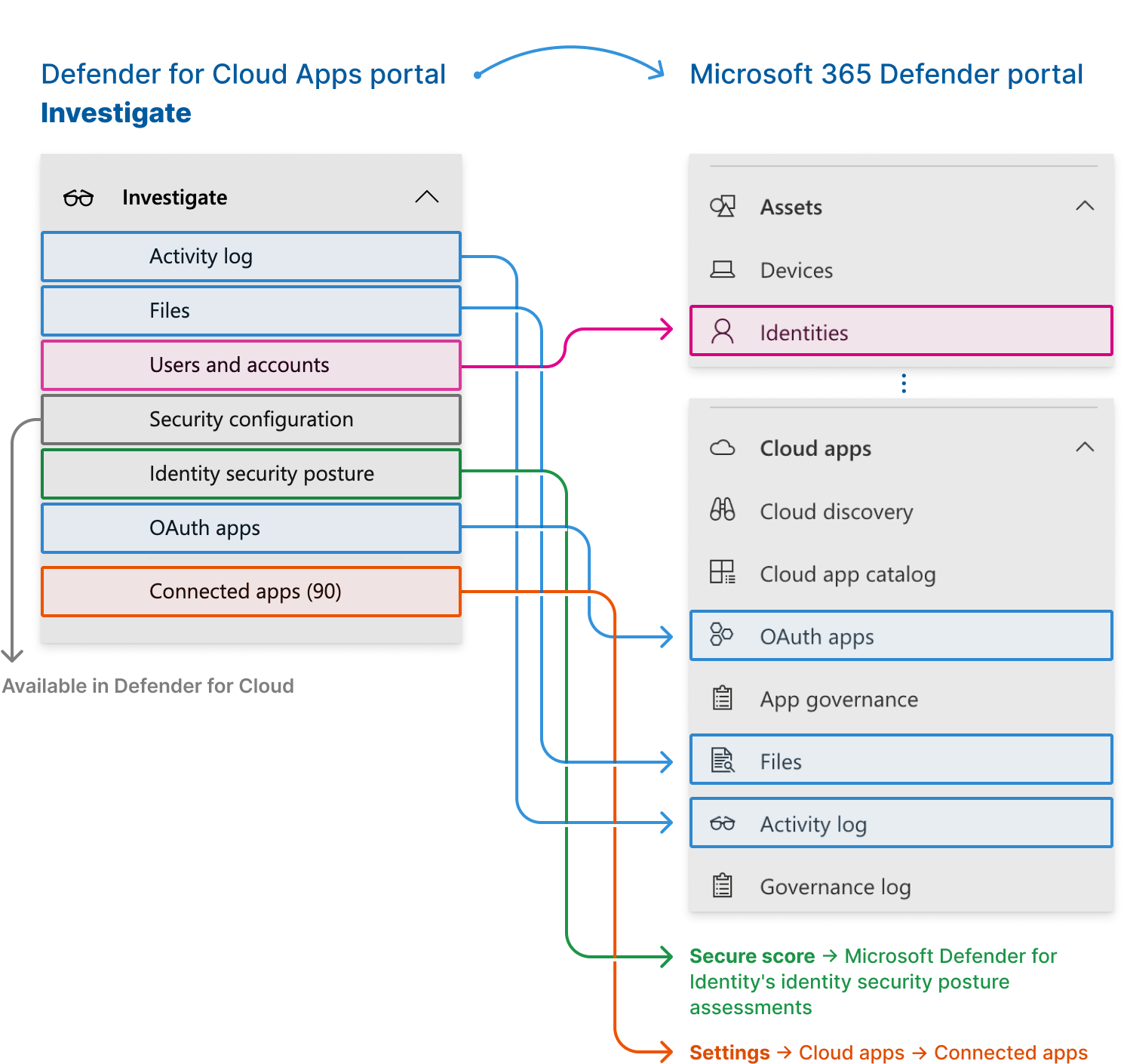
Over time, Microsoft integrated this capability into its broader extended detection and response (XDR) portfolio, renaming the core technology Microsoft Defender for Cloud Apps. While the nomenclature has shifted from the legacy Office 365 branding toward a unified security approach, the underlying functionality remains focused on protecting SaaS environments, monitoring shadow IT, and securing data shared across cloud platforms.
When organizations investigate pricing for these capabilities, they are essentially evaluating the cost of accessing Microsoft Defender for Cloud Apps either as a standalone add-on license or as a native component within comprehensive enterprise license agreements.
Core Licensing Models and Pricing Structures
Microsoft structures the acquisition of cloud application security through two primary pathways: standalone add-on licenses that overlay existing productivity suites, or bundled enterprise agreements that include these security controls natively.
1. Standalone Add-On Licenses
For organizations utilizing standard productivity suites—such as Microsoft 365 E3 or Office 365 E3—that do not inherently include advanced CASB features, Microsoft offers a standalone add-on license for Microsoft Defender for Cloud Apps.
- Target Audience: Mid-market to enterprise organizations that have standardized on baseline cloud productivity suites but require advanced shadow IT discovery, anomaly detection, and granular API-based governance.
- Pricing Mechanism: Priced on a per-user, per-month subscription model. Exact pricing varies depending on regional currency, volume licensing agreements (such as Enterprise Agreements or Cloud Solution Provider programs), and non-profit or educational discounts.
2. Comprehensive Bundles (Microsoft 365 E5)
For organizations seeking a fully integrated security posture without managing individual security add-ons, the capabilities of Defender for Cloud Apps are fully integrated into top-tier licensing bundles.
- Target Audience: Large enterprises requiring end-to-end security, including identity protection, advanced endpoint detection, email security, and comprehensive cloud application governance.
- Pricing Mechanism: Microsoft 365 E5 represents a higher baseline per-user, per-month cost than E3, but it bundles multiple security solutions that would otherwise require separate add-on purchases. This makes the bundled approach economically advantageous for organizations needing multiple advanced security workloads.
Comparative Licensing Matrix
Evaluating whether to purchase an add-on or upgrade an entire enterprise agreement requires examining how features map across different license levels. The following table outlines the structural differences between baseline productivity licenses, standalone security additions, and comprehensive enterprise bundles.
| License Tier | Primary Focus | Cloud App Security Inclusion | Ideal Organizational Profile |
|---|---|---|---|
| Office 365 E3 / M365 E3 | Core productivity and baseline security | Not included natively (Requires Add-on) | Organizations needing standard email, Office apps, and basic compliance with lower security overhead. |
| Microsoft Defender for Cloud Apps (Add-on) | Dedicated cloud access security broker (CASB) | Included as a discrete add-on license | E3 customers who need advanced shadow IT monitoring and SaaS governance without upgrading to E5. |
| Microsoft 365 E5 | Comprehensive identity, endpoint, and cloud security | Fully included natively | Large enterprises requiring maximum threat protection, automated remediation, and zero-trust architecture. |
Factors Influencing Total Cost of Ownership (TCO)
When budgeting for cloud application security, looking solely at the per-user license sticker price can lead to inaccurate financial forecasting. Several operational and structural factors influence the true Total Cost of Ownership (TCO):
Volume Licensing Agreements and Discounts
Organizations purchasing through a Microsoft Enterprise Agreement (EA), Customer Agreement (MCA), or Cloud Solution Provider (CSP) channel frequently qualify for volume discounts. Large enterprise commitments can significantly reduce the effective per-user monthly cost for both standalone add-ons and E5 bundles.
Implementation and Integration Expenses
Licensing is only part of the financial equation. Deploying a CASB solution requires administrative overhead. Organizations must factor in:
- Initial configuration of API connectors for sanctioned cloud applications (e.g., Salesforce, Box, Google Workspace).
- Integration with security information and event management (SIEM) systems and security orchestration, automation, and response (SOAR) platforms.
- Staff training and dedicated security operations center (SOC) personnel to triage alerts generated by anomalous user behavior.
Administrative Resource Allocation
Defender for Cloud Apps generates telemetry regarding shadow IT usage, risky OAuth applications, and impossible travel alerts. Organizations must weigh the cost of licensing against the internal personnel hours required to investigate incidents, adjust conditional access policies, and maintain compliance frameworks.
Hidden Costs and Licensing Pitfalls to Avoid
Organizations embarking on cloud security procurement frequently encounter budget overruns due to misunderstood licensing boundaries and feature dependencies.
- Assuming Universal Coverage: A common mistake is assuming that purchasing a security add-on for administrative accounts covers the entire organization. CASB licenses generally must match the user licensing model—meaning if an enterprise covers a specific user population with productivity licenses, the corresponding security add-on must be provisioned for that same user count.
- Overlooking Prerequisite Licenses: Standalone add-ons often require baseline infrastructure, such as Azure Active Directory (now Microsoft Entra ID) Plan 1 or Plan 2, to function effectively. Failing to account for these underlying dependencies can result in unexpected licensing gaps during deployment.
- Neglecting API Transaction Limits: While licensing grants access to governance features, heavy API polling of third-party cloud applications can occasionally run against vendor rate limits, requiring careful tuning of monitoring policies to avoid operational disruption.
Frequently Asked Questions
Can I purchase Microsoft Defender for Cloud Apps as a standalone product for a single user?
No. Microsoft licenses security solutions on an organizational or per-user subscription model tied to volume licensing or cloud solution provider programs. It cannot be purchased as a single-user retail product.
Is Office 365 Cloud App Security the same as Microsoft Defender for Cloud Apps?
Yes. "Office 365 Cloud App Security" and "Microsoft Cloud App Security" were legacy names for features that have been consolidated and rebranded under the broader Microsoft Defender security portfolio as Microsoft Defender for Cloud Apps.
Do external users or guests require a license for cloud app security monitoring?
Licensing requirements typically apply to internal users whose accounts, devices, and activities are governed by the organization's tenant policies. Guest accounts and external collaborators are evaluated based on how they interact with sanctioned enterprise resources, but organizations should consult official Microsoft product terms for specific guest-licensing rules.
How does pricing scale for non-profit organizations or educational institutions?
Microsoft offers specialized academic, government, and non-profit pricing tiers through authorized volume licensing resellers. These programs generally provide significant discounts on both standalone security add-ons and comprehensive M365 E5 bundles.
Next Actions and Recommendations
To determine the most cost-effective path for your organization, begin by auditing your current Microsoft 365 licensing inventory. If your organization already utilizes Microsoft 365 E3, evaluate whether purchasing the standalone Microsoft Defender for Cloud Apps add-on is more cost-effective than migrating your entire user base to Microsoft 365 E5.
Engage with a certified Microsoft licensing partner or account executive to run a pilot or trial evaluation. This allows your security team to discover existing shadow IT usage within your tenant, validate the utility of automated governance policies, and calculate a precise budget based on your exact user seat count before committing to a multi-year enterprise agreement.