Integrating external software with Amazon Seller Central is a standard requirement for businesses aiming to automate inventory management, streamline order fulfillment, and analyze sales data in real-time. The Amazon Seller Central integration process involves connecting a third-party application or a custom-built solution to Amazon’s ecosystem using the Selling Partner API (SP-API). This REST-based API replaced the older Marketplace Web Service (MWS) and provides a secure, modern interface for exchanging data.
To successfully integrate, a seller must navigate several technical layers, including developer registration, AWS (Amazon Web Services) configuration, and the implementation of OAuth 2.0 for authorization. As of 2026, Amazon has standardized these protocols to ensure high levels of data security and operational efficiency. Whether you are a developer building a bespoke tool or a business owner connecting an existing ERP (Enterprise Resource Planning) system, understanding the architecture of this integration is essential for maintaining a healthy seller account and avoiding common technical pitfalls.
Understanding the Selling Partner API (SP-API) Framework
The Selling Partner API (SP-API) is the technical backbone of all contemporary Amazon integrations. It is a suite of RESTful APIs that allow programmatic access to Amazon seller data. Unlike its predecessor, the SP-API uses JSON (JavaScript Object Notation) for data exchange and follows modern security standards, specifically AWS Signature Version 4 for authentication.
In the current 2026 e-commerce environment, the SP-API is divided into several specialized "Roles." These roles define the specific data sets an application can access. For example, a "Pricing" role allows an app to retrieve and update product prices, while a "Direct to Consumer Shipping" role allows access to customer addresses for fulfillment. Granting an application only the roles it strictly needs is a core principle of Amazon’s security model, known as the "Principle of Least Privilege."
The integration process is generally categorized into two types: Public Applications and Private Applications. Public applications are built by software vendors to be used by many different sellers (e.g., a popular inventory tool like Helium 10 or ShipStation). Private applications are built by a specific seller for their own internal use. While the underlying API calls are similar, the registration and authorization workflows differ significantly.
Prerequisites for Integration
Before initiating the integration process, several administrative and technical prerequisites must be met. Failure to prepare these assets often results in delays during the developer application phase.
Professional Seller Account
Amazon only permits integrations for accounts on the Professional Selling Plan. Individual accounts do not have access to the Developer Console or the SP-API. Sellers must ensure their account is in "Good" standing; any pending performance notifications or account health issues may prevent the approval of developer credentials.
AWS Account and IAM Configuration
Because the SP-API uses AWS-native authentication methods, a valid AWS account is required. The integration relies on AWS Identity and Access Management (IAM) to create a bridge between Amazon Seller Central and the API. You must create an IAM user, an IAM group, and a specific IAM policy that grants permission to call the SP-API. This setup generates an Access Key ID and a Secret Access Key, which act as the primary credentials for signing API requests.
Data Protection Policy (DPP) Compliance
Amazon maintains strict standards regarding how seller and customer data is handled. Before you can access "Restricted" data (such as customer names or shipping addresses), you must demonstrate compliance with the Amazon Data Protection Policy. This includes requirements for data encryption, access logging, and secure storage. In 2026, these audits are increasingly automated, but they still require thorough documentation of your IT infrastructure.
Step-by-Step Integration Procedure
The integration process follows a logical progression from administrative setup to technical handshake. Each step must be completed in order to ensure the security tokens are generated correctly.
Step 1: Register as a Developer
The first step is to submit a Developer Application through the Amazon Seller Central "Apps and Services" menu. Navigate to the Developer Console and click "Register." You will be asked to provide business details, including your company name, website, and contact information.
Crucially, you must specify which "Roles" your application requires. If you are requesting access to Personally Identifiable Information (PII), be prepared to answer detailed questions about your security protocols. Amazon typically reviews developer applications within 5 to 10 business days, though this can vary based on the complexity of the request.
Step 2: Create a Developer Profile and IAM User
Once your developer application is approved, you must link it to your AWS infrastructure. In your AWS Management Console, create a new IAM user specifically for the Amazon integration.
- Create a Policy: Define a JSON policy that allows the
execute-api:Invokeaction on the SP-API resources. - Attach Policy to User: Assign this policy to your new IAM user.
- Generate Credentials: Save the resulting Access Key and Secret Key securely. These will never be shown again and are vital for the "Signature Version 4" signing process.
Step 3: Register the Application in Seller Central
Return to the Seller Central Developer Console to register the specific application. You will provide an "App Name" and select the "API Type" (which will be SP-API). During this step, you will associate the application with the IAM ARN (Amazon Resource Name) you created in the previous step. This creates a hard link between your AWS identity and your Seller Central developer identity.
Step 4: Configure Login with Amazon (LWA)
Amazon uses the OAuth 2.0 protocol via "Login with Amazon" (LWA) to authorize applications. When you register your app, Amazon provides a Client ID and a Client Secret. These are used to exchange an authorization code for a "Refresh Token."
- For Private Apps: The seller can self-authorize the app within the Developer Console to generate a Refresh Token immediately.
- For Public Apps: The developer must provide an "OAuth Redirect URL." The seller is sent to an Amazon-hosted consent page, clicks "Authorize," and is redirected back to the developer's site with an authorization code.
Step 5: The Token Exchange and API Call
With the Refresh Token, Client ID, and Client Secret in hand, your software can now make a call to the LWA endpoint to receive an Access Token. This Access Token is short-lived (usually 60 minutes) and must be included in the header of every SP-API call.
The final API request is signed using the AWS Access Key and Secret Key via the HMAC-SHA256 algorithm. This multi-layered security ensures that even if an Access Token is intercepted, the request cannot be spoofed without the AWS keys.
Types of Common Integrations
Businesses typically integrate Seller Central with one of three systems to improve operational efficiency. Each has specific requirements within the SP-API framework.
Inventory and Order Management Systems (OMS)
This is the most common integration. It synchronizes stock levels across multiple sales channels. When a sale occurs on Amazon, the integration triggers a "Get Orders" call, pulls the data into the OMS, and adjusts stock levels on other platforms like Shopify or eBay. It then sends a "Feed" back to Amazon to confirm shipment and provide tracking numbers.
Financial and Accounting Software
Integrations with tools like QuickBooks or Xero use the "Settlement Reports" and "Finances API." This allows for the automatic reconciliation of Amazon fees, refunds, and payouts. Instead of manually downloading CSV files, the integration pulls the "Financial Events" data, ensuring that the business’s books reflect the net deposit accurately after Amazon's commissions are deducted.
Advertising and Marketing Analytics
The Amazon Advertising API (which is distinct from but often integrated alongside SP-API) allows tools to manage Sponsored Products and Sponsored Brands. By integrating this with sales data from SP-API, sellers can calculate their true ACOS (Advertising Cost of Sales) and TACOS (Total Advertising Cost of Sales) at a granular product level.
Comparison: Private vs. Public Application Integration
Choosing between a private and public integration depends on your business model and technical resources.
| Feature | Private Application | Public Application |
|---|---|---|
| Intended User | The developer/seller themselves. | External third-party sellers. |
| Authorization | Manual "Self-Authorization." | OAuth 2.0 "Login with Amazon" flow. |
| Security Review | Standard review; higher scrutiny for PII. | Rigorous annual audit and DPP compliance. |
| Setup Complexity | Moderate; requires AWS knowledge. | High; requires robust multi-tenant architecture. |
| Maintenance | Handled by the seller's internal team. | Handled by the software vendor. |
| Availability | Not listed in the Amazon Appstore. | Listed in the Amazon Partner Network. |
Troubleshooting Common Integration Errors
The integration process is technically demanding, and several common errors frequently arise during development and maintenance.
403 Forbidden: "Access to the resource is forbidden"
This is the most common error and usually stems from one of three issues:
- The IAM policy does not have the correct permissions.
- The application has not been granted the specific "Role" required for that API endpoint (e.g., trying to call the Orders API without the "Orders" role).
- The request signature (AWS SigV4) is calculated incorrectly.
429 Too Many Requests (Throttling)
Amazon imposes "Rate Limits" on every API endpoint to protect its infrastructure. Each API has a "Bucket" and "Leak Rate." If you exceed the allowed number of requests per second, Amazon will return a 429 error. In 2026, modern integrations must implement "Exponential Backoff" logic, which automatically retries the request after a progressively longer delay.
Unauthorized Client (Invalid Refresh Token)
If a seller revokes an application’s access in Seller Central, the Refresh Token becomes invalid. Your system must be able to handle this gracefully by notifying the user to re-authorize the application. Refresh tokens can also expire or be invalidated if the seller's account status changes to "Inactive."
Compliance and Data Security in 2026
By 2026, Amazon has significantly tightened the requirements for the Data Protection Policy (DPP) and the Acceptable Use Policy (AUP). Sellers and developers must ensure that any data retrieved from Seller Central is encrypted "at rest" and "in transit."
Furthermore, "Restricted Data Tokens" (RDTs) are now mandatory for accessing PII. Instead of using a standard Access Token to get customer addresses, developers must call the createRestrictedDataToken operation. This provides a limited-use token specifically for that piece of data, adding an extra layer of protection against mass data breaches. Organizations are expected to conduct regular security scans and maintain logs of who accessed customer data and for what purpose.
FAQs
What is the difference between MWS and SP-API?
Amazon Marketplace Web Service (MWS) was an older, XML-based API that utilized a simpler but less secure authentication method. The Selling Partner API (SP-API) is the modern replacement, using JSON and RESTful architecture. As of 2026, MWS is deprecated, and all new and existing integrations must use SP-API for continued functionality and security.
Do I need to be a coder to integrate Amazon Seller Central?
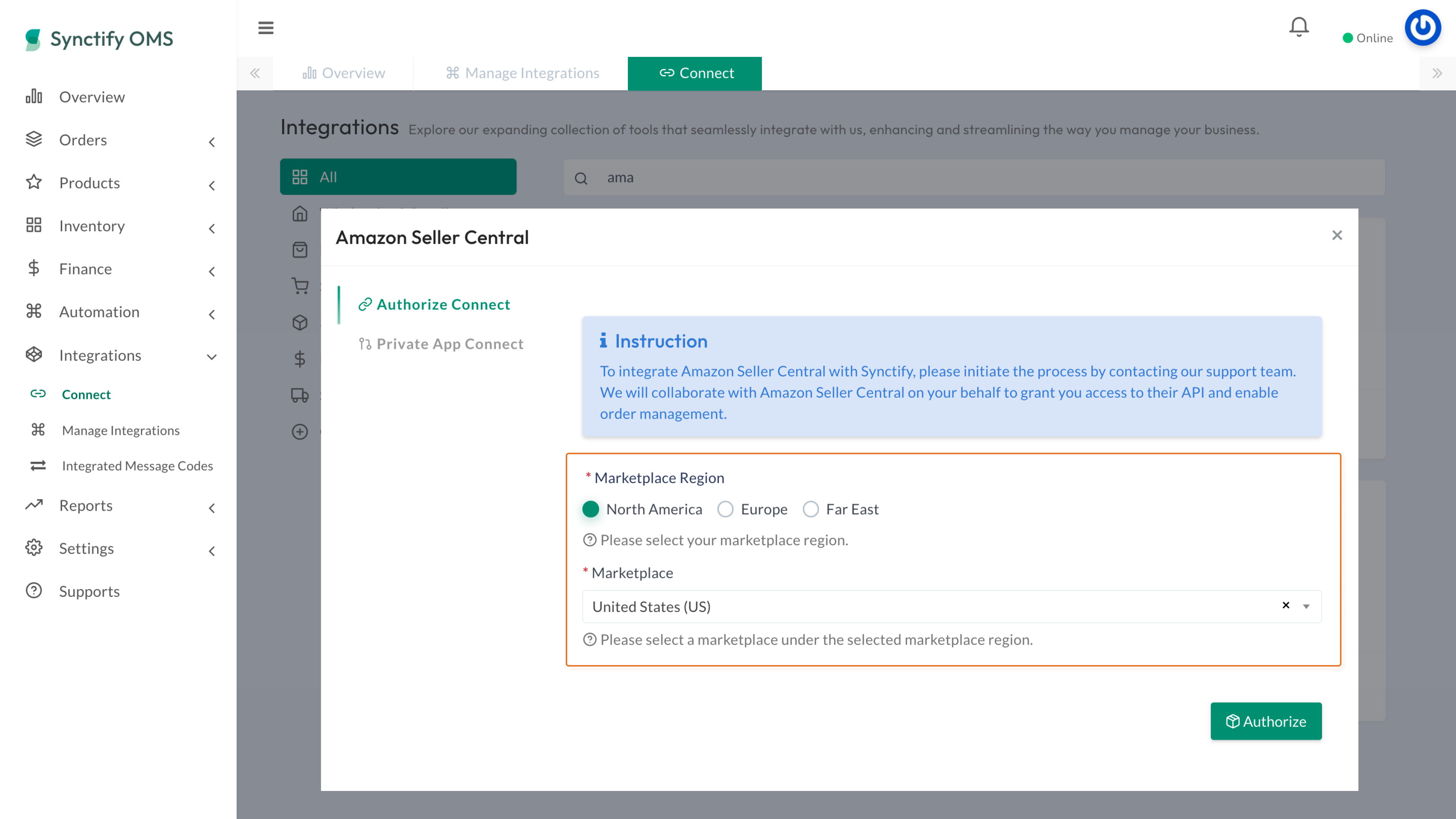
If you are using a pre-built third-party tool found in the Amazon Appstore, you do not need to code. You simply click "Authorize" and follow the prompts. However, if you are building a custom (private) integration to connect to your own internal database or ERP, you will need a developer proficient in REST APIs, OAuth 2.0, and AWS IAM configurations.
How much does it cost to integrate with the SP-API?
Amazon does not charge a direct fee for using the Selling Partner API itself. However, you must have a Professional Selling Plan, which costs $39.99 per month (in the US). Additionally, if you are building a custom integration, you will incur costs for AWS resources (like IAM, Lambda, or EC2) and developer labor.
Can I integrate multiple Amazon marketplaces (e.g., US, UK, Japan) into one system?
Yes. The SP-API is globally accessible. When making API calls, you specify the "Marketplace ID" to route the request to the correct region. Note that while North America and Europe are often handled under a single developer registration, some regions like the Far East may require separate registration steps depending on your account structure.
What should I do if my developer application is rejected?
If Amazon rejects your application, they usually provide a reason related to the Data Protection Policy or a lack of clarity in your use case. You should review your security documentation, ensure your "Roles" match your software's features, and re-submit with more detailed explanations of how you protect customer data.
Practical Recommendation
For businesses starting the integration process, the most efficient path is to first audit your data needs. Do not request every available API Role; only request those essential for your operations (e.g., Inventory and Orders). This simplifies the security review and reduces your liability under the Data Protection Policy. If you are developing a custom solution, utilize the official Amazon Selling Partner API Client Libraries available on GitHub for languages like Java, C#, and Python. These libraries handle the complex "Signature Version 4" signing process for you, significantly reducing the likelihood of authentication errors. Always maintain a staging environment to test API updates before pushing them to your live production account, as Amazon frequently releases new API versions to enhance functionality.