Choosing a thin and light laptop for mobile professionals requires balancing portability, processing power, and battery endurance to ensure seamless productivity away from a traditional desk. These devices must fit easily into carry-on luggage or backpacks while offering keyboards suitable for extensive typing, bright displays for varying ambient light conditions, and robust wireless connectivity.
Understanding the Needs of the Mobile Professional
Mobile professionals operate in diverse environments, ranging from high-speed airport terminals and client boardrooms to remote home offices and noisy coffee shops. Unlike static desktop users or traditional office workers, road warriors and digital nomads demand hardware that can withstand physical travel without sacrificing computational performance. When evaluating a laptop for this lifestyle, several core pillars dictate long-term satisfaction:
- Form Factor and Weight: A true thin and light machine generally weighs under three pounds and measures less than 0.7 inches in thickness. This profile prevents shoulder strain during extended walking or commuting.
- Battery Longevity: Real-world battery life must span a standard workday of document editing, web browsing, and video conferencing without requiring users to hunt for scarce wall outlets.
- Input Ergonomics: Despite slim chassis constraints, a quality keyboard with adequate key travel and a responsive, glass precision trackpad remain critical for error-free input.
- Thermal and Acoustic Efficiency: Modern thin laptops rely on passive cooling or aggressive fan profiles. Managing heat dissipation without excessive fan noise is crucial for maintaining focus in quiet professional settings.
Key Hardware Criteria for Evaluation
Before committing to a specific model, mobile professionals must analyze technical specifications with an eye toward future-proofing and day-to-day utility. Processing power, memory configurations, display technology, and input/output (I/O) ports determine how well a machine handles specialized software suites and multitasking demands.
Processing Power and Architecture
Central Processing Units (CPUs) in ultraportable laptops feature energy-efficient architectures designed to deliver bursts of high performance while sipping power at idle. Modern system-on-chip designs integrate graphics processing units (GPUs) and neural processing units (NPUs) directly onto the die. This integration accelerates artificial intelligence workloads, local transcription, and image processing tasks without immediately draining the battery.
Memory and Storage Configurations
For multitasking across heavy spreadsheets, database management tools, and dozens of browser tabs, 16GB of unified memory or RAM serves as the absolute baseline for modern productivity. Professionals working with heavy data sets or media editing suites should prioritize 32GB options if available. Solid-state drives (SSDs) utilizing NVMe protocols ensure rapid boot times, instant application launches, and quick file transfers, while offering shock resistance superior to traditional mechanical hard drives.
Display Technologies and Formats
Screen quality directly impacts ocular comfort during long work sessions. IPS (In-Plane Switching) and OLED panels provide wide viewing angles and vivid color reproduction. Many modern professional laptops feature a 16:10 aspect ratio, providing additional vertical screen real estate that minimizes scrolling when viewing documents and code repositories. Matte finishes reduce annoying glare under harsh fluorescent office lights, while glossy OLED screens deliver deeper contrast ratios for media creation.
Comprehensive Overview of the Top 5 Models
Evaluating the current landscape reveals a diverse selection of ultraportable laptops tailored to different workflow preferences, operating systems, and ergonomic priorities.
1. Apple MacBook Air (M3, 15-inch)
The MacBook Air platform represents the gold standard for mainstream mobile productivity, combining fanless silent operation with extraordinary battery efficiency. The 15-inch iteration provides an expansive workspace while maintaining a remarkably slender chassis.
- Key Specifications: Powered by the Apple M3 chip, configurations typically start at 16GB of unified memory and a 512GB SSD. The Liquid Retina display delivers 500 nits of brightness.
- Professional Advantages: The fanless design ensures absolute silence during intensive tasks. Battery life easily stretches beyond 15 hours of real-world use, and the trackpad remains the industry benchmark.
- Considerations: Ports are limited to two Thunderbolt/USB 4 ports and a MagSafe charging connector, requiring dongles for legacy USB-A peripherals or multi-monitor setups.
2. Dell XPS 13
Dell’s XPS line continues to push aesthetic and engineering boundaries, offering a powerhouse of productivity housed in an exceptionally compact aluminum and carbon-fiber chassis.
- Key Specifications: Utilizes Intel Core Ultra processors equipped with dedicated NPUs for local AI acceleration. Options range up to 32GB of RAM and high-resolution OLED touch displays.
- Professional Advantages: The minimalist design and tiny footprint make it effortless to deploy on cramped tray tables. The haptic touchpad and lattice-less keyboard offer a modern, tactile typing experience.
- Considerations: The minimalist port selection is restricted to dual Thunderbolt 4 ports, and the radical input layout requires an adjustment period.
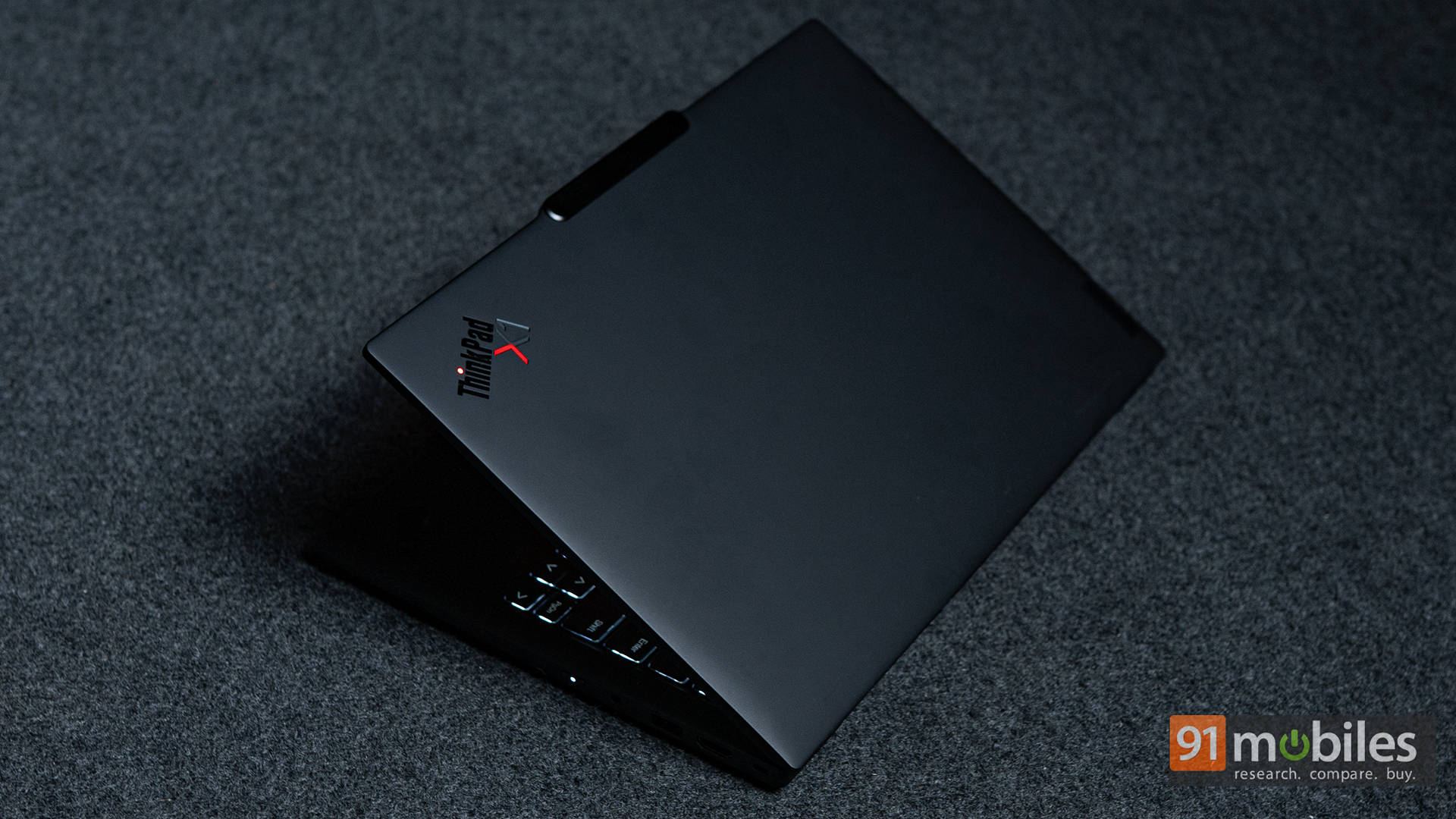
3. Lenovo ThinkPad X1 Carbon (Gen 12)
Tailored specifically for corporate environments and enterprise security, the ThinkPad X1 Carbon maintains legendary durability while shedding unnecessary weight.
- Key Specifications: Equipped with Intel Core Ultra hardware, enterprise-grade security features like discrete TPM chips, and robust biometric sign-in options.
- Professional Advantages: Unmatched keyboard ergonomics with deep, satisfying travel. Comprehensive port selection—including USB-A and HDMI—reduces dongle dependency during client presentations.
- Considerations: Premium pricing tier, and standard configurations may feature conservative base storage that requires upgrading for heavy media users.
4. HP EliteBook 1040 G11
Designed with the mobile executive in mind, the HP EliteBook series focuses heavily on collaboration tools, audio fidelity, and robust device management capabilities.
- Key Specifications: Features advanced Intel processing architecture, enterprise security suites, and high-definition IR webcams optimized for video conferencing.
- Professional Advantages: Exceptional built-in microphone arrays with AI-based noise reduction ensure clear voice transmission in loud environments. Durable chassis construction meets military durability standards.
- Considerations: Slightly heavier than pure ultra-lightweights, and bloatware management may be required out of the box for enterprise models.
5. Microsoft Surface Laptop (7th Edition)
Microsoft’s flagship traditional laptop combines sleek styling with powerful Snapdragon X processors, delivering Windows-based ARM performance with stellar battery efficiency.
- Key Specifications: Powered by Qualcomm Snapdragon X Elite or Plus processors, paired with high-refresh-rate PixelSense touch displays and fast LPDDR5x memory.
- Professional Advantages: Incredible battery endurance that rivals mobile devices, combined with instant-on responsiveness and seamless integration with Windows productivity apps.
- Considerations: ARM architecture requires emulation for certain legacy or specialized enterprise software, which may impact performance in niche engineering or scientific applications.
Feature Comparison Matrix
| Laptop Model | Processor Class | Base Memory | Typical Weight | Primary Advantage | Port Selection |
|---|---|---|---|---|---|
| Apple MacBook Air 15” | Apple Silicon (M3) | 16GB | 3.3 lbs | Fanless silence & battery | Thunderbolt 4 (x2), MagSafe |
| Dell XPS 13 | Intel Core Ultra | 16GB - 32GB | 2.6 lbs | Ultra-compact footprint | Thunderbolt 4 (x2) |
| Lenovo ThinkPad X1 Carbon | Intel Core Ultra | 16GB - 32GB | 2.42 lbs | Legendary keyboard & ports | USB-C, USB-A, HDMI |
| HP EliteBook 1040 G11 | Intel Core Ultra | 16GB - 32GB | 2.6 lbs | Enterprise audio & security | USB-C, USB-A, HDMI |
| Microsoft Surface Laptop 7 | Qualcomm Snapdragon X | 16GB | 2.96 lbs | Windows ARM battery life | USB-C, USB-A, Audio |
Evaluating Ergonomics, Security, and Software Ecosystems
Selecting the correct laptop involves more than raw specifications; it requires alignment with daily software workflows and security requirements.
Security and Compliance
Mobile professionals frequently handle sensitive client data, proprietary source code, and confidential financial documents. Enterprise-focused models like the Lenovo ThinkPad and HP EliteBook incorporate hardware-level root-of-trust protocols, smart card readers, and match-on-chip fingerprint sensors. For macOS users, the Secure Enclave processor handles encryption keys and biometric verification locally, ensuring that lost or stolen hardware remains inaccessible to unauthorized actors.
Software Compatibility
Operating system preference remains a decisive factor. Professionals embedded in creative industries—such as video editing, graphic design, and audio production—often lean toward macOS due to optimized multimedia frameworks. Conversely, enterprise operations deeply integrated into Microsoft 365, Active Directory, or custom internal .NET applications find seamless compatibility within the Windows ecosystem. When considering ARM-based Windows machines, users must verify whether their mission-critical legacy applications run natively or rely on translation layers.
Practical Maintenance and Travel Tips
Protecting a high-value ultraportable laptop during constant transit extends its operational lifespan and safeguards data integrity.
- Invest in Quality Sleeves: While aluminum and carbon-fiber chassis are durable, cosmetic scratching and impact damage can occur during transit. A padded, form-fitting sleeve prevents pressure damage inside crowded bags.
- Manage Thermal Performance: Avoid operating thin laptops on soft surfaces like hotel beds or couches, which block bottom-panel intake vents and trigger thermal throttling.
- Implement Robust Backups: Mobile devices face higher risks of loss, theft, or physical damage. Utilizing cloud synchronization services and encrypted local backup drives ensures business continuity in the event of hardware failure.
Frequently Asked Questions
What is the ideal screen size for a mobile professional laptop?
A 13-inch to 14-inch screen offers the best balance between portable dimensions and workspace efficiency. Devices in this range fit easily onto airplane tray tables and small coffee shop desks while still providing adequate room for side-by-side window multitasking. Professionals working extensively with complex spreadsheets or split-screen code editors may prefer a 15-inch form factor, provided they accept a slight increase in overall weight and backpack footprint.
How much RAM do I need for professional mobile work in 2026?
For modern professional workloads involving browser-based applications, video conferencing, document editing, and background security utilities, 16GB of RAM is the recommended minimum. If your daily workflow involves heavy data analysis, virtual machines, or running local AI models, upgrading to 32GB prevents performance bottlenecks and ensures snappy multitasking.
Are fanless laptops reliable for intensive workloads?
Fanless laptops rely on passive cooling to dissipate heat through the chassis. While they offer the immense benefit of completely silent operation, sustained multi-core workloads like video rendering or heavy compilation will eventually cause the processor to throttle its speed to manage internal temperatures. For standard office productivity, word processing, and web-based tasks, fanless designs perform exceptionally well without thermal issues.
Can thin and light laptops connect to multiple external monitors?
Most modern ultraportable laptops support multi-monitor setups through Thunderbolt or USB-C docking stations. However, support varies significantly by processor architecture and operating system. Reviewing the specific GPU and controller specifications before purchasing ensures compatibility with your office desktop configuration.
How do I protect my laptop's battery health during frequent travel?
To maximize battery longevity, avoid exposing the laptop to extreme ambient temperatures, such as leaving it inside a parked vehicle on a hot day. Many modern operating systems feature smart charging limits that cap battery capacity at 80% when plugged in for long periods, reducing chemical degradation over time.
Final Recommendation
For the ultimate combination of battery endurance, silent operation, and build quality in a larger workspace, the Apple MacBook Air (M3, 15-inch) serves as an exceptional choice for macOS users. Windows loyalists seeking enterprise durability, superior typing ergonomics, and legacy port connectivity should prioritize the Lenovo ThinkPad X1 Carbon (Gen 12). Assess your specific software ecosystem, travel habits, and port requirements to select the tool that best elevates your mobile productivity.