Resetting the oil life reminder on a 2020 Nissan Altima involves navigating the vehicle's Advanced Drive-Assist Display using the steering wheel control switches to locate the maintenance interval menu and selecting the reset option. This process clears the oil change warning and establishes a fresh mileage or time countdown until the next required service.
Understanding Your 2020 Nissan Altima Maintenance System
Modern vehicles rely on sophisticated electronic management systems to monitor engine health and notify drivers when routine maintenance is due. The 2020 Nissan Altima is no exception. Equipped with either a 2.5-liter direct-injection four-cylinder engine or a high-performance 2.0-liter variable compression turbo (VC-Turbo) engine, this sedan tracks driving habits, operating temperatures, engine revolutions, and idle time to calculate oil degradation accurately.
When the calculated oil life reaches its designated threshold—typically every 5,000 to 7,500 miles depending on driving conditions and the type of oil used—the vehicle triggers an alert on the instrument cluster. This alert usually displays a message such as "Oil Control System Due" or "Maintenance Due" accompanied by an iconic wrench symbol.
Merely changing the engine oil and replacing the oil filter during a routine service does not automatically clear this digital notification. If left unreset, the warning will persist every time you start the car, obscuring other vital trip computer data. Performing the reset procedure manually synchronizes the vehicle's computer with your fresh fluid and filter, ensuring accurate tracking for your next service interval.
Preparation and Prerequisites Before Resetting
Before you dive into the instrument cluster settings, a few foundational steps ensure that the procedure goes smoothly and that your vehicle is truly ready for a reset.
Verify Service Completion
Never perform an oil life reset unless the engine oil and oil filter have actually been changed. Resetting the system prematurely tricks the vehicle's computer into believing fresh oil is circulating when degraded fluid remains. This can lead to extended oil change intervals, accelerated engine wear, sludge buildup, and potential mechanical failure over the long term.
Tools and Equipment
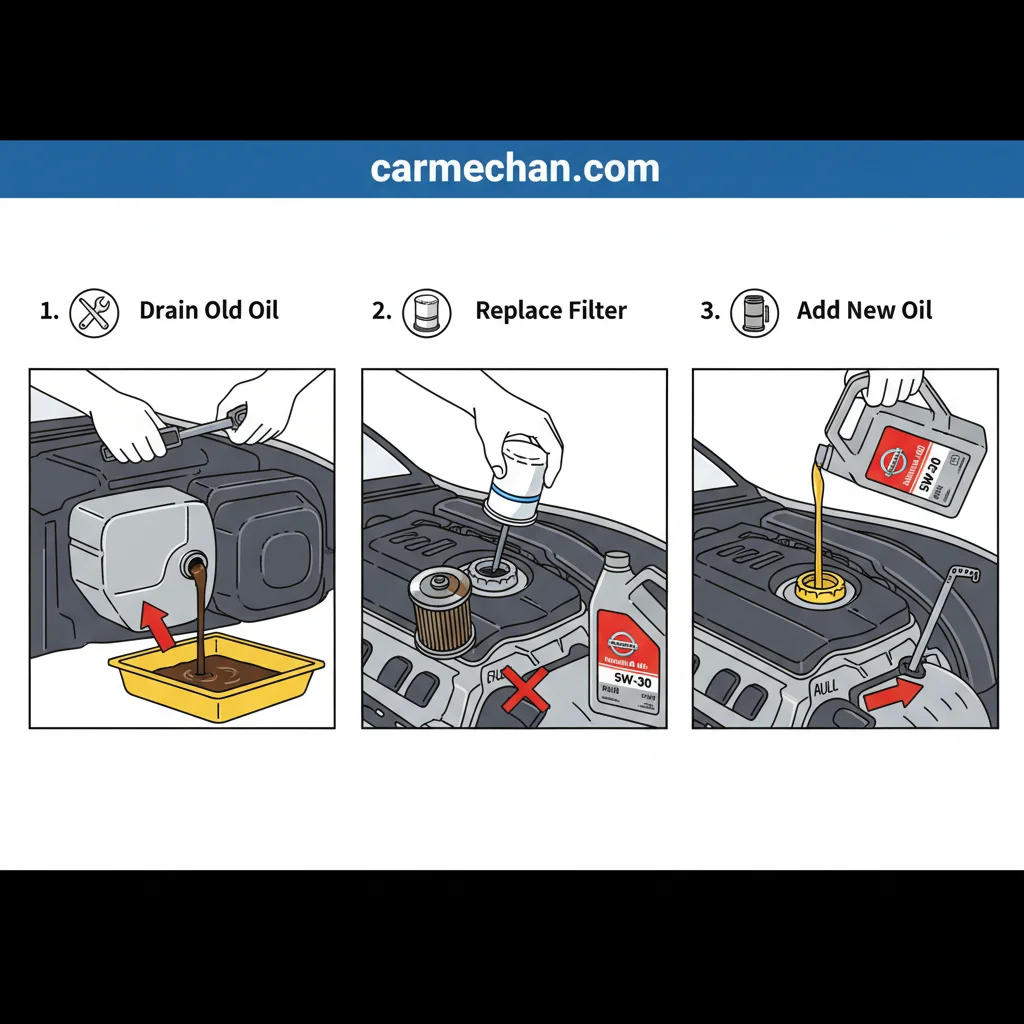
For a standard oil change and reset on a 2020 Nissan Altima, you typically do not need any external OBD-II diagnostic scanners or specialized dealership tools. The built-in dashboard interface gives you complete manual control. However, if you are performing the oil change yourself at home, ensure you have:
- Genuine Nissan-approved oil filter (or a high-quality aftermarket equivalent such as Fram, Wix, or Purolator).
- Certified motor oil matching Nissan's viscosity specifications (typically 0W-20 for the 2.5L engine).
- A drain pan, filter wrench, socket set, funnel, and safety glasses.
- Rags or shop towels to clean up any accidental spills.
Understanding Trim Level Variations
The 2020 Nissan Altima comes in several trim levels—such as the S, SV, SR, SL, and Platinum. While the core mechanical components and the underlying operating system are largely identical, the instrument cluster configuration can vary slightly depending on whether your car features the standard analog gauge cluster with a central 5-inch drive-assist display or the higher-trim cluster featuring a larger 7-inch color display. Both systems utilize the same steering wheel directional pad, though the menu layout might have minor aesthetic differences.
Step-by-Step Instructions: 2020 Nissan Altima Oil Reset Procedure
Executing the oil reset on your Altima requires interacting with the steering wheel controls while the vehicle's ignition is turned on without the engine running. Follow this sequential guide to clear the maintenance reminder successfully.
- Preparation Phase
- Ensure oil & filter have been changed.
- Ignition Status
- Press START/STOP button twice without brake.
- Navigate Menus
- Use steering wheel arrows to find "Settings".
- Maintenance Menu
- Select "Maintenance", then "Oil Control System".
- Execute Reset
- Select "Reset", confirm, and verify change.
Step 1: Turn the Ignition On
Sit in the driver's seat and ensure the vehicle is in Park (P) with the parking brake engaged. Press the Push Start ignition button twice without pressing the brake pedal. This action turns the vehicle's electrical accessories and dashboard instrumentation on (the "ON" position) without starting the engine. If you press the brake pedal while pushing the button, the engine will start, which will prevent you from accessing certain configuration menus.
Step 2: Locate the Steering Wheel Controls
Look at the right-hand spoke of your steering wheel. You will see a directional control pad featuring up and down arrows, left and right arrows, and a central OK or selection button. You will use these buttons to navigate through the menus on the instrument cluster display situated directly in front of you.
Step 3: Access the Settings Menu
Using the left or right directional arrows on the steering wheel, scroll through the primary menu items on your dashboard screen until you highlight the Settings gear icon. Once highlighted, press the OK button to enter the settings menu.
Step 4: Navigate to Maintenance
Once inside the Settings menu, use the up and down arrow buttons to scroll through the available options. Look for the menu labeled Maintenance and press OK to select it.
Step 5: Select Oil Control System
Inside the Maintenance menu, you will see several sub-categories, such as Tire, Other, and Oil Control System (or simply Oil depending on software version). Highlight Oil Control System and press OK.
Step 6: Perform the Reset
Within the Oil Control System menu, you will see your current remaining oil life percentage or distance tracker, alongside a prompt to reset. Select the Reset option using the directional buttons and press OK.
The system will ask you to confirm your selection ("Reset? Yes / No"). Highlight Yes and press OK. You should immediately see the oil life indicator reset to 100% or display a fresh mileage interval.
Step 7: Verify and Power Down
Scroll back out of the menu screens to your standard trip computer or speedometer view. Turn the ignition off by pressing the Start/Stop button once without the brake pedal. Start the engine normally to verify that the "Oil Control System Due" warning message no longer appears on the display.
Comparison of Maintenance Reset Methods
To help clarify how the 2020 Nissan Altima compares to other common reset procedures or alternative approaches, review the structural comparison below.
| Reset Method | Required Tools | Difficulty | Time Required | Notes |
|---|---|---|---|---|
| Steering Wheel Buttons (Dashboard Menu) | None | Easy | 1–2 minutes | Standard factory method; works on all 2020 Altima trims. |
| OBD-II Diagnostic Scanner | Generic/Advanced Scan Tool | Easy to Moderate | 3–5 minutes | Useful if cluster buttons are unresponsive or warning lights persist. |
| Dealership Service Visit | Professional Equipment | Easy | Varies | Typically performed automatically as part of paid dealership oil changes. |
Troubleshooting Common Issues During the Reset
Even though the procedure is relatively straightforward, drivers occasionally encounter roadblocks where the system refuses to reset or the menu options appear grayed out. Here is how to diagnose and resolve these common issues.
The Engine Started Accidentally
If you accidentally press the brake pedal while turning on the ignition, the engine will roar to life. When the engine is running, the vehicle's safety programming locks out certain configuration menus to prevent driver distraction.
- Solution: Turn the engine completely off, take your foot entirely off the brake pedal, and press the Start/Stop button twice to enter accessory/ignition-on mode before attempting the menu navigation again.
Menu Options Are Locked or Unresponsive
In some instances, if a critical system fault or diagnostic trouble code (DTC) is active, the vehicle computer may restrict access to maintenance settings until the underlying issue is resolved.
- Solution: Check the instrument cluster for any check engine lights or warning messages. If codes are present, scanning the vehicle with an OBD-II reader and clearing valid faults may restore normal menu functionality.
The Warning Light Returns Immediately
If you successfully reset the oil life to 100% but the warning message pops up again shortly after driving, the vehicle's computer may have experienced a temporary software glitch, or the oil service monitor was not properly synchronized with the actual vehicle mileage.
- Solution: Repeat the reset procedure carefully, ensuring you select "Yes" on the final confirmation screen. If the problem persists, disconnecting the negative battery terminal for 10 minutes can perform a hard reset on the body control modules, though this will reset your radio presets and clock.
Best Practices for Long-Term Altima Engine Health
Maintaining your 2020 Nissan Altima goes far beyond simply resetting a dashboard light. Protecting your investment requires adhering to strict maintenance schedules and utilizing the right fluids.
Oil Quality and Viscosity
Nissan specifies genuine Nissan Ester Oil or API-certified synthetic oils of the correct viscosity grade for Altima engines. For the standard 2.5L engine, 0W-20 full synthetic oil is the industry standard. Full synthetic oils offer superior thermal stability, reduced friction during cold winter starts, and resistance against thermal breakdown compared to conventional mineral oils.
Adhering to Service Intervals
While modern synthetic oils can easily last between 7,500 and 10,000 miles under ideal highway conditions, severe driving habits—such as frequent short trips, excessive idling, dusty environments, or heavy towing—warrant shortening your change interval to 5,000 miles or 6 months, whichever comes first. Regular oil changes protect sensitive internal components like the Variable Valve Timing (VVT) actuators and the high-pressure fuel pumps common in modern direct-injection engines.
Keeping Service Records
Whether you service your vehicle yourself or take it to an independent mechanic or dealership, keeping a dedicated folder of receipts, oil purchase dates, and mileage logs is invaluable. Detailed service records protect your warranty rights under the Magnuson-Moss Warranty Act and boost the resale value of your vehicle when the time comes to sell or trade it in.
Frequently Asked Questions
Can I reset the oil life light without using the steering wheel buttons?
No, the 2020 Nissan Altima does not feature a traditional manual trip reset stalk protruding from the instrument glass like older vehicles. All cluster navigation and maintenance resets must be performed electronically via the steering wheel controls and the central digital display.
What kind of oil does a 2020 Nissan Altima take?
The standard 2.5L four-cylinder engine takes SAE 0W-20 full synthetic motor oil. If you drive the VC-Turbo variant, check your specific owner's manual supplement for exact viscosity guidelines, though 0W-20 remains widely recommended for optimal fuel economy and low-temperature protection.
How often should I change the oil in my 2020 Nissan Altima?
Nissan recommends changing the oil every 5,000 to 7,500 miles or every 6 months, depending on your driving conditions. Drivers operating under severe conditions should lean toward the 5,000-mile interval.
Why does my car say "Oil Control System Due" even after an oil change?
This message appears because the vehicle's internal computer only tracks time and mileage elapsed since the last manual reset; it does not possess a chemical sensor that analyzes oil quality. If the technician forgot to reset the system during your service, the computer still assumes you are driving on old oil.
Will disconnecting the car battery reset the oil life monitor?
Generally, no. Modern vehicle instrument clusters store maintenance settings in non-volatile memory (EEPROM). Disconnecting the battery will reset your trip odometers, clock, and radio settings, but the oil life percentage will typically remain saved where it was prior to power loss.
Final Recommendation
To keep your 2020 Nissan Altima running reliably, make it a habit to perform the oil reset procedure immediately after every completed oil and filter change. Pair this routine with regular fluid level checks every time you fuel up, and you will safeguard your engine against premature wear while enjoying peak performance from your vehicle.