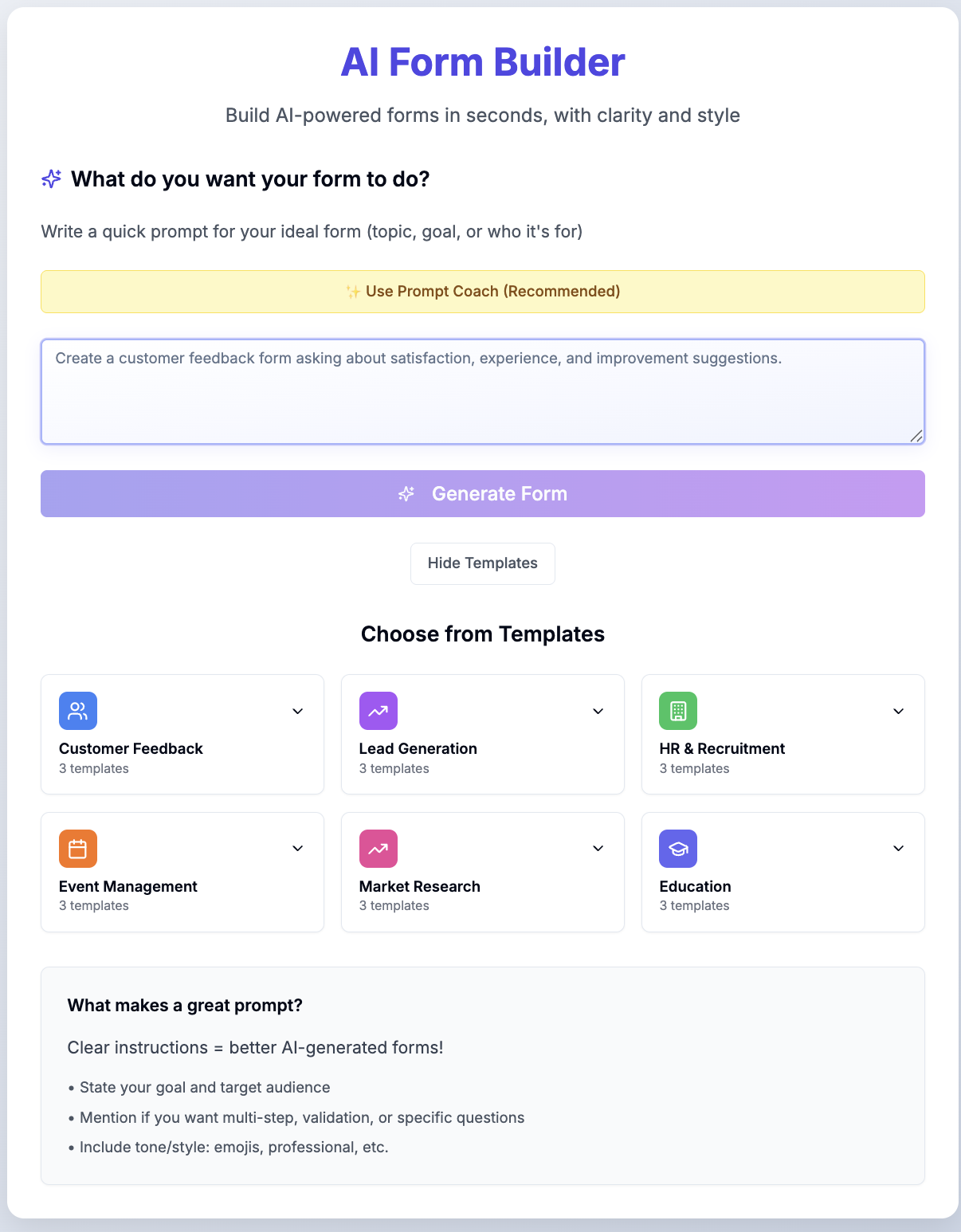
Selecting the right form creation software depends on your technical requirements, budget, data security needs, and how you intend to collect and process responses. The top form builders balance user-friendly interfaces with advanced design customizability, robust database integrations, and high-level compliance standards to streamline data collection for businesses, educators, and developers alike.
Understanding the Landscape of Form Creation Software
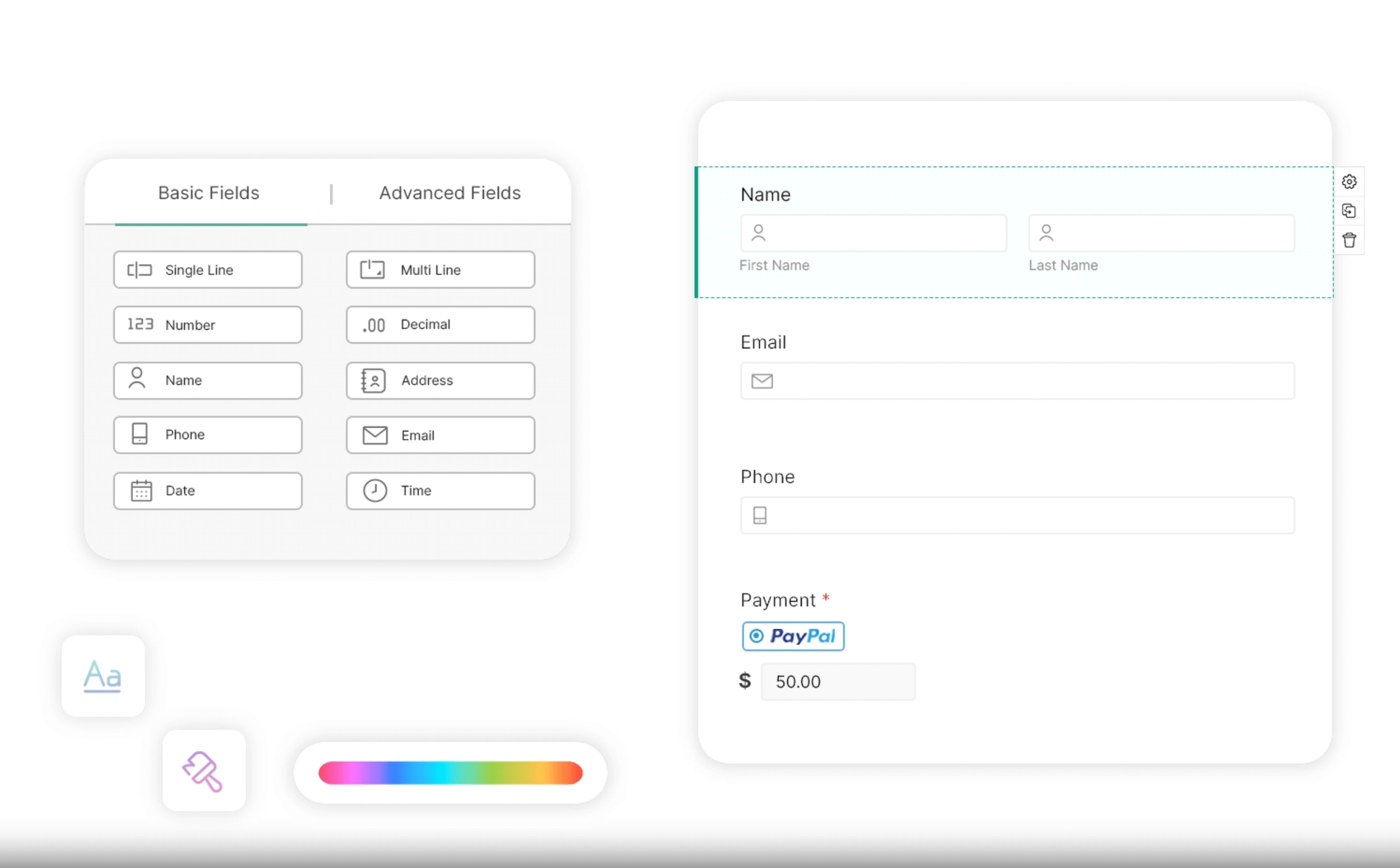
Digital forms have evolved far beyond basic HTML contact pages. Modern form builders serve as the entry point for complex data pipelines, powering everything from customer feedback surveys and event registrations to secure patient intake documents and multi-step job applications. When evaluating software for creating forms, administrators must look past simple drag-and-drop interfaces to examine underlying capabilities such as conditional logic, field validation rules, file upload limits, and data routing mechanics.
The primary objective of form software is minimizing friction for the respondent while maximizing data integrity for the creator. Poorly designed forms lead to high abandonment rates, whereas intuitive, mobile-responsive layouts significantly increase completion rates. Furthermore, organizations must consider how collected data moves from the submission button into downstream systems such as Customer Relationship Management (CRM) platforms, email marketing software, and secure databases.
Key Criteria for Evaluating Form Builders
Before committing to a specific software ecosystem, stakeholders should establish a clear evaluation framework based on operational requirements and technical constraints. Form builders generally fall into distinct categories depending on whether they prioritize design aesthetics, complex calculations, database functionality, or strict regulatory compliance.
1. User Experience and Interface Design
A quality form builder should offer an intuitive canvas where users can construct layouts without manual coding. Features like inline editing, live previews, and pre-built templates accelerate deployment. However, customization is equally vital; businesses often require CSS injection or custom branding options to align forms with their corporate visual identity.
2. Logic and Conditional Routing
Basic forms display all questions to every respondent. Advanced forms utilize conditional logic—often called branching logic—to show or hide specific fields based on previous answers. This capability ensures that respondents only see relevant queries, reducing cognitive load and improving data accuracy.
3. Integrations and Automation
Forms rarely exist in isolation. The software must integrate smoothly with external services. Native integrations with tools like Google Sheets, Slack, Mailchimp, Stripe, and Zapier allow automated workflows to trigger immediately upon submission, eliminating manual data entry.
4. Security, Privacy, and Compliance
Data governance is a critical purchasing factor. Depending on the industry, form software may need to comply with specific regulatory frameworks. Healthcare organizations require HIPAA-compliant storage, financial institutions demand encrypted data transmission, and European operations must adhere to GDPR data privacy mandates.
The 5 Best Software Solutions for Creating Forms
To help narrow down the myriad options available on the market, the following five platforms represent the leading software solutions for creating forms, each tailored to distinct use cases, technical skill sets, and organizational budgets.
1. Typeform: Best for Conversational Design and Engagement
Typeform revolutionized digital data collection by introducing a conversational, one-question-at-a-time interface designed to mimic human interaction. This human-centric approach consistently yields higher completion rates compared to traditional long-page forms.
- Core Strengths: Exceptional visual aesthetics, high engagement rates, native photo and video embedding, and fluid transition animations.
- Limitations: Less suited for dense, data-heavy intake sheets where respondents need to view and edit multiple fields simultaneously. Pricing scales rapidly with submission volume.
- Best For: Marketers, creative agencies, and researchers seeking high response rates for surveys, quizzes, and lead generation campaigns.
2. Jotform: Best for Advanced Features and Versatility
Jotform stands out for its sheer breadth of functionality, offering thousands of templates, a robust PDF document generator, and specialized tools for data collection like electronic signatures and secure payment processing.
- Core Strengths: Extremely flexible form designer, extensive widget library, strong HIPAA compliance offerings on upper-tier plans, and Jotform Tables for internal data management.
- Limitations: The interface can occasionally feel cluttered due to the massive array of available features and settings menus.
- Best For: Small-to-large enterprises requiring deep customization, payment integrations, document generation, and rigorous compliance standards.
3. Google Forms: Best for Simplicity and Zero-Cost Deployment
Google Forms remains a staple for individuals, educators, and small teams due to its permanent free availability, zero learning curve, and direct integration with the Google Workspace ecosystem.
- Core Strengths: Completely free with a Google account, real-time collaborative editing, automatic data export to Google Sheets, and clean mobile responsiveness.
- Limitations: Limited design customization options, basic conditional logic compared to dedicated paid platforms, and minimal branding control.
- Best For: Educators, casual users, and organizations needing quick, straightforward surveys without advanced integrations or enterprise security requirements.
4. SurveyMonkey: Best for Enterprise Research and Analytics
SurveyMonkey is an industry titan built explicitly for market research, employee engagement tracking, and academic studies. It excels at parsing large volumes of response data through built-in statistical tools.
- Core Strengths: Advanced analytical capabilities, benchmarking data against industry standards, multilingual survey deployment, and rigorous methodological guidance.
- Limitations: Free tier is heavily restricted (limiting viewing to a small number of responses), and full pricing plans are among the most expensive in the category.
- Best For: Enterprise market researchers, human resources departments measuring employee sentiment, and organizations requiring deep statistical analysis.
5. WPForms: Best for Self-Hosted WordPress Websites
WPForms is a premier plugin designed specifically for WordPress users, combining an approachable drag-and-drop builder with powerful backend form management directly inside the WordPress dashboard.
- Core Strengths: Seamless WordPress integration, lightweight script loading that preserves site speed, smart conditional logic, and pre-built form templates for every niche.
- Limitations: Requires a self-hosted WordPress.org website; it is not a standalone cloud platform for non-WordPress ecosystems.
- Best For: Bloggers, digital publishers, e-commerce store owners, and web developers managing WordPress-powered sites.
Comparison of Form Creation Software
| Software | Primary Advantage | Pricing Structure | Ideal User Persona | Compliance & Security Highlights |
|---|---|---|---|---|
| Typeform | Conversational UI & Engagement | Tiered subscription (Free tier available) | Marketers & Lead Gen Specialists | GDPR compliant, SSL encryption |
| Jotform | Feature versatility & PDFs | Tiered subscription (Generous free tier) | Enterprises & Operations Teams | HIPAA compliant options, PCI-DSS Level 1 |
| Google Forms | Zero cost & Ease of use | 100% Free | Educators & Casual Users | Basic Google Workspace security |
| SurveyMonkey | Market research analytics | Premium tiered subscription | Data Analysts & HR Researchers | Enterprise-grade encryption, HIPAA add-ons |
| WPForms | WordPress optimization | Annual license model | WordPress Site Owners & Developers | Secure token handling, spam protection |
Technical Considerations: Implementation and Data Security
When deploying form software within an organization, administrators must account for data security, spam prevention, and accessibility guidelines.
Spam and Bot Mitigation
Public-facing forms are frequent targets for automated bot submissions that inject spam or malicious payloads into databases. Standard mitigation techniques include integrating CAPTCHA or invisible spam protection services like Google reCAPTCHA or hCaptcha. Form builders frequently include honeypot fields—hidden form inputs that human users cannot see but bots automatically fill out—to silently block unauthorized submissions without degrading user experience.
Accessibility Standards
Digital accessibility is both a legal requirement and an ethical imperative. Forms must adhere to Web Content Accessibility Guidelines (WCAG), ensuring that screen readers can interpret labels, error messages, and input fields correctly. When testing form software, verify that keyboard navigation functions seamlessly for users who cannot rely on a mouse.
Frequently Asked Questions
Which form builder is completely free to use without submission limits?
Google Forms is currently the most prominent form builder offering unlimited forms and responses at no financial cost, tied directly to a standard Google account. Other platforms provide free tiers, but they typically cap monthly submissions or storage capacity.
Can I accept payments through online form software?
Yes. Platforms like Jotform and WPForms integrate natively with payment processors such as Stripe, PayPal, Square, and Authorize.net, allowing you to collect donations, service fees, or product orders directly within the form interface.
How do I prevent users from abandoning long forms?
To reduce abandonment rates, utilize conditional logic to hide irrelevant questions, enable multi-page form pagination with a visual progress bar, and keep input fields to the absolute minimum required for your data collection goals.
Are these form software options compliant with GDPR and HIPAA?
Compliance depends heavily on the specific tier and platform you choose. While tools like Jotform and Typeform offer GDPR-compliant data processing, strict healthcare regulations requiring HIPAA compliance generally necessitate upgrading to specialized enterprise plans that include a Business Associate Agreement (BAA).
Can I embed these forms onto my existing website?
Yes. All major form builders provide simple embed options, typically utilizing JavaScript snippets, iframe tags, or dedicated content management system (CMS) plugins that allow forms to render natively on custom HTML, WordPress, Squarespace, or Wix websites.
Final Recommendations for Selection
Choosing the ideal software for creating forms requires balancing immediate project needs with long-term scalability. If your primary goal is maximizing marketing engagement through an interactive user experience, Typeform remains an industry standard. Organizations requiring deep operational versatility, electronic signatures, and PDF document generation will find Jotform to be the most comprehensive solution. Meanwhile, teams embedded in the WordPress ecosystem should prioritize WPForms for streamlined site integration, whereas those operating on strict zero-dollar budgets can reliably deploy Google Forms for foundational data collection tasks.