The actual refresh rate of a 2018 TV is either 60Hz or 120Hz at the hardware level, regardless of the "Motion Rate" or "TruMotion" numbers on the box. In 2026, many of these displays remain in use or are popular on the secondary market. High-end models like the Samsung Q-Series, Sony X900F, and LG OLEDs feature native 120Hz panels, while budget-oriented series like the Samsung NU7100 or LG UK6300 are limited to 60Hz hardware.
Understanding Native vs. Effective Refresh Rates
When evaluating a television manufactured in 2018, the most significant hurdle for consumers is the distinction between a native refresh rate and a marketing (effective) refresh rate. As we look back from 2026, this distinction is even more critical because modern gaming consoles and PC hardware can actually utilize high-refresh panels, whereas the marketing fluff of the late 2010s often promised performance the hardware couldn't truly deliver.
A native refresh rate refers to the physical number of times per second the liquid crystal or OLED panel can reset its state to show a new image. For 2018 models, this is strictly a binary choice: the panel is either 60Hz or 120Hz. There are no "native" 240Hz 4K panels from this era.
Marketing terms, however, were designed to suggest higher performance. Manufacturers used technologies like Black Frame Insertion (BFI) and Motion Interpolation (often called the "Soap Opera Effect") to simulate the smoothness of a higher frame rate. By inserting a black frame between actual frames or calculating a "fake" middle frame, the TV could claim a "Motion Rate 240" or "TruMotion 240," even if the physical panel was only refreshing 120 times per second.
Why the Distinction Matters in 2026
In the current landscape of 2026, we frequently connect these legacy 2018 TVs to modern devices. If you are using a PlayStation 5, Xbox Series X, or a modern NVIDIA/AMD GPU, the device cares only about the native hardware capabilities. A TV marketed as "240 Motion Rate" will not accept a 240fps signal; it will likely top out at a 120Hz input (often limited to 1080p or 1440p due to HDMI 2.0 bandwidth) or 60Hz at 4K resolution.
Samsung 2018 TV Refresh Rates: Motion Rate Decoded
Samsung was particularly aggressive with its "Motion Rate" branding in 2018. To find the actual refresh rate of a 2018 Samsung TV, the general rule of thumb is to divide the advertised Motion Rate by two.
The QLED Lineup (Q9FN, Q8FN, Q7FN, Q6FN)
The 2018 QLED series represented Samsung’s flagship technology.
- Q9FN, Q8FN, and Q7FN: These models featured native 120Hz panels across all sizes. They were marketed with Motion Rate 240.
- Q6FN: This model is a special case. The 55-inch and larger models featured 120Hz native panels. However, the 49-inch Q6FN was limited to a 60Hz native panel, despite being part of the premium QLED line. This size-based hardware discrepancy was a common source of confusion for buyers.
The UHD Lineup (NU Series)
The NU series was Samsung's standard 4K LED lineup for 2018.
- NU8000: Similar to the Q6FN, the NU8000 featured a 120Hz native panel for sizes 55 inches and up. The 49-inch model and smaller were restricted to 60Hz.
- NU7100 and NU7300: These were true entry-level models. They featured native 60Hz panels and were marketed as "Motion Rate 120." These TVs cannot display content natively at 120 frames per second under any circumstances.
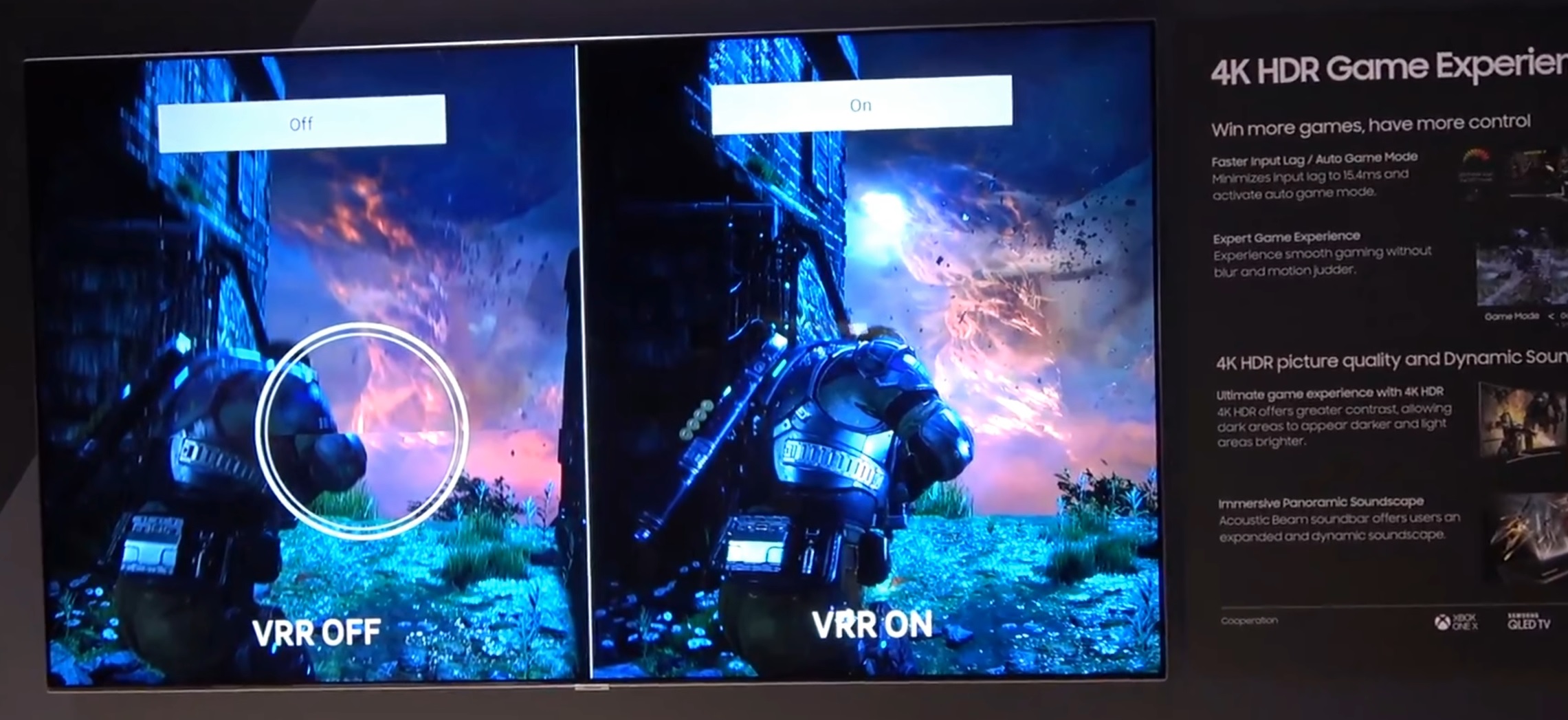
Samsung's 2018 models were also among the first to introduce Variable Refresh Rate (VRR) via FreeSync, which allowed the TV to sync its refresh rate with a compatible game console or PC. This was a forward-looking feature that makes some of these 120Hz models still useful for gaming in 2026.
LG 2018 TV Refresh Rates: TruMotion Explained
LG utilized the "TruMotion" brand to describe its motion handling. Like Samsung, the TruMotion number is typically double the native refresh rate.
LG OLED Series (B8, C8, E8, G8, W8)
The 2018 LG OLEDs were the gold standard for picture quality at the time. All 2018 LG OLED models (B8, C8, E8, G8, and W8) featured native 120Hz panels. These panels were highly capable, offering near-instantaneous response times, which made the 120Hz refresh rate feel even smoother than on contemporary LED-LCD screens.
LG Super UHD and UHD (SK and UK Series)
- SK9500, SK9000, and SK8000: These "Super UHD" models (using NanoCell technology) utilized native 120Hz panels. They were marketed with TruMotion 240.
- UK Series (UK7700, UK6300, etc.): These were the budget 4K models. Almost the entire UK series consisted of 60Hz native panels. They often used "TruMotion 120" marketing. Even if the processor could perform interpolation, the panel itself could only refresh 60 times per second.
LG’s 2018 models were notable for their support of HFR (High Frame Rate) content, but due to the limitations of HDMI 2.0 at the time, 120Hz 4K content could generally only be played via USB or internal apps, not via external HDMI devices like modern consoles, which require HDMI 2.1 for 4K@120Hz.
Sony 2018 TV Refresh Rates: MotionFlow XR
Sony’s approach to refresh rates was often considered more transparent by enthusiasts, though they still used "MotionFlow XR" numbers.
The XBR Master Series and X900F
- Sony X900F: This was one of the most popular mid-to-high-end TVs of 2018. It featured a native 120Hz panel. Sony’s "X-Motion Clarity" technology was particularly effective here, using local dimming to perform black frame insertion without the significant brightness loss common in other brands.
- Sony X850F: This model also featured a native 120Hz panel. It was a step down from the X900F in terms of contrast and dimming but maintained the high refresh rate for sports and gaming.
Sony Entry-Level Models
- Sony X830F: Usually featured a 120Hz panel (size dependent).
- Sony X800E/F and X750F: These models were primarily 60Hz native panels. Sony marketed these with MotionFlow XR 240, which could be misleading, as the physical hardware was limited to 60Hz.
Sony's processing was highly regarded in 2018 for its ability to remove "judder" from 24p content (standard movies) even on 60Hz panels, though the 120Hz panels did a superior job by naturally repeating frames five times (24 x 5 = 120).
Comprehensive 2018 TV Refresh Rate Comparison Table
This table lists the most common 2018 models and their verified hardware native refresh rates.
| Brand | Model Series | Marketing Term | Native Refresh Rate |
|---|---|---|---|
| Samsung | Q9FN / Q8FN / Q7FN | Motion Rate 240 | 120Hz |
| Samsung | Q6FN (55"+) | Motion Rate 240 | 120Hz |
| Samsung | Q6FN (49") | Motion Rate 120 | 60Hz |
| Samsung | NU8000 (55"+) | Motion Rate 240 | 120Hz |
| Samsung | NU8000 (49") | Motion Rate 120 | 60Hz |
| Samsung | NU7100 / NU7300 | Motion Rate 120 | 60Hz |
| LG | OLED (C8, E8, B8) | TruMotion 240 | 120Hz |
| LG | SK9500 / SK9000 | TruMotion 240 | 120Hz |
| LG | SK8000 | TruMotion 240 | 120Hz |
| LG | UK7700 / UK6500 / UK6300 | TruMotion 120 | 60Hz |
| Sony | X900F | MotionFlow XR 960 | 120Hz |
| Sony | X850F | MotionFlow XR 960 | 120Hz |
| Sony | X800F / X750F | MotionFlow XR 240 | 60Hz |
| Vizio | P-Series / P-Series Quantum | Effective Refresh 240 | 120Hz |
| Vizio | M-Series | Effective Refresh 120 | 60Hz |
| Vizio | E-Series (55"+) | Effective Refresh 120 | 60Hz* |
*Note: Some Vizio E-Series marketed "120Hz Effective Refresh" but almost all were native 60Hz panels using backlight scanning.
The Role of HDMI 2.0 in 2018 Models
A critical limitation for all 2018 TVs, even those with 120Hz native panels, is the HDMI 2.0 interface. In 2026, we are accustomed to HDMI 2.1, which supports 4K resolution at 120Hz. However, in 2018, HDMI 2.1 was not yet commercially available in consumer televisions.
This means that while a 2018 TV like the Sony X900F or LG C8 has a 120Hz panel, it cannot accept a 4K @ 120Hz signal over an HDMI cable. The bandwidth of HDMI 2.0 is capped at roughly 18Gbps, which is enough for 4K @ 60Hz or 1080p @ 120Hz.
How to use the 120Hz Panel Today
If you own one of these high-end 2018 models and want to utilize the 120Hz native refresh rate:
- Gaming: Set your console or PC output resolution to 1080p or 1440p (if supported, like on the Samsung NU8000). This will allow you to select a 120Hz refresh rate.
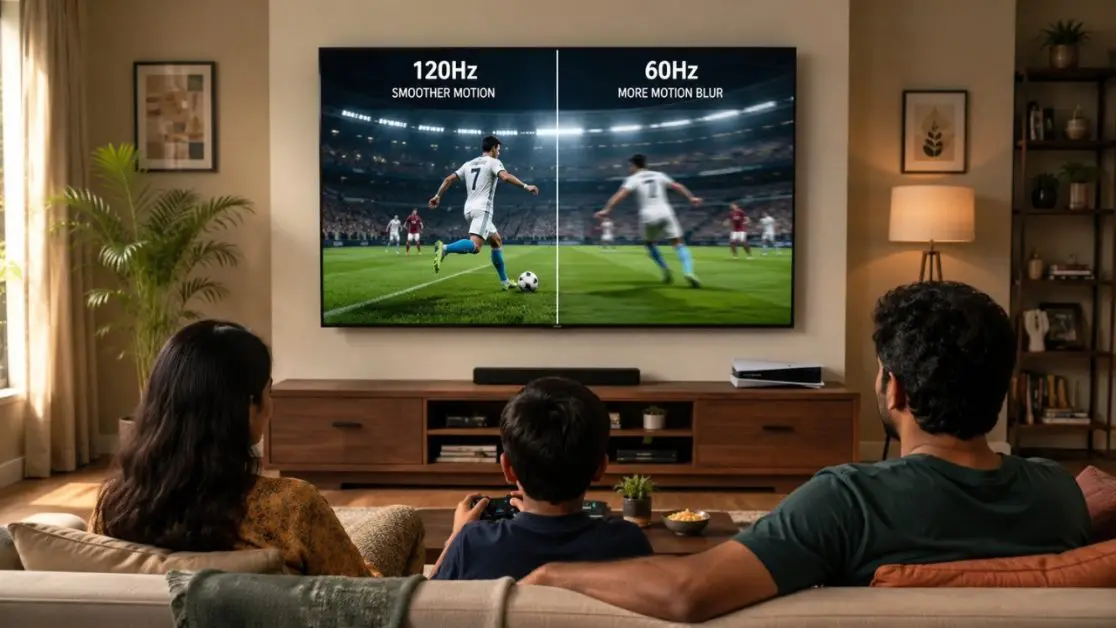
- Film Playback: The 120Hz panel is still beneficial for 4K movies. Since most films are shot at 24 frames per second, a 120Hz panel can display each frame exactly five times. A 60Hz panel must use a process called "3:2 pulldown," which can cause slight motion stutters (judder).
- PC Monitor Use: If using a 2018 120Hz TV as a monitor, you can often force a 120Hz refresh rate at lower resolutions through the NVIDIA Control Panel or AMD Radeon Settings.
Technical Methods for Verifying Your TV's Refresh Rate
If you are looking at a 2018 TV and are unsure of its native refresh rate, there are several ways to verify it without relying on the sticker on the back.
1. The PC Connection Test
The most reliable way to check a TV's hardware limit is to connect a laptop or desktop via HDMI.
- Right-click the desktop and select Display Settings.
- Go to Advanced Display Settings.
- Look at the Refresh Rate dropdown menu.
- If "120Hz" appears as an option (you may need to lower the resolution to 1080p first), the panel is native 120Hz. If the maximum option is 60Hz regardless of the resolution, the panel is native 60Hz.
2. Motion Blur Evaluation
Native 120Hz panels almost always include a "BFI" (Black Frame Insertion) or "LED Clear Motion" setting in the picture options. On a 60Hz panel, enabling these features often results in a very visible, heavy flicker because the frequency is too low for the human eye to ignore. On a 120Hz panel, BFI is much smoother.
3. Review Database Search
Because 2018 was a well-documented year for home theater technology, resources like RTINGS.com provide exhaustive laboratory testing for nearly every model mentioned above. They specifically test for native refresh rates and the ability to remove 24p judder, which is the hallmark of a true 120Hz display.
Frequently Asked Questions
Does "Motion Rate 120" mean my TV is 120Hz?
No. For 2018 models, "Motion Rate 120" (Samsung) or "TruMotion 120" (LG) almost always indicates a native 60Hz panel. The "120" refers to an effective motion clarity score achieved through software processing and backlight scanning, not the physical refresh rate of the screen.
Can a 2018 120Hz TV play PS5 games at 120fps?
Yes, but with a caveat. Because these TVs lack HDMI 2.1, they cannot do 120fps at 4K resolution. You must go into the PS5 or Xbox Series X settings and set the resolution to 1080p. At 1080p, many 120Hz 2018 TVs will correctly display 120fps gaming content.
Why did 49-inch TVs in 2018 have lower refresh rates?
In 2018, the manufacturing of 120Hz panels was more expensive and primarily optimized for larger cuts of glass (55-inch, 65-inch, etc.). Manufacturers often used 60Hz panels for the 49-inch and smaller variants to reduce costs and differentiate their "premium" large-screen offerings.
Is a native 120Hz panel better for movies?
Yes. Most movies are recorded at 24fps. A 120Hz panel can display 24fps content perfectly because 120 is a direct multiple of 24 (24 x 5 = 120). A 60Hz panel is not a multiple of 24, so it must use "3:2 pulldown," where some frames are shown for longer than others, creating a subtle effect known as "judder."
Can I upgrade my 60Hz TV to 120Hz with a software update?
No. The refresh rate is a physical property of the display panel and the internal timing controller (TCON). No software or firmware update can change a 60Hz hardware panel into a 120Hz panel.
Final Recommendation for 2018 TV Owners
If you are looking to purchase or continue using a 2018 television in 2026, prioritize finding a model with a native 120Hz panel. Models like the LG C8 OLED, Samsung Q9FN, or Sony X900F still provide an excellent experience for modern media and gaming. Even though they lack the HDMI 2.1 bandwidth for 4K@120Hz, their ability to handle 24p cinema content without judder and their support for 1080p@120Hz gaming makes them significantly more versatile than the budget 60Hz models of the same era.
When shopping for used 2018 units, always verify the specific size of the model, as the 49-inch versions of "120Hz" series often contain 60Hz hardware. Always look past the "Motion Rate" or "Effective Refresh" marketing stickers and confirm the native hardware specs to ensure you are getting the performance you expect.