An alarm system without a landline uses cellular networks or high-speed internet connections to communicate with professional monitoring centers and mobile applications. These modern security solutions offer superior reliability compared to traditional phone-line systems because they are immune to line-cutting and continue to operate during localized power outages using internal battery backups.
The Evolution of Home Security Connectivity
For decades, the standard for home security was the Plain Old Telephone Service (POTS). These systems relied on physical copper wires to transmit signals from a home's control panel to a central monitoring station. However, as of 2026, the shift toward wireless and broadband-based security is virtually complete. The telecommunications industry has largely phased out the maintenance of copper landline infrastructure in favor of fiber optics and cellular data.
An alarm system without a landline—frequently referred to as a "cellular" or "internet-connected" system—solves the inherent vulnerabilities of the legacy model. Physical phone lines are often exposed on the exterior of a residence, making them an easy target for burglars who carry wire cutters. By removing the physical tether, homeowners gain a more robust security posture that utilizes encrypted wireless signals to transmit emergencies.
This transition has also enabled the rise of "smart" security. Because these systems are data-driven, they allow for two-way communication. This means the system can send alerts to a smartphone while also allowing the user to remotely arm or disarm the system, view live camera feeds, and manage integrated home automation devices.
How Non-Landline Systems Communicate
Understanding the underlying technology is essential for selecting the right hardware. Modern systems typically utilize one or a combination of three primary communication paths: Cellular, Broadband (Wi-Fi/Ethernet), and Dual-Path.
Cellular Communication (LTE and 5G)
This is widely considered the gold standard for home security. A cellular alarm system contains a built-in SIM card, much like a smartphone. When a sensor is triggered, the panel sends an encrypted data packet via the nearest cellular tower to the monitoring center.
In 2026, most systems utilize LTE-M or 5G frequencies. These bands are optimized for "Internet of Things" (IoT) devices, offering deep penetration through walls and long-range stability. The primary advantage of cellular is its independence; even if your home’s internet router fails or the power goes out, the cellular module continues to function using the panel’s backup battery.
Broadband and Wi-Fi Connectivity
Broadband-based systems connect directly to your home’s internet router via a Wi-Fi signal or a physical Ethernet cable. These systems are incredibly fast, often transmitting an alarm signal in under two seconds. They are also ideal for high-bandwidth tasks, such as streaming 4K video from doorbell cameras or outdoor floodlight cameras.
The limitation of a broadband-only system is its dependence on your home's power and internet infrastructure. If a storm knocks out the local ISP or a thief cuts the cable line entering the house, the system loses its ability to contact the monitoring station unless it has a secondary backup.
Dual-Path Monitoring
Top-tier security providers now prioritize dual-path monitoring. This configuration uses high-speed Wi-Fi as the primary path for daily use and video streaming, but keeps a cellular radio as a "failover" backup. If the Wi-Fi signal drops for any reason, the system automatically switches to the cellular network to ensure the alarm signal reaches authorities. This redundancy is the most secure configuration available for residential properties.
Hardware Components of a Wireless System
A landline-free system is more than just a control panel; it is an ecosystem of interconnected devices. Because these systems do not require phone jacks, placement is much more flexible, allowing for optimized coverage throughout the property.
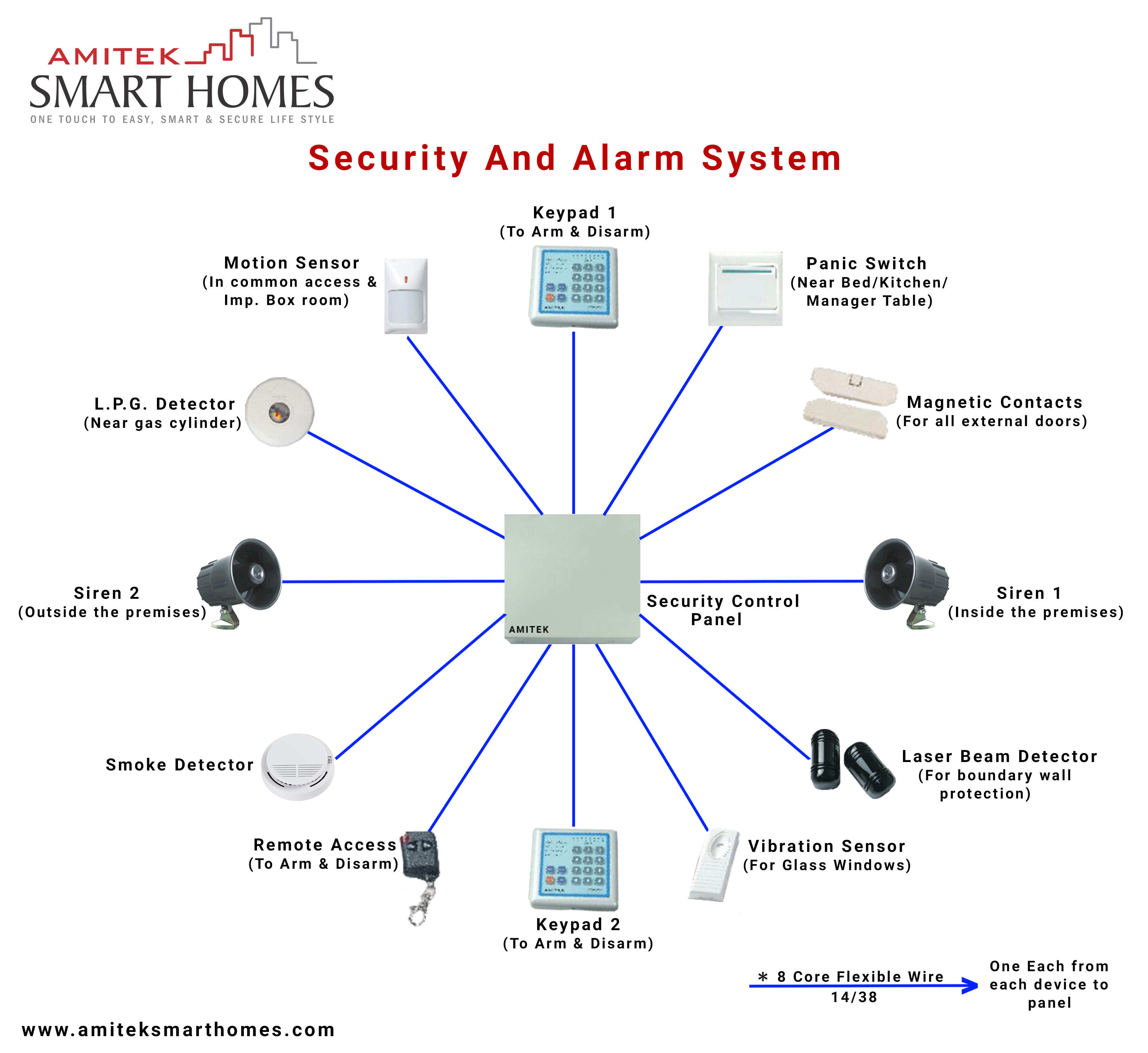
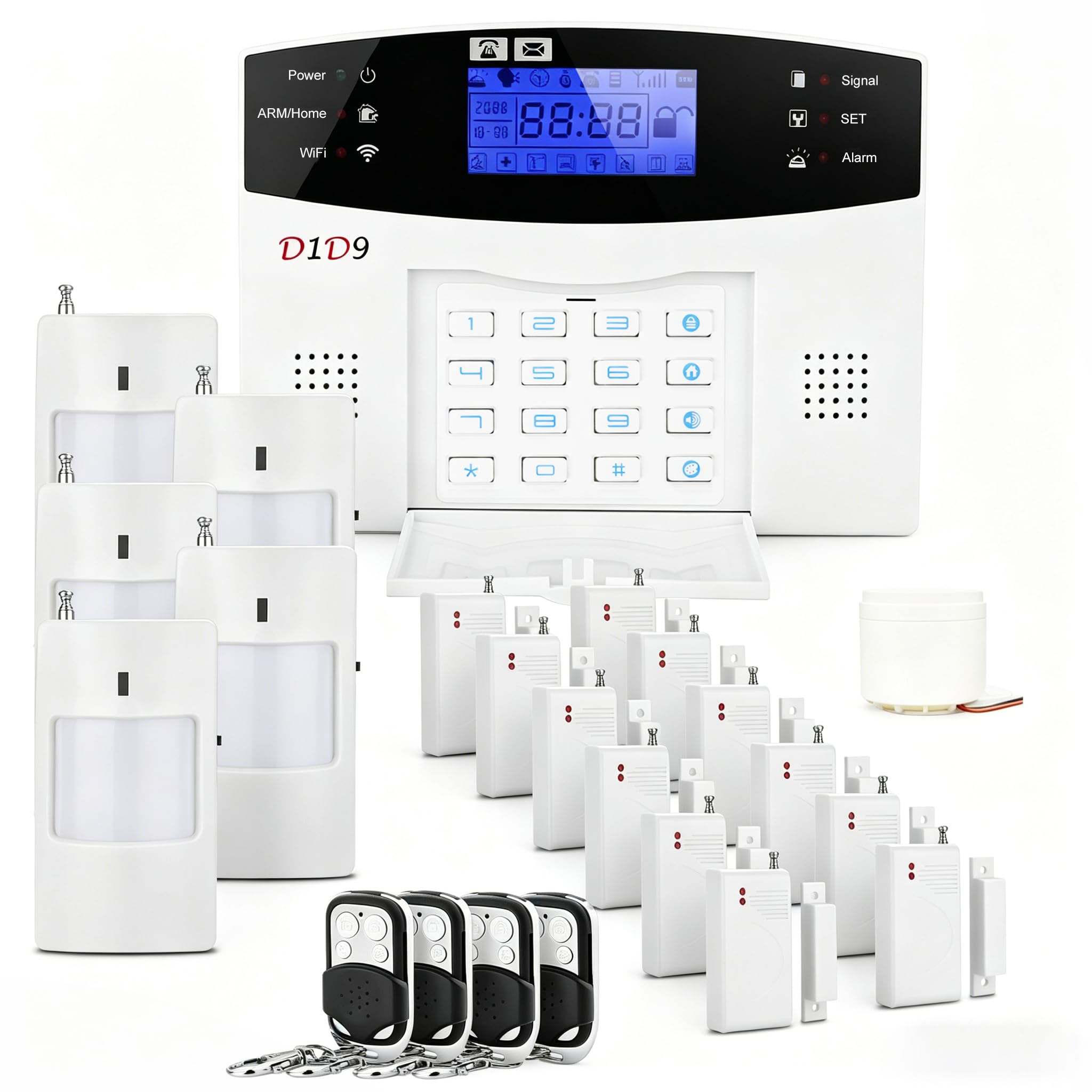
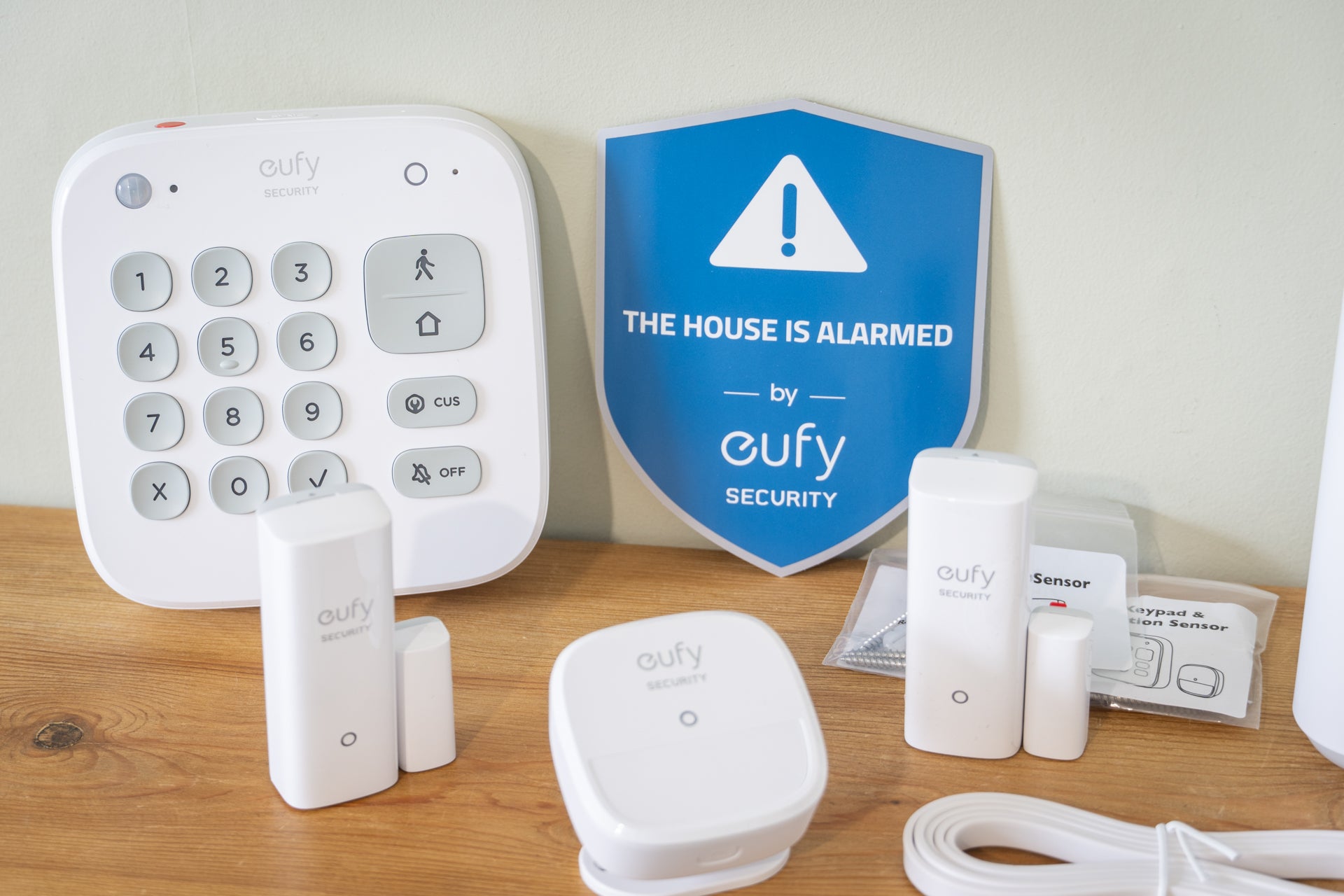
- The Hub or Control Panel: This is the "brain" of the operation. In modern configurations, this is often a touchscreen tablet mounted on a wall or placed on a tabletop. It houses the cellular radio, the Wi-Fi module, and the backup battery.
- Intrusion Sensors: These include door and window contacts and PIR (Passive Infrared) motion sensors. In a non-landline setup, these sensors communicate with the hub via low-power wireless protocols like Z-Wave, Zigbee, or proprietary 900MHz frequencies.
- Environmental Sensors: Modern systems integrate smoke, carbon monoxide, and water leak detectors. These provide 24/7 monitoring even when the security system is disarmed.
- Video Surveillance: Since the system is already connected to the internet, integrating cameras is seamless. High-definition cameras use the broadband path to upload clips to the cloud or stream them to the user’s mobile app.
Comparison of Connectivity Methods
The following table compares the three main ways an alarm system functions without a traditional landline.
| Feature | Cellular Only | Broadband (Wi-Fi) Only | Dual-Path (Recommended) |
|---|---|---|---|
| Transmission Speed | Moderate (3-5 seconds) | Fast (<2 seconds) | Fastest (Redundant paths) |
| Power Outage Resilience | High (Internal battery) | Low (Requires UPS for router) | High (Cellular failover) |
| Video Support | Limited / Compressed | Excellent (High Definition) | Excellent |
| Resistance to Tampering | Excellent (No wires to cut) | Moderate (Cable can be cut) | Excellent |
| Monthly Cost | Moderate (Cellular fees) | Lower (Uses home internet) | Moderate to High |
| Best For | Rural areas/Remote cabins | Apartment dwellers | Suburban homes/High-security |
Professional vs. DIY Installation
One of the greatest benefits of an alarm system without a landline is the ease of installation. Traditional systems required a technician to drill holes and "fish" wires through walls to reach a phone jack. Wireless systems have eliminated this requirement.
DIY (Do-It-Yourself) Installation
Many leading security companies in 2026 offer pre-configured kits. Because the sensors are wireless and the hub connects via Wi-Fi or cellular, the user simply peels and sticks the sensors to doors and windows. The hub is plugged into a standard power outlet. This approach avoids installation fees and allows the system to be easily moved, making it a favorite for renters.
Professional Installation
For larger estates or complex setups involving integrated smart home features (like smart locks, thermostats, and extensive camera arrays), professional installation remains a viable choice. A technician can perform a "signal sweep" to ensure there is no wireless interference and can optimize the placement of the cellular hub to ensure the strongest possible connection to local towers.
Cost Considerations for Non-Landline Systems
While you save money by not paying for a monthly landline phone service, there are different costs associated with wireless security.
- Equipment Costs: Wireless sensors and cellular-enabled hubs often have a higher upfront cost than the "dumb" sensors used in wired systems. However, the market in 2026 has become highly competitive, with many providers offering subsidized hardware in exchange for a monitoring contract.
- Monitoring Fees: Professional monitoring for cellular systems typically costs between $25 and $60 per month. This fee covers the cost of the cellular data plan used by the alarm panel and the 24/7 staffing of the monitoring center.
- Self-Monitoring: Some modern systems allow for self-monitoring via a mobile app for a lower monthly fee (or for free). In this scenario, if the alarm goes off, you receive a notification and must call the police yourself. While cheaper, this is generally less secure than professional monitoring, as you might miss a notification if your phone is off or you are in a meeting.
Security and Encryption in the Wireless Era
A common concern with any wireless technology is the risk of hacking or signal jamming. In 2026, reputable alarm systems employ several layers of defense to prevent these issues:
- AES-128 or AES-256 Encryption: This ensures that the signals sent between your sensors and the hub—and from the hub to the monitoring station—cannot be intercepted or spoofed by an intruder.
- Frequency Hopping Spread Spectrum (FHSS): To combat signal jamming (where a thief uses a device to "drown out" the alarm’s wireless frequency), modern systems constantly switch between different frequencies. If one channel is blocked, the system jumps to another to transmit the alert.
- Anti-Jamming Detection: Many panels are programmed to trigger an alarm if they detect a sustained attempt to jam their wireless signals, treating the interference itself as a security breach.
Integration with the Smart Home
By moving away from landlines, alarm systems have become the central hub for the modern smart home. Most non-landline systems now support the Matter or Thread protocols, which were industry standards by 2026. This allows the security system to "talk" to other devices:
- Automated Lighting: If the alarm detects an intruder, it can automatically turn on every light in the house to deter the criminal.
- Smart Locks: When you disarm your system via the cellular app, the front door can automatically unlock.
- Energy Management: When the system is armed in "Away" mode, it can signal the smart thermostat to lower the heat, saving on utility bills.
Common Myths About Non-Landline Systems
Despite their prevalence, several misconceptions persist regarding wireless security.
Myth: Wireless systems are unreliable. Reality: In the early 2000s, wireless interference was a valid concern. Today, with dedicated security frequencies and dual-path technology, these systems are statistically more reliable than landlines, which are susceptible to weather damage and physical tampering.
Myth: If the internet goes down, the alarm won't work. Reality: Only "broadband-only" systems are affected by internet outages. As long as the system has a cellular backup, it remains fully operational regardless of your home's internet status.
Myth: They are only for tech-savvy people. Reality: Modern interfaces are designed for simplicity. Most people find managing an alarm via a smartphone app much more intuitive than memorizing complex sequences on a traditional rubber-button keypad.
Frequently Asked Questions
What happens to my alarm system if the cellular network is upgraded?
Security manufacturers design their hubs to be forward-compatible. By 2026, most systems use modular cellular cards that can be swapped out if a carrier moves from one generation of technology to another. This prevents the entire system from becoming obsolete.
Can I use a VoIP (Voice over IP) line as a landline for my alarm?
While technically possible, using VoIP for alarm monitoring is highly discouraged. VoIP relies on your internet connection and power. If either fails, the alarm cannot communicate. Furthermore, VoIP compression can sometimes distort the signal tones used by older alarm panels, leading to "Failure to Communicate" (FTC) errors.
Do I need a special data plan for my cellular alarm?
No. The cellular data plan is managed by the security provider. You do not need to add the alarm system to your personal cell phone plan. The cost of this data is included in your monthly professional monitoring fee.
Does a wireless alarm system use a lot of Wi-Fi bandwidth?
Standard alarm signals (like door openings or arming) use a negligible amount of data. However, if you have multiple 4K security cameras integrated into the system, they will consume significant upload bandwidth. It is recommended to have an internet plan with at least 10 Mbps upload speed if you use several cameras.
Can I take my non-landline system with me when I move?
Yes. This is one of the primary advantages of these systems. Since there is no physical wiring to a phone jack, you can simply unplug the hub, remove the sensors, and set them up at your new location. You only need to update your address with the monitoring center to ensure emergency services are sent to the correct house.
Is professional monitoring required for a cellular system?
While not strictly required by the hardware, most cellular-enabled hubs require a subscription to activate the internal SIM card. Without a subscription, the cellular radio remains dormant, and the system would only function as a "local" alarm (making noise but not calling for help).
Making the Right Choice
When selecting an alarm system without a landline, prioritize a provider that offers dual-path monitoring with a focus on LTE or 5G cellular backup. This ensures that no matter what happens—be it a power outage, an internet failure, or a physical line cut—your home remains connected to emergency services.
Start by auditing your home’s entry points and determining if you want a DIY setup for cost savings or a professional installation for a more comprehensive, integrated smart home experience. Ensure the hardware you choose is UL-Certified and supports modern encryption standards to protect against digital intrusion. In 2026, the flexibility and security of a wireless, landline-free system are no longer a luxury but a standard requirement for effective home protection.