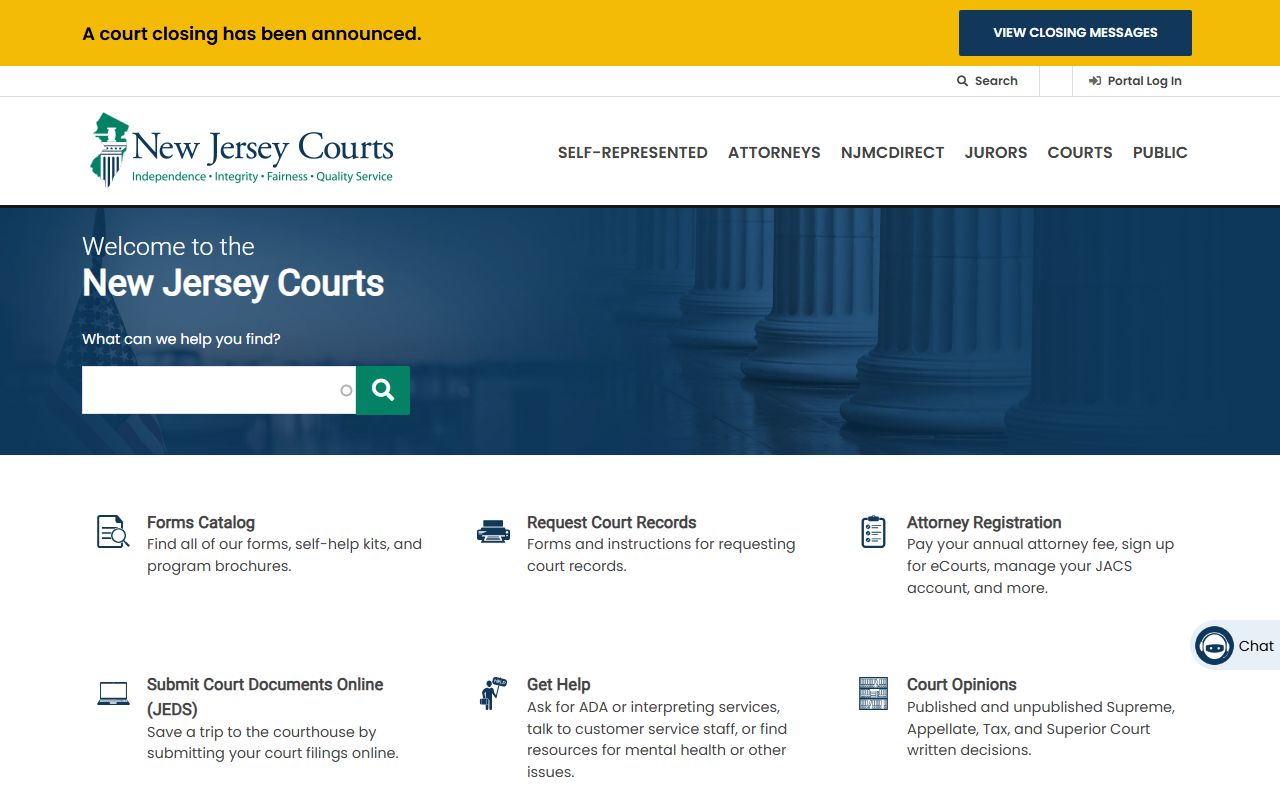
Accessing New Jersey court records and proceedings is a transparent process managed primarily through the New Jersey Judiciary’s online systems and physical courthouse access points. Most public records are available via the Judiciary Electronic Document Submission (JEDS) system, the Public Access portal for case information, and in-person requests at county clerk or surrogate offices, depending on the case type and confidentiality status.
The Foundation of Public Access in the New Jersey Judiciary
The New Jersey court system operates on the principle of open access, adhering to the New Jersey Court Rules, specifically Rule 1:38, which governs public access to court records. In 2026, the Judiciary maintains a robust digital infrastructure designed to provide citizens, researchers, and legal professionals with efficient ways to track litigation and retrieve historical case data.
Public access is not an absolute right to every document, however. The court distinguishes between "public" records—those generally open to inspection—and "confidential" records, such as those involving juvenile matters, certain family law details, or sensitive medical or financial data protected by privacy statutes. Understanding the distinction between case types—such as Superior Court (Civil/Criminal), Tax Court, and Municipal Court—is the first step toward successful navigation.
Online Portals for Case Information
The most immediate way to access court information is through the official New Jersey Courts website (njcourts.gov). The Judiciary provides several specialized portals, each serving a specific subset of the public interest.
The Public Access Portal
The Public Access portal is the primary tool for searching case information. It allows users to search for civil, criminal, and family case dockets. To use this effectively, you generally need either the case number or the name of one of the parties involved. Searching by party name often requires additional identifying information, such as a date of birth or address, to narrow down results and prevent false positives from common names.
Municipal Court Case Search
Municipal courts handle traffic tickets, local ordinance violations, and minor criminal matters. These records are often kept separately from the Superior Court system. The online municipal case search tool is specifically designed to locate information regarding traffic and minor criminal complaints. Note that for very recent filings, there may be a lag time between the court action and the digital update, so persistence is advised if a record does not appear immediately.
Judiciary Electronic Document Submission (JEDS)
While JEDS is primarily a filing system for attorneys and pro se litigants, it serves as a critical entry point for those managing their own cases. Understanding how to navigate JEDS is essential if you are a party to a case, as it provides a digital audit trail of the documents you have submitted to the court.
In-Person Access: When and How to Visit
Despite the prevalence of digital tools, certain records remain archived in physical format, or they may require a formal request for inspection at the county level.
- County Clerk Offices: For property records, civil judgments, and certain historical filings, the County Clerk’s office in the county where the case originated is the authority. These offices often provide public access terminals.
- Surrogate’s Court: If you are seeking records related to estates, wills, or adoptions, the Surrogate’s Court within the relevant county is the specific office of record. These records are not typically found in the main Superior Court online portal.
- Court Clerks: For physical courtroom proceedings, you have the right to observe open court sessions. However, security protocols require that you check the daily court calendar, usually posted on the Judiciary website, to confirm the room number and time of the proceedings.
Table: Comparison of Access Methods
| Access Method | Primary Use Case | Accessibility Level |
|---|---|---|
| Public Access Portal | Searching general civil/criminal dockets | High (Internet-based) |
| Municipal Search | Traffic tickets, local ordinances | High (Internet-based) |
| County Clerk Office | Land deeds, judgments, historical records | Moderate (In-person) |
| Surrogate’s Court | Wills, estates, guardianship records | Moderate (In-person) |
| JEDS | Filing and tracking personal submissions | Restricted (Account required) |
Prerequisites for Success
Before initiating a search, you should gather as much metadata as possible. A common mistake is attempting a broad search by name, which can yield thousands of irrelevant results. To refine your search:
- Obtain the Case Number: This is the "golden ticket" for rapid retrieval.
- Identify the Venue: Know the difference between the Municipal court of a specific town versus the Superior Court of the county.
- Verify the Date Range: Searching by the date of filing or judgment can significantly narrow your scope.
If you are a party to a case, ensure you have your Judiciary ID or the specific case association verified. If you are a member of the public seeking general records, you do not need to register for a sophisticated account, but you should be prepared to use public-facing guest portals.
Understanding Costs and Fees
Accessing digital information via the New Jersey Judiciary's public portals is generally free of charge for basic search queries. However, obtaining certified copies of documents or requesting high-volume document reproduction incurs specific fees.
- Certification Fees: If you require a document for legal or official use, it must be "certified." This usually involves a per-page or per-document fee paid to the clerk’s office.
- Copying Charges: Standard copying fees for physical records are regulated by the state and are generally modest, but large requests may require a lead time for processing.
- Payment Methods: Most county offices accept checks, money orders, and credit/debit cards, though it is highly recommended to call the specific office ahead of time to confirm payment protocols for 2026.
Troubleshooting Common Access Issues
If you cannot find a record, do not immediately assume it does not exist. Consider these troubleshooting steps:
- The "Lag" Factor: Court systems update in real-time or near-real-time, but a data entry backlog can occur. If a court appearance happened today, the record might not be updated until the following business day.
- Case Confidentiality: As noted previously, certain records are sealed. If you are searching for a case that involves sensitive family matters or a juvenile, the system will not return results for those files even if they exist.
- Spelling and Variations: Legal databases are sensitive to spelling. Try variations of names or omit middle initials to see if your search returns different results.
- System Maintenance: The Judiciary occasionally performs scheduled maintenance on their digital portals. Always check the main njcourts.gov homepage for service alerts before declaring a system "down."
Ethical and Legal Considerations
When accessing public records, you are subject to ethical guidelines regarding the use of that information. While the records are "public," they are not necessarily for commercial exploitation. Harassing parties involved in litigation or using personal information found in court records for unauthorized solicitation can lead to legal consequences or, at the very least, a restriction of your access privileges. Always handle sensitive information, such as addresses or Social Security numbers (which should be redacted in public files), with professional discretion.
Frequently Asked Questions
Are all New Jersey court records available online? No. While many records are digitized, older files—particularly those predating the electronic systems—remain in paper archives at county courthouses. Furthermore, some records are shielded by law to protect privacy.
How do I find a lawyer's or judge's information? Information regarding the New Jersey bar, including attorney standing, can be verified through the New Jersey Lawyers' Fund for Client Protection or the Board of Bar Examiners, which are separate from the general court case search.
Can I view criminal records through the public portal? Yes, but with limitations. You can view docket information for criminal cases, but highly sensitive victim information or ongoing investigation details are typically restricted to protect the integrity of the judicial process.
What should I do if a record I need is missing from the system? Contact the Office of the Clerk of the Court in the specific county or municipality where the case was filed. They can confirm if the record exists, if it is sealed, or if it is currently undergoing processing.
Is there a cost to access the public portal? No, there is no fee for performing a search on the public judiciary portals. Fees only apply when requesting official copies or certifications of documents.
Next Steps for Users
If you are just beginning your search, the most effective next step is to visit the New Jersey Judiciary official website. Navigate to the "Self-Help" or "Public Access" tabs, where you will find the most up-to-date links to the specific portals discussed above. If your search involves an active legal issue, consult with the clerk at the relevant courthouse; they remain the most reliable source for clarifying why a file might be inaccessible or how to expedite a record request. Always ensure you have your case identifiers ready to facilitate the most efficient interaction with court staff.