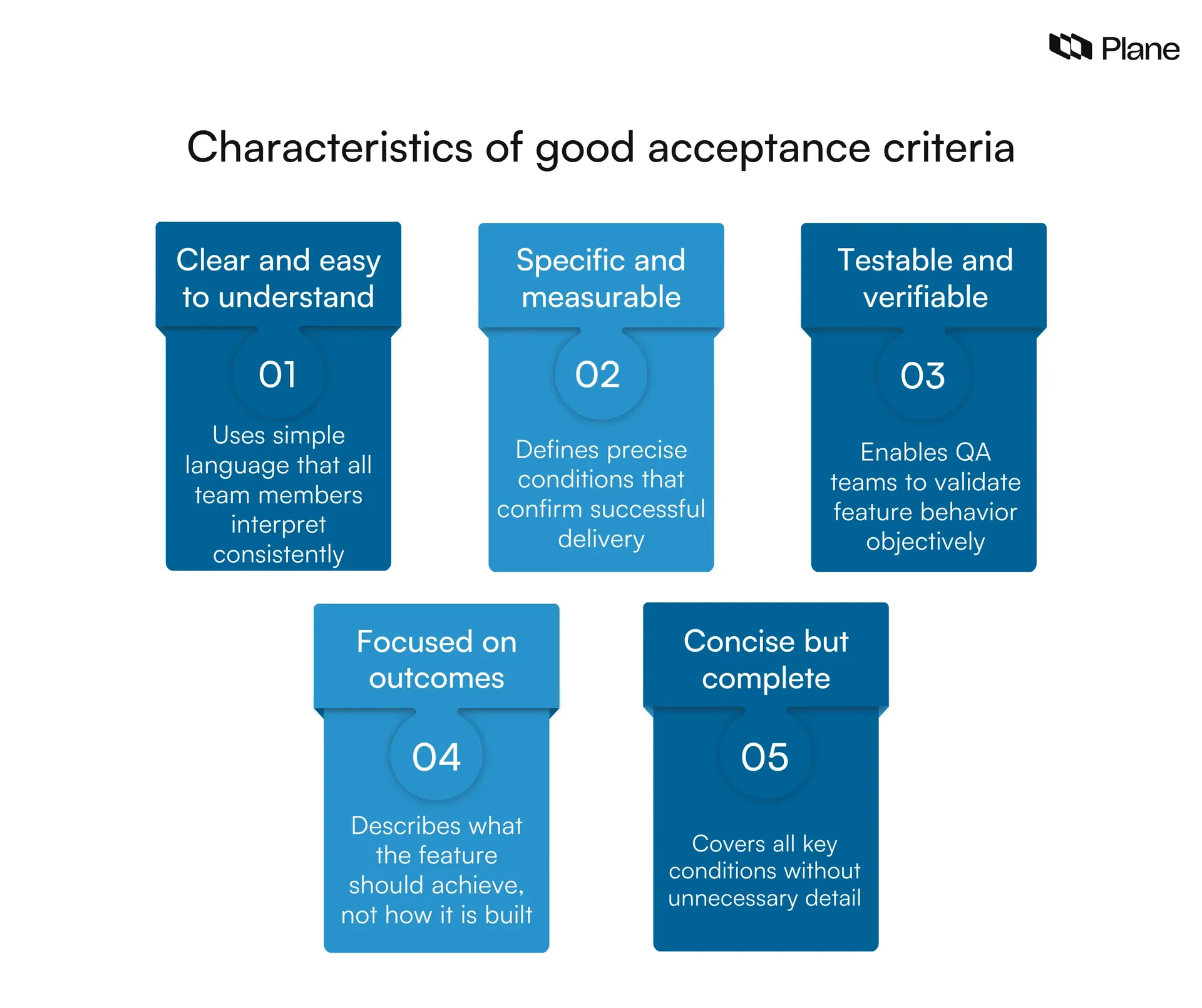
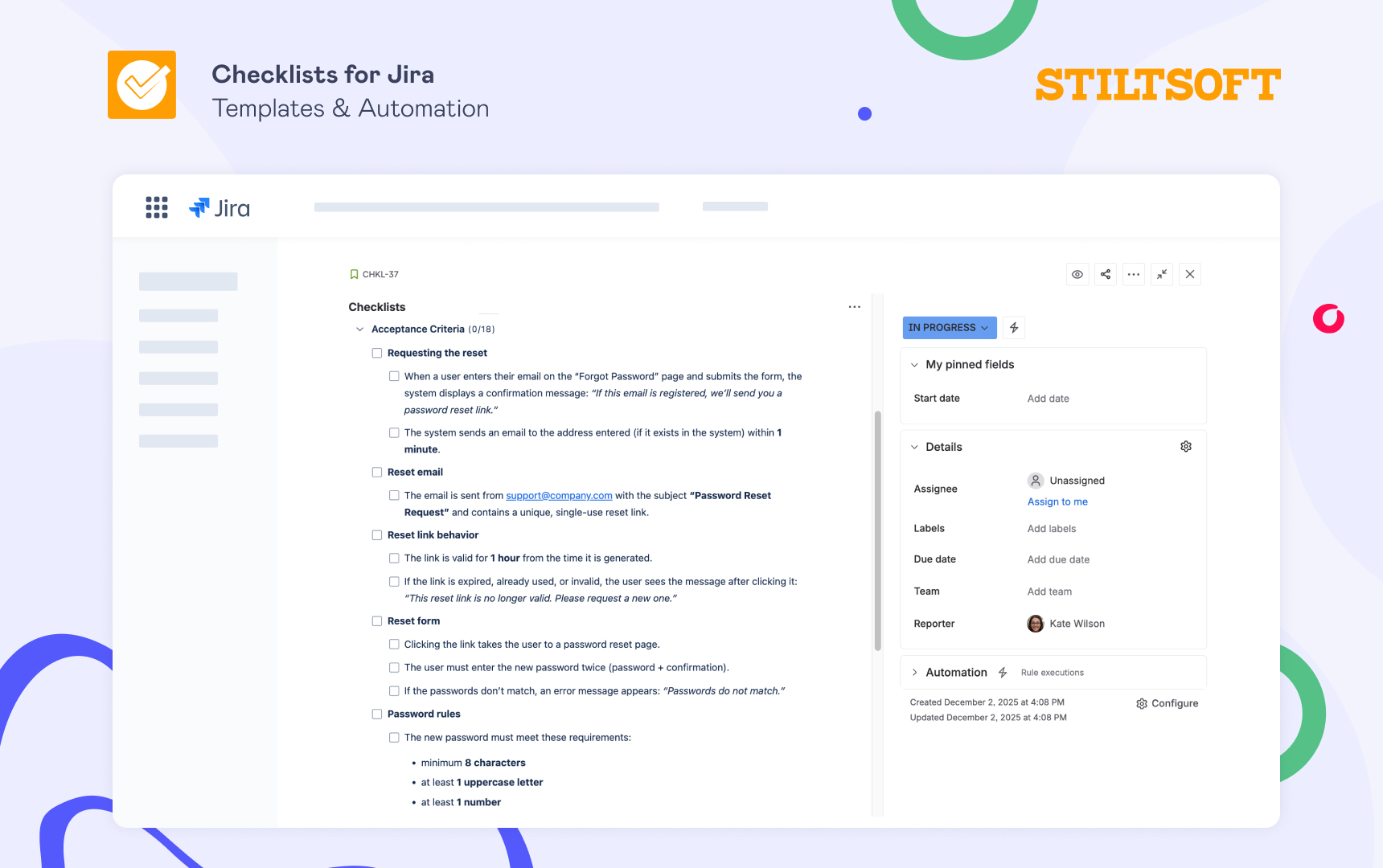
An acceptance criteria checklist is a standardized set of requirements and quality benchmarks used to determine if a software feature or user story is complete and functions as intended. It serves as a formal agreement between stakeholders and the development team, ensuring that every deliverable meets specific functional, technical, and user-experience standards before being marked as "done."
The Role of Acceptance Criteria in Modern Development
In the landscape of software engineering in 2026, the complexity of distributed systems and the speed of continuous deployment make clarity a primary requirement. Acceptance criteria (AC) bridge the gap between a high-level user story—which describes what the user wants to achieve—and the technical implementation. Without a robust checklist, teams often suffer from "scope creep," where the boundaries of a task expand indefinitely, or "misalignment," where the developer builds exactly what they thought was requested, only to find the Product Owner had a different vision.
Acceptance criteria provide a "Definition of Done" for individual features. While the broader "Definition of Done" (DoD) applies to every task in a sprint (e.g., "code is reviewed," "unit tests passed"), the acceptance criteria are unique to the specific functionality being built. They define the boundaries of a user story, outline the "happy path" (the ideal user journey), and account for edge cases and error handling.
By utilizing a checklist approach, teams can ensure they do not overlook non-functional requirements such as performance, accessibility, and security. In an era where data privacy regulations and accessibility standards like WCAG 2.2 are strictly enforced, these "secondary" requirements are just as critical as the primary functionality.
Core Components of an Effective Acceptance Criteria Checklist
A comprehensive checklist should be divided into several thematic categories. This ensures that the Product Owner, developers, and QA engineers are all looking at the feature through the same lenses.
1. Functional Requirements
Functional requirements are the most visible part of the AC. They describe the behavior of the system in response to specific inputs.
- Primary Action Success: Does the feature perform its main task? For example, if the user story is "As a user, I want to reset my password," the AC must specify that an email is sent and the new password is saved.
- Data Validation: Are there specific constraints on input? (e.g., password must be 12 characters, include a symbol, and not match the previous five passwords).
- State Changes: How does the system state change? If a user deletes an account, is the status updated to "Inactive" or is the record purged?
- Integration Points: If this feature interacts with third-party APIs or internal services, are those connections verified?
2. User Experience and Interface (UI/UX)
The interface must not only work but must also adhere to the brand’s design system and usability standards.
- Design Fidelity: Does the implementation match the high-fidelity mockups provided by the design team? This includes spacing, typography, and color hex codes.
- Responsiveness: Does the feature work across all supported breakpoints (mobile, tablet, desktop)? In 2026, this also includes considerations for foldable devices and ultra-wide monitors.
- Interactivity: Are hover states, active states, and loading spinners present and functional?
- Navigation: Can the user reach this feature easily, and can they return to the previous screen without losing data?
3. Non-Functional Requirements (NFRs)
NFRs are often neglected until late in the development cycle, leading to "technical debt." A checklist forces these into the conversation early.
- Performance Benchmarks: Does the page load within the required timeframe (e.g., under 2 seconds on a 4G connection)?
- Security: Does the feature follow the principle of least privilege? Are inputs sanitized to prevent SQL injection or Cross-Site Scripting (XSS)?
- Scalability: Can the new database query handle the projected load of 100,000 concurrent users?
- Accessibility: Does the feature meet WCAG 2.2 Level AA standards? This includes screen reader compatibility and keyboard-only navigation.
Structuring Acceptance Criteria: The Gherkin Method vs. Bullet Points
There are two primary ways to document these criteria within your checklist. Choosing the right one depends on the technical maturity of your team and the tools you use for automation.
The Gherkin (Scenario-Based) Format
Gherkin uses a Given-When-Then structure. This is highly effective for behavioral-driven development (BDD) and can often be plugged directly into automated testing frameworks like Cucumber.
- Given: The initial context (e.g., "Given I am a logged-in user on the billing page").
- When: The action taken (e.g., "When I click 'Update Credit Card'").
- Then: The expected outcome (e.g., "Then a secure modal should appear").
This format is excellent for resolving ambiguity because it forces the writer to think through the exact sequence of events.
The Bullet Point (Rule-Based) Format
For simpler features or teams that prefer a more concise overview, a rule-based list works well. This focuses on the "what" rather than the "how."
- The "Submit" button is disabled until all required fields are filled.
- Users receive an on-screen confirmation message after a successful upload.
- Uploaded files must be in PDF or JPEG format and under 10MB.
A Practical Acceptance Criteria Verification Table
The following table serves as a quick-reference guide for teams to compare the scope of their acceptance criteria against broader project standards.
| Category | Focus Area | Verification Question | Responsibility |
|---|---|---|---|
| Functional | Happy Path | Does the core workflow complete without errors? | Developer / QA |
| Functional | Edge Cases | What happens if the user loses internet mid-transaction? | Product Owner / QA |
| UI/UX | Design System | Are all UI components pulled from the official library? | Designer / Dev |
| UI/UX | Feedback | Does the user see a "success" or "error" message? | Designer |
| Technical | Performance | Is the API response time under 300ms? | Backend Dev |
| Technical | Security | Is PII (Personally Identifiable Information) encrypted? | Security Lead |
| Compliance | Accessibility | Can the feature be used via keyboard alone? | QA / Accessibility Lead |
| Legal | Data Privacy | Does this action require a record in the audit log? | Compliance Officer |
Advanced Considerations for 2026: AI and Automation
As we move through 2026, the way we manage acceptance criteria checklists has evolved. AI-driven tools now assist Product Owners in generating initial AC drafts by analyzing the user story and historical project data. However, human oversight remains vital.
AI-Assisted Validation: Modern CI/CD (Continuous Integration/Continuous Deployment) pipelines can now automatically parse Gherkin-style AC and verify that corresponding test scripts exist. If a checklist item isn't covered by a test, the build is flagged. This "traceability" ensures that the checklist isn't just a static document but a living part of the codebase.
Environment-Specific Criteria: With the rise of edge computing, AC checklists now often include environment-specific requirements. A feature might have different performance criteria when running on an edge node in a remote region versus a central data center.
Common Pitfalls to Avoid
Even with a checklist, teams can fall into traps that render the acceptance criteria useless.
Being Too Vague
Avoid phrases like "the system should be fast" or "the UI should look good." These are subjective. Instead, use "The page must load in under 1.5 seconds" or "The UI must match the Figma file 'v2.1-Final'."
Over-Specification
Acceptance criteria should define the outcome, not the implementation. If you tell the developer exactly which database table to use or which specific function to write, you are micromanaging the technical solution. This stifles innovation and can lead to fragile code.
Ignoring the "Negative" Path
Many checklists focus only on what should happen when things go right. A robust checklist must include what happens when things go wrong. If an API call fails, does the app crash, or does it show a graceful error message with a "Retry" button?
How to Implement a Checklist Culture
To successfully adopt an acceptance criteria checklist, it must be integrated into the existing workflow, typically during Backlog Refinement or Sprint Planning.
- Collaborative Writing: The Product Owner usually writes the first draft, but the entire "Three Amigos" (PO, Developer, and Tester) should review them. This ensures the criteria are feasible and testable.
- Make it Visible: Keep the AC inside the project management tool (like Jira, ADO, or Linear). It should be the first thing a developer reads before writing a single line of code.
- Use as a Barrier to Entry: A user story should not enter a "Ready for Dev" state unless it has a completed AC checklist. This prevents developers from starting work on ill-defined tasks.
- Review During Demo: In the Sprint Review, the AC should serve as the script for the demonstration. "As you can see, we met criterion #1, #2, and #3."
The Impact of Quality Acceptance Criteria
When a team commits to a rigorous acceptance criteria checklist, the benefits ripple across the entire organization. Stakeholders gain confidence because they know exactly what will be delivered. Developers experience less frustration because the "goalposts" aren't moving mid-sprint. QA teams can write test cases earlier in the cycle, leading to a "shift-left" testing approach that catches bugs before they are even coded.
Ultimately, the checklist is a communication tool. In the fast-paced development environments of 2026, clear communication is the most effective way to reduce waste and deliver high-value software to users.
Frequently Asked Questions
Who is responsible for writing the acceptance criteria?
The Product Owner (PO) or Product Manager is primarily responsible for defining the acceptance criteria, as they represent the business interests and the user's needs. However, the process is most successful when it is collaborative. Developers provide input on technical constraints, and QA engineers ensure that the criteria are "testable." In many Agile teams, the "Three Amigos" meeting is the formal venue where these three roles finalize the criteria together.
When should the acceptance criteria checklist be created?
The checklist should be finalized before the development work begins. Ideally, a draft is created when the user story is first added to the backlog. It is then refined during backlog grooming sessions and finalized during sprint planning. Creating AC after coding has started is a recipe for rework and missed expectations.
Can acceptance criteria change during a sprint?
Generally, acceptance criteria should remain stable once a sprint begins to avoid disrupting the development team's focus. However, if a critical misunderstanding is discovered, the PO and the team can agree to modify the criteria. If the change is significant, it may require the story to be removed from the sprint and re-estimated for a later date to maintain the integrity of the sprint commitment.
How many acceptance criteria should a user story have?
There is no fixed number, but a typical user story has between 3 and 8 criteria. If you find a story requires 15 or 20 criteria, it is a strong signal that the story is too large (an "Epic") and should be broken down into smaller, more manageable tasks. Each story should be small enough to be completed within a single sprint.
What is the difference between Acceptance Criteria and the Definition of Done?
The Definition of Done (DoD) is a global checklist that applies to every single task in a sprint (e.g., code linting, unit testing, documentation updated). Acceptance Criteria are specific to a single feature or user story (e.g., "the user must be able to upload a .CSV file"). You can think of the DoD as the "quality floor" for the entire project, while AC are the "functional requirements" for a specific feature.
Should I include technical tasks in the acceptance criteria?
No. Acceptance criteria should focus on the what (the behavior and the outcome), while technical tasks (like "set up the database schema" or "configure the S3 bucket") belong in the sub-tasks or technical notes of the story. Keeping AC focused on the user's perspective ensures the feature remains aligned with business value rather than just technical completion.
Final Recommendation
For teams looking to improve their delivery quality in 2026, the most effective next step is to standardize the AC format. Whether you choose the Gherkin "Given-When-Then" model or a strict rule-based bulleted list, consistency is key. Start by auditing your last three sprints: identify where bugs or misunderstandings occurred and ask if a specific item on an acceptance criteria checklist could have prevented them. Building this habit into your "Definition of Ready" will significantly reduce friction and improve the predictability of your software releases.