Ann Arbor Public Schools (AAPS) utilizes PowerSchool as its primary Student Information System (SIS) to bridge the communication gap between classrooms and homes. As of the 2025–2026 academic year, this centralized platform serves as the essential digital ledger for grades, attendance, schedules, and emergency contact management for thousands of students across the district.
The Role of PowerSchool in the AAPS Ecosystem
PowerSchool is more than just a digital gradebook; it is the foundational database for the Ann Arbor Public Schools district. In a large district featuring diverse educational pathways—from neighborhood elementary schools to specialized high schools like Skyline, Pioneer, and Huron—having a unified data system is critical. PowerSchool allows administrators to manage enrollment, enables teachers to record daily progress, and empowers families to monitor academic growth in real-time.
The system is partitioned into several distinct "portals" tailored to specific user roles. While teachers use the "PowerTeacher" interface for professional grading and attendance taking, parents and students access the "Public Portal." This transparency ensures that there are no surprises regarding academic standing or attendance records, fostering a collaborative environment where interventions can happen early rather than at the end of a semester.
Navigating the PowerSchool Parent and Student Portal
Accessing the portal is the first step toward active participation in a student's educational journey. For the current 2026 term, AAPS continues to utilize a web-based interface accessible via any standard browser at the dedicated AAPS PowerSchool URL.
Creating and Linking Accounts
Parents new to the district must create a "Parent Account." This is distinct from a student's account because it allows a single username to be linked to multiple children across different AAPS schools. To set this up, parents require an Access ID and an Access Password for each child, which are typically distributed by the school’s registrar at the start of the year or upon enrollment.
Students, conversely, generally use their AAPS-provided Google credentials via Single Sign-On (SSO). This integration streamlines the process, ensuring students do not have to manage multiple passwords for their school-issued Chromebooks and their academic records.
The Dashboard Interface
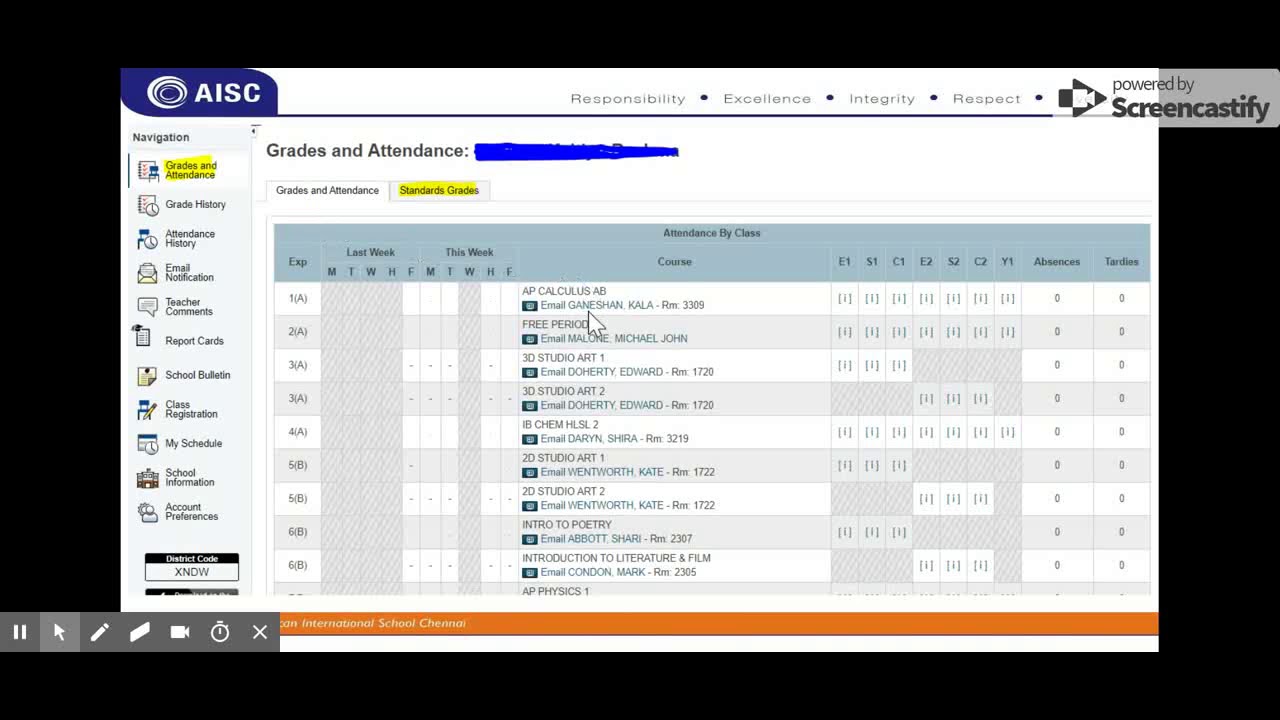
Upon logging in, the default view is the Grades and Attendance tab. This screen provides a holistic snapshot of the student's current term. Key elements include:
- Current Grades: Represented by a percentage or letter grade. Clicking on the grade opens a detailed view of all assignments, scores, and teacher comments.
- Attendance Totals: Summaries of absences and tardies for each period.
- Teacher Icons: Small icons next to a teacher’s name allow users to send an email directly from the portal, facilitating quick communication regarding specific concerns.
Detailed Breakdown of Portal Features
To maximize the utility of the AAPS PowerSchool overview, users should understand the depth of information available beyond the initial dashboard.
Grade History and Standards Excellence
While the main dashboard shows "live" grades, the Grade History tab displays finalized marks from previous terms. This is particularly important for high school students tracking their progress toward graduation requirements. In elementary and middle schools, AAPS often emphasizes "Standards-Based Grading." In these cases, the Standards Grades tab shows how a student is performing against specific Michigan state educational benchmarks rather than just providing a cumulative percentage.
Attendance and Punctuality Tracking
The Attendance History tab provides a calendar view of the student's presence in school. AAPS monitors attendance closely, as it is a primary indicator of student success and a requirement for state funding (per the Michigan Department of Education). The portal distinguishes between "Excused" and "Unexcused" absences. If a parent notices an error, the portal serves as the primary evidence needed when contacting the school office for a correction.
School Bulletins and Daily Announcements
Many AAPS campuses use the School Bulletin feature within PowerSchool to post daily announcements. This can include information about extracurricular clubs, sports tryouts, cafeteria menu changes, or upcoming standardized testing schedules. Checking this section regularly helps families stay connected to the "pulse" of the school building without relying solely on emailed newsletters.
Managing the Annual Information Update
One of the most critical functions of PowerSchool for AAPS families occurs before the school year even begins. The Annual Information Update (formerly known as InfoSnap or PowerSchool Enrollment) is an integrated module used to verify residency, update emergency contacts, and sign mandatory district waivers.
In 2026, this process remains entirely digital. Families must log in to the web portal to confirm that their "SwiftK12" notification settings are correct. SwiftK12 is the system AAPS uses to send automated phone calls and text messages during snow days or school emergencies. If your phone number is not correctly listed in the PowerSchool demographics section, you will not receive these vital communications.
PowerSchool Mobile App vs. Web Portal
For convenience, many AAPS users download the PowerSchool Mobile App (available on iOS and Android). However, it is important to distinguish between what the app offers and what requires a full desktop browser.
| Feature | Mobile App | Web Portal |
|---|---|---|
| Push Notifications for Grades | Yes | No |
| Real-time Attendance Alerts | Yes | No |
| Detailed Assignment Descriptions | Limited | Full |
| Annual Enrollment/Registration | No | Yes |
| Course Requests (Scheduling) | No | Yes |
| Fee Payments (e.g., Lunch/Activity) | Yes (via link) | Yes |
| Viewing Report Cards (PDF) | No | Yes |
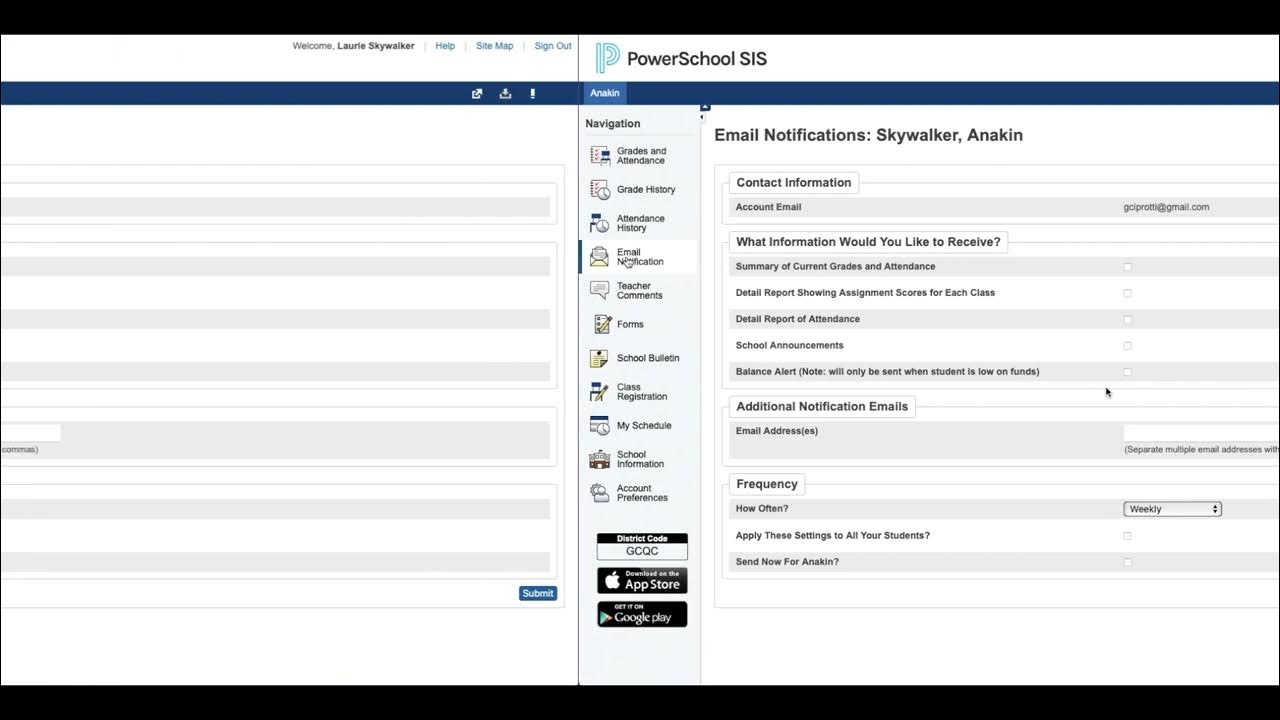
To use the mobile app, AAPS families need the District Code. While this code can change, it is prominently displayed on the lower-left corner of the AAPS PowerSchool web portal login page. The app is excellent for "on-the-go" monitoring, but for complex tasks like reviewing graduation progress or updating medical records, the web portal is the required medium.
Academic Accountability and Student Growth
For students in the Ann Arbor district, PowerSchool is a tool for self-advocacy. By checking their own portals, students can identify "Missing Assignments" (often marked with a red icon) before they significantly impact their GPA.
Understanding Weighted Categories
A common point of confusion is why a grade may not move as expected after a high score on a quiz. AAPS teachers often use "Category Weighting." For instance, "Summative Assessments" (tests/projects) might account for 70% of a grade, while "Formative Assessments" (homework/practice) might account for 30%. PowerSchool calculates these complex formulas automatically, but parents can see the weighting logic by clicking on the grade in the web portal and looking for the "Category" column.
Teacher Comments and Feedback
Beyond numerical scores, the portal hosts qualitative feedback. If a teacher enters a comment regarding a specific project or a student's behavior in class, a small speech bubble icon appears. Reading these comments is essential for understanding the context of a student's performance, as a "C" with a comment saying "Excellent effort, struggled with the lab format" tells a very different story than a "C" with no feedback.
Troubleshooting Common Access Issues
Technical hurdles are inevitable in a system as large as PowerSchool. AAPS provides several avenues for resolving these issues.
- Forgotten Passwords: On the login page, there is a "Forgot Password" link for parents. This sends a reset link to the email on file. Note that for security reasons, school office staff cannot see your password; they can only reset it to a temporary one or verify your username.
- Locked Accounts: After multiple failed login attempts, an account may be temporarily locked for security. Waiting 30 minutes usually resolves this.
- Missing Students: If a parent logs in but does not see all their children, they must go to "Account Preferences" and then the "Students" tab to add additional children using the specific Access IDs provided by each respective school.
- Browser Compatibility: PowerSchool works best on updated versions of Chrome, Firefox, or Safari. If the page is not loading correctly, clearing the browser cache or disabling "ad-blocker" extensions often fixes the display issues.
Privacy and Data Security
AAPS adheres to the Family Educational Rights and Privacy Act (FERPA), ensuring that student data within PowerSchool is protected. Only authorized school personnel and legal guardians have access to a student’s records. As we move through 2026, the district continues to implement multi-factor authentication (MFA) protocols for staff to further harden the system against unauthorized access.
Parents are encouraged to keep their login credentials confidential and to avoid sharing them with third-party "grade-scraping" apps that are not officially sanctioned by the district, as these can pose security risks to student data.
Frequently Asked Questions
How often are grades updated in AAPS PowerSchool?
Teachers are generally expected to update their gradebooks regularly, though the frequency varies by grade level and subject. High school teachers might update weekly, while elementary teachers might update following the conclusion of a specific unit. If a grade has not changed in several weeks, it is appropriate to contact the teacher directly via the email icon in the portal.
Can I pay for my child's school lunch through PowerSchool?
While PowerSchool tracks the "Balance," the actual financial transaction usually happens through a linked third-party service (such as MyPaymentsPlus or a similar vendor used by AAPS). You can find the link to the payment processor within the "Navigation" sidebar under "Balance" or "District Links."
What does the "i" icon mean next to a grade?
The "i" icon stands for "Information." Clicking this icon provides a detailed breakdown of how that specific grade was calculated, including a list of all assignments, the points earned versus the points possible, and any specific flags like "Late," "Missing," or "Collected."
How do I see my child's standardized test scores (M-STEP/PSAT)?
AAPS often uploads PDF versions of official state testing reports to the "Student Reports" or "Digital Documents" section of the PowerSchool portal. This allows parents to view and download M-STEP, PSAT, and SAT results once they are processed by the Michigan Department of Education.
Why is the mobile app showing a different grade than the website?
The mobile app sometimes caches older data to save battery and data usage. To ensure you are seeing the most current grade, "pull down" on the app screen to refresh it. If the discrepancy persists, the web portal (aaps.powerschool.com) is always considered the "Source of Truth" for the most accurate and up-to-date information.
Final Recommendations for AAPS Families
To get the most out of the AAPS PowerSchool system, parents should establish a routine of checking the portal at least once a week. Rather than focusing solely on the final letter grade, take the time to click into individual assignments to see the teacher's feedback and the student's consistency in turning in work. For the 2026 academic year, staying proactive within the PowerSchool environment is the most effective way to support a student's success within the Ann Arbor Public Schools system.
If you encounter persistent technical issues or have not received your Access ID, contact the main office of your child's school. They are the primary point of contact for account verification and can ensure your data is correctly linked to your parent profile.