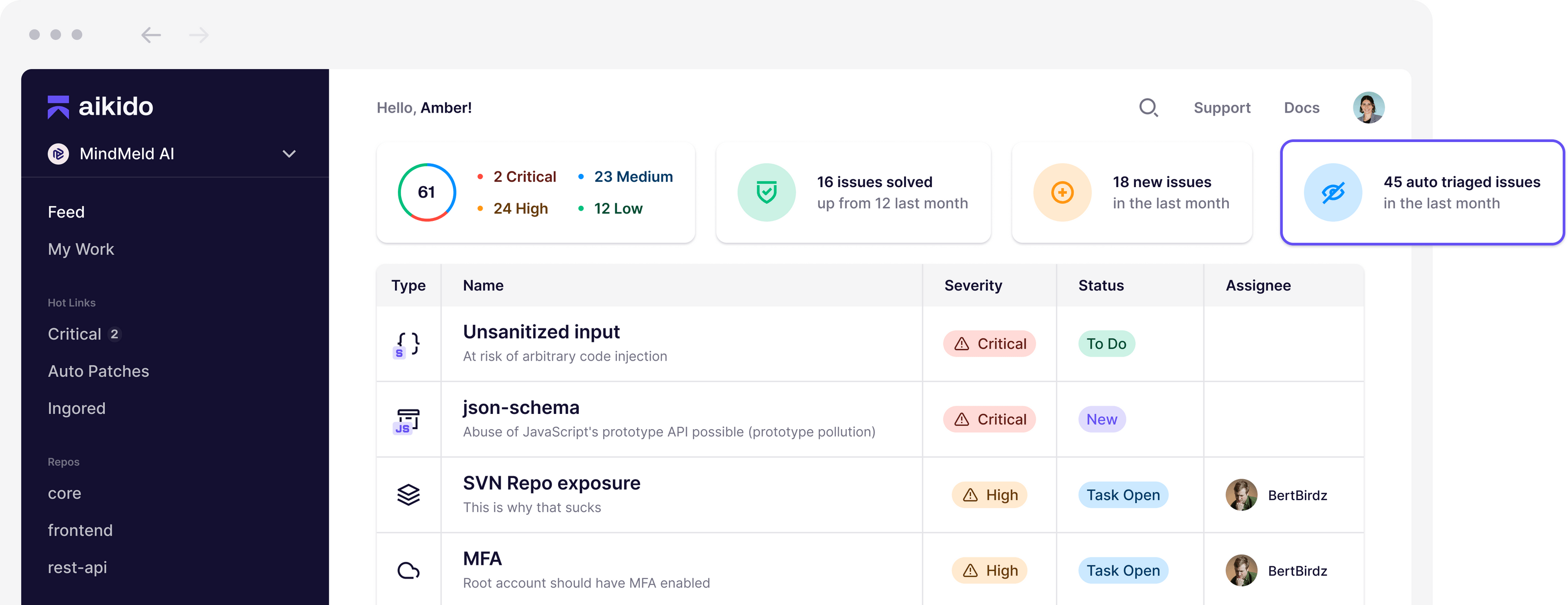
Aikido AppSec is an all-in-one application security platform designed to consolidate multiple security scanning tools into a single, unified interface. By focusing on noise reduction and developer-centric remediation, it helps engineering and security teams identify, prioritize, and fix vulnerabilities across the entire software development lifecycle, specifically targeting code, dependencies, containers, and cloud infrastructure.
Understanding the Core Philosophy of Aikido
The modern development environment is saturated with security alerts. Many traditional security tools operate in silos, generating thousands of findings that require manual triaging—a process often referred to as "alert fatigue." Aikido aims to resolve this by acting as a security orchestration layer that integrates directly into the CI/CD pipeline and version control systems like GitHub, GitLab, and Bitbucket.
Rather than merely listing every potential vulnerability, the platform employs an automated triage process. This design philosophy recognizes that not every vulnerability poses an equal risk to a specific environment. By cross-referencing code findings with reachability analysis and environmental context, Aikido ensures that developers focus on fixing flaws that are actually exploitable in their specific production or staging configurations.
Key Functional Pillars of Aikido
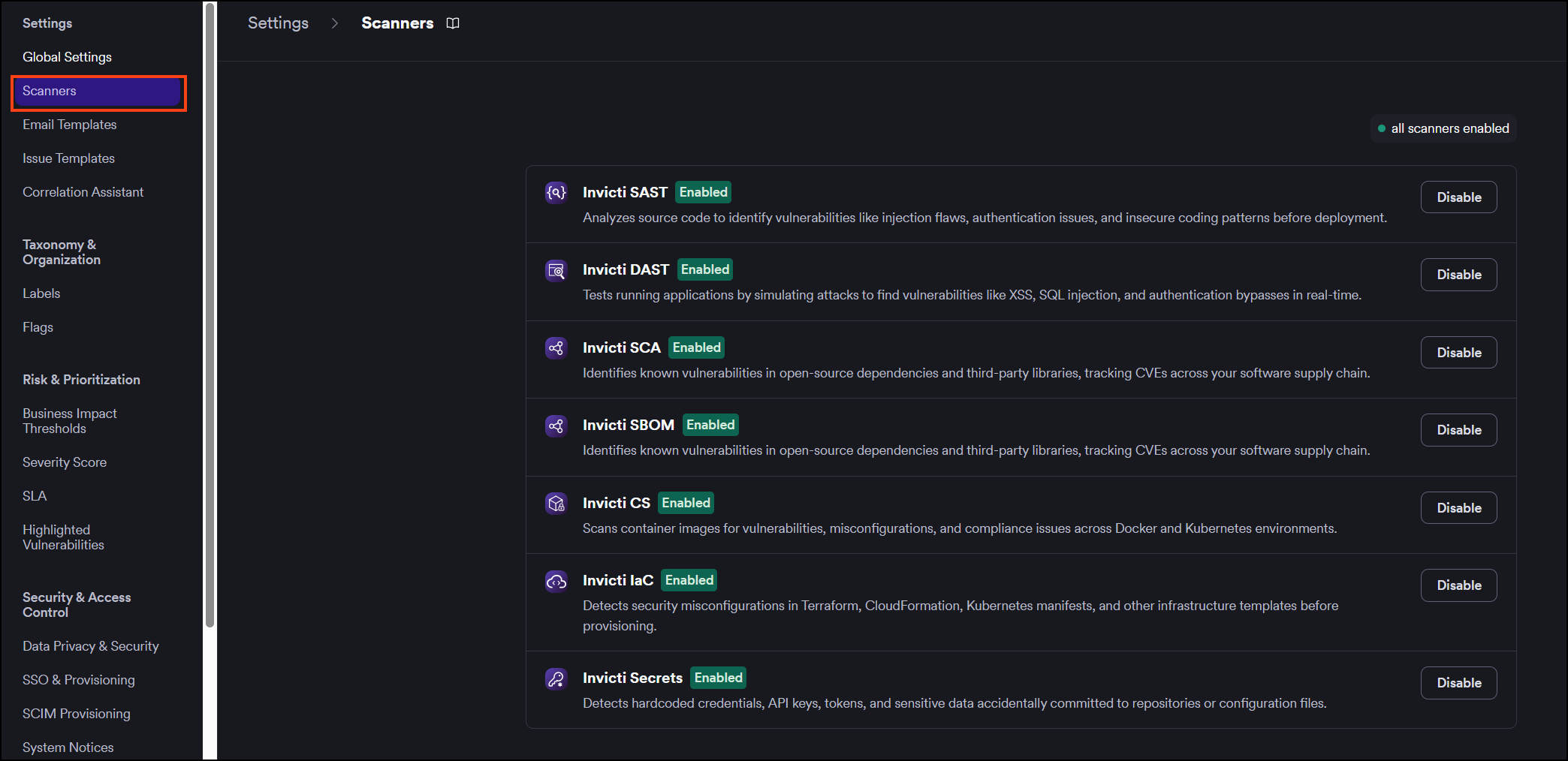
The platform aggregates several security disciplines into one management dashboard. This consolidation is not just a cosmetic feature but a functional requirement for teams trying to maintain a coherent security posture.
Static Analysis Security Testing (SAST)
Aikido’s SAST engine scans source code for insecure coding patterns and common vulnerabilities, such as SQL injection, cross-site scripting (XSS), and improper authentication handling. Unlike legacy scanners that often trigger false positives, the Aikido approach emphasizes accuracy to maintain developer trust. It parses code in real-time as pull requests are opened, providing feedback before the code is merged into the main branch.
Software Composition Analysis (SCA)
Modern applications are rarely built from scratch; they rely heavily on open-source libraries and frameworks. Aikido’s SCA functionality keeps a detailed inventory of these dependencies. It monitors the "Software Bill of Materials" (SBOM) to detect outdated packages or those with known CVEs (Common Vulnerabilities and Exposures). Critically, it checks whether the vulnerable function in a dependency is actually being called by the application, which is a key differentiator in reducing irrelevant notifications.
Container and Infrastructure Scanning
As deployments move toward containerized environments, securing the underlying architecture is vital. Aikido scans Docker images for vulnerabilities in the OS-level packages and libraries within the container. Additionally, it offers Infrastructure-as-Code (IaC) scanning. This feature inspects Terraform or Kubernetes configuration files to identify misconfigurations—such as open S3 buckets, excessive permissions, or missing encryption—before they reach production.
Comparing Security Scanning Capabilities
| Feature | Functionality | Primary Benefit |
|---|---|---|
| SAST | Source code vulnerability scanning | Detects injection and logic flaws early. |
| SCA | Dependency and library monitoring | Manages risks in open-source components. |
| Secret Scanning | Detection of API keys and passwords | Prevents credential leaks in commits. |
| IaC Scanning | Infrastructure configuration audit | Hardens cloud deployment blueprints. |
| Container Scanning | Vulnerability check for images | Secures the OS layer of containers. |
Developer Experience and Workflow Integration
A standout feature of the Aikido platform is its focus on developer adoption. Security tools that act as friction points are often bypassed or ignored by engineering teams. To prevent this, Aikido integrates into the tools developers already use.
- Pull Request Comments: When a vulnerability is found, Aikido automatically posts a comment directly on the relevant pull request. This allows the developer to see the issue without leaving their familiar IDE or browser environment.
- Auto-Prioritization: Every issue is assigned a risk score based on its exploitability. If a vulnerability is found in a piece of code that is not accessible from the internet or is inside a non-critical microservice, the system de-prioritizes it.
- One-Click Remediation Paths: Where possible, the platform suggests specific version upgrades or code modifications to resolve the identified security risk, shortening the "mean time to repair" (MTTR).
Addressing Vulnerability Noise Reduction
One of the most persistent issues in AppSec is the high volume of "noise"—alerts that are technically valid but practically irrelevant. Aikido tackles this through "Reachability Analysis." This feature simulates the data flow to determine if a vulnerable function path can actually be triggered by an external user.
If a library has a vulnerability, but the application code does not import the specific module containing that vulnerability, Aikido marks it as "low risk" or ignores it entirely. This approach saves countless hours of developer time previously spent investigating issues that posed no real threat to the application's integrity.
Prerequisites and Deployment
To utilize the full suite of Aikido features, organizations must connect their source code repositories to the platform via OAuth. Aikido is primarily cloud-native, meaning there is no complex on-premise infrastructure to maintain. Once connected, the platform begins indexing the repositories and performing baseline scans.
Teams should consider the following requirements before implementation:
- CI/CD Integration: While Aikido works out of the box, optimal results are achieved when configured to trigger scans on every commit or merge request.
- Environmental Context: To leverage reachability analysis effectively, users must define their production environments within the platform.
- Access Control: Aikido provides role-based access control (RBAC) to ensure that only authorized personnel can view sensitive security findings or change remediation settings.
Common Operational Limitations
While the platform provides significant automation, it is not a "set it and forget it" solution. Users should be aware of several operational realities:
- Initial Noise: The first scan of a large, legacy codebase will likely yield a significant number of findings. Teams should allocate time for an initial "security debt" cleanup phase.
- Language Support: While Aikido supports a wide range of modern programming languages, highly proprietary or obscure languages may have limited static analysis depth compared to mainstream languages like Java, JavaScript, Python, or Go.
- False Negatives: Like all security scanners, Aikido is designed to catch known patterns. It cannot identify zero-day vulnerabilities that have not yet been documented in security databases.
Frequently Asked Questions
Does Aikido replace the need for an external penetration test?
No. While Aikido automates continuous scanning for known patterns and misconfigurations, a penetration test involves human expertise to find complex logic flaws and business-specific vulnerabilities that automated tools cannot identify.
How does Aikido handle API keys found in code?
Aikido includes a dedicated "Secret Scanning" module that scans commit history for hardcoded API keys, passwords, and private tokens. If detected, it alerts the team immediately, allowing for rapid revocation and rotation of the exposed credentials.
Can Aikido run in an air-gapped environment?
As of 2026, Aikido is primarily offered as a SaaS solution. It requires an active connection to your repository provider (e.g., GitHub, GitLab). It is not designed for air-gapped environments that lack internet connectivity.
How does the platform handle false positives?
If a developer identifies a finding as a false positive, they can mark it as such within the dashboard. Aikido uses this feedback to refine its heuristics, ensuring that similar occurrences are suppressed in future scans.
Does Aikido offer compliance reporting?
Yes. The platform generates reports mapped to common compliance frameworks such as SOC2, ISO 27001, and HIPAA. These reports provide evidence that security scans are running continuously and that vulnerabilities are being addressed.
Next Steps for Implementation
For teams looking to integrate Aikido into their workflow, the recommended approach is a phased rollout. Begin by connecting a single, non-critical repository to understand how the platform’s alerts appear in your development lifecycle. Once the team is comfortable with the triage process and the "reachability" scoring system, expand the connection to include your production-grade repositories. Establish clear service-level agreements (SLAs) for fixing "Critical" and "High" vulnerabilities to ensure that the security improvements provided by the platform are systematically applied throughout the development lifecycle.