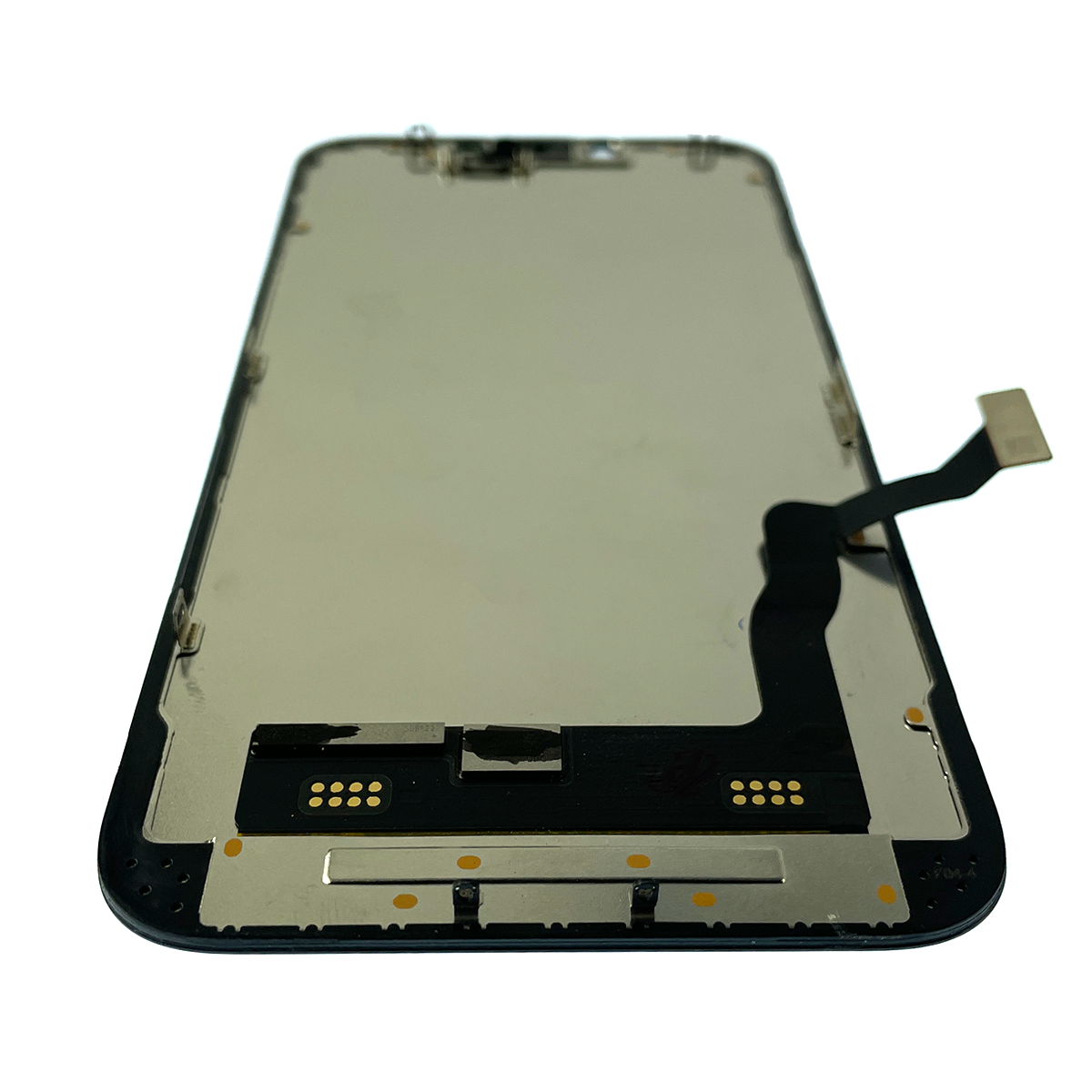
AppleCare+ for iPhone provides comprehensive coverage for accidental screen damage, reducing the typical out-of-warranty repair cost to a fixed $29 deductible. This policy covers unlimited incidents of accidental damage, provided the device has an active subscription or plan, and requires service through Apple-authorized technicians to maintain the device's original warranty and hardware integrity.
Navigating the specifics of smartphone protection can be complex, especially as device technology becomes more sophisticated. In 2026, the iPhone remains a central hub for personal and professional life, making a cracked or unresponsive display a significant disruption. Understanding the nuances of the AppleCare+ policy—specifically regarding screen replacements—is essential for every owner looking to protect their investment and ensure their device continues to function with the precision Apple intended.
The Distinction Between AppleCare and AppleCare+
To understand screen replacement policies, one must first distinguish between the standard AppleCare (the limited warranty) and AppleCare+ (the optional service plan).
The Standard Limited Warranty
Every iPhone comes with one year of hardware repair coverage through its limited warranty and up to 90 days of complimentary technical support. However, it is a common misconception that this standard warranty covers accidental damage. The limited warranty strictly covers manufacturing defects, such as a pixel failure or a digitizer that stops responding due to internal component errors. If you drop your iPhone and the screen shatters, the standard warranty will not cover the repair.
AppleCare+ Protection
AppleCare+ is an insurance-like service contract that extends the duration of coverage and, most importantly, includes accidental damage from handling (ADH). Under the current 2026 guidelines, AppleCare+ covers an unlimited number of accidental damage incidents. Each incident is subject to a service fee (deductible), which is significantly lower than the price of a full-unit replacement or an out-of-warranty screen repair.
The "Screen-Only" Policy and Pricing
Apple maintains a strict definition of what constitutes a "screen-only" repair. This distinction is vital because it determines whether you pay the lowest possible deductible.
Defining Screen-Only Damage
For a repair to qualify for the $29 service fee, the damage must be limited exclusively to the front display. This includes:
- Cracked or shattered front glass.
- Display malfunctions (flickering, lines, or "ink spots") resulting from an impact, provided the rest of the chassis is intact.
If the iPhone has additional damage—such as a bent frame, a cracked rear glass, or liquid ingress—the repair may be categorized as "Other Damage." In these instances, the deductible typically jumps from $29 to $99. Apple technicians perform a diagnostic check upon receipt to ensure that a new screen can be safely and effectively seated into the existing enclosure.
2026 Comparison of Repair Costs
The financial benefit of AppleCare+ becomes clear when comparing these deductibles to the out-of-warranty service prices for current models.
| iPhone Model | AppleCare+ Screen Deductible | Out-of-Warranty Screen Repair (Est.) |
|---|---|---|
| iPhone 17 Pro Max | $29 | $379 |
| iPhone 17 Pro | $29 | $329 |
| iPhone 17 | $29 | $279 |
| iPhone 16 Plus | $29 | $329 |
| iPhone 15 | $29 | $279 |
| iPhone SE (3rd Gen) | $29 | $129 |
Note: Prices are subject to regional taxes and may vary slightly by location. Out-of-warranty prices are estimates based on standard Apple service pricing as of 2026.
The Technical Importance of Authorized Screen Replacement
A screen replacement is not merely a mechanical task of swapping glass. In the modern iPhone ecosystem, the display is a complex assembly of sensors, including the Face ID array, the ambient light sensor, and the True Tone hardware.
Serialization and Calibration
Apple uses a process known as Parts Pairing or serialization. Each display is digitally "locked" to the logic board of the specific iPhone it was manufactured with. When a screen is replaced, an authorized technician must use Apple’s proprietary System Configuration software to pair the new screen with the device.
If a screen is replaced by an unauthorized third party:
- Face ID may be disabled: The security enclave may fail to recognize the new sensor array.
- True Tone loss: The display's ability to adjust color temperature based on ambient lighting is often lost.
- Auto-Brightness issues: The device may struggle to calibrate its brightness levels correctly.
By utilizing AppleCare+ for your screen replacement, you ensure that the repair is logged in the official Apple GSX (Global Service Exchange) database and that the device passes all post-repair calibration tests.
Incident Limits and Coverage Duration
As of the current 2026 policy, Apple has moved away from the "two incidents per year" model that characterized earlier versions of AppleCare+.
Unlimited Accidental Damage
AppleCare+ for iPhone now offers unlimited incidents of accidental damage protection. This means that if you are particularly prone to accidents, you can have your screen replaced multiple times within your coverage period, paying only the $29 deductible each time.
Coverage Terms
There are generally two ways to maintain AppleCare+ coverage:
- Fixed-Term Plans: Usually a two-year plan paid upfront. These plans can often be extended on a month-to-month basis after the initial two years expire.
- Monthly Recurring Plans: A month-to-month subscription that continues until canceled. This is often preferred by users who plan to keep their iPhones for three or more years.
It is important to note that if a monthly plan lapses due to a payment failure, there is a very short grace period to reinstate it. Once AppleCare+ is officially canceled or expired, it cannot be added back to that specific device.
The Repair Process: Step-by-Step
When you have a cracked screen and an active AppleCare+ policy, you have several avenues for repair. Each is designed to minimize downtime.
1. Preparation
Before handing your device over, you must perform the following:
- Back up your data: While a screen replacement typically doesn't erase data, hardware repairs always carry a risk of data loss. Use iCloud or a computer backup.
- Disable "Find My": Apple cannot legally service a device that has Find My iPhone enabled due to anti-theft protocols. If the screen is too broken to touch, you can disable this via iCloud.com/find.
- Remove the SIM card or manage eSIM: If you are mailing the device in, keep your SIM card to use in a temporary device.
2. Service Options
- Apple Store (Genius Bar): This is the fastest method. Most screen replacements are performed "in-store" and can be completed within 2 to 4 hours. You must book an appointment via the Apple Support app or website.
- Apple Authorized Service Providers (AASPs): Companies like Best Buy or specialized local repair shops are certified by Apple to perform AppleCare+ repairs using genuine parts and tools. Their pricing and deductibles are identical to Apple's.
- Mail-In Service: Apple sends a shipping box to your home. You package the iPhone and send it to a central repair depot. The turnaround time is typically 3 to 5 business days.
- On-Site Service: In some metropolitan areas, Apple offers on-site repair where a technician comes to your home or office to perform the screen replacement in a mobile repair unit.
Common Exclusions and Policy Limitations
While AppleCare+ is extensive, it is not a "blank check" for all types of damage or loss.
Cosmetic Wear and Tear
The policy does not cover cosmetic damage that does not affect the functionality of the device. For example, fine scratches on the glass that are only visible under direct light typically do not qualify for a $29 replacement. The glass must be cracked or the display must be functionally impaired.
Unauthorized Modifications
If the iPhone has been previously repaired with non-genuine parts or has undergone unauthorized "jailbreaking" or hardware modifications, Apple reserves the right to deny AppleCare+ service. In some cases, they may offer to repair the device only after you pay for the replacement of the non-genuine parts at full cost.
Catastrophic Damage
If the iPhone is in multiple pieces or has been modified to the point where the original components are missing, it may be deemed "unserviceable." AppleCare+ covers accidents, but it requires the original device to be returned in its entirety.
AppleCare+ with Theft and Loss
It is worth noting that a higher tier of AppleCare+ exists which includes coverage for theft and loss. While this does not change the $29 screen replacement deductible, it provides a safety net if your cracked iPhone is stolen before you can get it repaired. This tier requires Find My iPhone to be enabled on the device at the time it is lost or stolen.
Frequently Asked Questions
Does AppleCare+ cover scratches on my iPhone screen?
Standard AppleCare+ does not cover purely cosmetic damage. This includes hairline scratches or "scuffs" that do not interfere with the display's operation or structural integrity. To qualify for the $29 screen replacement, the glass must generally be cracked or shattered, or the touch/display functionality must be compromised.
How long does an AppleCare screen replacement take?
If you visit an Apple Store with a scheduled Genius Bar appointment, the repair is usually completed the same day, often within 2 to 4 hours. If you use the mail-in service, the process typically takes 3 to 5 business days, including shipping time.
Can I get my screen fixed if I don’t have AppleCare+?
Yes, but you will be charged the out-of-warranty service rate. For modern iPhones in 2026, this can range from $279 to over $400 depending on the model. Without AppleCare+, you are paying for the full cost of the genuine part and the specialized labor required for calibration.
Will a screen replacement affect my water resistance?
When an iPhone is repaired by Apple or an Authorized Service Provider, the technician replaces the internal adhesive seals that provide water resistance. While no phone is permanently "waterproof," an authorized repair aims to restore the original IP68 water-resistance rating. Third-party repairs often skip this step, leaving the phone vulnerable to liquid damage.
What if I cracked my screen and the back glass?
If both the front screen and the back glass are cracked, the repair is no longer classified as "screen-only." Under AppleCare+, this would typically fall under the "Other Damage" category, which carries a $99 deductible rather than the $29 screen-only fee.
Practical Recommendation
If you currently have a cracked screen, the first step is to verify your coverage. Open the Settings app on your iPhone, navigate to General, and then About. Look for the "Coverage" section to see if your AppleCare+ is active.
If covered, backup your device immediately to iCloud. Schedule an appointment through the Apple Support app rather than walking into a store, as Genius Bar availability for same-day screen repairs fills up quickly. For those without coverage, evaluate the out-of-warranty cost against the trade-in value of the device; in 2026, it is often more economical to trade in a damaged device toward a newer model than to pay for a high-cost out-of-warranty screen repair on an aging flagship.