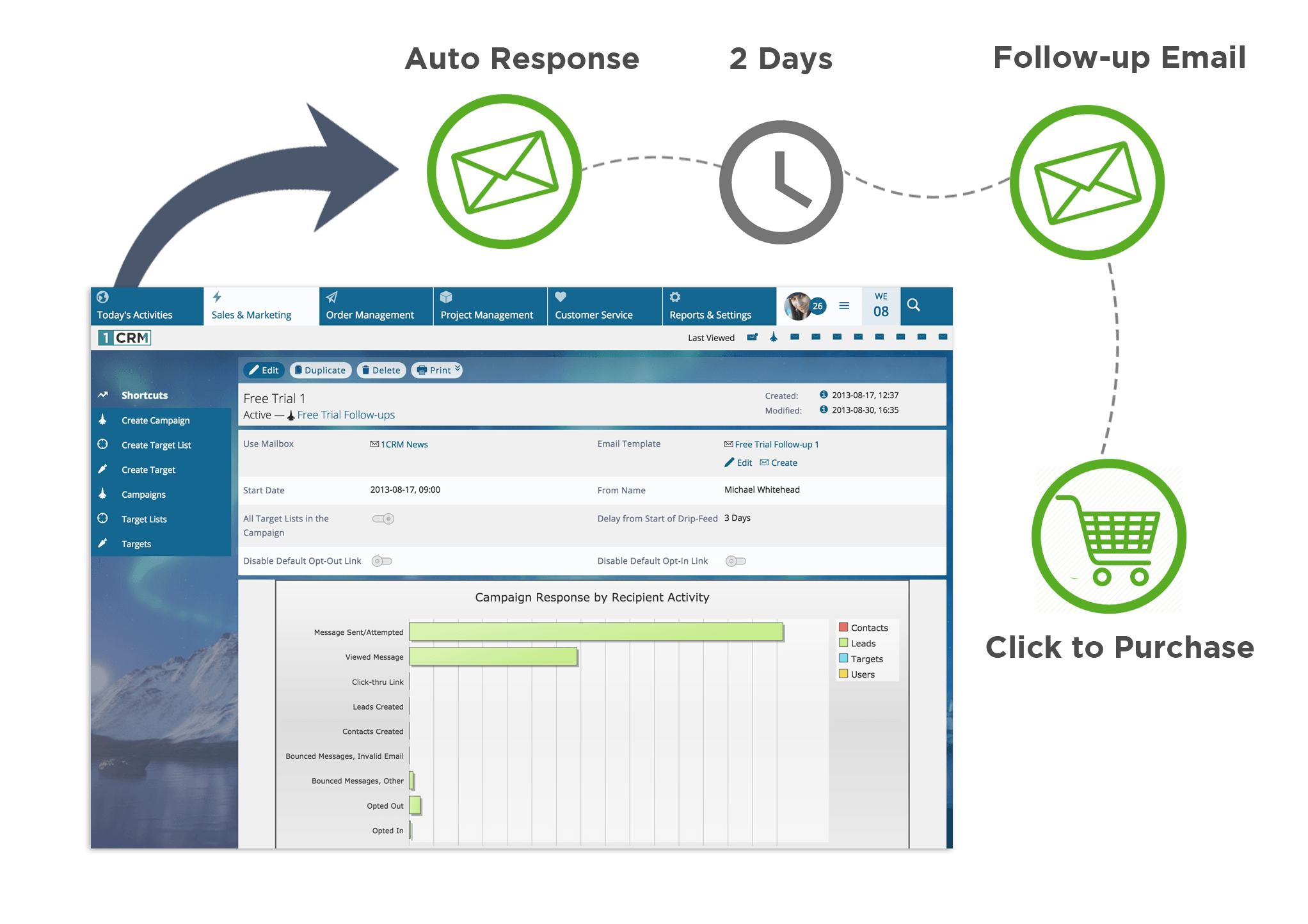
1CRM is a comprehensive, all-in-one Customer Relationship Management (CRM) solution designed to unify sales, marketing, customer service, and business operations within a single platform. Unlike traditional CRMs that focus solely on lead tracking, 1CRM integrates order management, project tracking, and service management, providing a holistic view of the customer lifecycle from initial contact to final invoicing.
Understanding the 1CRM Ecosystem
In the business landscape of 2026, the fragmentation of data remains one of the primary hurdles for small to medium-sized enterprises (SMEs). 1CRM addresses this by positioning itself as a "Business Productivity Cloud." It is built on an open-source foundation, which historically allowed it to offer a level of customization that proprietary, "closed-garden" systems struggle to match.
The philosophy behind 1CRM is the elimination of "app sprawl." Instead of a company paying for separate subscriptions for CRM, project management, invoicing, and help desk software, 1CRM consolidates these functions. This consolidation ensures that a sales representative can see if a client has outstanding invoices or active support tickets before making a follow-up call, fostering a more informed and professional customer interaction.
Key Features and Functional Modules
To understand why 1CRM is classified as an "all-in-one" system, one must look at its core modules. These modules are not just bolted-on features; they are deeply integrated components that share a common database.
Sales Force Automation (SFA)
The Sales Force Automation module is the heart of the system. It manages the traditional sales pipeline, including leads, opportunities, and accounts.
- Lead Management: Automates the capture of leads from websites and social media, assigning them to the correct sales team based on predefined rules.
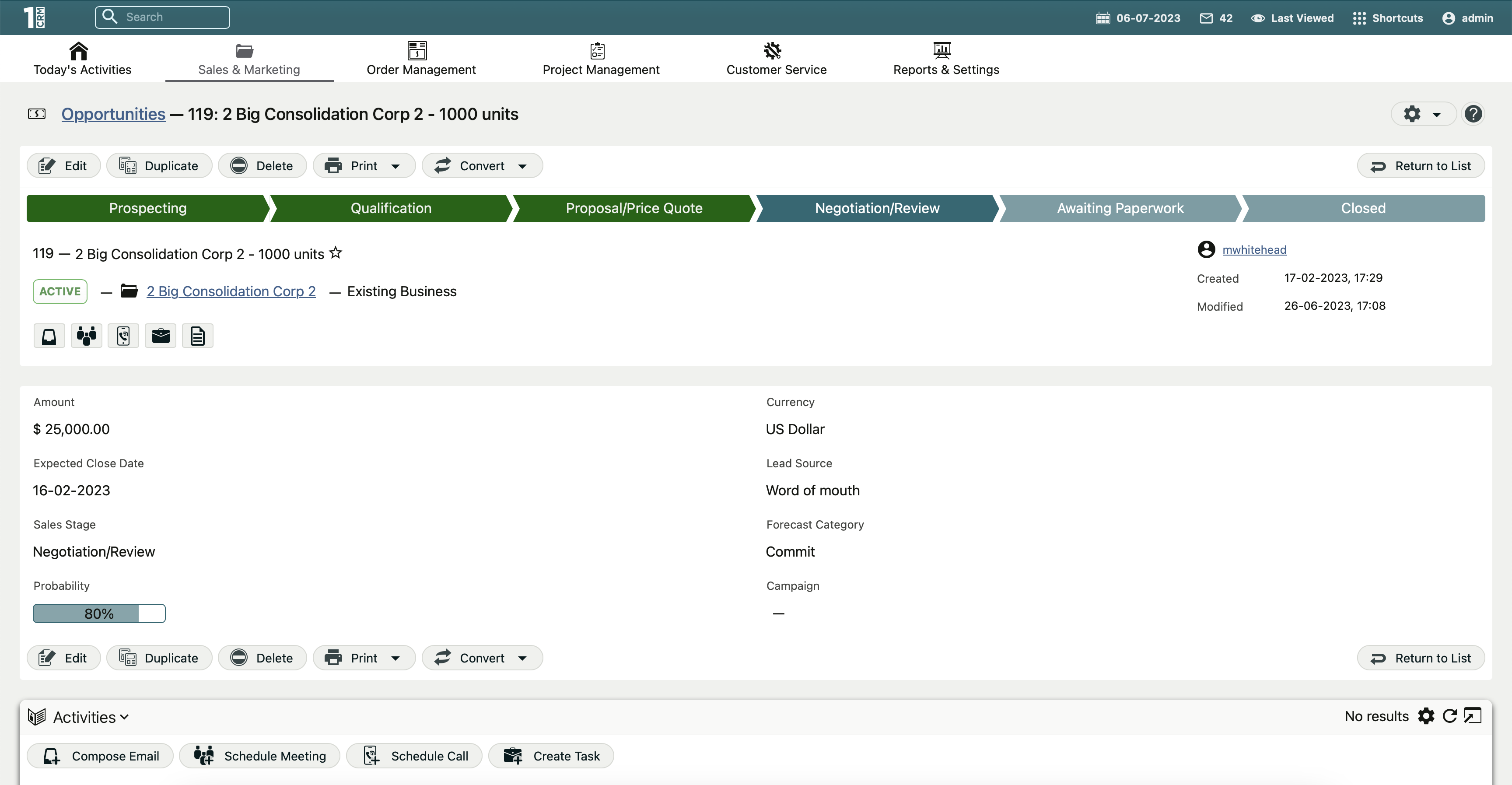
- Opportunity Tracking: Provides a visual pipeline where sales managers can track the progress of deals, estimate closing dates, and forecast revenue.
- Quote-to-Order Conversion: One of 1CRM's strongest features is the ability to generate a professional PDF quote and, upon approval, convert it into a sales order and subsequent invoice with a single click.
Marketing Automation
Marketing in 1CRM focuses on lead nurturing and campaign ROI. In 2026, the platform utilizes sophisticated segmentation to allow businesses to target specific demographics within their existing database.
- Email Marketing: Built-in tools for designing, sending, and tracking bulk email campaigns.
- Lead Scoring: Automatically ranks leads based on their interactions (e.g., opening an email, visiting a pricing page), allowing sales teams to prioritize high-intent prospects.
- Campaign Management: Tracks the costs and revenues associated with specific marketing initiatives to calculate precise Return on Investment (ROI).
Order Management and Billing
While many CRMs require an integration with QuickBooks or Xero to handle finances, 1CRM includes robust internal billing features. This is particularly useful for service-based businesses.
- Invoicing: Supports one-time and recurring invoices, making it ideal for subscription-based models.
- Product Catalog: Manages complex product lists, including physical goods and services, with support for multiple currencies and tax rates.
- Payment Integration: Connects with major payment gateways to allow clients to pay invoices directly via a secure portal.
Project Management and Resource Tracking
1CRM bridges the gap between sales and delivery. Once a deal is closed, the system allows teams to transition into project execution.
- Gantt Charts: Provides visual timelines for project tasks and milestones.
- Timesheets: Employees can log hours directly against specific projects or tasks, which can then be automatically pulled into invoices for "Time and Materials" billing.
- Resource Allocation: Helps managers see who is overbooked and who has capacity, ensuring projects stay on schedule.
Deployment Options: Cloud vs. On-Premise
One of the defining characteristics of 1CRM is its flexibility in deployment. While most modern CRM providers have moved exclusively to a Multi-tenant SaaS (Software as a Service) model, 1CRM continues to offer choices that cater to different security and budgetary needs.
1CRM Cloud
This is the standard SaaS offering. The software is hosted by 1CRM or their partners, and users access it via a web browser. It is the preferred choice for businesses that do not want to manage their own server infrastructure. Updates are handled automatically, and data is backed up in secure data centers.
On-Premise (Private Cloud)
For organizations with strict data sovereignty requirements—such as law firms, medical providers, or government contractors—the On-Premise version is vital. It allows the company to host the 1CRM software on its own internal servers or a private cloud instance (like AWS or Azure). This provides the IT department with total control over the database, security protocols, and update schedules.
Technical Specifications and Integration Capabilities
As of 2026, 1CRM has evolved to support a modern tech stack while maintaining backward compatibility for established businesses. The system is primarily built using PHP and utilizes a MySQL or MariaDB database.
API and Extensibility
The platform provides a RESTful API, which is essential for connecting 1CRM to third-party applications. Whether it is an integration with a specialized shipping platform or a custom-built mobile app, the API allows for bi-directional data flow.
Security Protocols
Security is a primary concern for any system handling sensitive customer data. 1CRM employs:
- Role-Based Access Control (RBAC): Administrators can define exactly which users can see or edit specific fields, modules, or reports.
- Audit Trails: Every change to a record is logged, providing a history of who changed what and when.
- Two-Factor Authentication (2FA): An essential layer of security for protecting user logins.
Comparing 1CRM Editions
1CRM is offered in several editions to suit different business sizes. The following table outlines the material differences between the primary tiers available in 2026.
| Feature | Startup Edition | Professional Edition | Enterprise Edition |
|---|---|---|---|
| User Limit | Up to 3 users | Unlimited | Unlimited |
| Sales & Marketing | Included | Included | Included |
| Project Management | Basic | Advanced | Advanced |
| Order Management | Limited | Full | Full |
| Custom Fields | Limited | Unlimited | Unlimited |
| Self-Service Portal | No | Optional | Included |
| Mobile Access | Yes | Yes | Yes |
| Deployment | Cloud Only | Cloud or On-Premise | Cloud or On-Premise |
Benefits and Strategic Advantages
Choosing 1CRM over a "big name" competitor like Salesforce or HubSpot often comes down to the total cost of ownership (TCO) and the depth of out-of-the-box functionality.
- Cost Efficiency: Because 1CRM includes modules for project management and invoicing, businesses can often cancel 2-3 other software subscriptions. Over a five-year period, this can save a mid-sized company tens of thousands of dollars.
- Data Integrity: When sales, projects, and billing live in one database, there is "one version of the truth." There are no syncing errors between different platforms, and reports are more accurate.
- Customization: The system is highly malleable. Users can add custom fields, change the layout of screens, and create automated workflows without needing extensive coding knowledge.
- Ownership of Data: Especially with the On-Premise version, businesses truly own their data. They are not locked into a proprietary cloud where extracting data for migration can be difficult and expensive.
Potential Drawbacks and Considerations
While 1CRM is powerful, it is not the right fit for every organization. Potential users should be aware of certain trade-offs:
- Learning Curve: Because the system does so much, the interface can initially feel overwhelming compared to a simple, "contact-only" CRM. Proper training is essential for successful adoption.
- Interface Aesthetic: While functional and clean, 1CRM prioritizes data density and utility over the ultra-minimalist designs found in some modern startups.
- Configuration Time: Setting up the full "quote-to-invoice" workflow requires careful planning. It is not a "plug-and-play" system if you intend to use its more advanced business logic features.
Frequently Asked Questions
Is 1CRM suitable for very small businesses?
Yes, the Startup Edition is specifically designed for small teams of up to three people. It provides the essential tools for contact management and basic sales tracking at a very low entry point. However, businesses that expect rapid growth may find they outgrow the Startup Edition's limits on custom fields and modules fairly quickly.
Can 1CRM integrate with Google Workspace and Microsoft 365?
Yes. 1CRM offers robust integrations with both Google and Microsoft ecosystems. This includes syncing calendars, contacts, and emails. In 2026, these integrations are seamless, allowing users to archive emails from Outlook or Gmail directly into the relevant client record in 1CRM with a single click.
Does 1CRM offer a mobile app?
1CRM provides a dedicated mobile application for both iOS and Android. The mobile app allows field sales and service teams to access client data, update opportunities, log expenses, and even view project tasks while on the go. It also supports offline caching for use in areas with poor connectivity.
How does 1CRM handle data privacy and GDPR?
1CRM includes several features to help businesses comply with GDPR and other data privacy regulations. These include tools for data anonymization, consent tracking, and the ability to quickly export all data associated with a specific individual (the "Right to Access"). For the highest level of privacy control, the On-Premise deployment option allows businesses to keep all data within their own jurisdiction.
Can I migrate my data from another CRM to 1CRM?
Yes. 1CRM includes a built-in Import Wizard that supports CSV and vCard files. For more complex migrations from systems like Salesforce, Microsoft Dynamics, or SugarCRM, 1CRM partners often provide migration services to ensure that historical data, including notes and attachments, is moved accurately.
Final Recommendation
1CRM is an ideal solution for businesses that have outgrown simple spreadsheets or basic CRMs and are looking for a unified way to manage their entire operation. It is particularly well-suited for professional services, agencies, and small-scale manufacturers who need to track time, manage projects, and handle billing within the same environment where they manage their sales leads.
To get started, businesses should first perform a "feature audit" of their current software stack. If you are currently paying for three or more separate tools to handle CRM, projects, and invoicing, a move to 1CRM could significantly streamline your workflows and reduce costs. Begin with a trial of the Professional Cloud edition to test the "quote-to-invoice" workflow, as this is where the system provides the most unique value.