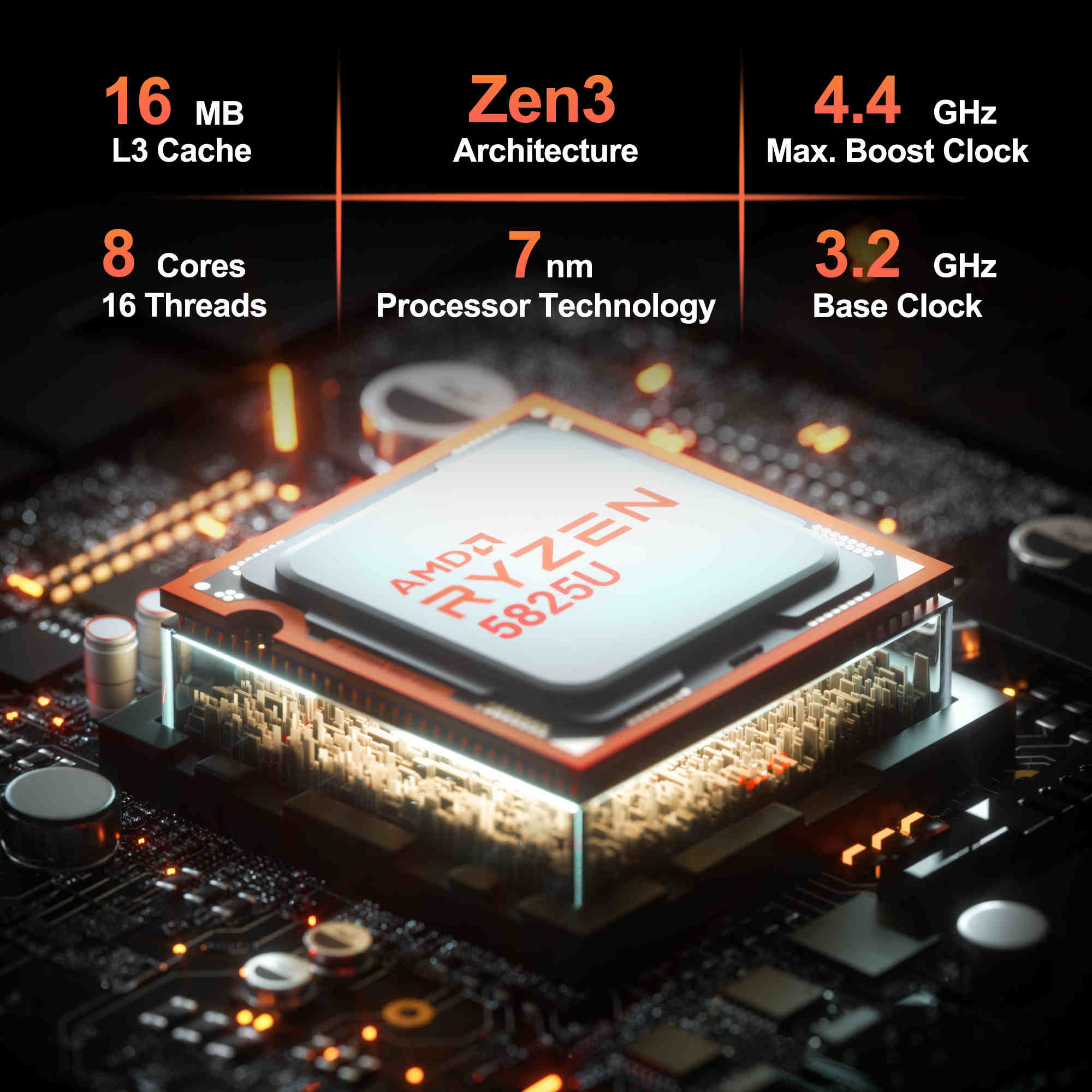
Selecting a processor is the most critical decision when building or purchasing a computer in 2026. The choice between an AMD Ryzen 5 and an Intel Core i3 often dictates the machine's longevity, multitasking capability, and performance in specialized tasks. While the Ryzen 5 generally targets the mainstream performance tier with higher core counts, the Intel i3 has evolved into a highly efficient entry-to-mid-level workhorse suitable for office productivity, media consumption, and light gaming.
Understanding Processor Architecture and Core Counts
Modern CPU performance is no longer defined solely by clock speed. Instead, the combination of architecture, core count, and thread management determines how effectively a system handles multiple operations.
The AMD Ryzen 5 series typically features a higher number of physical cores and threads compared to the Intel i3. In contemporary computing, this provides a distinct advantage in multithreaded workloads such as video rendering, 3D modeling, and running multiple virtual machines. Because Ryzen 5 chips often utilize a chiplet-based architecture, they maintain efficiency even under sustained high-performance loads.
Conversely, the Intel i3 series—historically known as the "entry-level" option—has undergone significant refinement. Current-generation i3 processors utilize a hybrid architecture that pairs high-performance cores with smaller efficiency cores. This design allows the i3 to excel in single-threaded tasks, such as web browsing, document processing, and basic application responsiveness, while maintaining lower power consumption. For users whose workflow involves bursty tasks rather than continuous heavy lifting, the i3 architecture provides a snappy, efficient experience.
Performance Benchmarks and Real-World Application
When evaluating these processors, it is essential to distinguish between synthetic benchmarks and practical daily usage. Synthetic tests, such as Cinebench or Geekbench, offer a standardized look at raw computing power, where the Ryzen 5 consistently outperforms the i3 in multi-core scores due to its higher thread density. However, in real-world scenarios like opening a spreadsheet, streaming high-definition video, or editing a document, the difference is often imperceptible to the average user.
For gaming, the Ryzen 5 is frequently the preferred choice for enthusiasts looking to pair their CPU with a mid-range dedicated graphics card. Its ability to handle background processes—such as Discord, browser tabs, and recording software—without stuttering makes it a superior choice for multitasking while gaming. The Intel i3, while capable of running most modern titles at acceptable frame rates when paired with a moderate GPU, may encounter bottlenecks in CPU-intensive games or highly complex simulations where physical core count becomes the limiting factor.
Integrated Graphics and Budget Considerations
A critical factor for many buyers is the inclusion of integrated graphics (iGPU). If you are building a system without a dedicated graphics card, the choice of processor changes significantly. AMD’s "G" series processors, which fall under the Ryzen 5 umbrella, possess some of the most capable integrated graphics in the consumer market. These chips allow for smooth 1080p gaming and efficient hardware acceleration for video playback without the need for a secondary power-hungry component.
Intel’s i3 processors include Intel UHD or Iris Xe graphics, which are perfectly optimized for multimedia tasks, office applications, and hardware-accelerated video decoding (such as H.265 or AV1). However, they generally fall short of AMD’s APUs when it comes to raw 3D gaming performance. If your budget does not allow for a dedicated graphics card, the Ryzen 5 offers a much higher ceiling for graphical tasks.
Power Efficiency and Thermal Management
The thermal design power (TDP) of these processors tells a story of efficiency. The Intel i3 is typically designed to operate at lower power draws, making it an excellent choice for compact systems, mini-PCs, or laptops where thermal dissipation is limited. Because the i3 runs cooler, it is often easier to keep quiet under load, requiring less aggressive cooling solutions.
AMD Ryzen 5 processors, while power-efficient per watt, generally operate with higher TDPs to facilitate their increased performance levels. This necessitates a more robust cooling solution—either a high-quality air cooler or an All-in-One (AIO) liquid cooler—to ensure the CPU maintains its boost clock speeds without thermal throttling. In a standard mid-tower desktop build, this is rarely an issue, but for ultra-small form factor (SFF) enthusiasts, the thermal footprint of the Ryzen 5 is a technical requirement that must be managed.
Comparative Hardware Specifications
The following table highlights the general positioning of these processors in the current 2026 market landscape.
| Feature | Intel Core i3 | AMD Ryzen 5 |
|---|---|---|
| Primary Target | Office, Education, Home Media | Gaming, Content Creation, Multitasking |
| Typical Core Count | 4-8 Cores | 6-12 Cores |
| Multithreading | Moderate | High |
| Integrated Graphics | Good for Multimedia | Excellent for Light Gaming |
| Thermal Profile | Low (Quiet) | Moderate (Requires Cooler) |
| Platform Longevity | Varies by Socket Generation | Generally Long-term Support |
Platform Longevity and Upgrade Paths
One of the most overlooked aspects of choosing between Intel and AMD is the motherboard socket. Motherboard compatibility determines your ability to upgrade your CPU three or four years down the line without replacing your entire system. AMD has historically maintained socket support for several generations, allowing users to move from an entry-level Ryzen 5 to a high-end Ryzen 9 on the same motherboard.
Intel traditionally cycles its socket interfaces more frequently, which can limit the "drop-in" upgrade path for older systems. If your intent is to build a system today that you can improve significantly in 2028 or 2029, researching the current socket’s expected lifecycle is as important as the CPU speed itself. In 2026, verify the specific motherboard chipset compatibility for the exact processor generation you are purchasing.
Addressing Common User Questions
1. Is the Ryzen 5 always better than the Intel i3? Not necessarily. "Better" is subjective to the workload. If you are performing heavy productivity tasks or professional creative work, the Ryzen 5 is technically superior. However, if your needs are strictly office productivity, web browsing, and media streaming, the Intel i3 provides a more cost-effective and power-efficient solution.
2. Does an Intel i3 struggle with modern multitasking? No. Modern i3 processors feature enough cores and threads to handle dozens of browser tabs, streaming apps, and productivity suites simultaneously without meaningful slowdowns. The bottleneck in such scenarios is usually RAM or SSD speed, not the CPU.
3. Do I need an aftermarket cooler for these chips? Most Intel i3 processors come with a basic stock cooler that is sufficient for most users. Many Ryzen 5 models also include stock cooling, though enthusiasts often prefer aftermarket air or liquid cooling to ensure lower noise levels and better thermal headroom during heavy gaming sessions.
4. Which is better for a budget gaming PC? If you have a dedicated graphics card, both can serve as a budget gaming CPU. However, the Ryzen 5 provides more "headroom" for background tasks, leading to a smoother overall gaming experience. If you are relying on integrated graphics, the Ryzen 5 series (APUs) is the definitive winner.
5. How much RAM should I pair with these processors? For an Intel i3 system, 16GB of RAM is the modern standard for a smooth experience. For a Ryzen 5 system, 16GB is the minimum, though 32GB is recommended if you are involved in video editing, 3D rendering, or heavy multitasking.
Making the Final Decision
Choosing between an AMD Ryzen 5 and an Intel i3 requires an honest assessment of your primary usage. If you are a casual user, student, or office professional who prioritizes a budget-friendly, energy-efficient system that remains quiet and cool, the Intel i3 is an outstanding choice. It provides more than enough power for 90% of daily digital tasks and excels in single-core responsiveness.
If your interests lean toward gaming, content creation, or multitasking with demanding professional software, the AMD Ryzen 5 is the better investment. The extra physical cores offer a tangible performance boost that justifies the slightly higher power consumption and the need for adequate cooling. Before purchasing, ensure the motherboard socket matches your processor and allows for the level of future-proofing you anticipate needing. By aligning the processor choice with your specific workflow rather than raw clock speed metrics, you will ensure your system remains relevant and capable for years to come.